
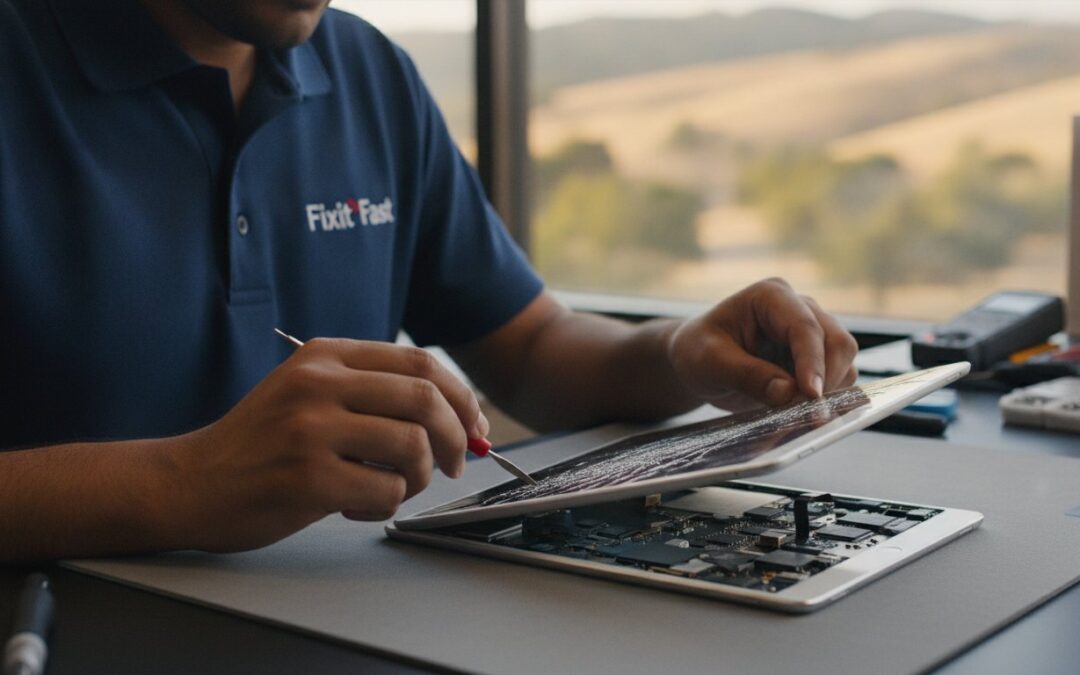
The most expensive part of a cracked iPad screen isn’t actually the replacement glass; it’s the days of productivity you lose while your device sits in a shipping box or waits in a generic service queue. You might feel that a trip to a massive corporate store is your only safe bet for a fix, but for many East Bay residents, a local expert provides a faster and more transparent experience. Whether you are struggling with a spiderweb of cracks or need a reliable ipad charging port repair pleasanton service to get your tablet back in the game, finding a nearby professional is often the smartest move you can make.
It’s completely normal to feel stressed when your digital life is interrupted by a hardware failure. You shouldn’t have to choose between an overpriced repair and the fear of losing your precious photos or documents. This guide will help you discover the most reliable and cost-effective ways to fix your iPad right here in the local community. We’ll explore the latest 2026 repair standards, explain the technical difference between digitizer and LCD damage, and provide the professional advice you need to decide if a repair is the best path forward for your device.
Key Takeaways
- Identify the specific type of damage to your display so you can request the most cost-effective repair possible.
- Leverage California’s Right to Repair laws to access professional local service instead of relying on expensive whole-unit replacements.
- Combine your screen fix with an ipad charging port repair pleasanton check-up to ensure your tablet functions like new.
- Protect your personal data and photos with a simple pre-repair checklist designed for local iPad users.
- Learn how choosing a seasoned East Bay expert with over two decades of local history ensures a fast and reliable turnaround.
Understanding Your iPad Screen Fix Options in Pleasanton
Finding your iPad display shattered is a heart-sinking moment. You likely rely on this device for everything from critical business presentations to winding down with a book at the end of the day. In 2026, the landscape for device restoration has changed for the better. You have more choices than ever, but making the right one requires understanding what happened to your hardware. While big-box retailers might suggest a full unit replacement, a local approach often saves you hundreds of dollars and several days of waiting. Searching for a local solution isn’t just about convenience; it’s about finding a technician who understands that your data and your time are non-negotiable. If you also notice your device is struggling to hold a connection, looking for a specialist in ipad charging port repair pleasanton can solve multiple hardware headaches in a single visit.
Glass Digitizer vs. LCD: What is Actually Broken?
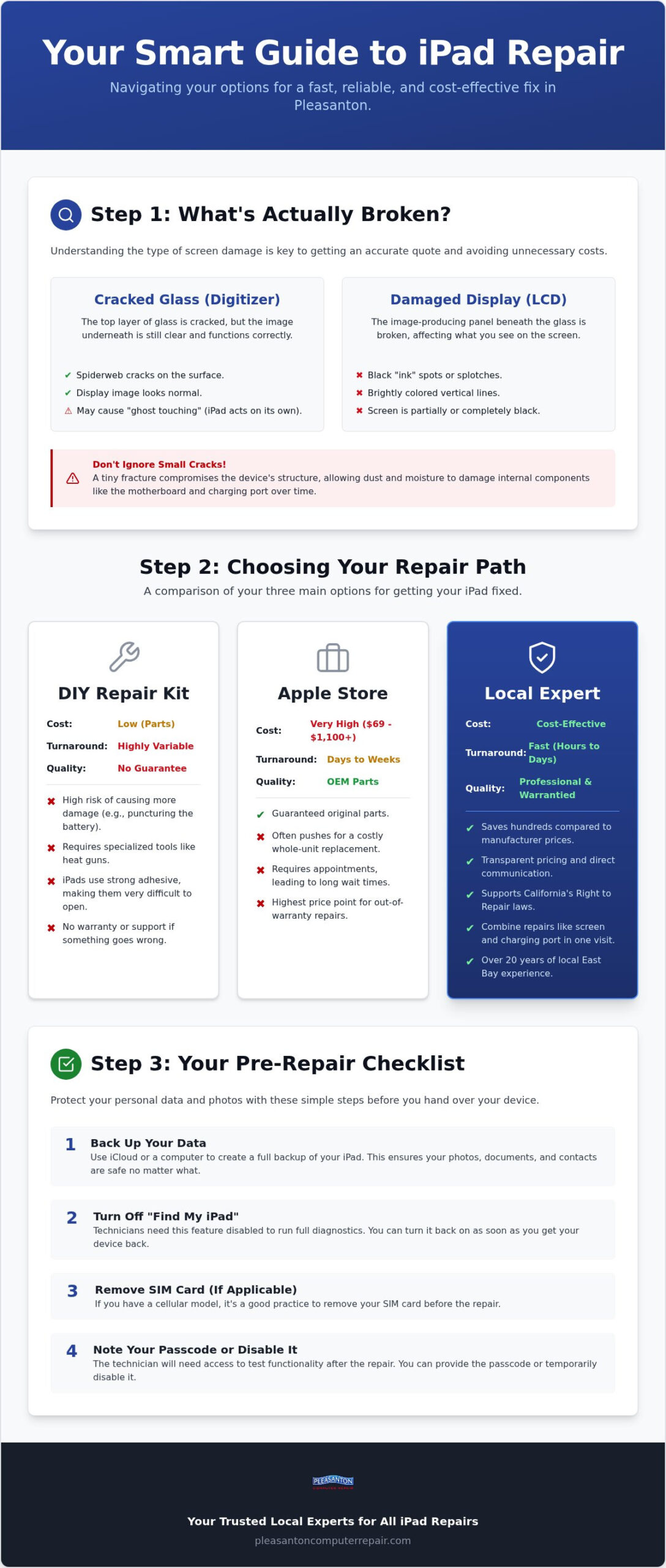
The outer layer of your iPad is the digitizer. This is the tempered glass that translates your finger movements into digital commands. If your screen is spiderwebbed with cracks but you can still see the image clearly, you likely only need a digitizer replacement. However, if you see black ink spots, vertical lines, or a completely dark screen, the LCD panel underneath is damaged. A failing digitizer often causes “ghost touching,” where the iPad opens apps or types messages on its own. Identifying these symptoms early helps you get an accurate quote and ensures you aren’t paying for display parts you don’t actually need.
The Problem with Ignoring a Small Crack
It’s tempting to keep using an iPad with just a single hairline fracture across the corner. This is a mistake that usually leads to more expensive problems. Even a tiny crack compromises the structural integrity of the entire device. Over time, microscopic glass splinters can flake off, posing a genuine risk to your fingers. These small gaps also allow dust and ambient moisture to seep into the sensitive internal components. This debris can eventually lead to motherboard failure or necessitate an ipad charging port repair pleasanton if fine glass dust migrates into the charging assembly. Fixing a small crack now prevents a total hardware failure later.
Professional repair standards have evolved significantly. Thanks to the Right to Repair movement, independent shops now have better access to the same diagnostic tools and documentation as the manufacturers. A professional fix in 2026 should include a thorough diagnostic of all internals, including the battery health and port integrity. You should expect transparent pricing and a clear explanation of whether the repair is worth the investment based on the age of your specific model. Local shops provide a layer of accountability and neighborly service that national mail-in services simply cannot match.
DIY vs. Apple Store vs. Local Repair Shop: A Comparison
Deciding where to take your broken iPad involves balancing three main factors: cost, speed, and quality. For years, manufacturers made it difficult to find outside help, but federal and state policies have shifted in favor of the consumer. The Federal Trade Commission has actively worked to ramp up law enforcement against illegal repair restrictions, ensuring you have the right to choose who services your device. This change means that local independent shops now have better access to parts and tools, making them a formidable alternative to the traditional “genius bar” model. Repairing your device instead of replacing it also keeps heavy metals and glass out of East Bay landfills, making it the more sustainable choice.
The Apple Store Experience: Pros and Cons
The primary benefit of going directly to the manufacturer is the guarantee of original equipment manufacturer (OEM) parts. However, this peace of mind comes with a significant premium. For out-of-warranty repairs, costs can range from $69 to over $1,100 depending on the model. Often, they don’t actually fix your specific screen but instead offer a whole-unit replacement at a high price. You also have to navigate appointment-only schedules, which can mean waiting several days just to get your iPad into the hands of a technician.
The Hidden Dangers of DIY iPad Repair Kits
It’s easy to find cheap repair kits online, but DIY iPad repair is notoriously difficult. Unlike a laptop, an iPad is held together with incredibly strong adhesive rather than screws. Without specialized heat tools, you risk cracking the glass further or puncturing the battery. One wrong move with a pry tool can sever the delicate ribbon cables for the Home button or Touch ID. There’s also the risk of electrostatic discharge (ESD). A tiny spark you can’t even feel can fry the logic board, turning a simple screen fix into a permanent paperweight. If you’re also dealing with power issues, an ipad charging port repair pleasanton specialist has the steady hands and microscopic tools required to avoid these disasters.
Why Local Pleasanton Specialists Often Win
Local shops thrive on speed and transparency. When you visit a specialist at 400 Main Street, you aren’t just a ticket number in a national database. You can speak directly to the technician who will be opening your device. Most local repairs are completed on a same-day or next-day basis, which is a lifesaver if you use your tablet for work. These shops also provide their own warranties, giving you local accountability if something isn’t perfect. If you’re unsure if your device is worth the investment, a trusted local repair expert can provide an honest assessment of its remaining lifespan. Choosing a local pro for your ipad charging port repair pleasanton needs ensures your device is handled by someone who values your business and your data.
Beyond the Glass: Addressing Charging Ports and Internals
When your iPad hits the pavement, the screen is usually the first thing you notice. But the force of a drop often travels through the aluminum chassis, jarring internal components or loosening delicate solder joints. This is why a professional screen fix shouldn’t just be about the glass. It’s the ideal opportunity for a comprehensive hardware health check. If you’ve been struggling to get a steady charge or find yourself wiggling the cable to start a connection, combining your screen replacement with an ipad charging port repair pleasanton service can save you a second trip to the shop. Getting everything fixed at once ensures your tablet feels truly new again.
Is Your iPad Not Charging? It Might Not Be the Battery
Many people assume a tablet that won’t power up has a dead battery. In reality, the culprit is often a clogged or damaged port. Over months of use, pocket lint and dust get compressed deep into the opening. This creates a physical barrier that prevents the cable from seating correctly. You might find yourself propping the cord at a specific angle just to get a connection. This behavior is a classic sign of port failure, not battery degradation. However, if your device is several years old, you might want to check out our guide on iPad battery replacement in Pleasanton to see if your cells are reaching the end of their life.
Please avoid the temptation to use a needle or a safety pin to clean your port at home. These metal objects can easily bend the tiny pins inside or cause a short circuit that permanently damages the logic board. A professional uses non-conductive tools and high-magnification optics to clear debris safely. If the pins are actually bent or broken, a full ipad charging port repair pleasanton is the only way to restore reliable power delivery to your device.
The Connection Between Screen Damage and Port Failure
A drop that’s strong enough to shatter glass can also damage the charging assembly. The port is one of the few points where the internal logic board meets the outside world. If the impact occurs near the bottom of the device, the port pins can become misaligned or the port housing can warp. Getting a full diagnostic during your screen fix ensures that once your display is crystal clear, you won’t be stuck with a device that won’t charge. This holistic approach to device health is why many residents also trust us for cracked iPhone screen repair in Pleasanton. Before you bring your device in for any service, following the manufacturer’s steps for Preparing Your iPad for Repair is the best way to ensure your data stays secure and your device is ready for a professional touch.
Preparing Your iPad for Repair: A Local Resident’s Checklist
Handing over your iPad for service can feel a bit like leaving your house keys with a stranger. After all, your tablet holds years of family photos, private emails, and sensitive work documents. The most common question we hear from Pleasanton residents is, “Will I lose my photos?” While a standard screen fix or an ipad charging port repair pleasanton doesn’t typically involve touching your data, it’s always better to be safe than sorry. Taking a few minutes to prep your device ensures your information stays private and your technician can work efficiently.
Data Safety and Backups
Before you drive down to Main Street, perform a full backup of your device. You can do this through iCloud or by plugging your iPad into a computer for an encrypted local backup. Encrypted backups are superior because they save your saved passwords and health data, making it much easier to restore if needed. Our local technicians prioritize your privacy; we treat your data with the same respect we’d want for our own. If your screen is so badly damaged that it won’t turn on or respond to touch, you might need a specialized iphone data recovery Pleasanton service to pull those memories off the logic board before the physical repair begins.
Security and Accessibility Prep
Modern security features are great for theft prevention, but they can be a hurdle for legitimate repairs. You must turn off “Find My iPad” before most hardware services. This feature acts as a system lock that can prevent a technician from verifying the new parts are functioning correctly. Additionally, we’ll need your passcode to test the device after the repair is finished. We use this access strictly to check the camera, speakers, and touch sensitivity to ensure everything is perfect before you pick it up. If you have a SIM card or an SD card in a cellular model, it’s a good idea to remove those and keep them in a safe place at home.
If your screen is literally falling apart, cover the glass with a piece of clear packing tape. This simple step keeps the shards in place, protecting your fingers and preventing tiny glass splinters from falling into the internal battery or charging assembly. If you’re also dealing with power issues, mention this during your drop-off. A professional ipad charging port repair pleasanton is much easier to perform when the technician knows the full history of the device’s behavior. Ready to get your tablet back in top shape? You can request a diagnostic today and let a local expert take the stress out of your tech troubles.
Why Pleasanton Computer Repair is the Trusted Choice for iPad Service
Since 2002, Pleasanton Computer Repair has served as a steady anchor for East Bay residents facing technology failures. We aren’t a pop-up kiosk in a mall or a temporary storefront; we’re a seasoned partner deeply rooted in the local community. When you walk into our office at 400 Main Street, Suite 205, you’ll find a professional, quiet environment designed to lower your stress levels. Our team approaches every device with calm competence, whether you’re a parent trying to fix a student’s shattered tablet or a small business owner needing an ipad charging port repair pleasanton to keep your operations moving. We’ve seen every iteration of Apple hardware over the last two decades, and that history allows us to work with a level of precision that newer shops simply can’t match.
We understand that your iPad is just one part of your digital life. Many of our clients come to us for a screen fix and realize we can handle their entire ecosystem of devices. This holistic view ensures that your hardware works together seamlessly. We prioritize honesty above all else. If a device is too old to justify the cost of a fix, we’ll tell you. Our diagnostic-first approach means you get a clear, transparent quote before any work begins, ensuring there are no surprises when you come to pick up your restored device. You deserve to know exactly what you’re paying for and why it’s the right choice for your tablet’s longevity.
Expertise Across the Apple Ecosystem
Our technicians are well-versed in the intricate details of Apple hardware. Beyond glass and digitizers, we provide expert Mac repair in Pleasanton for users whose laptops or desktops are showing signs of age. If your computer is running slow but the hardware is otherwise sound, we often recommend SSD upgrades in Pleasanton CA to breathe new life into your machine. This same technical depth applies to our ipad charging port repair pleasanton services, where we use specialized tools to ensure every internal connection is perfect and every charge is consistent.
How to Visit Us Today
Finding us is easy. We’re located in the heart of downtown at 400 Main Street, Suite 205. Our office provides a secure, professional space where your devices are treated with care. We offer both in-store and on-site service options to fit the busy schedules of East Bay residents and business owners. You don’t have to live with a cracked screen, a flickering display, or a battery that won’t charge. Visit us today and let us help you restore your digital life with the reliability and warmth you expect from a local neighbor who has been here for over twenty years.
Restore Your iPad to Peak Performance
Your iPad is a vital tool for your daily life, and a shattered screen shouldn’t keep you disconnected. We’ve explored how identifying the specific display damage and choosing a local specialist can save you significant time and money compared to generic mail-in services. A professional diagnostic is also the perfect opportunity to handle power issues with an ipad charging port repair pleasanton service, ensuring your device remains reliable for years to come. By preparing your device correctly and choosing an expert you can talk to directly, you protect both your hardware and your personal data.
Since 2002, our team has been the trusted partner for technology solutions in Pleasanton, Dublin, and Livermore. You can find our highly rated experts at 400 Main Street, Suite 205, ready to provide the calm, competent service you deserve. Don’t let a broken device stall your productivity or your peace of mind. Schedule Your iPad Repair at Our Pleasanton Office Today and experience the difference of local accountability. We’re here to help you get back to what matters most with a device that looks and functions like new.
Frequently Asked Questions
How much does it typically cost for an iPad screen fix near me in Pleasanton?
Repair costs vary depending on your specific iPad model and whether you only need the glass digitizer or the full LCD replaced. Local independent shops generally offer a much more cost-effective alternative to the flat-rate out-of-warranty replacement fees charged by the manufacturer. The best way to get an accurate, transparent price is to bring your device in for a professional diagnostic at our Main Street office.
How long does a professional iPad screen replacement take?
Most iPad screen repairs are completed within 24 to 48 hours. We understand that being without your tablet is a major inconvenience for both work and home life. While mail-in services can take a week or more, our local approach focuses on a fast turnaround so you can get back to your routine. We’ll give you a specific time estimate when you drop off your device.
Will I lose my data during an iPad screen or charging port repair?
Hardware repairs like a screen fix or an ipad charging port repair pleasanton don’t typically affect the data stored on your device. However, it’s always a smart precaution to perform a full backup to iCloud or your computer before any service. This ensures your photos, messages, and documents stay protected regardless of the physical work being performed on the hardware.
Is it worth fixing an older iPad, or should I buy a new one?
It’s often worth repairing an older device if the hardware still supports the apps you use daily. If your iPad is in good condition otherwise, a screen fix or an ipad charging port repair pleasanton can add years to its lifespan for a fraction of the cost of a new model. We’ll always provide an honest assessment if we believe a repair isn’t the most economical choice for you.
Do you offer a warranty on iPad screen repairs?
Yes, we stand behind our work with a local warranty on both parts and labor. If you notice any issues with touch sensitivity or display quality after your fix, you can simply stop back by our Suite 205 office for assistance. This local accountability is one of the biggest benefits of choosing a neighborly expert over a distant mail-in repair center.
Can you fix an iPad charging port if it’s loose or not connecting?
Yes, we can frequently restore charging functionality without needing a full part replacement. Many charging issues are caused by microscopic debris that gets compressed deep inside the port. If a professional cleaning doesn’t solve the problem, we can perform a full port replacement to ensure your tablet charges reliably every time you plug it in.
Do I need an appointment to bring my iPad to your Pleasanton office?
While we welcome walk-ins at our 400 Main Street location, scheduling an appointment is the best way to ensure a technician is ready to help you immediately. A quick call or online request helps us prepare for your specific model and damage type. This keeps your visit efficient and ensures we can get started on your repair as quickly as possible.
Can you fix other iPad issues like a swelling battery or broken buttons?
Yes, our expertise extends well beyond just screen replacements. A swelling battery is a serious safety concern that we can handle safely and professionally. We also repair unresponsive power buttons, volume rockers, and home buttons. Our goal is to restore your device to a fully functional state so you don’t have to deal with frustrating hardware workarounds.