
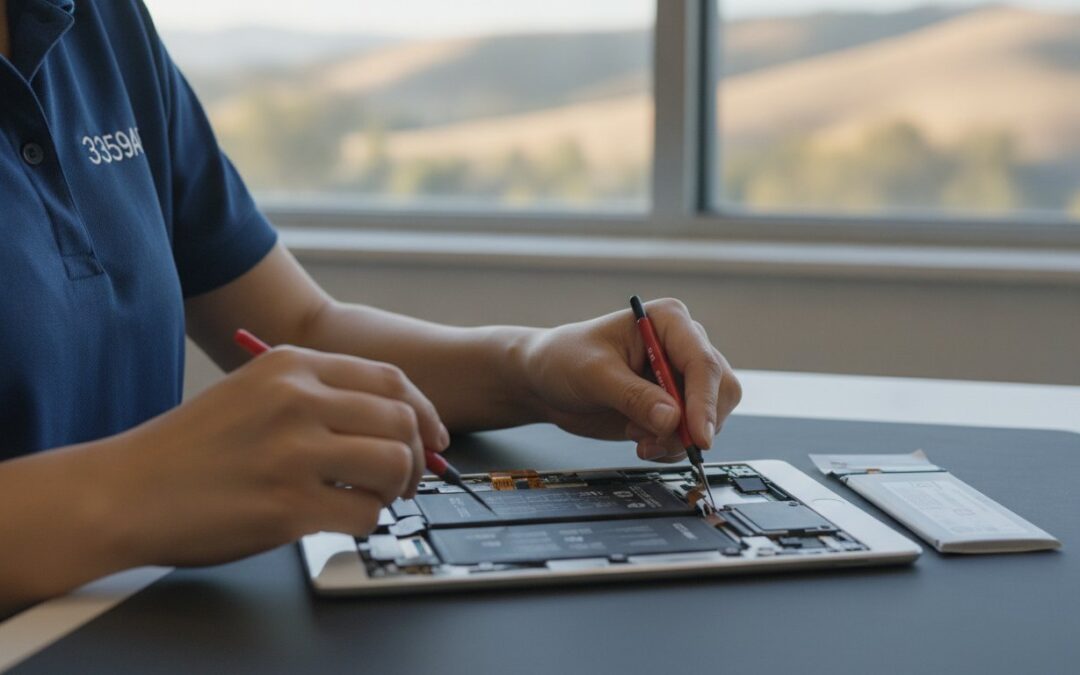
Why would you drop hundreds of dollars on a brand new tablet when a professional iPad battery replacement in Pleasanton can make your current device feel like it just came out of the box? It’s exhausting to watch your battery percentage plummet during a morning meeting or feel the back of the case get uncomfortably hot while you’re working. You probably feel like you’re constantly hunting for a charger, wondering if your data is safe or if the repair cost is even worth it. We understand that your iPad is a vital tool for both work and home life, and losing its portability is a major headache.
You deserve a tablet that keeps up with your pace, and this 2026 guide is here to provide total clarity on the restoration process. We’ll show you how to diagnose a failing cell, explain how the California Right to Repair Act gives you better service options, and help you find reliable local experts right here in the East Bay. We’ll walk through everything from data safety to performance benchmarks under iPadOS 27. By the end, you’ll know exactly how to give your iPad a second life and get back to your day with confidence.
Key Takeaways
- Learn to identify common symptoms of battery degradation like ghost charging and sudden power loss.
- Understand why choosing professional iPad battery replacement Pleasanton specialists protects your device from the risks of DIY adhesive and ribbon cable damage.
- Follow our preparation checklist to secure your data and adjust device settings before your service appointment.
- See how a new battery acts as a sustainable alternative to buying new hardware, fully restoring your tablet’s daily performance.
- Explore how local expertise in the East Bay ensures a reliable, neighborly repair experience for residents in Dublin, Livermore, and San Ramon.
Is Your iPad Battery Actually Failing? How to Check Your Health in 2026
Every battery has a finite lifespan. It isn’t a flaw in your device; it’s simply how the technology ages. To understand why your tablet is struggling, it helps to look at how lithium-ion batteries work and how they degrade over hundreds of charge cycles. These cells rely on chemical reactions that naturally become less effective over time, leading to a tired battery that can no longer hold the same amount of energy it did on day one. By 2026, even iPads that are only a few years old may start showing signs of chemical exhaustion.
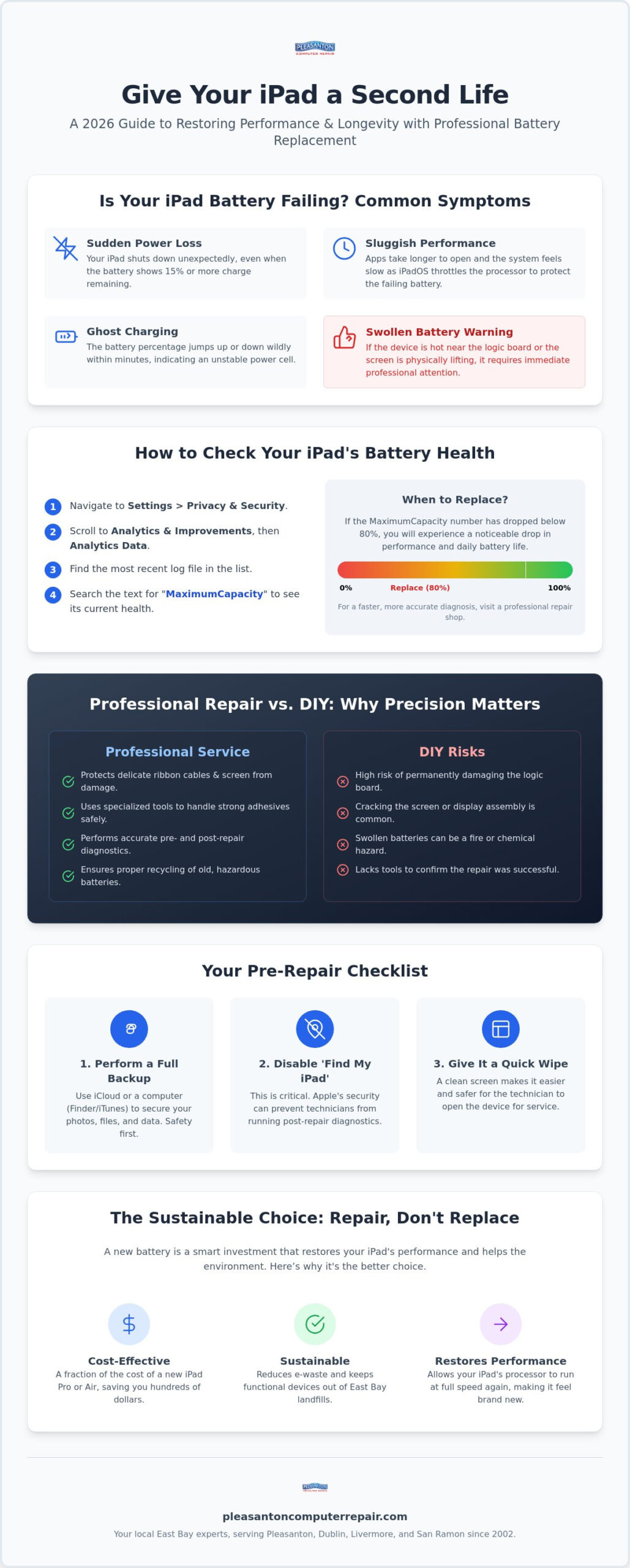
The demands of iPadOS 27 can push older hardware to its breaking point. You might notice your iPad shutting down unexpectedly even when it shows 15% power remaining. Other times, the tablet might feel sluggish, with apps taking seconds longer to open than they used to. This happens because the system throttles your processor to prevent the battery from failing under a heavy workload. If you’re experiencing ghost charging, where the percentage jumps up or down wildly in minutes, your hardware is likely failing. Distinguishing this from a software glitch is key. A software drain usually involves a single rogue app, while battery failure affects the entire system’s stability and physical temperature. If you’re also noticing similar symptoms on your phone, our guide to iPhone battery replacement Pleasanton residents trust covers the same diagnostic process for Apple’s mobile devices.
The Secret to Checking iPad Battery Health
It’s a common frustration that iPads don’t feature the same Battery Health menu found on iPhones. Apple keeps this data tucked away, but you can still find it if you know where to look. Navigate to Settings, then Privacy & Security, and find Analytics & Improvements. Inside the Analytics Data files, look for the most recent entry. You’ll need to search the text for MaximumCapacity. This number represents your current health relative to when the device was new. If that number has dipped below 80%, you’ll definitely notice a drop in performance. If digging through lines of code isn’t your idea of a fun afternoon, getting a professional iPad battery replacement in Pleasanton starts with a much faster, more accurate diagnostic test at our shop.
When is Replacement Better than Repair?
We advocate for a Second Life philosophy. An iPad battery replacement in Pleasanton is a fraction of the cost of a new iPad Pro or Air, making it the most sustainable and budget-friendly choice for most users. If your screen is still crisp and the body is in good shape, there’s no reason to contribute to the growing stream of e-waste. However, we do look for signs of deeper trouble. If your iPad is getting hot near the logic board or if the screen is physically lifting due to a swollen cell, immediate professional attention is required. Since 2002, we’ve helped our neighbors on Main Street decide when a repair is a smart investment and when it’s time to look at a refurbished model instead.
How to Prepare for iPad Repair Near Me: A Step-by-Step Checklist
Handing over your primary tablet for service can feel like a big step. We understand that your iPad is more than just glass and aluminum; it’s where your family photos live, your business spreadsheets are managed, and your daily routines are organized. Preparing for an iPad battery replacement in Pleasanton is a straightforward process that ensures your information stays safe and the repair goes smoothly. By taking a few minutes to get your device ready, you’ll help our technicians provide the fastest possible turnaround while maintaining your peace of mind.
Our team at 400 Main Street has been handling these restorations since 2002, and we’ve found that a little preparation goes a long way. When you arrive at our suite in downtown Pleasanton, having these steps completed allows us to jump straight into the diagnostic phase. It also ensures that once the hardware is replaced, we can properly recycle old iPad batteries to keep hazardous materials out of our local East Bay landfills.
Essential Pre-Repair Steps for Your iPad
Your first priority should always be data safety. While a battery swap is a routine hardware procedure, it’s a professional best practice to perform a full backup. You can do this through iCloud by going to Settings, tapping your name, and selecting iCloud Backup. Alternatively, plug your tablet into a computer and use Finder or iTunes for a local copy. Once your data is secure, you must disable the Find My iPad feature. Apple’s security protocols can prevent us from running necessary post-repair diagnostics if this is still active. Finally, give the screen a quick wipe with a microfiber cloth; a clean surface makes it much easier for our experts to inspect the display for any hairline cracks before we begin the opening process.
What to Bring to Your Appointment
You don’t need to pack up your entire home office, but a few specific items are helpful. If you suspect your charging cable might be frayed or inconsistent, feel free to bring it along. Sometimes what looks like a failing battery is actually a faulty power brick or a worn-out Lightning or USB-C cable. We also recommend having your passcode ready or written down. We need access to the home screen to verify that the new battery is communicating correctly with iPadOS and that the device is drawing power at the correct rate. If you’re looking to save time, you can view our repair intake process online to see exactly what to expect when you walk through our doors at 400 Main Street.
Professional iPad Battery Replacement vs. DIY: Why Precision Matters
It is tempting to look at a fifty dollar DIY kit online and think you’ve found a clever shortcut. These kits often come with a few plastic tools and a link to a video that makes the process look like a simple “open and swap” task. However, the reality inside an iPad is far more complex than a smartphone or a laptop. Unlike devices held together with simple screws, iPads are sealed with industrial-grade adhesives that require precise heat application to soften. One wrong move with a pry tool can slice through the delicate ribbon cables responsible for your touch screen or Wi-Fi connectivity, turning a simple battery swap into a much more expensive screen or logic board repair. If you’ve also experienced a drop that left your iPhone with a shattered display, our cracked iPhone screen repair Pleasanton service uses the same precision tools and professional-grade parts to restore your device without risking further damage.
There’s also a significant safety factor to consider. Lithium-ion batteries are volatile when damaged. If you accidentally puncture the soft casing of a failing cell while trying to pry it away from the frame, it can lead to thermal runaway. This creates an immediate fire hazard that is difficult to extinguish. Choosing a professional iPad battery replacement in Pleasanton isn’t just about convenience; it’s about protecting your investment and your physical safety. Our technicians use specialized heat mats and suction equipment to ensure the chassis is opened without stressing the glass or the internal components.
The Hidden Risks of the DIY Approach
DIY kits frequently include “budget” cells that lack the sophisticated power management controllers found in high-quality parts. These cheap batteries might work for a few weeks, but they often swell or stop holding a charge shortly after the return window closes. Beyond the battery itself, the opening process is where most home repairs fail. Without professional tools, the glass digitizer is incredibly prone to cracking. We’ve seen many tablets come into our shop at 400 Main Street with severed Wi-Fi antennas or broken sensors because a DIY attempt went sideways. It’s often more cost-effective to do it right the first time rather than paying to fix the mistakes of a failed home repair.
The Value of a Professional Warranty
When you trust a local expert with your iPad battery replacement in Pleasanton, you’re securing a guarantee that a kit from a random website simply cannot provide. Professional shops stand behind their labor and the components they install. If a part is defective, we handle the swap at no extra cost to you. This peace of mind is invaluable, especially when your data and device are at stake. Since 2002, we’ve provided a controlled, static-free environment for these delicate procedures. Having a neighborly expert in downtown Pleasanton to answer your questions post-repair ensures you’re never left troubleshooting a technical glitch on your own.
Finding Reliable iPad Repair in Pleasanton and the East Bay
Choosing a repair partner shouldn’t feel like a gamble. When your tablet is your primary tool for communication or business, you need more than just a technician; you need a neighborly expert who understands the local landscape. Since 2002, we’ve anchored our service in the heart of downtown at 400 Main Street. This long standing presence in the community means we don’t just see devices; we see the people behind them. We’ve watched the Tri-Valley grow, and we’ve evolved our skills alongside every new generation of Apple hardware to ensure your technology remains a bridge, not a barrier, to your daily goals.
A professional iPad battery replacement in Pleasanton offers a level of diagnostic clarity that you simply won’t find through a mail-in service or a generic kiosk. By bringing your device into our shop, you get immediate answers. We can verify right then and there if your issues stem from the battery cell itself or if a port cleaning might solve your charging woes. This transparency is the cornerstone of our “In-Store” service model. It eliminates the guesswork and the long wait times associated with distant repair centers, getting you back to your routine with a tablet that actually holds a charge.
Why Local Expertise Beats Big-Box Retail
The “Genius Bar” experience often involves fighting for a parking spot at a crowded mall, waiting past your appointment time, and dealing with impersonal service. We offer a different path. Because our technicians are experts in both mobile devices and PC environments, we bring a holistic perspective to every repair. We don’t just swap parts; we understand how your iPad interacts with your home or office network. Supporting a local business means you’re getting specialized care from someone who is deeply rooted in the East Bay, providing a level of accountability that big-box retailers can’t match.
Serving the Entire Tri-Valley Area
Our location on Main Street makes us a convenient stop for more than just Pleasanton residents. We’re a short drive for neighbors in Dublin, Livermore, and San Ramon, especially for those commuting along the I-680 and I-580 corridors. We also understand the needs of local business owners who manage fleets of iPads for their staff. Whether you’re coming from Danville for a single device or need on-site support for a professional office, our goal is to provide functional continuity without the stress. If you’re ready to restore your device’s stamina, you can schedule your iPad battery service today and experience the difference that twenty years of local expertise makes.
Restore Your iPad’s Performance with Pleasanton Computer Repair
The transition from a tablet that dies in the middle of an important task to one that lasts through your entire day is a significant relief. We’ve seen hundreds of neighbors walk through our doors feeling tethered to their charging cables, only to leave with a device that feels brand new. Choosing an iPad battery replacement in Pleasanton is a tactical move that saves you the high cost of a 2026 model while restoring the fast, fluid experience you’ve come to rely on. Our goal is to make the entire process stress-free, providing clear answers and professional results that stand the test of time.
Since 2002, we’ve built our reputation on honesty and transparency. We don’t believe in “one size fits all” solutions. Instead, we look at your specific device health and usage patterns to recommend the best path forward. This neighborly approach is why residents from across the East Bay trust us with their most essential technology. Whether you’re a student needing a reliable tablet for classes or a business professional managing a mobile workflow, we’re here to act as your protective barrier against technical headaches. We understand the frustration of a failing device, and we’re committed to providing a confident, local resolution.
Beyond the Battery: Full-Service Tech Support
Our capabilities go far beyond just power issues. We frequently help clients with cracked screens, dented frames, and liquid damage that requires expert intervention. If your device has suffered a major glitch, our data recovery specialists can work to retrieve your precious photos and files. Sometimes, a tablet might be reaching the end of its useful life due to logic board failure. In those cases, we can help you explore our selection of Refurbished Laptops to find a better value tech replacement. We also recommend a full system tune-up during your repair visit to ensure your iPadOS settings are optimized for your new hardware.
Schedule Your iPad Diagnostic Today
Getting your device back into top shape is simple and straightforward. You can use our online portal to find a time that fits your schedule, or feel free to drop by our office for a quick, professional assessment. We’re conveniently located at 400 Main Street, Suite 205, Pleasanton. You’ll find us right in the center of town, ready to provide the expert care your tablet deserves. Don’t let a failing battery limit your potential or cause unnecessary stress. Visit us today and let our seasoned team provide the iPad battery replacement in Pleasanton you need to get your primary portal to the outside world back in perfect working order.
Revitalize Your Tablet Today
Restoring your iPad’s stamina is one of the smartest tech investments you can make in 2026. We’ve covered why identifying early failure symptoms and avoiding the high risks of DIY kits are essential steps in protecting your device. By choosing a professional iPad battery replacement in Pleasanton, you’re not just fixing a part; you’re choosing a sustainable path that extends the life of your hardware for a fraction of the cost of buying new. It’s a simple way to keep your favorite tool in your hands without the stress of constant charging.
Our team has been serving the East Bay as local experts since 2002. We take pride in our A+ rated neighborly service and our ability to provide calm, competent solutions for every technical challenge. You don’t have to struggle with rapid drain or unexpected shutdowns any longer. Book Your iPad Battery Diagnostic at Our Pleasanton Shop to see how easy it is to get your tablet back to peak performance. We look forward to seeing you in our convenient downtown location and helping you reclaim your digital freedom with a device you can count on.
Frequently Asked Questions
How long does an iPad battery replacement take in Pleasanton?
Most iPad battery swaps are completed within 24 to 72 hours depending on your specific model. Because iPads are held together with industrial strength adhesive rather than screws, we need extra time to carefully heat the chassis and allow the new seal to set properly after the repair. We prioritize a thorough, professional bond over a rushed job to ensure your screen remains perfectly flush and functional for years to come.
Will I lose my data if I get my iPad battery replaced?
You will not typically lose any data during a standard hardware restoration. Our technicians focus exclusively on the physical battery cell and do not access or modify your internal storage drive. Even though your files remain untouched, we always recommend performing a full iCloud or computer backup before any service as a professional safety precaution. This ensures your photos and business documents are protected regardless of the hardware intervention.
How much does it cost to fix an iPad battery compared to buying a new one?
Choosing a repair is a fraction of the cost of purchasing a brand new 2026 iPad Pro or Air. While a new tablet can require a significant investment of hundreds of dollars, a battery restoration gives your current hardware a second life for a much smaller expenditure. It is a sustainable choice that maximizes the value of the technology you already own while keeping high quality electronics out of local landfills.
Do you use high-quality parts for iPad repairs?
We use premium, high capacity batteries that meet or exceed original performance specifications for every iPad battery replacement in Pleasanton. Each component is tested for charge cycle health and power stability before it is ever installed in your device. This ensures your tablet regains its original all day runtime and avoids the rapid degradation or swelling often seen with cheap, unverified parts found in DIY kits.
Is it worth replacing the battery on an older iPad Pro or Air?
It is absolutely worth it if your iPad Pro or Air still handles your favorite apps and tasks without lagging. These high end models were built with powerful processors that often outlast the chemical lifespan of their batteries. A simple cell swap can provide several more years of reliable use, making it a much smarter financial investment than upgrading to a marginally faster new model that offers similar features. If you carry both an iPad and an iPhone, you may also want to explore our iPhone battery replacement Pleasanton service to keep all your Apple devices running at their best.
Can a bad battery make my iPad run slower?
A failing battery can definitely cause your iPad to feel sluggish or stutter during intensive tasks. iPadOS is designed to throttle the processor speed if the battery can no longer provide a steady stream of peak power. Once we perform an iPad battery replacement in Pleasanton, the system can return to its full performance potential. This often makes the entire device feel snappy and responsive just like the day you first bought it.
Do you offer a warranty on your iPad repair services?
We provide a comprehensive warranty that covers both the replacement part and our technical labor. If you experience any issues with the battery performance or the physical seal of the device, we will address the problem promptly at no additional cost to you. Since 2002, our commitment to neighborly service has meant standing firmly behind every repair we perform at our Main Street location to ensure your total peace of mind.