
What if you could bypass the “Apple Tax” and make your older MacBook feel faster than the day you first unboxed it? You’ve likely felt the frustration of staring at the spinning beachball of death while trying to meet a deadline, or waiting through agonizingly slow boot times just to check your email. It’s a common struggle for Pleasanton professionals and students who love their hardware but hate the lag. When those “out of storage” warnings start popping up, it’s easy to think a costly replacement is your only option.
We understand that your laptop is your lifeline, and the thought of losing your files during a repair is stressful. That’s why a professional ssd upgrade for macbook pleasanton is the most effective way to breathe new life into your machine. You’ll learn how this simple hardware swap can make your Mac up to 10x faster while preserving every single photo and app. In this guide, we’ll walk through our local revival process, including same-day service options and the data cloning techniques we’ve perfected since 2002 to ensure your transition is completely seamless.
Key Takeaways
- Learn how replacing an aging hard drive can boost your MacBook’s speed by up to 10 times, eliminating the spinning beachball for good.
- Discover if your model belongs to the “Golden Era” of hardware that qualifies for a professional ssd upgrade for macbook pleasanton.
- Find out why upgrading your current machine is a smarter financial move than spending thousands on a new laptop with similar performance specs.
- Understand our “Zero Data Loss” cloning process that ensures all your photos, files, and apps stay exactly where you left them.
- Explore the benefits of choosing a local specialist who offers a 90-day labor warranty and a three-year parts warranty for your peace of mind.
Why Your MacBook Is Slow: The Hard Drive Bottleneck
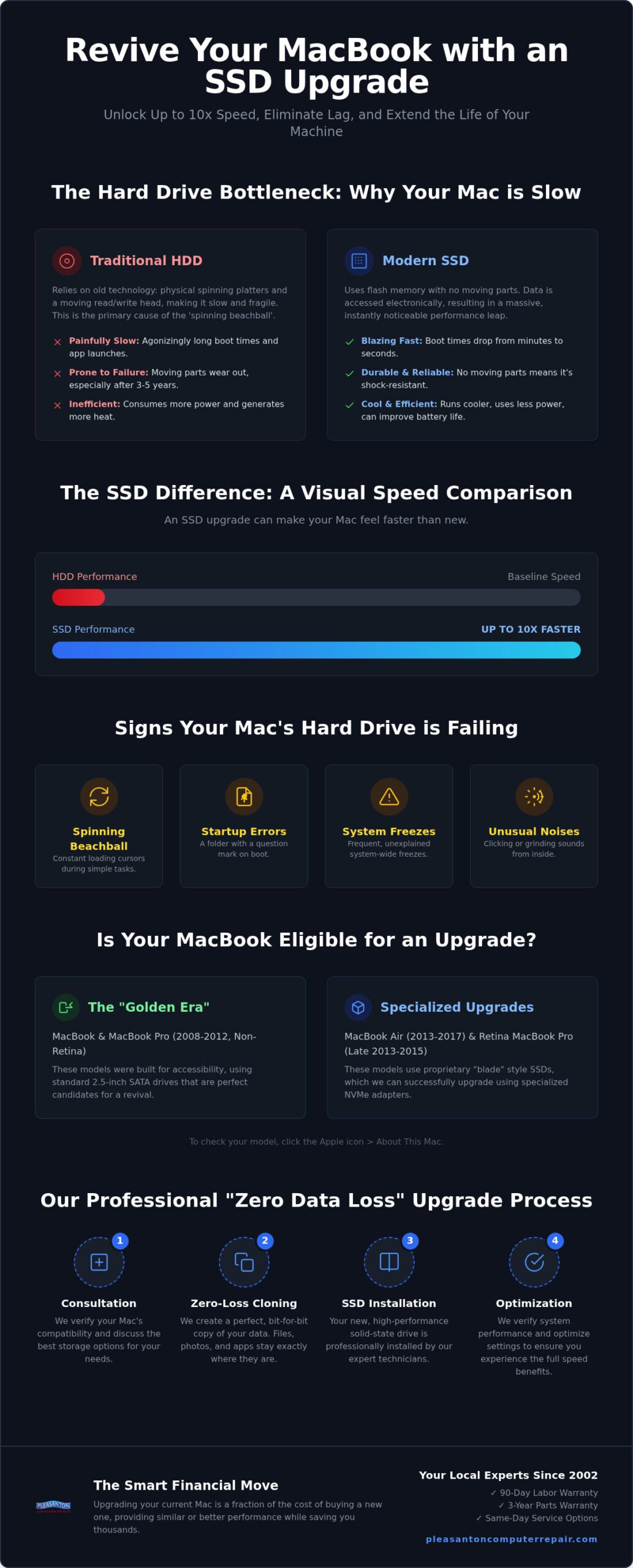
Many local users assume their MacBook is simply “dying” when it starts to crawl. In reality, the culprit is usually a mechanical part that hasn’t changed much in decades: the hard disk drive (HDD). These traditional drives rely on physical spinning platters and a moving read/write head, much like a vintage record player. Over time, these moving parts inevitably wear down. Most mechanical drives show significant signs of fatigue after three to five years of regular use. As the drive’s physical components age, your Mac struggles to fetch the data it needs, resulting in those frustrating delays that interrupt your workflow.
The “spinning beachball” effect happens because your processor is waiting for the hard drive to catch up. Modern versions of macOS are designed for high-speed environments. They constantly perform background tasks like Spotlight indexing and system updates that demand rapid data access. An older mechanical drive just can’t keep up with these requests. This creates a massive bottleneck where even a powerful processor sits idle, waiting for a slow disk to respond. This is why an ssd upgrade for macbook pleasanton is often the single most impactful change you can make to your computer’s performance.
SSD vs. HDD: A Speed Comparison for Mac Users
Upgrading to a Solid-state drive (SSD) changes the fundamental way your computer handles information. Since an SSD has no moving parts, it accesses data electronically rather than mechanically. This results in a massive performance jump that you’ll notice the moment you press the power button. You can expect boot times to drop from several minutes down to mere seconds. Apps that used to bounce in the dock for ages will now snap open instantly. For those seeking an ssd upgrade for macbook pleasanton, the difference is night and day.
Beyond raw speed, SSDs offer practical benefits for the mobile professional. They are significantly more durable because there’s no physical head to crash against a platter if you bump your laptop. They also run much cooler and consume less power. This efficiency can give an older Mac a second life by reducing internal heat and potentially extending your daily battery range.
Signs Your Mac Hard Drive Is Failing
How do you know if your drive is the problem? The most common sign is a system that feels “heavy” or unresponsive during simple tasks like opening a folder. You might also hear unusual clicking or grinding sounds coming from inside your MacBook. This “click of death” is a clear warning that mechanical failure is imminent. Other red flags include frequent freezes, disappearing files, or the dreaded folder icon with a question mark at startup. Sometimes, users think a MacBook battery replacement Pleasanton will fix the lag. While a fresh battery helps with portability, it won’t resolve a data bottleneck. If your system feels sluggish even when plugged into a charger, the drive is the likely culprit.
MacBook SSD Upgrade Compatibility: Which Models Can We Revive?
Before planning your hardware refresh, it’s vital to know if your specific machine can actually accept a new drive. Apple has changed its internal architecture many times over the last decade, moving from standard parts to highly customized, proprietary components. To find out where your laptop stands, click the Apple icon in the top left corner of your screen and select “About This Mac.” This window will display your specific model name and the year it was released. Identifying this information is the first step in determining if an ssd upgrade for macbook pleasanton is the right path for your device.
We often refer to the period between 2008 and 2012 as the “Golden Era” for upgrades. These MacBooks were designed with accessibility in mind, using standard 2.5 inch SATA connections. The 2012 Unibody MacBook Pro (Non-Retina) is perhaps the best candidate for a revival. It’s a robust machine that, when paired with modern flash storage, can often outperform much newer base-model laptops. However, it’s important to note that the 2012 Retina models and most compact laptops from this era require a different approach due to their slimmer profiles and unique connector types.
Upgradable MacBook Pro and Air Models
If you own a MacBook Air from 2013 through 2017, or a Retina MacBook Pro from late 2013 to 2015, you aren’t stuck with your factory storage limits. While these models don’t use standard drive shapes, they utilize a proprietary “blade” style connector. We successfully revive these machines by using specialized NVMe adapters that allow high-performance, modern drives to communicate perfectly with Apple’s logic boards. This allows us to bypass the high costs of official Apple parts while delivering even faster read and write speeds. If you’re unsure about your specific model’s internal layout, you can consult with our local team to verify compatibility before scheduling your service.
Solutions for Newer Apple Silicon (M1, M2, M3) Macs
The reality changes for MacBooks manufactured from 2016 onwards, including all newer Apple Silicon models. In these designs, Apple began soldering the storage chips directly onto the logic board. This means the internal drive cannot be physically removed or replaced. While a traditional internal ssd upgrade for macbook pleasanton isn’t an option for these specific units, we still offer solutions to manage your performance. High-speed external Thunderbolt SSDs can provide massive storage expansion that feels almost as fast as internal memory. We also help clients optimize their existing drives by offloading system-clogging “other” storage and temporary files to ensure the built-in chips operate at peak efficiency.
SSD Upgrade vs. Buying New: The Smart Money Move in Pleasanton
Faced with a slow laptop, many people think their only choice is to spend $1,500 or more on a new MacBook Pro. This is exactly what big tech companies want you to believe. However, an ssd upgrade for macbook pleasanton offers a much more sensible alternative. By replacing the slowest component in your current machine, you can often match or exceed the real-world performance of a brand-new base model. Many entry-level 2024 laptops still ship with limited storage speeds that don’t feel significantly faster than a 2015 model equipped with a high-performance SSD.
Choosing to revive your hardware also has a positive impact on our local environment. Every year, thousands of perfectly good computers end up in East Bay landfills simply because their hard drives were too slow. Extending your Mac’s life by another three to five years reduces e-waste and maximizes the value of the high-quality aluminum and glass already in your hands. It’s a win for your bank account and the community.
Calculating Your ROI (Return on Investment)
When you consider the return on your investment, think beyond the initial service. A MacBook that boots in 15 seconds instead of two minutes saves you hours of cumulative frustration every month. This boost in productivity pays for itself very quickly. Additionally, a fast, functional Mac has a much higher resale value on the secondary market than one that’s barely usable. If you find that your current machine is truly too old for your needs even with an upgrade, we often suggest looking at refurbished laptops Pleasanton CA as a middle-ground solution that provides modern power without the new-device premium.
Why Local Repair Is Better for Your Wallet
Visiting a “Genius Bar” often results in high-pressure sales pitches to trade in your device for pennies on the dollar. We take a different approach. Since 2002, we’ve focused on honest, transparent service right here on Main Street. We don’t use confusing flat fees that hide the true cost of labor. Instead, we provide clear explanations of what you’re paying for and why. Supporting a local business means you get a neighborly level of care that big-box retailers simply can’t match. When you choose an ssd upgrade for macbook pleasanton through us, you’re investing in a solution that prioritizes your needs over a corporate sales quota.
The Professional SSD Upgrade Process: Zero Data Loss
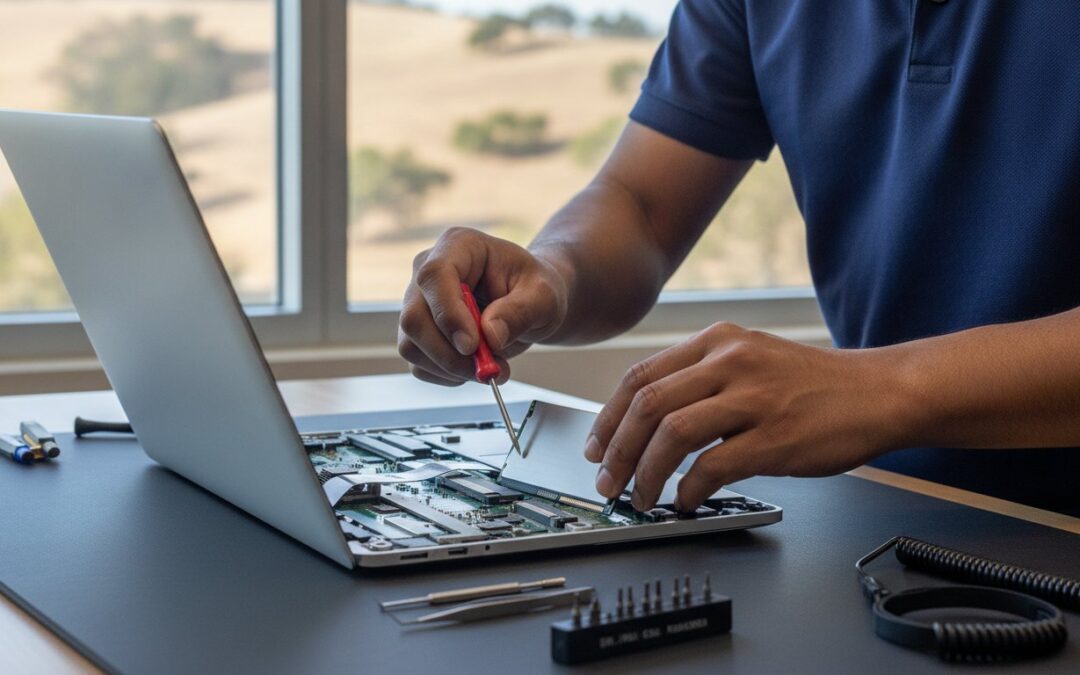
Handing over your laptop can feel like handing over your life’s work. We understand the anxiety that comes with a potential data loss scenario, which is why our ssd upgrade for macbook pleasanton is built around a “safety first” philosophy. We don’t just swap out parts and hope for the best. Our process begins with a comprehensive hardware diagnostic. We check the health of your logic board, battery, and cooling fans to ensure your Mac is a healthy candidate for a revival. If we find underlying issues, we’ll talk to you about them before we ever crack open a new drive box.
Once we’ve verified your hardware’s health, we move to the most critical stage: professional data cloning. Unlike a standard repair shop that might just reinstall your operating system and leave you to figure out the rest, we perform a bit-for-bit copy of your old drive. This means your desktop layout, saved passwords, browser history, and every single photo stay exactly where you left them. While your Mac is open, we also perform a deep internal cleaning to remove the dust that naturally accumulates over three to five years. This simple step prevents overheating and ensures your new hardware has the best possible environment to perform.
Our Data Migration Guarantee
The biggest fear most users have is the “clean install” headache. You don’t have to worry about hunting down old software license keys or reconfiguring your email settings. Our migration process ensures that when you turn your Mac back on, it feels exactly like your computer, just significantly faster. We’ve refined this process over two decades to remove the stress of technology transitions. For a deeper look at how we handle different drive types and capacities, you can view our full SSD upgrade Pleasanton CA service breakdown.
Hardware Performance Tuning
After the physical installation, we perform a series of software optimizations to ensure long-term reliability. This includes enabling TRIM support, a vital background process that helps your SSD manage its storage space efficiently and prevents speed degradation over time. We also verify that your macOS settings are tuned for solid-state performance. Finally, we run a benchmark test to compare your new read/write speeds against your old mechanical drive. We don’t consider the job done until we’ve verified that 10x performance boost. If you’re ready to see what your machine is truly capable of, schedule your diagnostic with our Main Street team today.
Why Choose Pleasanton Computer Repair for Your Mac Upgrade?
Finding a technician who understands the nuances of every Apple generation is rare. We’ve spent over two decades mastering the internal architecture of these machines, from the classic unibody models to the complex Retina displays. Since 2002, we’ve focused on providing a level of local expertise that mall-based franchises simply can’t match. We aren’t a distant service provider; we’re your neighbors, located right in the heart of town at 400 Main Street, Suite 205. Our goal is to remove the stress of technology failure by offering a confident, permanent resolution to your speed issues.
We know that time is your most valuable resource. For the busy professional or student, a week-long repair wait is often impossible. That’s why we offer same-day turnaround options for an ssd upgrade for macbook pleasanton when you schedule your appointment in advance. To give you total peace of mind, every upgrade is backed by our industry-leading 90-day labor warranty and a three-year manufacturer’s parts warranty. We stand behind our work because we know the quality of the components we install.
Serving the East Bay Community Since 2002
Our commitment to the community extends beyond Pleasanton to our neighbors in Dublin and Livermore. We’ve built long-standing relationships with local residents and entrepreneurs who depend on their MacBooks for their daily operations. These clients trust us with their hardware because they know we prioritize functional continuity and data safety above all else. Whether you’re a home user or looking for small business computer repair in Pleasanton, we provide the same methodical, expert care to every device that crosses our bench.
Ready to Speed Up Your Mac?
Getting started is straightforward and designed to fit into your morning routine. We accept drop-offs Monday through Friday, typically between 9:00 am and 10:00 am. This allows us to begin the diagnostic and cloning process immediately, often having your “new” machine ready for pickup by the end of the business day. You don’t need to worry about hunting down your charger or accessories; just bring your MacBook, and we’ll handle the rest with our professional tools and testing equipment. If you’re dealing with other technical hurdles, we also provide comprehensive computer repair Pleasanton CA to keep all your devices running smoothly. An ssd upgrade for macbook pleasanton is the smartest way to reclaim your productivity without the high cost of new hardware.
Give Your MacBook the Performance It Deserves
You don’t have to accept a slow computer or spend thousands on a new machine to get the speed you need. By choosing a professional ssd upgrade for macbook pleasanton, you’re opting for a proven solution that restores your laptop’s responsiveness and adds years of functional life to your hardware. We’ve been serving the East Bay since 2002, providing local expertise that prioritizes your data and your time above all else.
With our zero data loss guarantee and same-day service available for scheduled appointments, the transition to a faster Mac is completely stress-free. Your files, photos, and apps will remain exactly where you left them, just accessible at speeds up to 10 times faster than your old mechanical drive. It’s the smartest way to bypass the high cost of new hardware while supporting a long-standing Main Street business. Stop struggling with the spinning beachball and start enjoying a laptop that feels brand new again.
Book Your MacBook SSD Upgrade Appointment Today
Frequently Asked Questions
How much does a MacBook SSD upgrade cost in Pleasanton?
The total investment for an ssd upgrade for macbook pleasanton depends primarily on your chosen storage capacity and your specific laptop model. Our service packages are all-inclusive, covering the high-performance drive, professional data cloning, and a deep internal cleaning. Because hardware requirements vary between the 2012 unibody and 2015 Retina models, we provide custom quotes after verifying your serial number to ensure the perfect hardware fit.
Will I lose my photos and files during the SSD upgrade?
You won’t lose any of your photos, documents, or applications during our upgrade process. We utilize professional data cloning technology to create an exact, bit-for-bit replica of your existing hard drive on the new SSD. This ensures that your desktop layout, browser bookmarks, and saved passwords remain completely intact. When you pick up your machine, it will feel familiar and ready to use immediately, only much more responsive.
How long does the MacBook SSD upgrade take?
We prioritize a quick turnaround to minimize your downtime. Most upgrades are completed within a single business day if you schedule your service in advance. By dropping off your MacBook at our Main Street location between 9:00 am and 10:00 am, our technicians can typically have the revival process finished by the afternoon. This window allows us to complete the hardware diagnostic, data migration, and a final thermal performance check.
Can you upgrade the SSD on a MacBook Pro with a Touch Bar?
MacBook Pro models with a Touch Bar feature storage chips that are soldered directly to the logic board, making an internal ssd upgrade for macbook pleasanton impossible for these specific units. For these newer machines, we offer system optimization services to clear out “other” storage and can recommend high-speed external Thunderbolt solutions. If you own an earlier model from the 2008 to 2015 era, we can still perform a full internal hardware swap.
Do I need to make an appointment for my Mac upgrade?
While we do accept walk-in inquiries at 400 Main Street, we strongly recommend making an appointment to guarantee the fastest service. Scheduling ahead allows our team to reserve a dedicated workstation for your data cloning process and ensures we have the specific drive capacity you need in stock. You can easily book your drop-off time online or by calling our office to ensure your MacBook is ready for pickup by the end of the day.
Does an SSD upgrade void my Apple warranty?
Most MacBooks that benefit from an SSD upgrade are older models that have already surpassed their original one-year Apple limited warranty. If your device is still covered by AppleCare, performing a third-party hardware modification may void that specific coverage. We specialize in reviving out-of-warranty machines that Apple’s “Genius Bar” might suggest replacing. Our goal is to provide a high-performance alternative that keeps your reliable hardware in service for several more years.
What is the difference between a 500GB and 1TB performance package?
The difference lies entirely in storage capacity rather than speed. A 500GB package is excellent for standard office work and web browsing, while the 1TB package is the preferred choice for Pleasanton professionals handling large media libraries or creative projects. Both options utilize the same high-speed flash technology to deliver a 10x performance boost. We’ll help you review your current data usage to determine which capacity provides the best long-term value for your needs.
Do you provide a warranty on the new SSD and labor?
We provide comprehensive protection for every upgrade we perform. Each service includes a 90-day labor warranty directly from our shop, covering the installation and data migration process. Additionally, the hardware itself carries a three-year manufacturer’s parts warranty. This ensures that if the drive fails due to a factory defect, you won’t be left responsible for the replacement. We’ve stood behind our local repairs since 2002 to give every customer total peace of mind.