
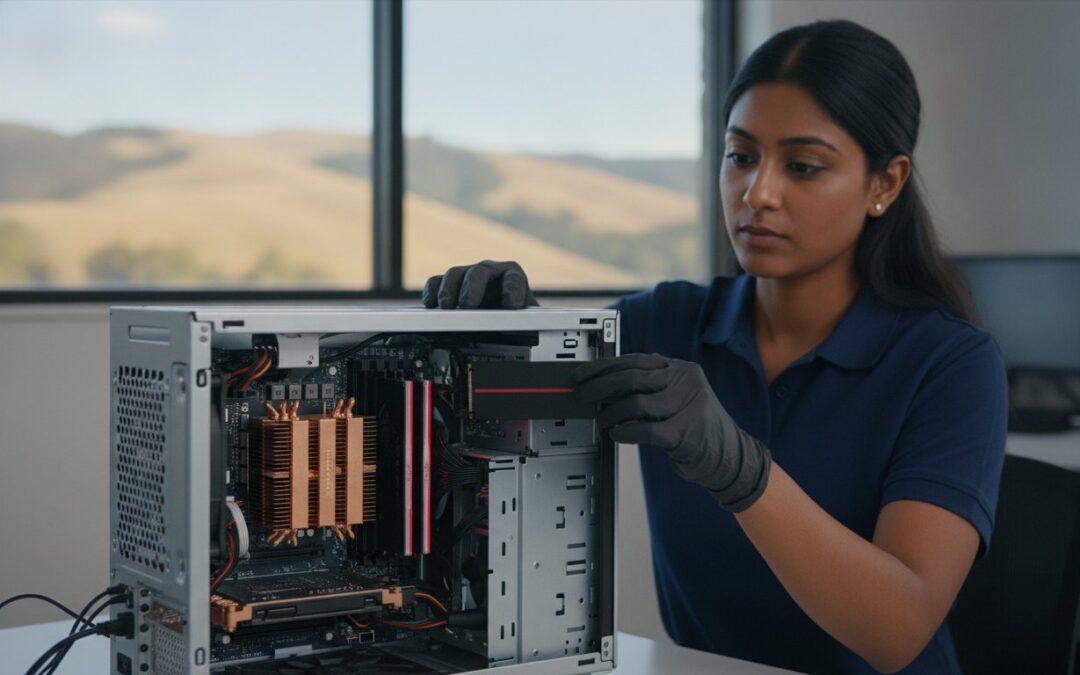
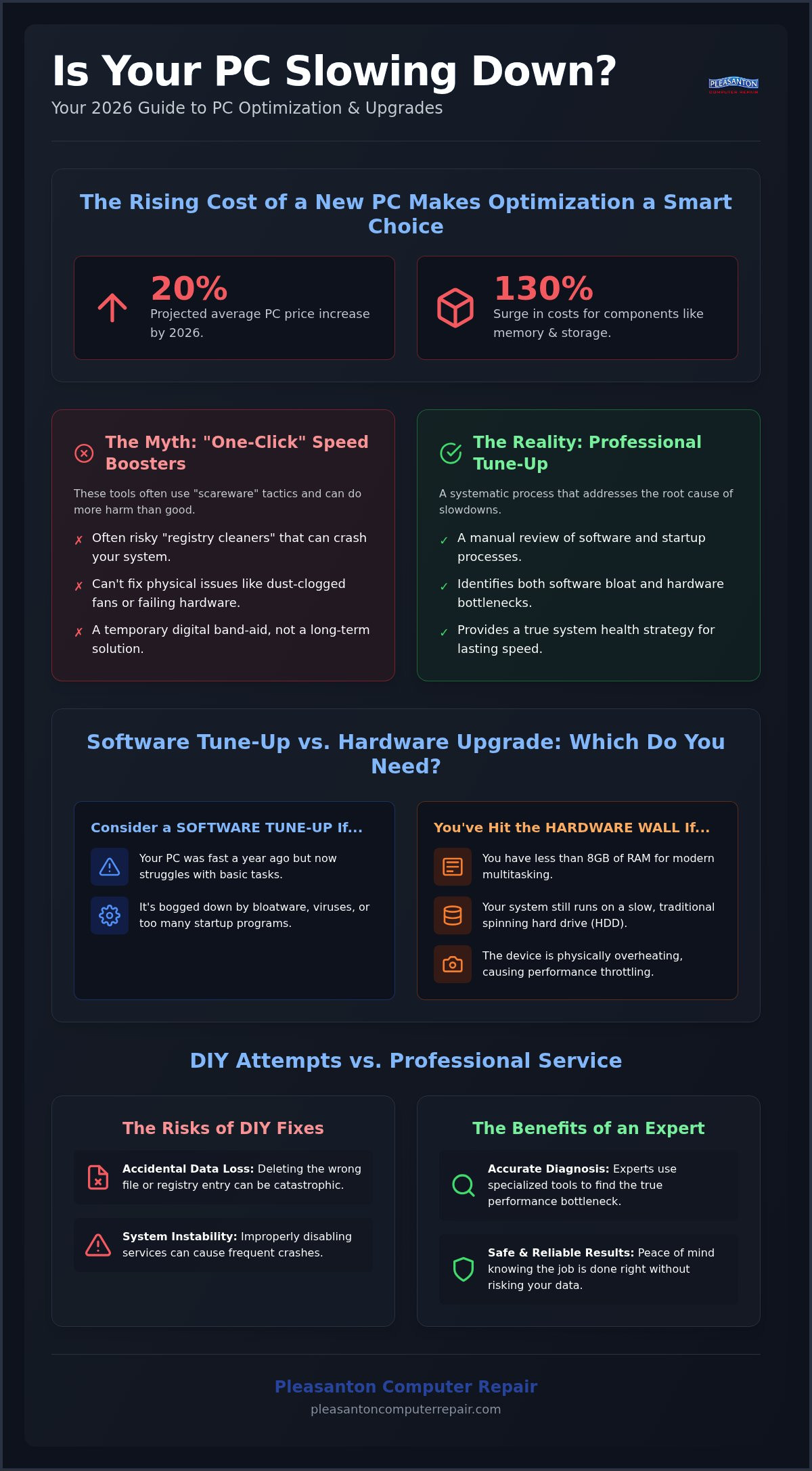
Did you know that average PC prices are projected to climb by 20% in 2026? With component costs for memory and storage surging up to 130 percent, that sluggish laptop on your desk is suddenly a much more valuable asset than you might think. It is exhausting to wait for a computer that takes forever to boot up or freezes during your most important tasks. You want a device that just works, without the constant anxiety of hidden bloatware or potential viruses slowing you down. Finding a reliable PC optimization service near me can be the difference between a smooth workday and a morning spent staring at a loading icon.
We understand that technology should be a tool, not a headache. This guide shows you how to navigate the current hardware landscape to regain your original speed and peace of mind. You will learn whether your system needs a deep software cleanup, a targeted SSD upgrade, or a professional tune-up to stay competitive in a high-speed world. We also break down how to spot software scams and why extending the life of your current machine is the smartest financial move you can make this year.
Key Takeaways
- Move beyond “one-click” cleaner apps and learn how a systematic approach to performance bottlenecks actually restores speed.
- Find out if a PC optimization service near me is enough or if you have hit the “Hardware Wall” where a physical upgrade is necessary.
- Don’t risk accidental data loss by attempting complex DIY fixes that might disable critical system services.
- Identify the key traits of a reliable local expert, from community longevity to specialized knowledge in both PC and Mac systems.
- Gain a clear decision matrix to help you choose between fixing, upgrading, or replacing your device for the best long-term value.
Understanding PC Optimization: Beyond the ‘Clean My PC’ Buttons
Real optimization isn’t about clicking a flashing red button on a suspicious website. It is the systematic process of identifying and removing performance bottlenecks that prevent your hardware from reaching its full potential. In technical terms, program optimization involves modifying a system to make it work more efficiently or use fewer resources. When you look for a PC optimization service near me, you’re searching for an expert who understands that your computer is a complex ecosystem where software and hardware must work in harmony.
In 2026, the culprits of a slow system have evolved. While older computers suffered mostly from fragmented spinning hard drives, modern machines are often bogged down by aggressive bloatware, background telemetry, and thermal throttling caused by internal heat build-up. A simple software “cleaner” can’t fix a cooling fan choked with dust or a registry that’s been mangled by improperly uninstalled apps. True system health requires a long-term strategy rather than a temporary digital band-aid. It’s the difference between a quick car wash and a full engine tune-up.
Why Windows and macOS Slow Down Over Time
Every time you install a new app, it often tries to “help” by starting up automatically when you turn on your computer. This is known as “startup creep.” Over months and years, these background processes pile up, competing for your processor’s attention and eating into your RAM. On top of that, modern operating systems like Windows 11 and the latest macOS versions are designed for newer hardware. If you’re running 2026-era software on a slightly older machine, the system has to work twice as hard just to keep up with basic daily tasks.
The Myth of One-Click Speed Boosters
You’ve likely seen the ads: “Your PC is at risk! Click here to speed it up 300%!” These automated tools are frequently “scareware” designed to trick you into an unnecessary monthly subscription. Many of these programs focus on “cleaning” the registry, which is a database of settings for your computer. The reality is that modern operating systems manage the registry quite well on their own. Deleting the wrong entry can actually crash your system or cause permanent data loss. A professional technician doesn’t rely on a generic, risky script. They perform a manual review to see what’s actually draining your resources. This human touch is why a local PC optimization service near me provides much better results than any “one-click” app ever could.
Software Optimization vs. Hardware Upgrades: Which Do You Need?
Deciding whether to tune up your current machine or invest in a new one is the most critical choice you’ll make for your digital life this year. With average PC prices projected to climb by 15-20% throughout 2026, the financial argument for optimization has never been stronger. Why spend $1,000 or more on a new laptop when a professional service can often restore your current device for a fraction of that cost? It’s about finding the sweet spot where software efficiency meets hardware capability. When you search for a PC optimization service near me, you aren’t just looking for a quick fix. You’re looking for a long-term solution that respects your budget.
At Pleasanton Computer Repair, we believe in hardware-software synergy. A fast processor is useless if it’s bogged down by malware, but the world’s cleanest software won’t run quickly on an ancient mechanical hard drive. We’ve spent over 20 years helping East Bay residents navigate this “Hardware Wall.” Our goal is to ensure you don’t overspend on hardware you don’t need or waste money on software fixes that won’t solve the underlying problem.
When Software Tweaks Are Sufficient
In many cases, your computer isn’t “old,” it’s just cluttered. If your device was fast a year ago but now struggles with basic tasks, software is likely the culprit. Deep virus removal and a comprehensive startup audit can work wonders. You might also consider a fresh operating system reinstallation to wipe away years of digital “junk.” Microsoft offers several foundational tips to improve PC performance, such as managing background apps and optimizing browser extensions. These steps often provide enough of a boost to keep you productive without any physical changes to the machine.
When Hardware is the True Bottleneck
Sometimes, software optimization hits a ceiling. By 2026 standards, 8GB of RAM is often insufficient for modern multitasking and AI-integrated applications. If your system is physically overheating or you’re still using a traditional hard drive, software tweaks will only go so far. The single most transformative change you can make is a professional drive replacement. You can learn more about this in our specialized guide on an SSD upgrade Pleasanton CA: The 2026 Guide to Reviving Your Slow Computer. This hardware change, combined with a clean software environment, is often the ultimate “optimization” tool.
If you aren’t sure which path is right for your specific device, our friendly experts at Pleasanton Computer Repair are here to help you find the most cost-effective way forward.
Comparing DIY Optimization vs. Professional PC Services
It is tempting to try and fix a slow computer yourself. We all want to save time, and there are plenty of online guides promising a quick fix. However, there is a significant gap between basic maintenance and a professional-grade restoration. While a few clicks can help, they often miss the underlying issues that cause long-term frustration. When you look for a PC optimization service near me, you’re paying for expertise that goes far beneath the surface of your operating system. A professional knows the difference between a harmless background task and a hidden process that is draining your system’s life.
The biggest risk of DIY work is the potential for accidental data loss. It is easy to disable a critical service or delete a system file while trying to “clean” the registry. Professional diagnostics provide a safety net that DIY methods simply can’t match. We can identify failing components, like a degrading drive or faulty memory sticks, before they cause a total system crash. This proactive approach saves your data and prevents the need for an expensive $2,000 replacement build that many big-box retailers will try to sell you instead of a simple fix.
The DIY Optimization Checklist
If you want to try some basic maintenance first, there are several safe steps you can take. These built-in tools are a great starting point for both Windows and Mac users:
- Disk Cleanup or Storage Management: Use these to remove temporary files and clear out your cache.
- Identify Resource Hogs: Open Task Manager (Windows) or Activity Monitor (Mac). Look for apps using high CPU or memory percentages and close them.
- Startup Audit: Disable apps that don’t need to run the moment you turn on your machine.
Knowing when to stop is the most important part of DIY. If you find yourself considering “registry cleaners” or deleting files you don’t recognize, it’s time to step back. A PC optimization service near me can handle those complex tasks safely without risking your operating system’s stability.
What to Expect from a Professional Tune-Up
A professional service offers physical optimization that most home users overlook. Internal dust build-up is a leading cause of thermal throttling, where your processor slows down to prevent overheating. We carefully clean your internal components to restore proper airflow. Beyond the physical, we perform deep malware and rootkit scans that standard antivirus software often misses. We also handle advanced configurations like BIOS updates and OS kernel optimization tailored specifically to your hardware, ensuring every component works in perfect harmony.
How to Find a Reliable PC Optimization Service Near You
Finding a trustworthy PC optimization service near me involves more than just picking the first result on a map. You’re looking for a partner who will treat your data with respect and your hardware with precision. In an era where big-box retailers often push for expensive replacements, a reliable local shop focuses on restoration. A shop’s longevity is a primary indicator of quality. Businesses that have served the East Bay for over 20 years, like those of us rooted here since 2002, offer a level of accountability you won’t find on a faceless web forum or a corporate support site.
Before handing over your computer, ask the technician about their specific process. Do they offer flat-rate services or hourly billing? How do they ensure your data stays safe during the optimization? It is also vital to choose a shop that handles both PC and Mac environments. A technician who only understands Windows might miss the nuances of a failing Mac logic board or a macOS-specific startup conflict. You want a guide who has seen every possible issue and remains unfazed by technical challenges.
Remote vs. In-Store Support: Pros and Cons
Remote support is fantastic for minor software lag, slow internet settings, or basic virus removal. It’s efficient and respects your time. However, deep infections or hardware diagnostics require a physical touch. If your system is physically overheating or won’t boot, bringing it to 400 Main Street ensures we can open the case and inspect the cooling system or drive health directly. Security is another factor; while remote sessions are generally safe, a physical visit eliminates any risk of unauthorized third-party access to your network.
Local Expertise in the East Bay
We live and work in the same neighborhoods as our clients in Pleasanton and Dublin. This local connection means we care about your long-term satisfaction and functional continuity. We provide specialized help for signs your Mac needs SSD upgrade, helping you avoid the high cost of a brand-new machine. Local accountability matters. If you have a question a week after your service, you know exactly where to find us. We act as a protective barrier between you and your technological headaches.
If you’re tired of the spinning beachball or the endless loading screens, contact Pleasanton Computer Repair to schedule your professional optimization today.
Revive Your Tech: Next Steps for a Faster PC in Pleasanton
Most people assume a slow computer is a dying computer. In reality, your device is likely just “clogged” with years of digital debris, background processes, and thermal dust. Choosing a PC optimization service near me is the first step toward reclaiming that day-one speed without the massive expense of a new machine. In 2026, with hardware prices rising by up to 20%, maintaining what you already own is a smart financial move. Just as you might rely on Afford A Door Inc. for residential maintenance to avoid costly replacements, keeping your tech optimized is a sustainable choice that keeps perfectly good electronics out of the landfill.
Your decision to fix, upgrade, or replace should follow a simple matrix. If your computer is less than six or seven years old, a professional optimization or a targeted SSD upgrade will almost always be more cost-effective than a replacement. We only suggest a new build or a replacement if the cost of repair exceeds the value of the machine. Most of the time, your hardware is still very capable; it just needs the right professional configuration to handle modern software demands.
Preparing Your Device for a Tune-Up
You don’t need to be a tech expert to get your computer ready for a professional visit. Follow these simple steps to ensure a smooth process:
- Back Up Your Data: While we prioritize data safety, it’s always wise to have a fresh backup on a cloud service or an external drive.
- Note Your Symptoms: Does the fan get loud? Does the computer freeze specifically when you open your browser? These details help us diagnose the issue faster.
- Gather Your Credentials: We will need your login password to access the system and perform the optimization.
You can schedule your appointment quickly via our website or by calling us directly. We offer in-store, on-site, and remote options to fit your schedule.
The Pleasanton Computer Repair Difference
Since 2002, we’ve focused on providing the East Bay with honest, neighborly tech support. We don’t believe in “scareware” or unnecessary subscriptions. Our goal is to restore your peace of mind and your computer’s performance in one visit. If we find that your current machine truly has reached the end of its life, we can guide you toward high-quality refurbished laptops Pleasanton CA that offer better value than the overpriced models at big-box retailers. We act as your local partner in a world of complex, expensive technology.
Don’t let a slow computer derail your productivity or cause unnecessary stress. Reach out to our team at Pleasanton Computer Repair and let us bring your tech back to life. Book your PC optimization service today!
Reclaim Your Productivity with Expert Optimization
Your computer should be a tool that empowers you, not a source of daily stress. Throughout this guide, we’ve explored how a systematic approach to performance can bypass the “Hardware Wall” and keep your machine running smoothly for years to come. Whether it’s a deep virus removal or a professional hardware upgrade, the right strategy saves you from the 20 percent price hikes expected for new PCs in 2026. Choosing a trusted PC optimization service near me ensures your data stays safe while your system regains its original snap.
We’ve served Pleasanton and the East Bay since 2002, offering expert support for both PC and Mac users through on-site, in-store, and remote service options. You don’t have to navigate technical failures alone. Our team is ready to provide the calm, competent resolution you deserve to get your digital life back on track. It’s time to stop waiting for loading bars and start enjoying a responsive device again.
Schedule Your PC Optimization Diagnostic Now and let us show you just how much life is left in your current computer. We look forward to helping you revive your tech.
Frequently Asked Questions
Will a PC optimization service delete my personal files?
No, a professional PC optimization service near me targets system-level bottlenecks and temporary files rather than your personal data. We focus on clearing out digital debris like cache files, logs, and registry errors that slow you down. Your photos, documents, and spreadsheets remain exactly where you left them. While the process is designed to protect your information, we always recommend a fresh backup as a standard safety precaution for any technology service.
How much does a professional computer tune-up usually cost?
Prices for a professional tune-up vary based on the complexity of the issues and whether you choose in-store, on-site, or remote support. Factors like the age of the machine and the presence of deep-seated malware play a role in the final investment. Most local shops provide a diagnostic first to give you a clear understanding of the work required. This ensures you can make an informed decision before any repairs begin.
Is it better to optimize my old PC or buy a refurbished one?
This depends on the age and physical condition of your current machine. If your device is less than six or seven years old, a deep optimization or an SSD upgrade often provides the best value. However, if the hardware is failing or severely outdated, switching to a high-quality refurbished model can be a more sustainable and cost-effective path. We help you evaluate this “Decision Matrix” to find the smartest financial move for your specific situation.
Can you optimize a MacBook that is running slow?
Yes, we provide specialized optimization for both macOS and Windows environments. MacBooks often suffer from “startup creep” and hidden background processes that drain battery life and processing power. We can clear system caches, manage resource-heavy browser extensions, and perform hardware upgrades on eligible models. This restores the smooth, responsive Apple experience you expect without the cost of a brand-new machine.
How often should I have my computer professionally optimized?
Most users benefit from a professional tune-up about once a year to keep their system running at peak efficiency. If you use your computer for demanding professional tasks or notice a sudden drop in performance, you might need a visit sooner. Regular maintenance prevents small software glitches from turning into major hardware-threatening issues. It’s a proactive way to ensure your technology remains a reliable tool for your daily life.
What is the difference between a virus removal and a system optimization?
Virus removal focuses specifically on identifying and destroying malicious software like trojans, spyware, and rootkits that compromise your security. A PC optimization service near me is broader, focusing on making the entire system more efficient and responsive. While we usually include a security scan as part of a tune-up, the primary goal of optimization is to improve speed, boot times, and overall system health.
Can a slow internet connection be fixed by PC optimization?
An optimization can resolve internet-related lag if the bottleneck is located on your device rather than your router. We look for outdated network drivers, cluttered browser extensions, or background apps that are hogging your bandwidth. If the issue is with your service provider or a faulty modem, we can help identify that during our diagnostic. This saves you hours of frustrating phone calls with your ISP by pointing you to the real problem.