
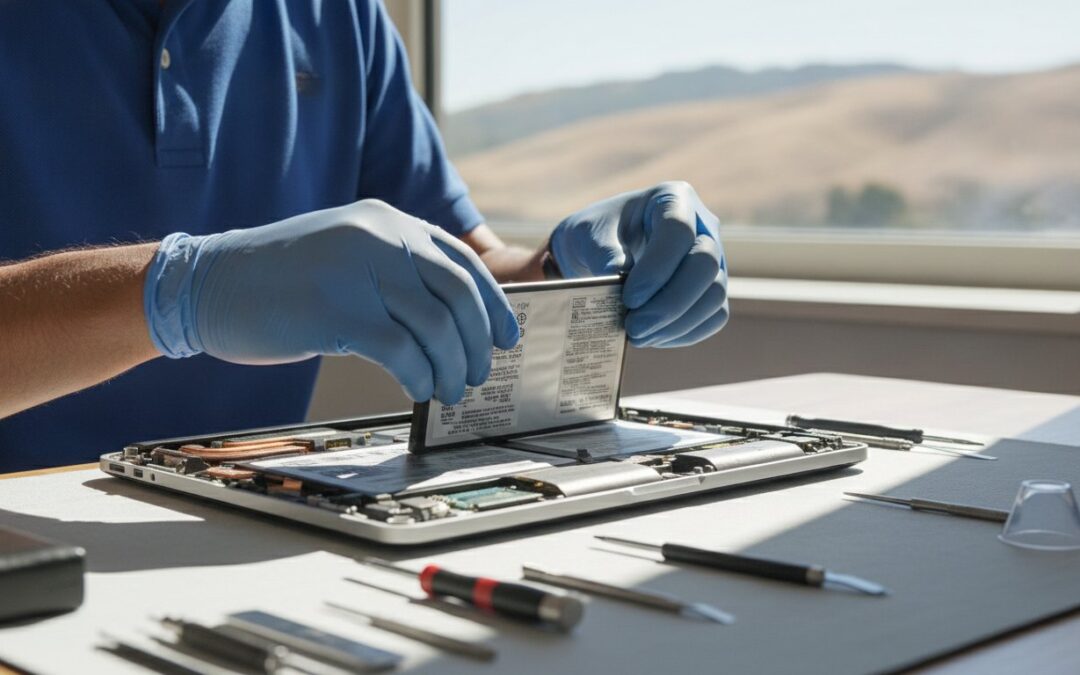
Why spend a fortune on a brand new computer when a simple laptop battery replacement in Pleasanton could make your current device feel like it just came out of the box? Most of us have been there, tethered to a wall outlet because our “portable” device won’t last ten minutes on its own. It’s frustrating to deal with sudden shutdowns or the genuine fear that a swelling battery might warp your laptop’s chassis. You shouldn’t have to choose between a dead machine and a massive credit card bill.
A professional battery replacement is the ultimate high-ROI “reset button” for your technology. Since most batteries only last two to four years before losing capacity, a fresh cell can restore four to eight hours of battery life and effectively double your device’s lifespan. This guide covers how professional service extends your hardware’s utility, what the 2026 California battery recycling fees mean for you, and how to get a quick turnaround right here in the East Bay. We’ll help you move from constant low-battery anxiety to total mobile confidence.
Key Takeaways
- Identify the critical warning signs of battery failure, including sudden percentage drops and total dependency on your AC adapter.
- Learn why professional laptop battery replacement in Pleasanton is the safest way to handle modern internal designs that are often glued into the chassis.
- Compare the benefits of original manufacturer parts against reliable third-party alternatives to find the best value for your specific device.
- See how a local expert can provide a swift 24 to 72 hour turnaround with a 60-day warranty for your peace of mind.
- Discover practical maintenance habits to protect your new 2026 battery from extreme temperatures and premature wear.
5 Signs You Need a Laptop Battery Replacement in Pleasanton
Your laptop is meant to be portable. If you find yourself hunting for a wall outlet every twenty minutes, it’s a clear signal something is wrong. Many users in the East Bay ignore early warning signs until their device becomes a desktop-only machine. When your device starts acting up, a professional laptop battery replacement in Pleasanton can save you from the high cost of a full upgrade. Look out for these specific red flags:
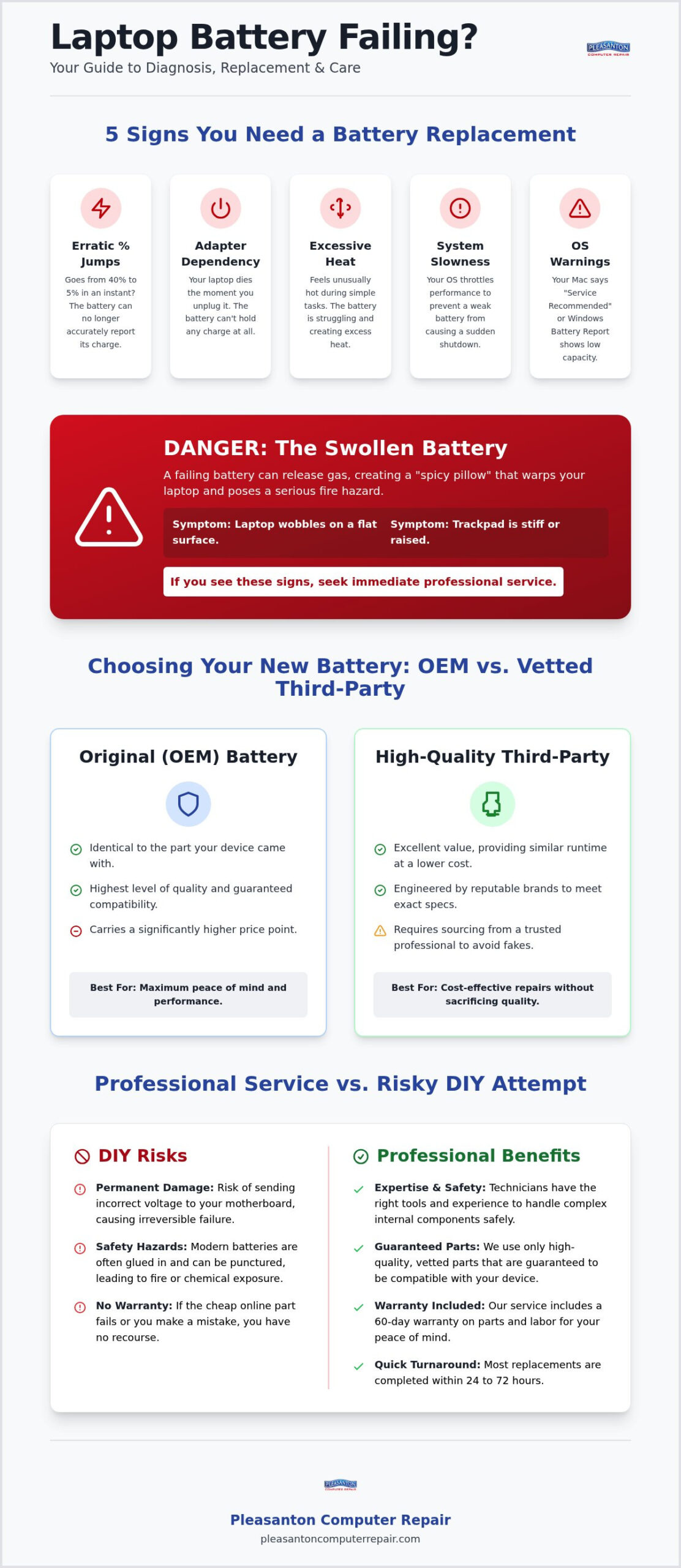
- Erratic Percentage Jumps: One minute your screen says 40%, and the next it’s at 5%. This happens because the battery’s internal resistance has increased, making it impossible for the system to accurately gauge remaining power.
- AC Adapter Dependency: If your screen goes black the second you unplug the charger, the battery is effectively dead and can no longer hold a charge.
- Excessive Heat: If simple web browsing makes the bottom of your laptop feel like a stovetop, the battery is likely struggling to process energy safely.
- Unresponsiveness: A failing battery can cause the entire system to lag or freeze as it struggles to deliver consistent voltage to the processor.
Identifying the “Spicy Pillow”: Swollen Battery Dangers
Modern Lithium-ion batteries are marvels of energy density, but they have a finite lifespan. When they fail chemically, they can produce gas that gets trapped inside the battery casing, creating a “spicy pillow” effect. A swollen battery is a serious fire hazard that requires immediate professional attention from a technician. You can check for this by placing your laptop on a perfectly flat table. If it wobbles or the trackpad feels stiff to click, the battery is likely expanding and pushing against the chassis. Seeking a laptop battery replacement in Pleasanton is the safest move when you spot these physical changes.
Software Warnings: What Your OS is Trying to Tell You
Your operating system often knows there’s a problem before you do. On a Mac, clicking the battery icon in the menu bar might show “Service Recommended” or “Replace Soon.” Windows users can generate a detailed “Battery Report” via the Command Prompt to see the original capacity versus the current full charge capacity. Don’t be surprised if your laptop feels slower, too. Many modern systems use performance throttling to prevent a weak battery from causing a sudden system crash during high-power tasks. Professional diagnostics can confirm if a simple swap will restore your machine’s original speed and stamina.
OEM vs. Third-Party Batteries: Which is Best for Your Laptop?
Deciding between an Original Equipment Manufacturer (OEM) part and a third-party alternative is the most common crossroad during a laptop battery replacement in Pleasanton. OEM parts are produced by the brand that built your computer. They offer the highest level of compatibility and peace of mind because they are identical to the part that came with your device. While these are often the gold standard, they also carry a higher price point.
High-quality third-party batteries have become a viable, cost-saving option for many East Bay residents. These are not generic “knock-offs” but components engineered by reputable manufacturers to meet the exact electrical requirements of your machine. When sourced correctly, they provide the same daily runtime as an original part at a fraction of the cost. However, the market is flooded with unverified sellers on massive online marketplaces. These “too good to be true” deals often involve refurbished cells or sub-standard materials that can fail within weeks.
At Pleasanton Computer Repair, we eliminate the risk of online gambling with your hardware. We source our components from a narrow list of vetted suppliers we’ve worked with for over two decades. If you want to explore the best options for your specific MacBook or PC, you can speak with our downtown technicians to get an honest recommendation based on your usage needs.
The Risks of Low-Quality Generic Batteries
Choosing the cheapest battery available online often leads to hidden costs. Low-quality generic brands frequently lack proper safety circuits that regulate heat and power flow. This can result in incorrect voltage being sent to your motherboard, which can lead to permanent hardware damage. Beyond the safety risks, these parts rarely come with any real support or accountability. We provide a 60-day warranty on all our repairs because we believe a replacement part should be as dependable as the original.
Understanding Capacity and Cycle Counts
When comparing parts, look at the milliampere-hour (mAh) rating. This number tells you how much energy the battery can store. A higher mAh rating translates to more hours of unplugged work or play. You should also consider the cycle count, which represents how many times a battery can be fully charged and discharged before it begins to lose its chemical health. Replacing an old, high-cycle battery with a fresh one can restore 2026-level performance to a 4-year-old laptop, effectively giving you a “new” machine for a small fraction of the price of a replacement.
Why Professional Replacement Beats a Risky DIY Attempt
Years ago, replacing a battery was as simple as sliding a plastic latch on the bottom of your machine. Today, manufacturers have moved toward “glued-in” internal designs that make the process significantly more difficult. Attempting a laptop battery replacement in Pleasanton on your own might seem like a way to save money, but modern hardware is incredibly unforgiving. One slip of a screwdriver can result in a punctured cell, which is a genuine fire hazard, or a severed ribbon cable that costs hundreds to fix.
Professional shops use a specific arsenal to open these devices safely. This includes Pentalobe drivers for proprietary screws, nylon spudgers to pry components without causing electrical shorts, and controlled heat guns to soften industrial-grade adhesive. Without these tools, you risk stripping screws or cracking the delicate plastic and metal chassis of your machine. It’s often more cost-effective to pay for expert labor than to replace a motherboard damaged during a DIY attempt.
The Complexity of Modern Ultrabooks and MacBooks
High-end devices like the MacBook Air or Pro are packed with microscopic components. A MacBook battery replacement Pleasanton requires navigating past fragile ribbon cables that control the keyboard, trackpad, and speakers. Re-applying the correct adhesive is also vital for stability. If the battery isn’t secured properly, it can shift inside the case, leading to internal wear or even disconnecting itself during transport. Experts ensure every proprietary screw and internal bracket returns to its exact original position.
Data Safety and Post-Repair Testing
Many users worry that a hardware swap might accidentally wipe their files. We provide a “Zero Data Loss” promise because we understand your photos, projects, and documents are irreplaceable. Once the new part is installed, the job isn’t finished. We perform a methodical calibration process to ensure your operating system correctly recognizes the new cell’s capacity and health. We also test the charging circuit on the motherboard. This step rules out deeper electrical issues, ensuring your laptop actually charges at the correct speed once you get it back to your home or office.
Laptop Battery Replacement Services in Pleasanton and the East Bay
Finding a reliable technician for a laptop battery replacement in Pleasanton shouldn’t feel like a gamble. Our shop is conveniently located in the heart of downtown at 400 Main Street, Suite 205. Since 2002, we’ve focused on providing the East Bay community with honest, local expertise. Whether you’re a student at Las Positas or a professional working from home in Ruby Hill, we support all major brands including Dell, HP, Lenovo, Apple, and ASUS.
We know your time is valuable. That’s why we maintain a brisk 24 to 72 hour turnaround time for most standard models. You don’t have to wait weeks for a manufacturer to ship your device back from a distant repair depot. Keeping things local means you get your machine back quickly, often before your next big deadline. You can book your battery diagnostic today to get started.
Our Proven 4-Step Repair Process
We believe transparency is the foundation of a good repair. Our workflow is designed to keep you informed at every stage:
- Step 1: Diagnostic Check. We examine the battery health and the charging system to ensure the motherboard isn’t the root cause of your power issues.
- Step 2: Detailed Quotation. You’ll receive a clear estimate via email. We wait for your explicit approval before any work begins.
- Step 3: Precision Repair. Our technicians perform the swap using specialized tools, followed by rigorous safety testing to ensure the new cell performs as expected.
- Step 4: Quality Check and Warranty. We verify the final assembly and activate your 60-day warranty for total peace of mind.
Serving the Entire East Bay Community
While our home is in downtown Pleasanton, we regularly serve clients from Dublin, Livermore, and San Ramon. We also assist residential and business customers in Danville, Walnut Creek, and even San Jose who prefer a personal touch over a corporate call center. People choose us for computer repair Pleasanton CA because they value face-to-face support and a technician who knows their history. Shipping your device to a remote facility often leads to communication breakdowns and potential shipping damage; walking into a local shop eliminates those headaches entirely.
Maximizing Your Investment: Battery Care and Speed Upgrades
Getting a fresh start with a laptop battery replacement in Pleasanton is a smart financial move. To ensure your new 2026 battery lasts for the next several years, you should follow a few simple maintenance habits. Lithium-ion cells are sensitive to heat and voltage stress. Try to keep your charge level between 20% and 80% for daily tasks rather than letting it sit at 100% on the charger indefinitely. You should also avoid “deep discharges” where the laptop dies completely, as this can chemically stress the new cells and shorten their lifespan.
Opening your laptop for a battery swap provides the perfect opportunity for an internal cleaning. Over time, cooling fans collect dust and debris, which forces the system to run hotter. Since heat is the primary enemy of battery health, clearing these airways helps your new part stay cool and efficient. If we notice that your laptop is struggling with more than just power, such as slow boot times or freezing apps, it might be time to look beyond the power cell.
Combining Battery Service with an SSD Upgrade
If your machine feels sluggish even when plugged in, a new battery alone won’t restore its original snap. We often recommend pairing your service with a SSD upgrade Pleasanton CA. This replaces your old storage drive with modern flash memory that can be up to ten times faster. Our “Brand New Feel” package combines a fresh battery with faster storage, giving you the performance of a high-end 2026 model without the four-figure price tag. Performing both upgrades at once is highly cost-effective because the labor overlaps while the case is already open.
Next Steps: Booking Your Pleasanton Battery Repair
Ready to reclaim your mobility? You can use our straightforward online booking system to schedule a convenient drop-off at our downtown office. When you come to see us at 400 Main Street, please remember to bring both your laptop and your AC power adapter. Testing your specific charger allows us to verify that it’s delivering the correct voltage to your new battery. With over 20 years of local East Bay expertise, we’re here to ensure your technology works for you, not against you. We look forward to helping you revive your favorite device and getting you back to work with confidence.
Reclaim Your Mobile Freedom Today
Restoring your laptop’s original performance doesn’t require a thousand-dollar investment in new hardware. By choosing a professional laptop battery replacement in Pleasanton, you can eliminate the stress of sudden shutdowns and the anxiety of a failing device. A fresh battery provides the 2026-level reliability your daily routine demands, allowing you to work from anywhere without hunting for a wall outlet. Expert handling ensures your data stays safe and your delicate internal components remain protected.
Our team has been serving the East Bay since 2002 from our convenient downtown Pleasanton location. We include a 60-day warranty with every repair, so you can feel secure in your investment. There’s no reason to struggle with a dying machine when a simple, professional fix is right around the corner. Schedule Your Laptop Battery Diagnostic in Pleasanton Today and let us help you revive your favorite device. You’ll be back to full productivity before you know it.
Frequently Asked Questions
How long does a laptop battery replacement take in Pleasanton?
Most battery swaps are completed within 24 to 72 hours. While we stock common parts, some specialized or rare models might require a short wait for shipping. We prioritize a quick turnaround because we know you need your device for work and daily life. You’ll receive a notification the moment your machine is ready for pickup at our downtown office, ensuring minimal disruption to your schedule.
Is it worth replacing the battery on a 5-year-old laptop?
It’s absolutely worth it if the rest of your hardware still meets your needs. A laptop battery replacement in Pleasanton is a small fraction of the cost of a new machine. By spending a little on a fresh cell, you can effectively double the lifespan of your device. Many clients find that pairing this service with an SSD upgrade makes their five-year-old computer feel faster than it was on day one.
Will I lose my files or photos during a battery replacement?
No, your data remains completely safe during the hardware swap. We provide a Zero Data Loss guarantee for all battery services. While the battery provides power, your files are stored on a separate drive that we don’t need to format or erase. We still recommend maintaining regular backups as a best practice, but you can rest easy knowing your photos and documents won’t be touched during the repair process.
How can I tell if my laptop battery is actually swollen?
Look for physical changes like a trackpad that’s difficult to click or a keyboard that seems to be bulging upward. You can also place your laptop on a perfectly flat surface; if it wobbles or doesn’t sit flush, the battery is likely expanding. This is a serious safety issue that requires immediate professional attention. Please don’t squeeze or press on the bulge, as this can puncture the internal cells.
Does Pleasanton Computer Repair offer a warranty on new batteries?
Yes, we include a 60-day warranty on all laptop battery replacement in Pleasanton services. This covers both the part itself and the labor involved in the installation. We stand behind the quality of our vetted suppliers and our technicians’ expertise. If you notice any issues with charging or capacity within the first two months, simply bring it back to our downtown shop and we’ll resolve the problem quickly at no extra cost.
Can I replace my own laptop battery if it is glued in?
We don’t recommend DIY attempts for glued-in batteries due to the high risk of fire and hardware damage. Removing industrial adhesive requires controlled heat and specialized prying tools. One slip can puncture the battery or tear the fragile ribbon cables that run underneath it. Professional technicians have the experience to navigate these internal layouts safely, protecting your motherboard and ensuring the new battery is secured with the correct adhesive for long-term stability.
What is the difference between a generic and an OEM laptop battery?
OEM stands for Original Equipment Manufacturer, meaning the part is made by the same brand that built your laptop. These offer guaranteed compatibility but come at a premium price. High-quality generic or third-party batteries are designed to meet the same specifications for a lower cost. We only source third-party parts from trusted, vetted manufacturers to ensure they include the necessary safety circuits and provide the same reliable runtime as the original component.