
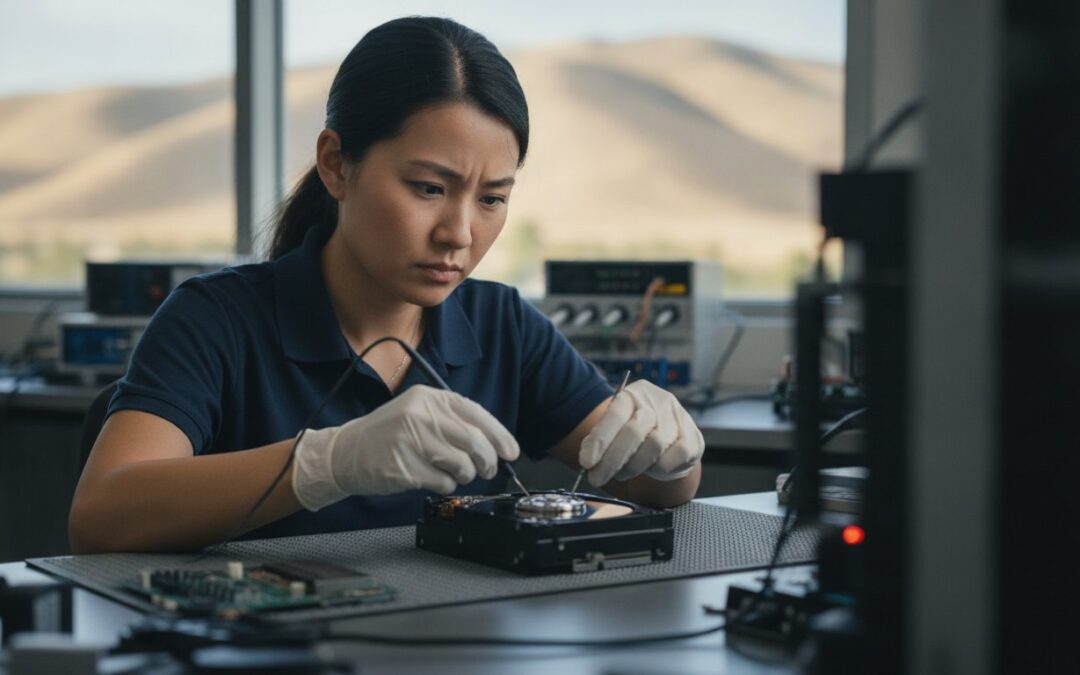
Did you know that nearly 50% of hard drives fail within their first year of operation? It’s a startling statistic from 2026 research, but it’s a reality many of our neighbors face when their screen freezes or a drive starts making a strange clicking sound. If you’re staring at a “disk not found” error, the most important thing you can do is power down your device immediately. Attempting to force a reboot can often turn a recoverable situation into permanent loss. When you need the kind of hard drive data recovery Pleasanton families and businesses have relied on since 2002, you need a local expert who treats your data with the same care you do.
We know that losing access to critical work files or years of family photos is incredibly stressful. You shouldn’t have to deal with the uncertainty of “big box” repair centers or confusing pricing during an emergency. This guide promises to show you the exact steps to take right now to save your files and how to secure professional recovery here in the East Bay. We’ll walk through our diagnostic-first approach at 400 Main Street, explain common failure causes, and provide a clear path to getting your digital life back on track.
Key Takeaways
- Power down your device the moment you hear clicking or see “Disk Not Found” errors to prevent permanent data overwriting.
- Learn why professional hard drive data recovery Pleasanton experts use specialized clean rooms to handle mechanical failures that DIY software simply cannot fix.
- Discover how a diagnostic-first approach provides a clear recovery probability and transparent flat-rate pricing before any work begins.
- Secure your digital future by implementing the 3-2-1 backup strategy and upgrading to a high-performance SSD to minimize the risk of physical crashes.
Immediate Steps to Take When Your Hard Drive Fails
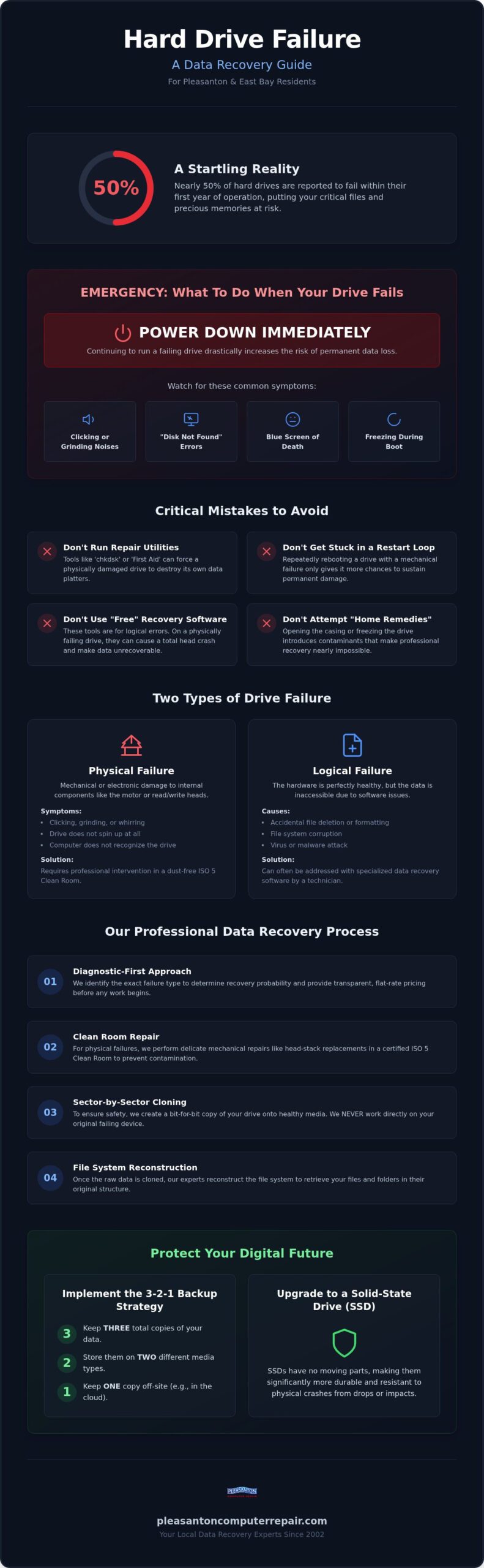
If your screen just went black or you hear a rhythmic clicking sound coming from your laptop, stop what you’re doing immediately. The “Golden Rule” of data preservation is simple: power down the device. When a drive begins to fail, every second it remains powered on increases the risk of permanent data loss. Modern drives operate with extreme precision, and continuing to run a damaged component can cause the read/write heads to physically scratch the platters where your photos and documents live.
Common symptoms of a failing drive include the “Blue Screen of Death,” a sudden “Disk Not Found” error, or a computer that hangs indefinitely during the boot process. You might also notice a grinding or whirring noise. If you encounter these issues, disconnect external power and any peripherals to stabilize the hardware environment. Don’t attempt to shake the drive, open the casing yourself, or apply extreme temperatures like putting it in a freezer. These “home remedies” often introduce dust or moisture that makes professional hard drive data recovery Pleasanton services significantly more difficult, if not impossible.
How to Identify Physical vs. Logical Failure
Understanding the data recovery process starts with identifying the type of damage. Physical failure involves mechanical issues, such as a seized motor or a crashed head. You’ll usually know it’s physical if you hear clicking or the drive won’t spin up at all. Logical failure, on the other hand, occurs when the hardware is healthy but the data is inaccessible due to accidental deletion, formatted partitions, or file system corruption. While logical issues can sometimes be handled with software, physical failures require immediate professional intervention in a controlled environment to prevent the drive from destroying itself.
The ‘Do Not’ Checklist for East Bay Computer Users
It’s tempting to try a quick fix, but some common troubleshooting steps do more harm than good on a failing drive. Avoid these mistakes to keep your recovery options open:
- Avoid ‘chkdsk’ or ‘First Aid’: These utilities are designed to fix file systems, not broken hardware. Running them on a clicking drive can force the heads to scrape across the data platters.
- Stop the restart loop: Restarting your computer ten times won’t fix a mechanical crash. It only gives the drive ten more opportunities to sustain permanent damage.
- Beware of ‘free’ software: Many free tools are designed for logical recovery. If your drive has a physical motor issue, these programs will keep the drive spinning at high speeds, which can lead to a total “head crash” and permanent loss.
When you’re dealing with critical work files or irreplaceable memories, trust a local expert for hard drive data recovery Pleasanton. Our diagnostic-first approach ensures we identify the exact failure type before you risk any further damage.
Understanding the Hard Drive Data Recovery Process
Data recovery is the technical process of retrieving inaccessible, lost, or corrupted data from secondary storage media when it cannot be accessed normally. For many in the East Bay, this means getting back documents from a drive that no longer shows up on their desktop. While some issues are just logical software glitches, others are physical. Advanced hard drive data recovery Pleasanton residents often require involves mechanical work. This is where the ISO 5 Clean Room becomes essential. These controlled environments prevent dust and static from ruining the sensitive internal platters while technicians perform delicate operations like head-stack replacements.
To protect your information, professional technicians use sector-by-sector cloning. Instead of working directly on your failing hardware, we create a bit-for-bit copy on a healthy drive. This ensures that if the original device fails completely during the extraction, your data is already safe on our servers. This approach is a standard part of any professional step-by-step data recovery guide. There is a massive difference between simple file undeletion and complex mechanical repairs that involve transplanting parts from donor drives to get yours spinning again.
The Science of Data Retrieval
When a drive has bad sectors, it’s like a road with potholes. Specialized hardware allows us to skip those “potholes” and extract the healthy data surrounding them. Once the raw data is out, we have to reconstruct the file system. Think of it as putting a puzzle back together after the box art has been lost. Platter damage refers to physical scratches on the disk’s surface that physically remove the magnetic coating, often making the data in those specific areas impossible to retrieve.
SSD vs. HDD Recovery: Why 2026 Technology Matters
Modern storage has changed. Solid State Drives (SSDs) use NAND flash memory, which lacks the moving parts of traditional Hard Disk Drives (HDDs). However, SSDs use a command called TRIM that can permanently erase data blocks to maintain speed, which makes recovery a race against time. In 2026, many devices like MacBooks and iPads have integrated storage chips that require chip-off recovery or specialized power-rail repairs. If your current drive is showing signs of age, we often recommend moving your recovered files to a new, high-speed device through an SSD upgrade to prevent future headaches.
Why Professional Recovery Beats DIY Software
It’s understandable to look for a quick, free fix when your files suddenly vanish. The internet is full of “free” data recovery tools promising a one-click solution. However, it’s often a gamble with incredibly high stakes. When a drive begins to fail, you’re dealing with what we call the ‘One Shot’ Reality. Every time a failing drive spins up, its mechanical components degrade further. A professional hard drive data recovery Pleasanton service uses specialized hardware to stabilize the drive, whereas consumer software forces the drive to work at full speed, often causing it to fail completely before the first file is even copied.
Software has physical limitations. No application can fix a broken read/write head, a seized motor, or a damaged circuit board. If the issue is mechanical, running software is like trying to fix a flat tire by updating your car’s GPS. Beyond physical damage, modern security features pose a new risk. Security protocols like BitLocker or FileVault are designed to protect your privacy, but they can become your worst enemy during a DIY attempt. If a recovery tool accidentally corrupts the metadata or triggers a security lockout, your files could be permanently encrypted and lost forever, even if the hardware is eventually repaired.
The Danger of Overwriting Data
One of the most common mistakes we see is a user downloading and installing recovery software directly onto the drive they are trying to save. This act alone can destroy your data. Computers don’t actually “erase” files immediately; they simply mark the space as available for new information. By installing new software, you are literally writing new data over the very photos or documents you want to rescue. Logical corruption can also quickly turn into physical damage if the drive stays powered on while the system tries to “repair” itself. The ‘Scratched Platter’ phenomenon describes the irreversible physical removal of the magnetic storage medium when a crashed head grinds against the spinning disk.
When to Call a Professional in Pleasanton
Knowing when to stop is the key to a successful recovery. If your drive is making any non-standard noise, such as beeping, clicking, or a faint buzzing sound, software will not help you. These are clear indicators of mechanical distress. If the data on your drive is for a local business or contains irreplaceable personal memories, the risk of a DIY failure is simply too high. If you are currently staring at a blank screen and wondering how to recover data from dead laptop, the safest path is to bring it to a seasoned expert. A diagnostic analysis is a small investment compared to the cost of losing a decade of family history.
What to Expect During Your Pleasanton Data Recovery Service
Walking through our doors at 400 Main Street often starts with a sense of worry, but our goal is to replace that stress with a clear, predictable plan. We’ve refined our process over decades of serving the East Bay to ensure you’re never left wondering about the status of your files or the final cost. When you choose us for hard drive data recovery Pleasanton, you’re getting a methodical approach designed for the highest possible success rate.
Our service follows four primary stages. First, we perform a diagnostic analysis to identify the exact failure type. This step is crucial because it tells us whether we can recover the data in-store or if it requires advanced clean-room intervention. Once the diagnosis is complete, we provide a transparent, flat-rate recovery quote. You’ll know the cost before we ever begin the actual extraction. Next, we securely clone your drive. This creates a bit-for-bit copy so we don’t have to stress your original, failing hardware during the intensive file extraction. Finally, we verify the integrity of your files and transfer them to a healthy storage device.
Local Diagnostics at 400 Main Street
Convenience matters during a tech emergency. Our suite at 400 Main Street, Suite 205, is centrally located for residents in Dublin, Livermore, and San Ramon. When you drop off your device, your data privacy is our top priority. We follow strict non-disclosure protocols to ensure your personal and business information remains confidential throughout the entire hard drive data recovery Pleasanton process. While every case is unique, we strive for efficient turnaround times, typically providing diagnostic results within a few business days so you can make informed decisions quickly.
Data Migration: Getting Your Files Back to You
Recovery is only half the battle; getting your files back into your workflow is the final step. We don’t just hand you a list of files. We help you move that recovered data to a new external drive or even a refurbished laptop if your old machine is no longer viable. If you’re also dealing with mobile issues, we provide specialized iPhone data recovery Pleasanton services to ensure your photos and contacts are safe across all your devices.
To prevent a repeat of this stressful situation, we also offer assistance with setting up robust backup systems. Whether it’s a cloud-based solution or a physical local backup, we’ll help you implement a strategy that fits your needs. If your drive failed due to physical wear, we might suggest an SSD upgrade as a durable, long-term solution for your current computer. Ready to start the recovery process? Visit Pleasanton Computer Repair today for a professional diagnostic analysis and take the first step toward getting your files back.
Preventing Future Data Loss: The East Bay Tech Strategy
Once we’ve successfully completed your hard drive data recovery Pleasanton project, our focus shifts to ensuring you never face this crisis again. We’ve seen every type of failure since 2002, and the common thread in every success story is a robust prevention plan. The gold standard is the 3-2-1 backup rule. You should maintain three copies of your data, stored on two different types of media, with one copy kept off-site. This simple habit protects you from everything from hardware crashes to accidental deletions.
Local conditions in the Tri-Valley area can also impact your hardware longevity. Power surges in Pleasanton and Dublin can cause immediate electrical damage or shorten the lifespan of your drive’s sensitive components. Using a high-quality surge protector is a start, but monitoring your drive’s S.M.A.R.T. (Self-Monitoring, Analysis, and Reporting Technology) status is even better. This system tracks internal health metrics and can provide an early warning before a total mechanical collapse occurs.
Upgrading for Reliability
Traditional hard drives use spinning platters that are prone to mechanical wear. If you’re still using an HDD, moving to a Solid State Drive is a major step toward reliability. SSDs have no moving parts, making them much more durable against the bumps and heat of daily use. An SSD upgrade Pleasanton CA residents can rely on will not only speed up your computer but also provide a more stable home for your files. For power users, a custom PC build allows you to select high-end components specifically known for their longevity and data integrity.
Local Support for Pleasanton, Dublin, and Beyond
We are proud to be a fixture of the local community. Being a neighborly guide means we are here for more than just emergencies. You can schedule a ‘Tech Tune-Up’ any time to have us evaluate your current storage health and verify your backup settings. If you’re currently dealing with a failed device, the first step is always a professional assessment. Schedule your data recovery diagnostic at Pleasanton Computer Repair and let our experienced team provide the peace of mind you deserve.
Restore Your Peace of Mind and Your Files
Facing a sudden hardware failure is a high-pressure situation, but it doesn’t have to be a permanent loss. By powering down your device immediately and avoiding the risks of unverified DIY software, you’ve already taken the most critical steps toward a successful restoration. Professional hard drive data recovery Pleasanton experts use specialized tools and clean-room environments to handle the mechanical failures that home remedies simply can’t touch. Your data deserves a level of care that software alone cannot provide.
Since 2002, our team has built an A+ local reputation by helping East Bay neighbors navigate these crises with transparent, flat-rate pricing options. Our convenient Main Street location serves as a reliable hub for residents in Dublin, Livermore, and San Ramon. Don’t let a hardware crash dictate the future of your business files or family memories. Book Your Data Recovery Diagnostic in Pleasanton Today and let us provide the clear, expert path forward you need. We’re here to help you get back to your digital life with confidence and ease.
Frequently Asked Questions
How much does hard drive data recovery cost in Pleasanton?
Recovery costs are determined by the complexity of the failure rather than just the amount of data stored on the device. We use a diagnostic-first approach to provide a transparent, flat-rate quote before any work begins. This ensures you know exactly what to expect without hidden fees. While industry prices vary, our model focuses on providing a clear, predictable path for hard drive data recovery Pleasanton residents can trust.
Can you recover data from a hard drive that was dropped?
Yes, physical recovery is often possible for drives that have sustained impact damage. Dropping a drive usually causes mechanical issues like a head crash or a seized spindle motor. These cases require a specialized clean room to safely open the casing and swap out damaged internal components. It’s vital that you don’t try to power the drive back on after a drop, as this can cause the heads to permanently scratch the platters.
How long does the data recovery process usually take?
Most standard diagnostics are completed within a few business days at our Main Street location. Once the failure type is identified, the actual recovery can take anywhere from a few days to over a week depending on the drive’s condition. Physical repairs involving part sourcing may take longer than logical file reconstructions. We prioritize functional continuity and will keep you updated throughout every stage of the process.
Is it possible to recover data from a drive that has been formatted?
Yes, data can often be recovered from a formatted drive if you stop using the device immediately. Formatting marks the storage space as empty but doesn’t always erase the actual data blocks right away. If you continue to use the drive, the system will overwrite those blocks with new information, making the old files unrecoverable. Professional tools can often find and rebuild the original file structure to rescue your documents.
What should I do if my hard drive starts making a clicking noise?
You should power down your computer immediately if you hear any clicking, grinding, or buzzing sounds. This noise is a clear symptom of a mechanical failure where the read/write heads are struggling to find their position. Continuing to run the drive can lead to a total head crash, which physically destroys the data platters. Bringing the device to our suite for a professional assessment is the safest next step for your data.
Can you recover files from a dead MacBook or iMac?
Yes, we provide specialized recovery services for both Mac and PC file systems. Our team has extensive experience with the APFS and HFS+ structures used by Apple devices. Whether you have an older iMac with a mechanical drive or a modern MacBook with integrated flash storage, we use the latest techniques to safely extract your files and migrate them to a healthy device or a new SSD.
Do I have to pay if you can’t recover any of my data?
We use a diagnostic-first approach to determine the probability of success before you commit to the full recovery process. There is an initial evaluation fee that covers the technical labor required to analyze the drive’s condition. If the data is determined to be unrecoverable during this stage, you’ll have a clear answer without proceeding to the more expensive extraction phase. This transparency helps reduce cost anxiety during a tech emergency.
Can you recover data from encrypted hard drives or BitLocker-protected disks?
Yes, recovery is possible from encrypted disks as long as the encryption keys or recovery passwords are available. Encryption adds a layer of complexity to the hard drive data recovery Pleasanton process, but our technicians are experienced with these security protocols. If the drive has physical damage, we first stabilize the hardware before using your credentials to safely decrypt and extract the files for you.