
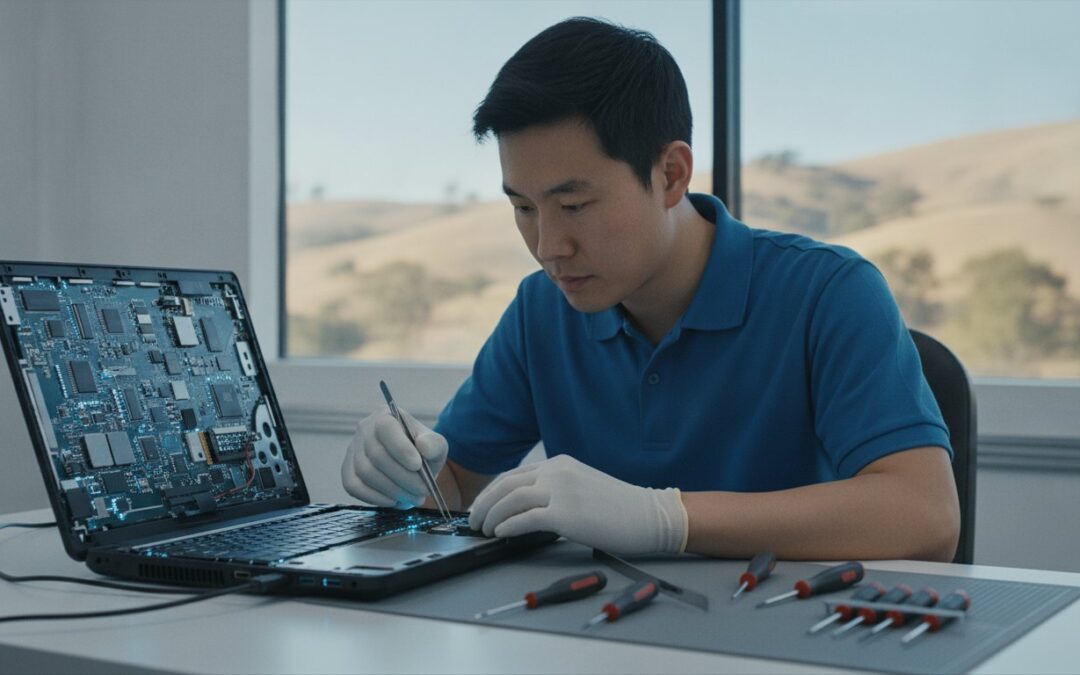
Buying a brand new laptop just because your current one is acting up is often an expensive mistake that San Ramon residents simply don’t need to make. When your screen shatters or your processor struggles with the latest AI-driven software, the common instinct is to head to a big-box retailer, only to be met with long wait times and confusing jargon. You deserve a local partner who values your time and understands the panic that comes with potential data loss. If you are searching for dependable computer repair San Ramon, you want a solution that prioritizes restoration over a costly replacement.
We know how much you rely on your devices for both professional projects and personal connections. It is exhausting to deal with inconsistent communication or the fear that your personal photos might vanish during a routine fix. This 2026 guide is designed to help you find the most reliable computer and mobile repair solutions in the East Bay so you can get back to peak performance today. We will walk through the latest local repair trends, explain how the California Right to Repair Act benefits you, and show you how a transparent, expert-led process makes all the difference for your peace of mind.
Key Takeaways
- Learn how to distinguish between a failing hard drive and a simple software glitch to avoid the high cost of unnecessary device replacements.
- Find out why choosing expert computer repair San Ramon for SSD upgrades or MacBook screen replacements can restore your device to like-new speed for a fraction of the cost.
- Understand when to request on-site support for networking issues and when in-store diagnostics are the better choice for complex hardware fixes.
- Follow a simple pre-repair checklist, including critical data backup steps, to ensure your technology is protected and your service is stress-free.
- Discover how twenty years of local East Bay expertise provides San Ramon residents with faster turnaround times and more transparent communication than big-box retailers.
Solving San Ramon’s Most Common Computer & Mobile Issues
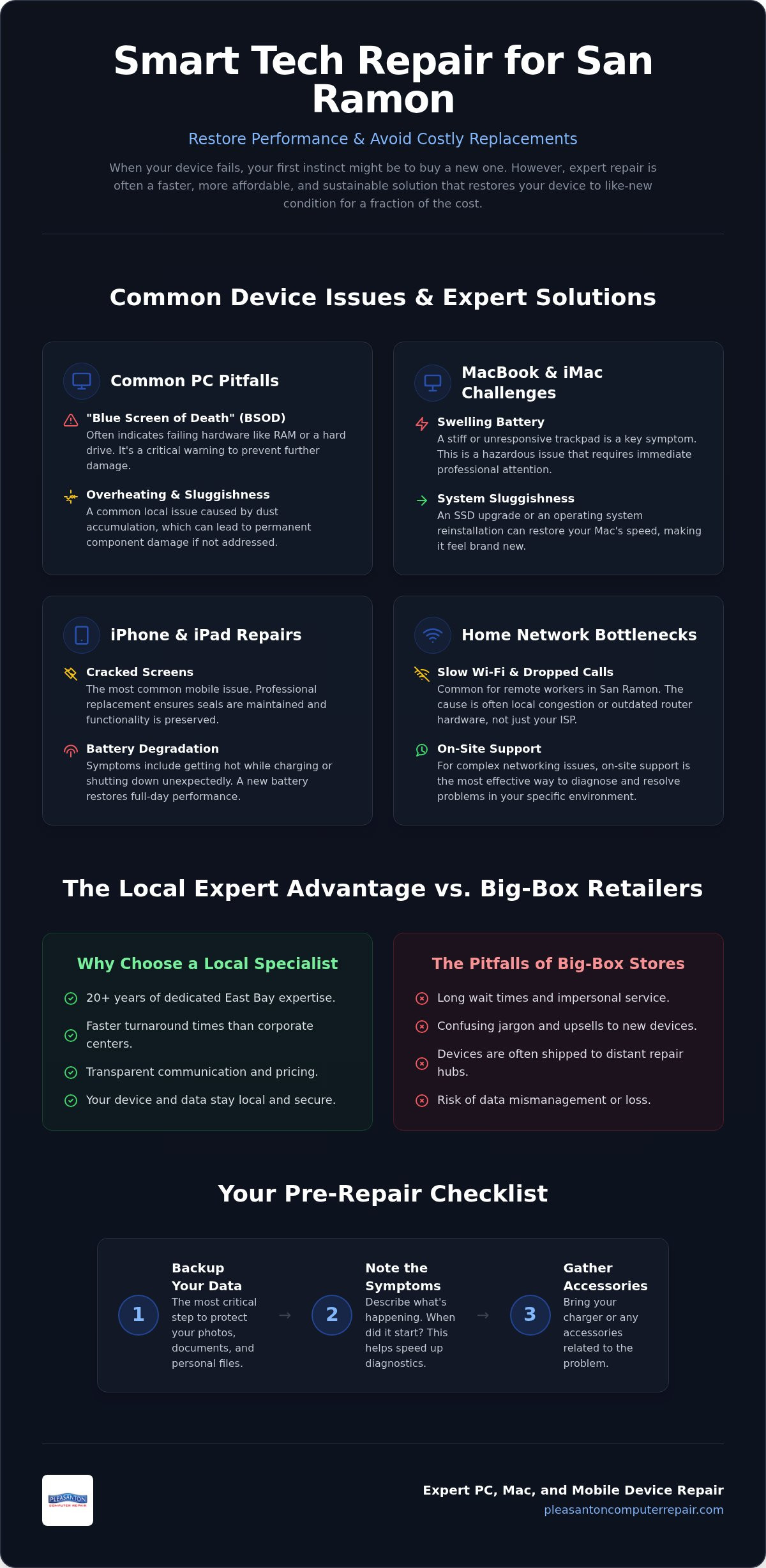
Technology failure in a busy San Ramon household usually happens at the worst possible moment. Whether you are working from home near Bishop Ranch or managing a family schedule, a frozen screen or a cracked iPad can disrupt your entire day. Understanding the difference between a minor software glitch and a major hardware failure is the first step toward a permanent solution. For many residents, the struggle begins with identifying why their device is suddenly sluggish or unresponsive. A professional computer repair technician can distinguish between a corrupted operating system and a physical drive failure, saving you from spending money on parts you don’t actually need.
San Ramon’s remote workers often face unique networking bottlenecks. With so many professionals working from home, local Wi-Fi congestion can lead to dropped calls and slow sync speeds. It isn’t always your service provider’s fault; sometimes, the issue lies in outdated router firmware or hardware that can’t handle modern bandwidth demands. Additionally, our East Bay environment plays a role in device longevity. Dust accumulation in desktop towers is a common local problem that leads to overheating and hardware burnout. Regular internal cleaning is essential to keep your system cool and prevent the intense processing demands of 2026 software from damaging your components.
Hardware Failures vs. Software Conflicts
Recognizing the “Blue Screen of Death” (BSOD) is a vital skill for any PC user. While it looks intimidating, it is essentially your computer’s way of protecting itself from further damage. This error often points to failing RAM or a hard drive reaching the end of its life, though it can occasionally be triggered by a messy driver update. MacBook users face a different set of challenges, particularly regarding battery health. If your trackpad feels stiff or unresponsive, it might be a sign of battery swelling, which puts pressure on the internal casing from the inside out. A diagnostic fee is a flat rate charged for a professional assessment to pinpoint the exact cause of a device failure before any repairs begin. This ensures that your computer repair San Ramon service is based on facts rather than guesswork.
Mobile Device Challenges in San Ramon
iPhone and iPad repairs remain a top priority for active local families. Between school projects and daily commutes, screens inevitably crack due to drops or pressure in a crowded bag. Beyond visible damage, battery degradation is a silent performance killer. If your phone gets hot while charging or shuts down at 20 percent, it’s time to stop charging and start replacing the battery. We use specialized tools to maintain the integrity of your mobile hardware during every fix. These professional tools are necessary to preserve the delicate internal seals and ensure your device remains functional for years to come. Relying on an expert for computer repair San Ramon protects your investment and ensures your mobile tools are ready when you need them most.
Professional PC and Mac Repair Services for San Ramon
Modern computers are marvels of engineering, but they aren’t invincible. Whether you use a high-end MacBook for creative work or a custom-built PC for gaming, performance issues eventually surface. Finding reliable computer repair San Ramon means looking for technicians who handle everything from physical screen replacements to complex logic board diagnostics. It is often a choice between waiting weeks for a corporate service center or choosing a local specialist who understands your specific needs and timeline.
MacBook and iMac Specialist Care
Apple hardware requires a delicate touch and specialized tools to ensure the chassis remains undamaged during service. We handle liquid damage recovery and keyboard replacements that would otherwise render a premium device useless. When your system feels sluggish or unresponsive, an operating system reinstallation or a seamless data migration can make it feel like new again. Many local users find that expert Mac repair is significantly faster than scheduling a Genius Bar appointment, which often involves long wait times and shipping devices to distant repair hubs.
Security is another major concern for East Bay families and businesses as digital threats evolve. If you suspect your system is compromised by unusual pop-ups or slow performance, professional virus and malware removal is the only way to clean infected systems without losing precious photos or documents. It is also a critical time to learn how to avoid tech support scams, which have become increasingly sophisticated in 2026. Protecting your data while restoring your machine is our top priority.
Hardware Upgrades and Performance Tuning
Not every slow computer needs to be replaced with a new model. In fact, an SSD upgrade Pleasanton CA is often the single best value for reviving an older machine. The technical difference between a traditional HDD and a modern SSD is staggering; boot speeds can drop from minutes to just a few seconds. For those running heavy multitasking workloads or professional video editing software, a RAM upgrade provides the necessary breathing room to work without frustrating lag. A comprehensive computer tune-up extends hardware lifespan by years, ensuring you get the maximum return on your initial investment.
For San Ramon gamers and creative professionals, off-the-shelf computers often fall short of specific performance requirements. Custom PC building allows you to select components tailored to high-end AI processing or 4K gaming. If your current setup isn’t keeping up with your demands, you might consider how a professional SSD upgrade or hardware overhaul can bridge the gap. Choosing local computer repair San Ramon ensures your high-performance gear stays in peak condition without the hassle of big-box bureaucracy.
Choosing Your Service Model: On-Site, In-Store, or Remote?
Deciding how to receive technical support depends entirely on the nature of your hurdle. Some issues, like a printer that refuses to connect to your local network, are best solved right where they happen. Other problems, such as a shattered laptop hinge or a flickering screen, require a controlled environment with specialized hardware. Understanding these trade-offs ensures you get the fastest computer repair San Ramon without paying for unnecessary travel fees or waiting through avoidable shipping delays. Choosing the right model is about balancing speed, cost, and the depth of the diagnostic process.
Remote assistance is often the most efficient path for software troubleshooting and virus removal. Through a secure, encrypted connection, a technician can resolve configuration errors or clean up a slow system while you watch from your desk. It is a perfect solution for minor glitches, but it cannot fix a failing cooling fan or a dead battery. On-site support brings the expert to your San Ramon office or home to resolve complex networking, server, or hardware integration issues. Meanwhile, in-store diagnostics remain the gold standard for deep hardware interventions and data recovery, where every variable can be strictly managed.
When to Bring Your Device to the Shop
A physical storefront provides a sterile, organized space essential for delicate iPhone repairs and screen fixes. Technicians have access to advanced specialized tools and clean-room environments that are simply impossible to transport in a service van. Hardware testing takes time. It shouldn’t be rushed on-site where distractions or limited equipment might lead to an incomplete diagnosis. Bringing your device in also allows for more robust security protocols. Concerns about data privacy in electronics repair are valid, and a professional shop has the infrastructure to keep your information isolated and safe during the restoration process.
Business IT and On-Site Solutions
For local businesses, hauling several workstations or a server rack to a shop isn’t a practical option. On-site visits minimize downtime by resolving infrastructure problems in real-time. Whether you are securing a local network or setting up automated backups, having a technician physically present allows them to see the full scope of your office environment. You can follow the small business computer repair guide to see how professional IT standards protect your company from data breaches. Scheduled maintenance visits act as a proactive shield, catching small hardware quirks before they turn into expensive office-wide outages. For reliable computer repair San Ramon, having a technician who can pivot between your office and a fully equipped lab is the best way to ensure your business stays online.
Maintaining a professional business environment also involves keeping your physical premises in top shape; for expert support with parking lot or driveway maintenance, visit Pave Tech Asphalt to ensure your property is safe and welcoming for clients.
Preparing for Your Repair: A San Ramon Resident’s Checklist
Handing over your laptop or phone for service can feel like a leap of faith, especially when your digital life is stored on that single device. Taking a few minutes to prepare ensures that your data stays safe and your technician has everything they need to work efficiently. When you seek out computer repair San Ramon, arriving prepared can significantly reduce your turnaround time. It allows our team to focus on the technical resolution immediately rather than spending the first hour troubleshooting basic access or missing cables.
Data Safety and Backup Protocols
Your data is the most valuable part of your machine. Before any hardware intervention, verify that your most recent files are safely stored elsewhere. Apple users should trigger a manual backup via Time Machine or ensure that iCloud Drive has finished syncing all desktop and document folders. For Windows users, creating a system image or copying critical folders to an external drive is the best way to maintain a safety net. If your computer won’t turn on at all, do not attempt to force it to boot repeatedly, as this can worsen hardware damage. In these cases, we prioritize data preservation before beginning the actual repair. Clean-room data recovery is a specialized process where a failed hard drive is opened in a certified, contaminant-free environment to retrieve files from physically damaged internal components.
Communicating with Your Technician
Clear communication is the fastest way to a successful fix. Instead of saying the computer is “acting weird,” try to document the specific symptoms. Does the problem happen only when you are on a Zoom call? Are there specific error codes appearing on the screen? Describing an intermittent problem accurately involves noting exactly what you were doing when the issue occurred, such as running a specific application or connecting a certain peripheral. This level of detail helps us replicate the fault quickly in our lab.
Don’t forget the physical essentials. While we have many tools on hand, bringing your specific power adapter is always helpful, particularly for laptops with proprietary charging ports. Regarding your privacy, consider enabling “Repair Mode” if your operating system supports it, or temporarily remove sensitive passwords. This allows us to test the hardware without needing full access to your personal accounts. If you are ready to get your device back to peak performance, schedule an appointment with our local experts today for a stress-free experience.
Why San Ramon Trusts Pleasanton Computer Repair
San Ramon residents often find that big-box retailers lack the personal touch required to handle sensitive tech issues. When you choose Pleasanton Computer Repair, you aren’t just another ticket number in a corporate queue. We bring a sense of calm competence and neighborly warmth to every interaction. Our team understands that a broken laptop isn’t just a hardware failure; it’s a disruption to your daily life. Providing reliable computer repair San Ramon means being accessible, honest, and deeply rooted in the East Bay community. We act as a protective barrier between you and your technological headaches, ensuring a stress-free resolution every time.
Local Roots and Reliable Results
Longevity matters in the fast-paced world of technology. Founded in 2002, we’ve spent over two decades serving the East Bay corridor. Our experience means we’ve seen every major shift from the early days of desktop computing to the complex, AI-integrated systems of 2026. This history builds a level of trust that newer, fly-by-night services simply can’t match. We’ve remained unfazed by technical challenges because we’ve likely fixed your specific issue hundreds of times before.
Located at 400 Main Street, Suite 205 in Pleasanton, our shop serves as a local tech hub for the San Ramon, Dublin, and Pleasanton area. For San Ramon commuters, our location is a convenient stop that offers a level of expertise you won’t find at a generic mall kiosk. We prioritize your peace of mind by acting as a dependable partner. Our process is methodical and predictable, mirroring the organized repair standards our clients expect. We believe in transparency, which is why we provide clear documentation for all work performed.
Comprehensive Tech Solutions Under One Roof
We handle everything from standard PC screen replacements to the most delicate iPhone data recovery. Our expertise spans the entire Mac and PC ecosystem, ensuring that your hardware is restored to peak performance using professional tools and parts. We don’t just fix the immediate problem; we look for ways to improve your daily user experience. This might involve suggesting a simple hardware tweak or a software optimization that prevents future bottlenecks.
Beyond repairs, we also support budget-conscious users by offering warrantied refurbished laptops. These machines provide a high-value alternative to the high cost of buying brand-new gear every few years. Every refurbished unit we sell undergoes rigorous testing to ensure it meets our high standards for reliability and speed. Our commitment to transparent pricing and clear communication means you’ll never be surprised by hidden fees. Whether you need a custom PC built for professional video editing or a quick fix for a cracked iPad screen, we have the specialized focus to get it done right. Schedule your San Ramon computer repair appointment today and get your technology back to peak performance.
Get Your Technology Back to Peak Performance Today
Navigating technology failures doesn’t have to be a source of constant stress. By choosing local expertise over big-box bureaucracy, you ensure that your devices receive the specialized care they need without the long wait times. Whether you are looking for a performance boosting SSD upgrade or need a delicate screen fix from expert iPhone and iPad technicians, the right support is just a short drive away. We have been serving the East Bay since 2002, providing a reliable point of contact for anyone seeking professional computer repair San Ramon.
Our conveniently located shop on Main Street is ready to help you transition from digital frustration to functional continuity. Remember to back up your data and document your symptoms before your visit to ensure the smoothest possible experience. Don’t let a hardware glitch or a slow processor hold you back from your professional or personal goals. Book Your Tech Repair Appointment Now and let us restore your peace of mind. Your technology is a vital tool, and we are here to make sure it stays that way.
Frequently Asked Questions
How long does a typical computer repair take in San Ramon?
Most hardware and software repairs are completed within 24 to 72 hours. While simple tasks like a battery replacement might be faster, complex logic board diagnostics or sourcing specialized parts can extend the timeline. We always provide a clear estimate after your initial diagnostic so you know exactly when to expect your device back for computer repair San Ramon.
Do I need an appointment for iPhone screen repair?
Scheduling an appointment is highly recommended to ensure we have the specific screen for your model in stock. While we do our best to help walk-in customers, an appointment guarantees that a technician is ready to start on your device immediately. This is the most reliable way to minimize your wait time and ensure a same-day turnaround for your mobile repair.
Can you recover data from a computer that won’t turn on?
We can almost always retrieve your files even if the machine refuses to boot. Our technicians use specialized hardware to bypass your operating system and access the storage drive directly. In cases of severe physical failure, we utilize clean-room data recovery techniques to salvage your critical documents and family photos from damaged internal components.
Is it worth repairing a 5-year-old MacBook or should I buy new?
A five-year-old MacBook is often an excellent candidate for a performance overhaul. Many of these models simply require an SSD upgrade or a fresh battery to perform like a much newer machine. Choosing to repair your current device is a cost-effective and sustainable alternative to the high price of purchasing a brand-new laptop in 2026.
Do you offer on-site computer repair for San Ramon businesses?
We provide dedicated on-site support for businesses needing help with networking, servers, or workstation integration. This service is designed to minimize office downtime by resolving infrastructure issues right where they happen. It is a convenient option for computer repair San Ramon when moving heavy equipment or sensitive server racks to a shop isn’t practical for your team.
What is the difference between a standard hard drive and an SSD upgrade?
Standard hard drives rely on spinning platters, while an SSD upgrade uses flash memory for significantly faster data access. Upgrading to an SSD can reduce your boot times from minutes to seconds and make your entire system feel more responsive. Since SSDs have no moving parts, they are also more durable and better suited for the daily bumps of laptop use.
How do I know if my computer has a virus or just a hardware issue?
Viruses typically cause software-related glitches like unexpected pop-ups, slow internet speeds, or changed browser settings. Hardware issues are more likely to cause physical symptoms, such as a grinding fan noise, an overheating chassis, or sudden system crashes. Our diagnostic process pinpoint the exact cause so you don’t waste money on software fixes for a hardware problem.
Do you provide a warranty on your repair services and parts?
We stand behind our work with a professional warranty on both parts and labor for every repair we perform. We use high-quality components and follow a methodical testing process to ensure your device is restored to peak performance. If you encounter any issues related to our service, we will address them promptly to ensure your total peace of mind.