
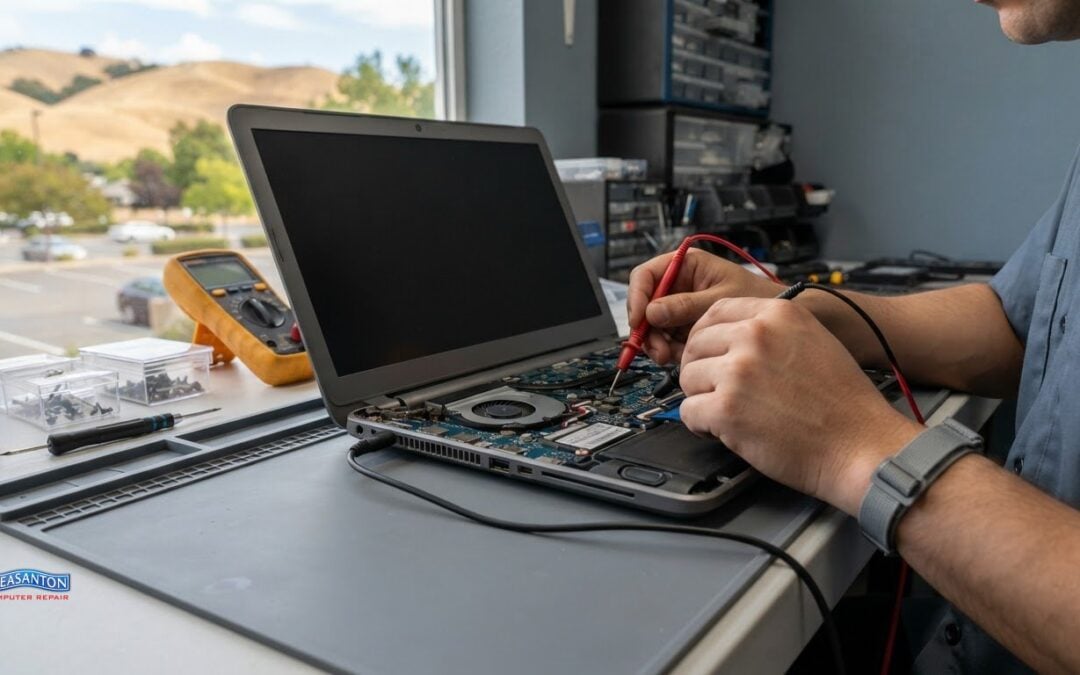
A diagnostic scan can reveal a symptom without explaining its cause. For computer diagnostics in Livermore, the difference between a basic scan and a professional assessment often comes down to how the results are interpreted and what happens next.
It’s understandable to want a clear answer before agreeing to testing, especially when a slow computer, unexpected error, or device that won’t start is disrupting your day. This guide explains what DIY and professional diagnostic tools can show, why professional testing may involve more than reading a code or running a quick check, and what to expect when asking about a diagnostic fee.
You’ll also learn what can extend testing, including symptoms that come and go or problems that need additional checks. With that context, it’s easier to understand what diagnostics can establish, what information is useful to share, and how testing can lead to a practical next step instead of more guesswork.
Key Takeaways
- Learn why a professional assessment can reveal more than a basic scan, and how test results guide the next steps.
- Understand what can affect whether diagnostic testing carries a charge and what factors can shape an estimate.
- See why the time needed for testing can vary depending on the symptoms and the checks required.
- Get a clearer picture of what to expect when diagnosing Windows PCs and Macs, and which repair options may address related problems.
Diagnostic charge policy
Computer diagnostics may carry a separate charge because technicians spend time identifying the cause, not just replacing a part. There’s no single diagnostic fee across computer repair businesses in Livermore. Billing policies differ: a shop may charge for diagnostic labor, include an initial assessment in a repair estimate, or explain separate testing charges before work begins. Ask how the assessment is billed and what it covers before approving it.
The key distinction is between finding a fault and fixing it. For example, a laptop that shuts down unexpectedly may need checks of its power supply, battery, operating system, and internal components. A scan or error message can narrow the search, but may not identify the failing part on its own. Technicians can use the results to plan additional testing and explain repair options. Any diagnostic charge covers the assessment; the repair estimate addresses the proposed corrective work.
Before testing begins, clarify what the assessment includes. Ask whether the technician will run software checks, inspect hardware, test the reported symptom, and explain the findings. If the problem needs additional testing, ask whether that changes the scope or estimate. For instance, a computer that starts normally but loses Wi-Fi intermittently may need testing to reproduce the issue before its cause becomes clear. A defined scope helps you understand what you’re approving.
For computer diagnostics in Livermore, the price depends on the case and is provided after a quote request. Factors include the reported symptoms, the computer’s condition, the tests needed, and whether the issue requires further component access. No dollar amount should be assumed from a diagnostic discussion alone. A written estimate can separate diagnostic work from proposed repairs, so you can decide whether to proceed with the next step.
How do you prepare a computer for a diagnostic appointment? Bring the computer and its power adapter, and describe the symptoms, when they started, and any recent changes. If an error appears, note its wording or take a photo. Don’t try to recreate a fault that could damage the device.
What should you do to protect your data before diagnostics? Back up important files if the computer still allows safe access, and sign out of accounts you don’t need for testing. Tell the technician which files or applications are sensitive, and share account credentials only when access is necessary for the agreed diagnostic work.
Before handing over a desktop or laptop, remove accessories that aren’t part of the reported issue, such as a USB drive or external mouse. Keep the power adapter with the computer if startup or charging is part of the problem. These steps help technicians focus on the symptoms you described and distinguish a computer fault from an accessory issue.
Diagnostic test duration
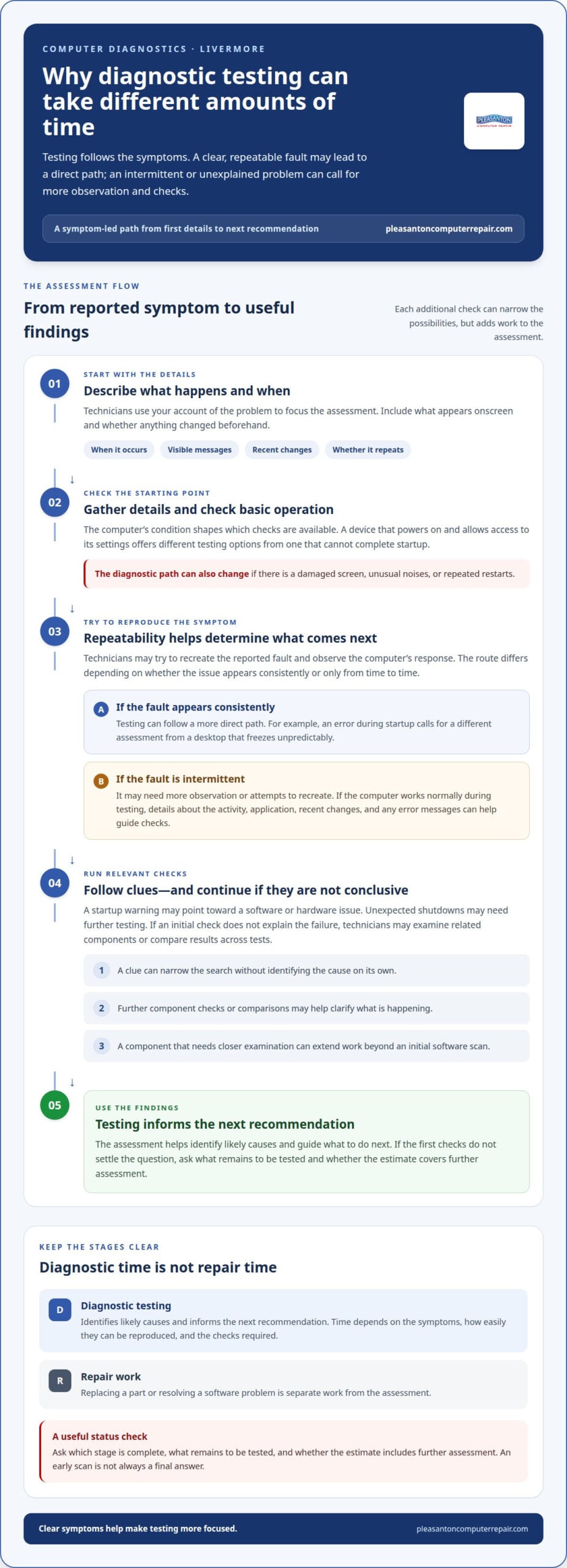
Diagnostic time depends on the symptom and whether technicians can reproduce it. A laptop that displays an error during startup may need a different assessment from a desktop that freezes unpredictably. The first stage is gathering details about the symptoms and checking basic operation. If the fault appears consistently, testing can follow a direct path. Intermittent problems often need more observation before their cause becomes clear.
Technicians typically begin with the details you provide: when the problem occurs, what appears onscreen, and whether anything changed beforehand. They can then try to reproduce the symptom and run relevant checks. For example, a computer that fails to start calls for a different diagnostic path than one that starts but loses internet access. The clearer the symptoms, the more focused the assessment can be.
Some checks provide useful clues quickly, but a clue isn’t always a complete diagnosis. A startup warning may point technicians toward a software or hardware issue, while unexpected shutdowns may need further testing. If an initial check doesn’t explain the failure, technicians may examine related components or compare results across tests. Each additional step can narrow the possibilities, but adds work to the assessment.
Intermittent faults can take longer to investigate because they may not appear during the initial appointment. Consider a computer that freezes only when opening a particular program. Technicians may need to recreate that activity and observe the computer’s response. If it works normally during testing, a detailed description of the conditions surrounding the problem is useful. Information about the application, recent changes, and error messages helps guide the checks.
The computer’s condition can also shape the process. A computer that powers on and allows access to its settings offers different testing options from one that can’t complete startup. A damaged screen, unusual noises, or repeated restarts may affect which checks technicians perform first. If testing shows that a component needs closer examination, the work may extend beyond an initial software scan.
Diagnostic duration differs from repair duration. Testing identifies likely causes and informs the next recommendation; replacing a part or resolving a software problem is separate work. Ask which stage is complete, what remains to be tested, and whether the estimate covers further assessment. This keeps the status clear and avoids mistaking an early scan for a final answer.
To help technicians use appointment time effectively, describe the fault in practical terms. “The screen goes black after I open a video call” is more useful than “the computer is broken.” Include any visible message and explain whether the issue happens every time. For computer diagnostics in Livermore, the symptoms, how easily they can be reproduced, and the checks required shape testing time.
Do Livermore computer shops diagnose both Windows PCs and Macs?
A computer repair shop can diagnose Windows PCs and Macs when its technicians support both platforms. The process should account for the operating system, computer model, and reported symptom. A Windows laptop that freezes during startup and a MacBook that won’t load macOS may seem similar. However, each requires checks suited to its system and hardware.
Some symptoms occur on both platforms. Slow performance, unexpected shutdowns, failed startup, and unreliable Wi-Fi can affect a Windows computer or an Apple Mac. Technicians begin by identifying when the issue occurs and whether it affects the whole computer or one task. For example, an internet problem limited to one browser differs from a connection failure across multiple applications.
Operating-system behavior helps shape the diagnostic path. A Windows PC may display an error message during startup or while opening an application. A Mac may show a startup alert or fail to reach the desktop. Technicians use the specific message, timing, and computer response to narrow down possible causes. The goal is to determine whether the issue points to software, hardware, or an interaction between them.
Computer models matter, too. Windows desktops, Windows laptops, MacBooks, and iMacs have different layouts and components. If a computer won’t power on, technicians may need to distinguish a power problem from a display problem. If it starts but runs slowly, they can assess that symptom in context. A screen that stays black while the computer makes sounds, for instance, suggests a different diagnostic direction from a device that shows no signs of starting.
For a useful assessment, technicians need to identify the platform before selecting tests. The model and operating system help determine which checks apply. Your report also helps: “My Windows PC restarts after opening a specific program” gives a clearer starting point than “it keeps acting strangely.” On a Mac, describing whether the issue happens before or after the desktop appears can similarly guide testing.
Cross-platform support is especially useful when a household or workplace relies on both Windows PCs and Macs. A technician familiar with both can assess each computer according to its own symptoms instead of assuming the same test fits every device. That doesn’t mean every problem has the same cause or solution. A failed application, damaged display, and startup fault each call for different diagnostic reasoning.
For computer diagnostics in Livermore, the practical question is whether the diagnostic process fits your computer and its symptoms. A thorough assessment identifies the computer, describes the observed fault, and connects test findings to a clear explanation. That helps you understand the results before deciding on a repair.
Do local computer repair services offer on-site or same-day diagnostics?
Computer repair services may offer on-site diagnostics, drop-off assessment, or remote support. Same-day testing depends on scheduling, technician availability, and the work required. These options aren’t interchangeable. A desktop connected to several office devices may benefit from on-site assessment, while a laptop that can be transported may suit drop-off testing.
On-site diagnostics can help when the reported problem involves the computer’s surroundings. For example, a technician may need to see how a desktop connects to a monitor, printer, or network. A problem that appears only during a particular work setup may be easier to understand in that environment. However, some checks require equipment or access better suited to a repair bench.
Drop-off testing gives technicians access to the computer for a more controlled assessment. It can suit a laptop that won’t start, a desktop with repeated errors, or a device that needs hardware inspection. The computer’s condition and symptoms determine which tests can be performed. If the issue depends on a specific network or accessory, include those details when describing the problem.
Remote support can address some issues without moving the computer. A technician may be able to investigate a software problem if the device starts and has a working internet connection. Remote access is less useful if the computer can’t power on, its display is unusable, or the problem requires physical inspection. The access method should fit the symptom.
Same-day diagnostics don’t mean same-day repair. Testing may identify a likely cause, but a repair can require additional work or parts. A computer that displays a clear startup error may follow a simpler diagnostic path than one that fails intermittently. A technician’s schedule and the complexity of the symptom also affect whether testing can begin that day.
Before arranging service, describe the issue in concrete terms. Mention whether the computer starts, which applications are affected, and whether an error appears. For an on-site visit, explain which monitor, printer, or network connection is involved. For drop-off testing, bring accessories directly related to the fault, such as a power adapter if charging is the concern.
Choose the assessment method based on the computer’s condition and where the symptom occurs. A laptop that works away from the office but fails on its network points to a different setting than a device that won’t start anywhere. For computer diagnostics in Livermore, keep expectations clear: the service method and scheduling affect when testing begins, while the fault itself shapes what technicians can assess.
What is included in a computer diagnostic and repair estimate?
A useful estimate connects the reported symptom to proposed work. It should distinguish diagnostic findings from repair recommendations, so you can see what the technician observed and what action addresses it. “Computer runs slowly” describes a symptom; an estimate should explain the identified issue and proposed repair. If testing hasn’t isolated the cause, the estimate should clarify which additional assessment comes next.
Look for separate descriptions of diagnostic labor, repair labor, and any parts or other work involved. These categories show whether the proposed amount covers testing alone or includes a repair. A laptop with a damaged display, for instance, may need separate assessment and replacement work. A computer with a startup problem might require further testing before a specific repair can be recommended.
The estimate should identify the problem in plain language and state what the technician proposes to do. “Replace the failed component” leaves important details unclear. A more useful explanation names the component, if identified, describes the work, and connects it to the symptom. If the cause remains uncertain, the estimate can distinguish current findings from diagnostic steps still required.
For computer diagnostics in Livermore, the price depends on the case and is provided after a quote request. Cost factors include the computer’s condition, the testing needed, the parts involved, and the repair work proposed. An estimate should clarify which work the stated amount covers. It should also distinguish optional work from the repair addressing the reported issue, such as a separate request to improve performance.
Before approving work, review the estimate for these practical details:
- Finding: The observed fault, such as a display that remains dark after startup.
- Proposed work: The diagnostic or repair steps the technician recommends.
- Parts: Any identified component included in the repair plan.
- Scope: Whether the estimate covers testing, repair, or both.
- Next step: What further assessment is needed if testing hasn’t established the cause.
Ask for an explanation if “repair,” “testing,” or “parts” appears without enough detail. For example, if a Windows PC needs startup troubleshooting, the estimate should separate that assessment from any later repair recommendation. Understanding the scope helps you decide based on the work described, rather than assuming every possible task is included.
An estimate is a decision point, not proof that every fault has already been found. Its value lies in documenting current findings and proposed work. For computer diagnostics in Livermore, review those details before authorizing work, including what further testing would involve if the initial assessment doesn’t identify the cause.
Pleasanton Computer Repair
Pleasanton Computer Repair can turn diagnostic findings into a practical repair plan when a computer problem needs follow-up. If testing points to a damaged PC or Mac screen, PC / Mac Screen Replacement may address the issue. Virus Removal and Data Recovery can also help with malware concerns or inaccessible files.
Bring the technician’s findings or describe the symptoms you’re seeing. That context can help clarify which repair option fits the problem, whether the computer won’t start, has a damaged display, or shows signs of infection. Diagnostic results are a starting point for deciding what to do next, not a reason to approve work you don’t understand.
For help with a related repair, call Pleasanton Computer Repair at (925) 460-5200.
Move from uncertainty to a clear next step
Once you understand the findings, focus on what you need the computer to do next. For computer diagnostics in Livermore, explain whether your priority is restoring access to work, protecting files, or resolving a hardware problem. That keeps the next conversation focused on the outcome that matters to you.
Pleasanton Computer Repair can help with related needs, including PC / Mac Screen Replacement, Virus Removal, and iPhone and iPad Repairs. If computer diagnostics in Livermore points toward one of these issues, discuss the proposed work and how it addresses your computer’s symptoms before deciding how to proceed.
Contact Pleasanton Computer Repair to talk through your device concerns. A clear next step can help you move forward with confidence.
Frequently Asked Questions
Where can I get computer diagnostics in Livermore, CA?
Pleasanton Computer Repair serves Livermore customers from its Pleasanton shop at 915 Main Street Suite A, Pleasanton, CA 94566. To discuss computer diagnostics in Livermore, describe your device, operating system, and main symptoms. For example, note whether it starts, displays an error, or loses access to files. These details help frame the issue and the next step, whether you use a Windows PC or a Mac.
Which Livermore computer repair shops offer free diagnostics?
Diagnostic testing policies vary, so a free quote shouldn’t be mistaken for free testing. Pleasanton Computer Repair offers a free instant quote, which provides pricing information; diagnostic work is a separate service. For computer diagnostics in Livermore, distinguish the assessment from the quote and ask what the quoted scope includes. That way, you can understand whether it covers testing, repair work, or both before authorizing service.
How much does computer diagnostic service cost in Livermore?
The cost depends on the computer’s condition, its symptoms, and the testing required. A computer that starts but has a software issue may need a different assessment from one that won’t power on. Request a quote for your specific situation, and review whether it covers diagnostics, proposed repairs, or both. This makes the scope clear without assuming every device or fault follows the same pricing.
How long does a computer diagnostic take at Livermore repair shops?
Standard diagnostics can take 1-3 days, depending on the issue and required checks. This refers to diagnostic work, not a guaranteed repair completion time. For example, a computer with an intermittent fault may need more observation than one with a consistent startup symptom. Share when the problem occurs and what you see onscreen; those details help technicians focus their assessment.
