
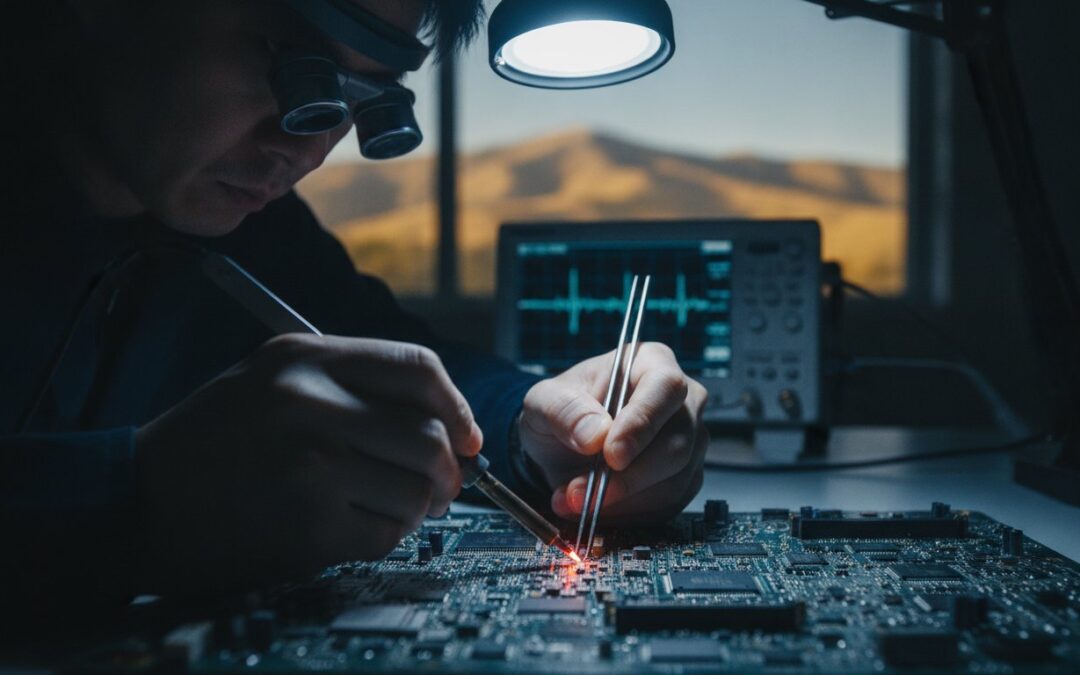
Imagine standing at the Genius Bar only to hear the words no Mac owner ever wants to hear: “Your logic board is dead, and your data is gone.” It’s a gut-wrenching moment, especially when that hardware holds a decade of family photos or the only copy of a vital business contract. You aren’t alone in feeling that sudden wave of panic. Many of our neighbors in the East Bay have faced this exact wall, believing their digital life was lost forever. However, the “impossible” often just requires a different set of tools. When it comes to professional Mac data recovery Pleasanton residents can rely on specialized techniques that the big retail stores simply don’t offer.
We understand that your files are more than just bits and bytes; they’re your livelihood and your memories. This 2026 guide will show you how professional board-level micro-soldering can bypass hardware failures to retrieve what Apple says is unrecoverable. You’ll discover the specific steps we take at our 915 Main Street Suite A office to secure a full recovery of your critical files with a fast turnaround. We’ll break down the entire process and the clear costs involved, so you can stop worrying and start getting back to work.
Key Takeaways
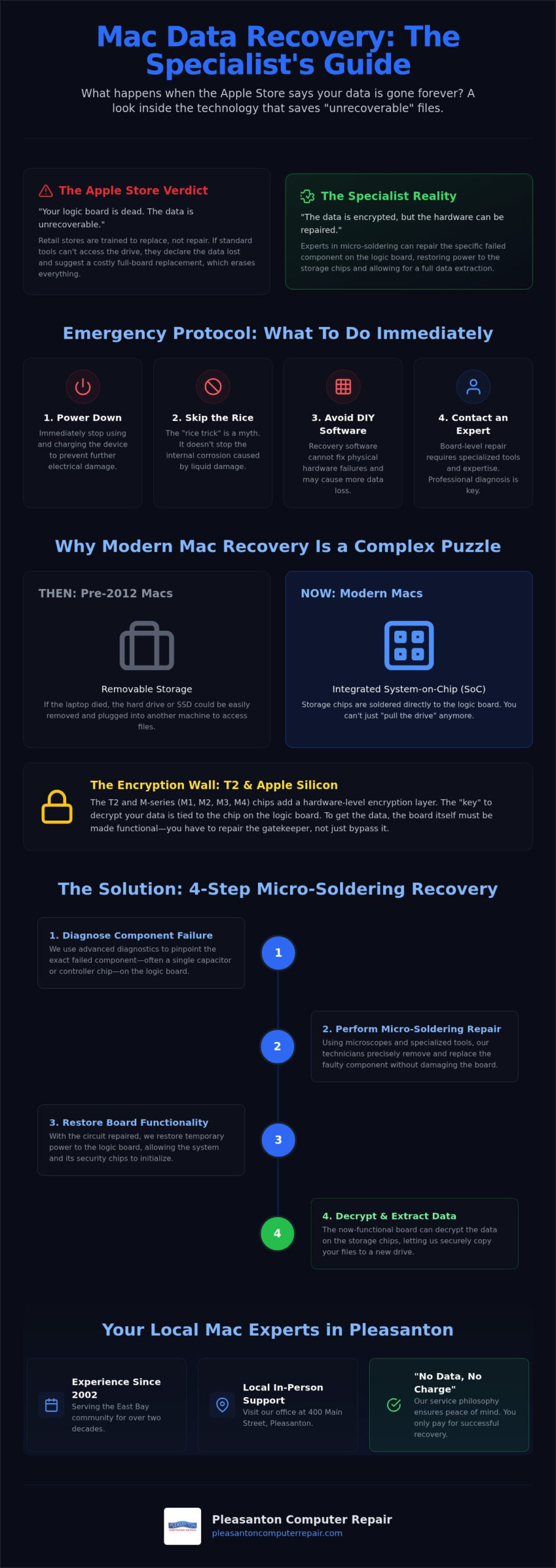
- Power down your device immediately and stop charging to prevent further electrical damage to the logic board or storage chips.
- Learn how board-level micro-soldering bypasses encryption hurdles on T2 and Apple Silicon chips to save files the Apple Store can’t reach.
- Understand why professional Mac data recovery Pleasanton experts are a safer choice than risky DIY software when dealing with physical hardware failure.
- Discover the advantages of local, in-person support at our 915 Main Street Suite A office, where we’ve served the East Bay community since 2002.
- Get a clear roadmap of the recovery process and the peace of mind that comes with a “No Data, No Charge” service philosophy.
Understanding Mac Data Loss: Why Apple Devices Fail
It’s a sinking feeling when your MacBook Pro screen stays dark despite every attempt to wake it. Whether you’re a student at Las Positas or a professional working from home, hardware failure happens to the most prepared users. Most people assume that if the computer won’t turn on, the files are deleted. That’s rarely the case. We categorize these issues into logical loss, such as accidental deletion, and physical failure, where a hardware component has died. Understanding the data recovery process starts with identifying which of these two paths we need to take. While the Apple Store often claims data is unrecoverable once the board fails, our experience with Mac data recovery Pleasanton suggests otherwise. They’re trained to replace parts, not repair them. If they can’t plug in a standard tool to transfer data, they consider it gone. We know that’s simply not true.
Liquid Damage and Corrosion
A morning coffee at a Tri-Valley cafe starts the day right, but one accidental bump changes everything. Liquid spills are the leading cause of sudden Mac failure. When liquid hits the logic board, it creates immediate electrical shorts. Even if your Mac seems to work after drying, the real danger is the slow creep of corrosion. This chemical reaction eats away at copper traces and delicate solder joints over time. Please, skip the “rice trick.” Rice doesn’t stop internal corrosion; it only delays the professional cleaning your device needs to survive. We use ultrasonic cleaners and specialized chemicals to stop this damage before it destroys your storage chips.
Logic Board and Component Failure
Not every failure is your fault. Many older Pleasanton homes have electrical systems that struggle with modern power demands, leading to surges that fry sensitive charging circuits. When your Mac hits the “Black Screen of Death,” it’s often because a single capacitor or the SSD controller has failed. Because modern MacBooks have their storage chips soldered directly to the logic board, you can’t just “pull the drive” like you could ten years ago. This is why the Apple Store usually suggests a full board replacement, which wipes your data. By choosing a specialist in Mac data recovery Pleasanton, you’re opting for board-level repairs that target the specific failed component. Since 2002, we’ve focused on these intricate repairs at our 915 Main Street Suite A office. This approach restores power to the storage chips, allowing us to decrypt and save your files safely.
The Technical Barrier: T2 Security and Apple Silicon
Modern Macs are marvels of engineering, but their design makes data retrieval a complex puzzle. In the past, if a laptop died, you could simply remove the hard drive and plug it into another machine to get your files back. Today, that isn’t an option. Apple has moved toward a “System on a Chip” (SoC) architecture where the processor, memory, and storage are all integrated or soldered onto a single logic board. For anyone seeking Mac data recovery Pleasanton, this integration represents the most significant hurdle to overcome. You can’t just “pull the drive” because the drive is effectively part of the computer’s brain.
The introduction of the T2 Security Chip and the subsequent shift to Apple Silicon (M1, M2, M3, and M4) added a hardware-level encryption layer. This chip acts as a digital gatekeeper. Even if the storage chips themselves are healthy, the data on them remains scrambled without the specific “key” held by the security processor. While it’s a challenge, specialized experts can now successfully recover data from Mac devices with M1, M2, and T2 chips by restoring the logic board to a functional state. You don’t just bypass the gatekeeper; you have to repair the gate itself to let the data through.
Encryption and FileVault
FileVault adds another layer of security that complicates the recovery process. It uses your admin password as a vital component of the encryption key. If your Mac refuses to boot, those keys are essentially trapped on a dead chip. This is why knowing your password is so important during the recovery phase. Without that native decryption, the raw information pulled from the storage chips is nothing more than digital noise. If you’re currently staring at a dead screen and feeling the pressure of lost files, we can help you understand the specialized recovery paths available for these encrypted systems.
Soldered SSD vs. Removable Storage
The history of Mac storage has moved steadily toward permanent integration. This shift started with the 2012 Retina MacBook Pro and became the standard for every laptop in the current lineup. In older models, the SSD was a separate, removable card. Today, the storage consists of NAND chips soldered directly to the board. If a power surge hits the board or a single component fails, standard repair shops often claim the data is gone forever. Recovering files from these units often involves delicate “NAND chip-off” techniques or complex donor board swaps. Soldered NAND is the primary obstacle in modern Mac recovery.
Professional Recovery vs. DIY Software
When your screen goes dark or a folder appears empty, the temptation to download “one-click” recovery software is high. For some minor situations, like a file you accidentally moved to the trash, software might work. But for most cases involving Mac data recovery Pleasanton residents bring to us, software is actually the enemy. If your Mac is sluggish, making odd noises, or failing to boot, running software stresses the already fragile hardware. Every second a failing drive stays powered on, it risks permanent data loss. The “one more try” approach often ends up being the final straw for a dying logic board.
The Dangers of DIY Mac Recovery
Repeatedly trying to reboot a failing Mac is like trying to drive a car with a broken engine; eventually, it will seize up completely. When an SSD begins to fail, the background processes of a modern operating system continue to write tiny bits of data. This can overwrite the very files you’re trying to save. If there is physical damage to the storage chips or the logic board, software won’t help. In fact, it often causes the drive to “burn out” faster. Physical failures require the controlled environment of a clean room to prevent microscopic dust from causing further damage. We’ve seen many cases where a simple recovery became impossible because a user ran a “free” utility that stressed the hardware to its breaking point.
- Software is appropriate for: Accidental file deletion or accidental formatting on a healthy, functional drive.
- Software is dangerous for: A Mac that won’t boot, a drive making clicking sounds, or a device that has suffered liquid damage.
What a Professional Lab Offers
Professional recovery is a surgical process. We use specialized hardware imagers that bypass the operating system to read data at the deepest level. This protects the integrity of your files while we work. Our team at 915 Main Street Suite A utilizes micro-soldering to repair the logic board itself, which is often the only way to access encrypted data on modern Macs. We also employ advanced tools like PC-3000 Flash to communicate directly with storage chips when the standard controller fails. These tools allow us to create a bit-by-bit clone of your drive without the risk of overwriting data. To avoid these stressful situations in the future, many clients opt for an SSD upgrade Pleasanton CA to replace aging drives before they reach a critical failure point. Taking the right step now ensures that your “one more try” isn’t the one that makes recovery impossible. We prioritize your peace of mind by offering a clear path forward and a realistic assessment of what can be saved.
Emergency Protocol: What to Do Right Now
The first ten minutes after a Mac failure are the most critical for your data. Whether you’ve just seen a flashing question mark folder or spilled a latte on your keyboard, your immediate response dictates the success of the recovery. Many people panic and try to “fix” the issue by repeatedly restarting the machine. This is the most dangerous thing you can do. To secure the best chance for Mac data recovery Pleasanton owners should follow a strict stabilization protocol. Your goal isn’t to fix the computer; it’s to stop further damage.
- Step 1: Power down immediately. If the Mac is still on, hold the power button until the screen goes black. Unplug the MagSafe or USB-C charger. Cutting power stops electricity from flowing through potentially shorted circuits.
- Step 2: Disconnect all peripherals. Remove external hard drives, monitors, USB hubs, and even your mouse. These devices can sometimes back-feed power into a damaged board, complicating the fault.
- Step 3: Document the symptoms. Write down exactly what happened before the failure. Did you hear a faint clicking? Was there a specific error message? These details help us narrow down the failure point quickly.
- Step 4: Contact a local specialist. Call a professional who understands board-level repair. Avoid the temptation to let a well-meaning friend “take a look” inside the case.
Liquid Spill Emergency Steps
If liquid is involved, gravity is your best friend. Use the “Tent Method” by opening the laptop fully and placing it keyboard-down on a clean, dry towel. This position helps drain moisture away from the logic board and prevents it from seeping into the backlight layers of the screen. You must resist the urge to turn the Mac on after a day or two to see if it still works. Water might evaporate, but it leaves behind conductive minerals and sugar that cause instant shorts when power is applied. Professional ultrasonic cleaning at our 915 Main Street Suite A office is the only reliable way to neutralize these residues and stop corrosion in its tracks.
Preparing for Your Recovery Consultation
Before you bring your device in, gather a few key pieces of information. Locate your serial number on the bottom of the Mac so we can identify the specific architecture of your machine. It’s also helpful to list your most critical “must-have” files, such as specific business databases or family photo libraries. This allows us to target those sectors first during the extraction process. Expert Mac repair Pleasanton starts with a professional diagnostic to determine if your files are trapped by a simple power rail failure or something more complex. If you’re currently facing a data emergency, reach out to our team for a calm, professional assessment of your situation.
Pleasanton Computer Repair: Your Local Mac Experts
Since 2002, Pleasanton Computer Repair has been a fixture of the East Bay tech community. We’ve spent over two decades helping neighbors in Pleasanton, Dublin, and Livermore handle the stress of digital failure. Our office at 915 Main Street Suite A, isn’t just a repair shop; it’s a space where you get clear answers from experts who live in your neighborhood. We believe in transparency, which is why we operate with a “No Data, No Fee” policy. If we can’t retrieve your files, you don’t pay for the attempt. This philosophy ensures our goals are perfectly aligned with yours from the moment you walk through our door.
Our approach to Mac data recovery Pleasanton residents trust is built on honesty and technical precision. We understand that every case is unique, whether you’re a photographer with a decade of work on a MacBook or a student finishing a thesis. We prioritize your peace of mind by providing a calm, professional environment where your technology problems are met with proven solutions. This local focus allows us to provide customized recovery plans for small businesses in San Ramon and Danville that need to get back to work without delay.
Why Local Matters for Data Privacy
When you choose us for Mac data recovery Pleasanton, your sensitive information never leaves the East Bay. National mail-in labs often require you to ship your fragile device across the country, which adds unnecessary risks of physical damage and privacy breaches. By dropping off your Mac in person, you maintain a direct line of communication with the technician actually performing the work. This face-to-face interaction builds a level of trust that a distant call center simply can’t provide. We handle every drive with strict confidentiality, whether it’s a family photo album or a complex database for a local law firm.
Beyond Recovery: Future-Proofing Your Tech
Recovery is a reactive step, but we want to help you stay proactive. After we successfully retrieve your files, we assist in setting up automated Time Machine or cloud backup solutions to prevent a repeat of the crisis. Our expertise extends across the entire Apple ecosystem. If your data loss involves more than just a computer, we offer specialized iPhone data recovery Pleasanton services for synced device issues. Sometimes, a Mac is so severely damaged that a repair isn’t the most cost-effective path forward. In those cases, we provide high-quality refurbished laptops Pleasanton CA to get you back to work with a reliable machine that fits your budget. We’re here to act as your dependable tech partner and ensure your digital life remains secure.
Take the First Step Toward Restoring Your Files
Losing access to your digital life is incredibly stressful, but it doesn’t have to be permanent. We’ve shown that even when hardware fails or security chips lock you out, specialized board-level micro-soldering can often bridge the gap to a full recovery. Your chances of success depend heavily on immediate action. Powering down your device and avoiding risky DIY software are the most important steps you can take right now. By choosing a local specialist for Mac data recovery Pleasanton residents can ensure their sensitive data stays right here in the East Bay while receiving clear, face-to-face communication throughout the process.
Our team at 915 Main Street Suite A, has been serving the Tri-Valley community since 2002. As specialized board-level Mac repair experts, we’re dedicated to helping you move past technical hurdles with confidence. Don’t let a “dead” logic board be the final word on your irreplaceable photos or business documents. Schedule your Mac data recovery diagnostic at our Pleasanton office today and let us provide the expert help you need. We’re ready to turn your data loss around and get you back to your normal routine with a smile.
Frequently Asked Questions
Is it possible to recover data from a MacBook with a soldered SSD?
Yes, recovery is entirely possible even with soldered storage. While the Apple Store might tell you it’s impossible, we use board-level micro-soldering to restore power to the storage chips. This allows us to access the data directly from the logic board. It’s a complex process that requires specialized tools and expertise, but it’s a service we’ve provided to the East Bay community since 2002. We focus on repairing the board to save your files.
How much does Mac data recovery cost in Pleasanton?
The cost of Mac data recovery Pleasanton residents pay depends on the failure’s nature. Logical issues like accidental deletion are generally less complex than physical hardware failures or liquid damage. We prioritize transparency and operate on a “No Data, No Charge” philosophy. This means you only pay for the service if we successfully retrieve your critical files. We provide a clear explanation of the process and potential costs after our initial diagnostic.
How long does the Mac data recovery process usually take?
Turnaround times vary based on the specific technical challenge we’re facing. A simple data migration or logical recovery might take just a few business days. However, complex board-level repairs that involve sourcing specific donor components can take longer. We understand your need to get back to work quickly. Our local office at 915 Main Street Suite A focuses on efficient processing to ensure you aren’t without your files for a moment longer than necessary.
Can you recover files if I forgot my FileVault password?
Recovering data without a FileVault password or recovery key is nearly impossible due to Apple’s strong encryption. The password acts as the primary key to unscramble your files. If the hardware is failing but you know your password, we can typically use specialized tools to decrypt the drive once the board is stabilized. Without that password, the data remains encrypted and unreadable even if the hardware is fully repaired. This is why keeping your credentials secure is vital.
What should I do if I spilled water on my MacBook Air?
If you’ve spilled liquid, power down the device immediately and disconnect the charger. Place the MacBook in the “tent position” with the keyboard facing down to let gravity pull moisture away from the internal components. Avoid using rice, as it doesn’t stop corrosion and can introduce debris. Bring it to our Pleasanton service center for professional ultrasonic cleaning. This process neutralizes residues before they permanently destroy the delicate circuits on your logic board.
Does the Apple Store do data recovery for out-of-warranty Macs?
The Apple Store typically doesn’t offer in-house data recovery services. Their standard protocol for a failing Mac is to replace the entire logic board, which results in total data loss for modern models with soldered storage. They often refer customers to expensive national mail-in labs. Choosing a local specialist for Mac data recovery Pleasanton allows for board-level repairs that prioritize saving your data rather than simply replacing parts and wiping your digital life.
Can you recover data from a Mac that won’t turn on at all?
Yes, we can often recover data from a Mac that won’t power on. Most “dead” Macs suffer from a specific component failure on the logic board, such as a shorted capacitor or a faulty charging circuit. By identifying and repairing these individual parts, we can temporarily restore power to the system. This allows us to safely extract your files. It’s a precise, surgical alternative to the “just replace the board” answer you’ll hear elsewhere.
What is the success rate for professional Mac data recovery?
Professional recovery has a high success rate for hardware failures, provided the NAND storage chips themselves aren’t physically cracked. Most failures we see in the Tri-Valley area involve liquid damage or power surges that affect the logic board’s ability to communicate with the storage. By repairing the communication path, we can usually achieve a full recovery of your files. We’ve been refining these techniques since 2002 to ensure our neighbors get their memories back safely.