
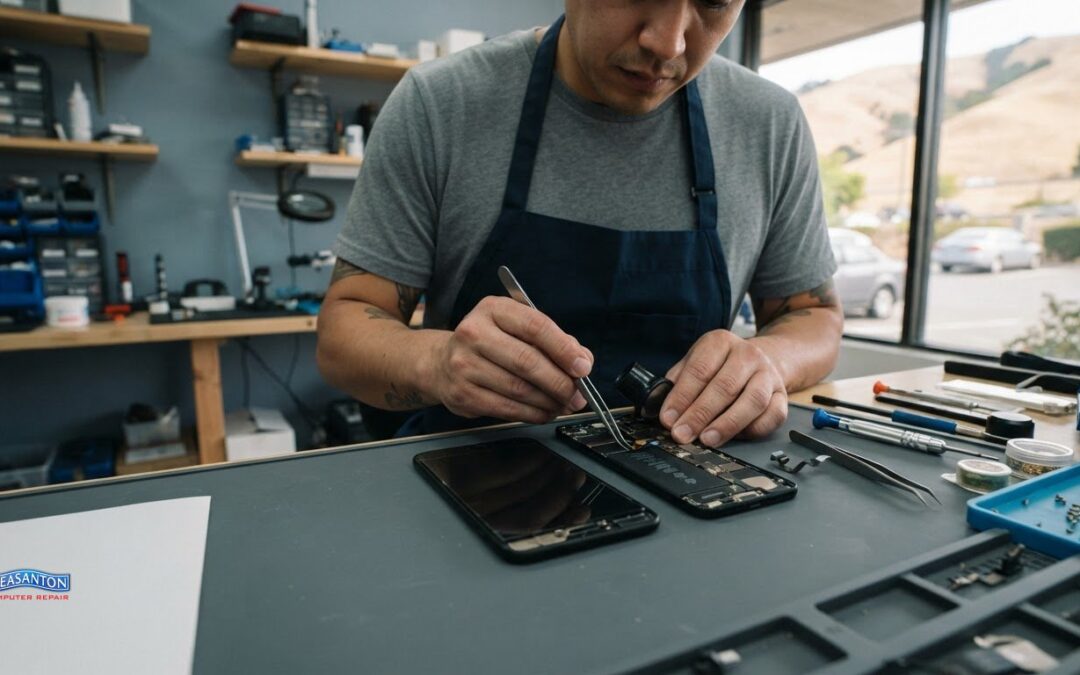
To fix a water-damaged iPhone in San Ramon, the repair cost depends on the phone model, the components affected, and the work required. Damage limited to one part may need a different repair from corrosion or faults affecting several components, so there isn’t one price for every device. Schedule an appointment for a technician to assess the phone and provide a quotation.
It’s understandable to want a clear figure before deciding what to do. This guide explains the factors that shape a repair estimate, what a technician assesses, and why certified repair expertise matters when a phone has been exposed to liquid. You’ll also learn what to do before bringing in your iPhone, which symptoms can point to internal damage, and how to weigh repair against replacement. With a clearer picture of the process, you can make a more informed decision and protect your device and data.
Key Takeaways
- Repair costs depend on the iPhone model and which components are affected, so a diagnosis helps clarify the likely scope of work.
- After liquid exposure, stop using the phone and avoid charging it while you assess the situation.
- According to the U.S. Environmental Protection Agency, lithium-ion batteries commonly contain a flammable electrolyte, making DIY repair a safety concern.
- Ask for a clear explanation of the damage and repair options so you can weigh restoring the phone against replacing it.
How much does a iPhone water damage repair cost?
The cost depends on the case and is provided after a technician reviews the device. For an iPhone exposed to liquid in San Ramon, the main factors are the model, the components affected, and the work required. A problem limited to the screen differs from damage involving several internal parts. Diagnosis helps determine the repair scope.
Diagnosis starts with the symptoms and the phone’s condition. A technician can assess whether the screen displays an image, whether touch responds, and whether the buttons and charging work normally. For example, a visible crack may not explain why a phone also fails to start. Each symptom helps guide the inspection, but appearance alone can’t reveal the full extent of internal liquid exposure.
The iPhone model matters because devices use different parts and layouts. The estimate therefore depends partly on which model is being assessed and which component needs attention. The technician can explain whether the proposed work targets a specific part, such as the screen, or addresses more widespread damage. That distinction clarifies what the repair covers and why liquid-damaged phones may need different solutions.
Damage severity also shapes the options. Liquid can affect the screen, connectors, or other internal components, and symptoms may change after exposure. A technician considers what happened alongside the phone’s current behavior. Describe the incident, such as a spill or drop into liquid, and any changes you noticed afterward. Those details help focus the diagnosis on likely areas of concern.
- Model: Identifies which device and parts the diagnosis involves.
- Symptoms: Helps distinguish a screen issue from broader malfunction.
- Repair scope: Shows which affected parts require attention.
- Data needs: Helps clarify whether preserving access to information matters to you.
Screen repair needs a separate assessment. A damaged display can affect visibility or touch, while liquid exposure may cause other problems at the same time. Replacing the screen may address a display fault, but it won’t automatically resolve unrelated liquid damage. Ask the technician to distinguish screen work from any other recommended repair. This makes the estimate clearer and helps avoid treating one visible symptom as the whole problem.
The same principle applies across cell phones, tablets, and laptops. A tablet with a blank display, for example, needs a different assessment from an iPhone with a touch issue. A laptop that won’t start after a spill calls for diagnosis beyond its screen alone. Device type, symptoms, affected components, and requested work all shape the repair scope. Comparing estimates is useful only when each describes the work being considered.
Mobile repair vans are another service format in some areas, but the diagnosis still needs to identify the device, symptoms, and repair scope. The work may depend on having the right parts and tools at the service location. Before booking a mobile appointment, understand whether the visit covers diagnosis, repair, or both. A van-based visit doesn’t change the technical factors behind the estimate.
Finally, consider who performs the diagnosis. A technician with relevant training can explain the findings, distinguish screen replacement from liquid-related repairs, and describe the work being proposed. Ask for a clear breakdown before approving repairs, especially if symptoms involve both the display and other functions. The U.S. Environmental Protection Agency notes that lithium-ion batteries commonly contain a flammable electrolyte, a hazard to consider during DIY repair. A careful assessment helps you make a more informed decision about the next step.
What should I do immediately after my iPhone gets wet?
Stay calm and keep the wet iPhone powered off. These first steps can help limit further exposure and make it easier to describe the incident during diagnosis. Note what happened, such as a splash at the sink or a drop into a drink, and avoid repeatedly testing the screen, buttons, or speakers.
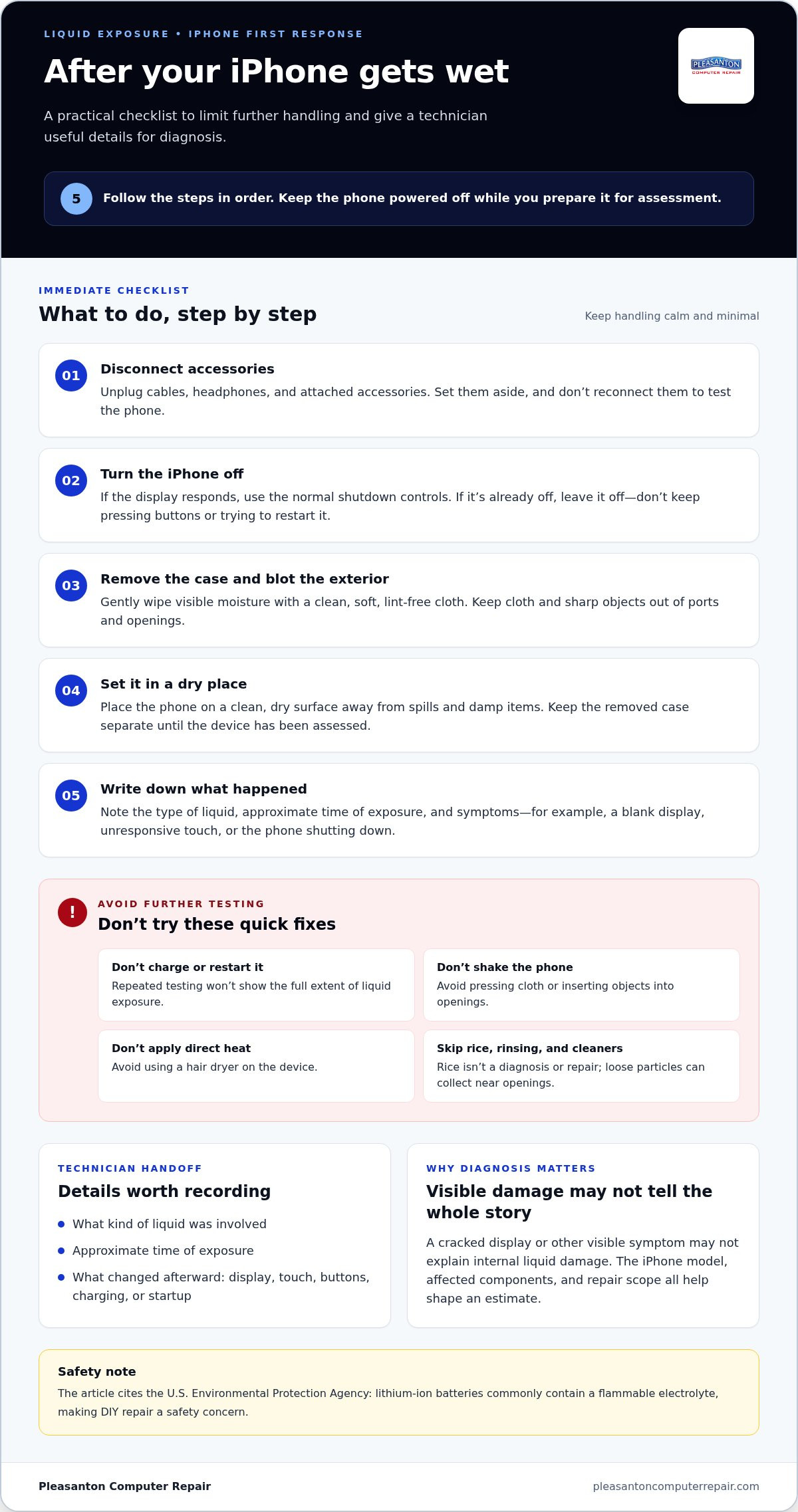
- Disconnect accessories. Unplug any cable, headphones, or attached accessory. If the iPhone is connected to a charger, disconnect it without handling damaged or frayed equipment. Set accessories aside separately, and don’t reconnect them to test whether the phone still works.
- Turn the iPhone off. If the display responds, use its normal shutdown controls. If it’s already off, leave it off. Don’t keep pressing the side button or trying to restart it. Repeated testing won’t reveal the extent of liquid exposure, and it can make the phone’s current condition harder to assess.
- Remove the case and wipe the exterior. Take off the case, then gently blot visible moisture with a clean, soft, lint-free cloth. Pay attention to the outside of the phone and the case. Don’t shake the device, press cloth into openings, or use a sharp object to reach inside a port.
- Keep the phone in a dry place. Place it on a clean, dry surface away from spills and damp items. Don’t apply direct heat or use a hair dryer. Don’t put the iPhone in rice; loose particles can collect around openings, while rice doesn’t provide a diagnosis or repair.
- Record what happened. Write down the type of liquid, the approximate time of exposure, and any symptoms noticed. Examples include a blank display, unresponsive touch, or a phone that shut down. This brief account gives a technician useful context without requiring you to keep powering the device on.
Take extra care with sticky or salty liquids. A drink or food spill can leave residue on the phone, so wipe only accessible exterior surfaces. Don’t rinse the iPhone or apply cleaning products. If the case is wet, remove it and clean it separately, away from the phone. Keep the two apart until the device has been assessed.
Protect your information without turning the phone back on. If the screen is already off, don’t restart it just to check photos, messages, or notifications. Note anything important for the technician, such as whether the phone worked before exposure or shut down afterward. If you have a recent backup, mention that too. Don’t connect the iPhone to a computer just to see whether it appears.
Prepare the device for assessment. Bring it with its case and any relevant accessories, but don’t insert a cable or test a charger. Clearly describe the liquid, how the exposure happened, and the symptoms. “The screen went dark after a drink spilled near the phone” is more useful than “it got wet.” These details help guide the next steps while avoiding unnecessary handling.
For help with a liquid-damaged phone, review iPhone repair information and arrange an assessment. Bring your written notes and describe any changes since exposure. Until the device has been assessed, leave it powered off and avoid repeated attempts to use it. A careful handoff preserves the phone’s current condition for diagnosis.
Is it safe to charge or use an iPhone after water exposure?
No. Keep an iPhone powered off and disconnected after liquid exposure. Charging or testing it can introduce another variable before assessment. A phone that still displays a screen or plays sound may have hidden moisture or damage. Briefly working normally doesn’t establish that charging is safe.
Avoid both wired and wireless charging. A Lightning or USB-C cable connects through a port that may be wet. Wireless charging also involves placing the phone on charging equipment. Neither method dries the device or diagnoses internal damage. Don’t connect a computer, car charger, or battery pack to see whether the phone responds.
Using the iPhone can also complicate the situation. Opening apps, making calls, or repeatedly waking the display means continuing to operate a device after exposure. It might appear normal, then show a black screen, touch problems, or unexpected shutdowns. Report those changes as symptoms rather than continuing to test the phone.
The U.S. Environmental Protection Agency says lithium-ion batteries commonly contain a flammable electrolyte, a hazard to consider during DIY repair. Don’t open the phone or attempt a battery repair at home. Keep it away from tools, heat, and improvised repair methods. If the iPhone becomes unusually hot, swollen, or emits an unusual odor, stop handling it and keep people away.
Use this simple decision path after a spill or drop:
- If the iPhone is on, shut it down using its normal controls if they respond. Don’t reopen it to check notifications or test the touchscreen.
- If it’s already off, leave it off. Don’t press the side button to see whether the Apple logo appears.
- If a cable is attached, disconnect it carefully, then keep the cable away from the phone.
- If you need access to information, don’t power up the wet device for a quick backup. Note what data matters and share that concern during diagnosis.
- If symptoms appear, record them without repeatedly reproducing them. For example, note that the screen went dark after exposure.
A charging alert or warning on the screen is a reason to stop, not work around it. Don’t force a cable into the port, bypass the warning with an accessory, or try another charger. The alert is useful information to report, but it doesn’t show whether internal components are dry or the device is ready to use.
Don’t rely on the phone’s previous water resistance as proof that it’s safe now. A drop, worn seals, or prior damage can affect its condition. The outside may look dry while the phone behaves unpredictably. Keep a clear record of the liquid, timing, and symptoms. That context helps a technician assess the next step.
Wait for a proper assessment before restarting, charging, or returning to regular use. An iPhone that powers on after exposure still needs its symptoms considered alongside the incident. If you’re in San Ramon and the device won’t charge, has a dark screen, or keeps shutting down, arrange an iPhone repair assessment instead of testing another charging method.
Pleasanton Computer Repair: iPhone and iPad Repairs
Pleasanton Computer Repair provides iPhone and iPad Repairs for devices affected by liquid or other faults. Contact the team when your iPhone won’t start, its screen behaves unexpectedly, or you need a technician to assess the damage and explain repair options. Describe what happened, note the symptoms, and mention any data you’re concerned about preserving.
If the phone’s information is your priority, Pleasanton Computer Repair also offers Data Recovery. The appropriate next step depends on the device’s condition and the issue identified during assessment. Clear details about the liquid exposure help the team understand your repair and data concerns.
To discuss your water-damaged iPhone, contact Pleasanton Computer Repair.
Take the Next Step Toward a Working iPhone
A liquid-damaged phone can disrupt work, plans, and everyday communication. Base your next move on the device’s condition, not repeated attempts to restart or charge it. If you’re deciding how to fix a water-damaged iPhone in San Ramon, a professional assessment can clarify the repair options and what they involve.
Pleasanton Computer Repair handles iPhone and iPad repairs, along with PC and Mac screen replacement and virus removal. Tell the team what happened and describe the symptoms so they can understand your concerns and discuss the next step.
Ready to talk through your iPhone repair? Contact Pleasanton Computer Repair today. Taking a clear, informed step can help you move forward with confidence.
Frequently Asked Questions
Where can I get water-damaged iPhone repair in San Ramon, California?
For help fixing a water-damaged iPhone in San Ramon, contact Pleasanton Computer Repair about its iPhone and iPad repairs. The shop is at 915 Main Street Suite A, Pleasanton, CA 94566, and can be reached at (925) 460-5200. It serves San Ramon and nearby communities, including Livermore, Dublin, Danville, Brentwood, Walnut Creek, and San Jose. Share your iPhone model and symptoms when arranging an appointment.
Which San Ramon iPhone repair shops offer liquid damage diagnostics and repair?
Pleasanton Computer Repair provides iPhone and iPad repairs for customers in San Ramon and nearby Livermore, Dublin, Danville, Brentwood, Walnut Creek, San Jose, and Pleasanton. Describe the exposure and symptoms, such as a dark display or trouble starting, to give the technician useful context for assessing the phone and discussing repair options. Bring the device and any relevant details about the incident to your appointment.
How much does water-damaged iPhone repair cost in San Ramon?
The cost depends on the iPhone model, components affected, and work required. There isn’t one price for every liquid-damaged phone. Schedule an appointment for a technician to review the device and provide a quotation. Mention any screen damage or other faults along with the liquid exposure, since these details help explain the repair being assessed.
How long does iPhone water damage repair take at San Ramon repair shops?
At Pleasanton Computer Repair, repair time is 24-72 hours depending on the issue and parts availability. The time depends on what the device needs and whether the required parts are available. When scheduling, share the iPhone model and its symptoms to help set expectations for the assessment. A phone needing several components addressed may require a different repair process than one with a more limited fault.
Can a water-damaged iPhone be repaired if it will not turn on?
Yes, a phone that won’t turn on can still be assessed for repair. A blank screen alone doesn’t reveal whether the issue involves the display, power, or other affected components. Leave the device off and explain what happened before it stopped working. If the information stored on it matters, mention that when arranging service so data concerns can be considered alongside the repair assessment.
How can I back up or recover data from a water-damaged iPhone?
Keep the iPhone powered off, and don’t connect it to a computer to check for data. If you have a recent backup, mention that to the technician.
