
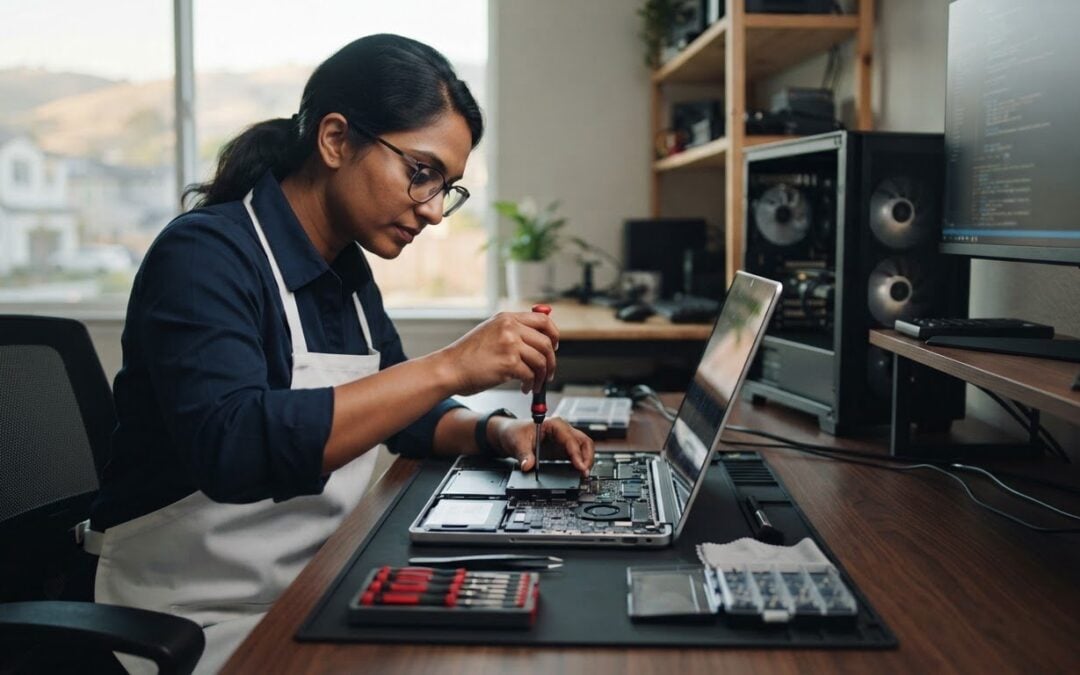
What if your slow computer doesn’t need replacing? If startup takes ages or programs open at a crawl, an SSD upgrade may help restore responsiveness when storage is part of the problem. An SSD upgrade service Dublin CA computer owners can use can assess whether their PC or Mac is a good fit. It’s understandable to have questions about compatibility, your files, and whether a new drive will make a noticeable difference.
This guide explains what an SSD changes, which factors matter when considering an upgrade, and why it may not solve every cause of a slow computer. You’ll also learn how Pleasanton Computer Repair provides SSD upgrades for PCs and Macs and serves home and business customers in Dublin. A diagnostic helps identify a suitable repair and provides information to consider before deciding what to do next.
Key Takeaways
- An SSD upgrade changes your computer’s storage, not every component that can affect performance.
- Notice whether slowdowns happen during startup, file access, or program launches. These details help explain whether storage could be involved.
- Compare an SSD upgrade with troubleshooting or replacing the computer based on its symptoms, condition, and your needs.
- Before arranging service, note your device, when the issue began, and which tasks feel slow.
- Pleasanton Computer Repair provides SSD upgrade service Dublin CA customers can access for PCs and Macs.
SSD Upgrade Service in Dublin, CA: What Changes Inside Your Computer?
A computer can feel slow for several reasons. If its storage drive is contributing to delays, changing that drive may help with tasks that involve reading or saving data. An SSD upgrade does not replace the processor, add memory, or resolve every software or hardware issue. Knowing what changes helps set realistic expectations before choosing a repair.
An SSD upgrade replaces or changes a computer’s storage drive with a solid-state drive, where the operating system, applications, and files are stored. The result depends on the computer’s design and condition, and on whether storage is contributing to the slowdown.
How an SSD differs from a traditional hard drive
A solid-state drive stores data in flash memory and has no moving parts. A traditional hard disk drive (HDD) reads and writes data using spinning platters and moving mechanical components. The technical overview of solid-state drives explains this difference in more detail.
Storage is involved whenever a computer retrieves system files, applications, or documents. Startup, for example, requires the computer to load operating system data, while opening a saved file requires it to retrieve that file from storage. A different storage drive may help with these activities, though the result varies by device.
People searching for “SSD upgrade service Dublin CA” often want to know what will actually change. The short answer: the storage device changes, while the rest of the computer remains the same.
What an SSD upgrade can, and cannot, address
An SSD may be relevant when delays involve accessing stored data, such as loading the operating system, opening files, or launching programs. It isn’t a general performance fix. Software issues, limited memory, age, or another hardware problem can also make a computer sluggish. Those causes call for diagnosis rather than an assumption that storage is the only issue.
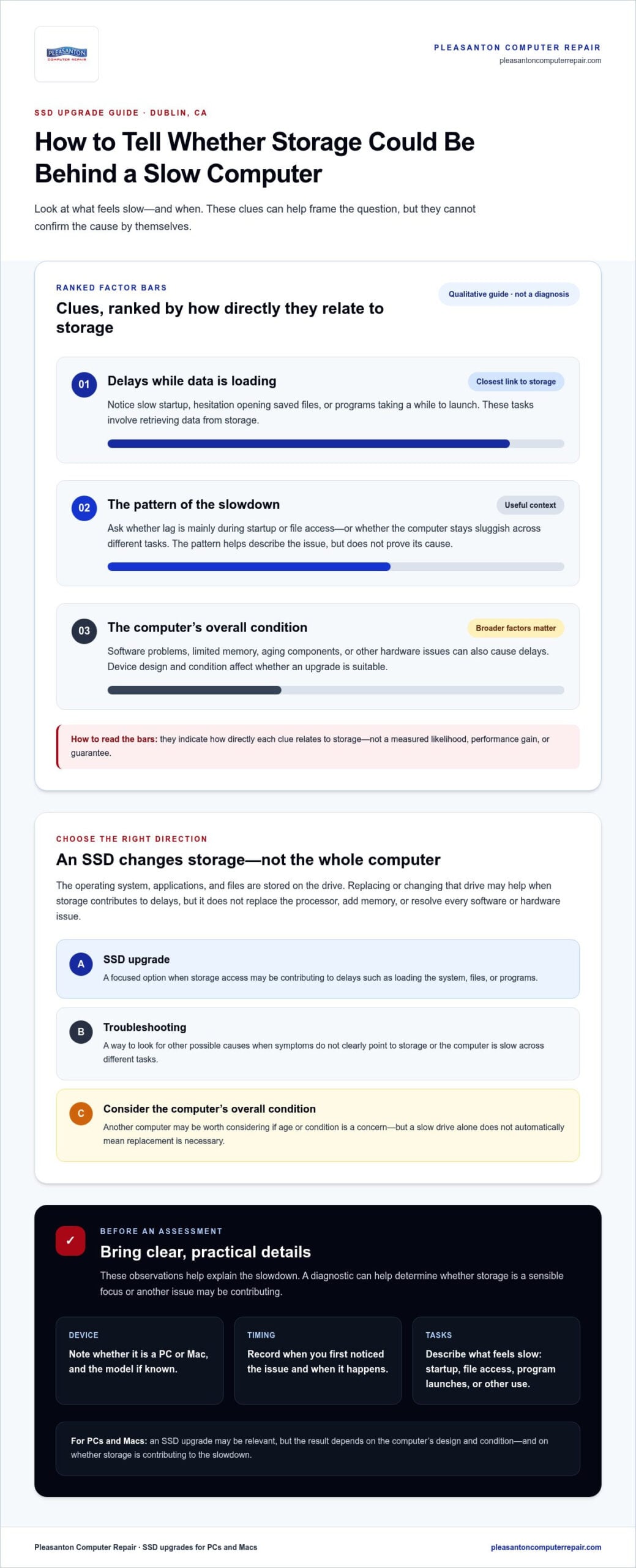
Consider the pattern of the slowdown. Is the delay most noticeable during startup or when opening saved items? Or does the computer remain unresponsive across different tasks? These observations can help describe the problem, but they can’t confirm its cause on their own.
- An SSD upgrade changes the computer’s storage and may help when storage access is part of the problem.
- Troubleshooting looks for other possible causes when symptoms don’t clearly point to storage.
- Considering another computer may make sense if the device’s overall age or condition is a concern, but a slow drive alone doesn’t automatically mean replacement is necessary.
Pleasanton Computer Repair provides SSD upgrades for PCs and Macs, including service for Dublin customers. A diagnostic helps determine whether storage is a sensible focus or whether another issue may be contributing to the slowdown. That keeps the decision grounded in the computer’s symptoms rather than a promise that one component change will fix everything.
How an SSD Upgrade Can Improve Everyday PC and Mac Use
An SSD upgrade may be noticeable when you work with stored data. A computer that takes a long time to start, hesitates while opening a saved document, or pauses as a program loads may feel more responsive after a storage change if the drive contributes to those delays. The same principle applies to PCs and Macs, but the experience varies with the device and its overall condition.
An SSD targets storage performance, not every cause of a slow computer. That distinction matters: an upgrade can be a focused repair, but it isn’t a universal fix. If you’re considering SSD upgrade service Dublin CA, start by describing the slowdown clearly rather than assuming the drive is at fault.
Signs that storage may be part of the problem
Persistent delays during startup or while opening files can be clues that storage is affecting everyday use. You might notice that the computer takes a while to reach the desktop or that folders and documents take longer than expected to appear. Mention these patterns when requesting an estimate, but remember that they don’t prove the drive is failing or identify the cause by themselves.
Describe when the lag occurs, how often it happens, and which tasks are affected. Does it happen mainly as the computer starts, or does it continue while you use different programs? Clear examples give the technician useful context for diagnosis.
Why a slow computer may need more than an SSD
Storage is only one part of a computer. Software problems, limited memory, aging components, or other hardware issues can also cause delays. If a computer remains sluggish even when opening files isn’t involved, a storage upgrade alone may not address the main problem. Diagnosis helps distinguish a storage concern from a broader repair need.
Older computers deserve particular consideration. An SSD may help with storage-related tasks, but it won’t refresh every component or make every device suitable for an upgrade. The computer’s design, condition, and source of the slowdown all matter. PCMag’s overview of internal SSD upgrades discusses drive types and interfaces, but the right choice for a specific computer depends on that device’s needs and compatibility.
For Mac users, note the model and describe the symptoms as you would for a PC. Mac-specific concerns can involve factors beyond storage, so an assessment should consider the whole computer rather than treating every slowdown as an SSD issue.
Before requesting an estimate, jot down what feels slow and when you first noticed it. Pleasanton Computer Repair provides SSD upgrades for PCs and Macs, and a diagnostic helps clarify whether storage is a sensible focus. To explore a local repair option serving Dublin, learn about Pleasanton Computer Repair.
SSD Upgrade, Troubleshooting, or Replacement: How to Compare Your Options
A slow computer doesn’t automatically need a new drive, and it doesn’t automatically need replacing. The useful question is what’s causing the slowdown and whether the computer still meets your needs. This comparison can help you choose a sensible next step. A device assessment is needed to identify a specific upgrade or repair.
| Option | Apparent problem | What’s uncertain | Appropriate next step |
|---|---|---|---|
| SSD upgrade | The computer remains useful, but tasks involving startup or accessing saved files feel slow. | Whether storage is the main cause, and what upgrade suits the device. | Describe the symptoms and arrange an assessment of the computer. |
| Troubleshooting | Slow performance affects a range of tasks, or the cause isn’t clear. | Whether software, memory, storage, or another component is contributing. | Have the issue diagnosed before settling on a storage-only solution. |
| Consider another computer | The device has broader age or hardware concerns, or no longer suits everyday needs. | Whether repair is a practical choice for the computer’s overall condition. | Weigh its condition and your needs alongside the assessment results. |
When an SSD upgrade may be worth discussing
An upgrade may be worth exploring if your PC or Mac still handles the work you need, but delays around startup or loading stored items get in the way. Consider the whole picture: what you use the computer for, how it performs overall, and whether other problems are appearing. A device that works well for everyday tasks apart from storage-related delays presents a different decision from one with several persistent issues.
Diagnosis helps establish whether storage is a reasonable focus and whether an upgrade suits the device. It supports an informed repair decision, not a promise that one component change will resolve every slowdown. Pleasanton Computer Repair provides SSD upgrades for PCs and Macs and offers flat-rate pricing after a diagnostic for an SSD upgrade service Dublin CA customers can access.
When to consider troubleshooting or replacement instead
If the computer is slow across unrelated tasks, or the slowdown continues beyond file access and startup, troubleshooting may be the more useful first move. Software issues, limited memory, and aging components can all affect performance. An SSD won’t directly resolve every one of these concerns, so identifying the source can prevent choosing a repair that doesn’t match the problem.
Age or other hardware concerns may also change the decision. If the device no longer supports your day-to-day needs, consider its overall condition and the role you expect it to fill before committing to an upgrade. Pleasanton Computer Repair can provide an estimate after a diagnostic, giving you information to consider before deciding. An SSD upgrade is one option, not an automatic answer to every slow computer.
Preparing for SSD Upgrade Service Near Dublin, CA
A little preparation makes it easier to explain what your computer is doing and helps the technician assess the next step. You don’t need to diagnose the cause yourself. Identify whether the device is a PC or Mac, note the symptoms you’ve noticed, and arrange an appointment for an assessment.
What information to have ready
Before requesting an estimate, note the computer type and any model details you know. Describe what feels slow, when you first noticed the change, and whether it happens during startup, while opening files, or during other tasks. These observations provide useful context without assuming the storage drive is the cause.
It can also help to mention recent changes, such as new software or an error message that appeared around the time the problem began. You don’t need to provide account passwords or other sensitive credentials just to describe the issue.
Arrange an assessment and appointment
Use this short sequence to prepare your service request:
- Describe the symptoms. Note what happens, when it began, and which activities feel slow.
- Identify the device. Share whether it’s a PC or Mac, along with any model information you have available.
- Arrange an appointment. Bring your observations so the technician can review the computer and assess the issue.
After a technician reviews the device, you’ll receive a quotation by email. This gives you information to consider before deciding how to proceed. Pleasanton Computer Repair serves home and business customers in Dublin and nearby East Bay communities.
Access local service from Dublin
Dublin customers can visit Pleasanton Computer Repair at 915 Main Street Suite A, Pleasanton, CA 94566, or schedule an appointment. The location provides a nearby option for discussing SSD upgrades for PCs and Macs in person. If the assessment points to another issue, your symptom notes can help guide the conversation about an appropriate repair.
Plan around the stated turnaround of 24-72 hours depending on the issue and parts availability. Timing depends on the repair and parts, so don’t make plans based on a guaranteed completion time. For local service and appointment information, explore the computer repair service information, or arrange an SSD upgrade appointment.
Get SSD Upgrade Service from Pleasanton Computer Repair
A slow computer can make ordinary work feel like a chore. Pleasanton Computer Repair provides SSD upgrades for PCs and Macs and serves home and business customers throughout the East Bay, including Dublin. Founded in 2002, the company offers a local option for people who want to discuss their computer’s symptoms and possible next steps with a repair technician.
An SSD upgrade changes the computer’s storage, but the right recommendation depends on the device and the reason it feels slow. A diagnostic helps assess the computer and gives you information to make a considered repair decision. You don’t need to diagnose the issue yourself before arranging an appointment.
What to expect after requesting an estimate
Schedule an appointment so a technician can review your device. You can make the visit more useful by describing what feels slow, when you noticed it, and which tasks are affected. Share any error messages or recent changes too. These details provide context, while the technician’s review informs the estimate.
After reviewing the device, the technician emails a quotation. The turnaround is 24-72 hours depending on the issue and parts availability. Timing depends on the repair and parts, so treat the range as an estimate rather than a guaranteed completion time.
Pleasanton Computer Repair offers a 60-day warranty with free remote support.
A local next step for Dublin computer owners
Dublin residents and businesses can use Pleasanton Computer Repair’s Pleasanton location for SSD upgrade service and PC and Mac repair. For an in-store visit, the address is 915 Main Street Suite A, Pleasanton, CA 94566. Schedule an appointment and bring the computer in for a technician’s review.
Before your visit, make a short note of the device type and symptoms you want to discuss. For example, mention whether the delay happens at startup, while opening files, or during other everyday tasks. These details explain what you’re experiencing without presuming that storage is the only cause.
If you’re looking for SSD upgrade service Dublin CA customers can access through a local repair business, arrange an appointment with Pleasanton Computer Repair. Schedule an appointment with Pleasanton Computer Repair to discuss your computer’s symptoms and receive a technician’s review.
Make a Confident Next Move for Your Computer
A slow computer can disrupt work, study, and everyday plans. Before deciding on a repair, think about what you need the device to do and which delays cause the most frustration. That context can guide a practical conversation about whether storage is the right place to start or whether another concern deserves attention first.
If you’re considering SSD upgrade service Dublin CA, you don’t have to figure out the technical cause on your own. Bring your questions and a clear description of what you’ve noticed. An assessment can help you understand the repair option and decide whether it fits your computer and daily needs.
Pleasanton Computer Repair serves PC and Mac customers from the local area, including Pleasanton, Livermore, Dublin, San Ramon, Danville, Brentwood, Walnut Creek, and San Jose. Take the next step: schedule an appointment with Pleasanton Computer Repair to discuss your computer. A thoughtful assessment is a solid starting point for getting back to a smoother routine.
Frequently Asked Questions
Can an SSD upgrade make my computer faster?
It may improve tasks that depend on reading data from storage, such as loading the operating system or opening a saved project. A computer that feels slow mainly while loading files may respond differently from one that freezes during unrelated tasks. An SSD won’t necessarily address problems caused by software, limited memory, or other hardware. A technician’s review can help determine whether storage is relevant and provide a quotation before repair.
Is an SSD upgrade worth it for an older computer?
It can be worth discussing if the computer still supports your everyday needs but struggles with storage-related tasks. Age by itself isn’t enough to decide. Consider whether the device can run the programs you rely on, whether other faults are present, and how you use it. A computer used for basic documents has different demands from one handling specialized work. A diagnostic review can help compare an SSD upgrade with other repair options.
Will I lose my files during an SSD upgrade?
File handling depends on the computer and the service requirements, so don’t assume files will automatically transfer or remain unchanged. Tell the technician which files matter to you and discuss how they relate to the repair. Pleasanton Computer Repair offers Data Recovery, including in-store and clean-room services. Its “Zero Data Loss” wording describes a marketing promise and technician goal, not an absolute guarantee that every file can be recovered.
How long does SSD upgrade service take?
Pleasanton Computer Repair states a turnaround of 24-72 hours depending on the issue and parts availability. Timing can vary with the device, the work required, and parts availability. Treat this as a range, not a fixed completion appointment. Share any timing needs when arranging service, then use the quotation provided after the device review to help plan.
Does Pleasanton Computer Repair serve Dublin, CA?
Yes. Pleasanton Computer Repair serves customers across the East Bay, including Dublin, Pleasanton, Livermore, San Ramon, Danville, Brentwood, Walnut Creek, and San Jose. Support options include in-store, remote, and on-site service. For an in-store visit, the address is 915 Main Street Suite A, Pleasanton, CA 94566. Schedule an appointment so a technician can review your device and provide a quotation.
How do I get an estimate for an SSD upgrade?
Schedule an appointment for a technician to review the computer and the symptoms you’ve noticed. After reviewing the device, the technician emails a quotation. The general in-store repair range is $35 – $200+ depending on the service needed; this is not an SSD-specific quote. Your estimate depends on the work required. Sharing the device type and any relevant error messages can help explain the issue.
Does SSD upgrade service include a warranty?
Pleasanton Computer Repair offers a 60-day warranty with free remote support. Schedule an appointment for a technician to review the computer and email a quotation before work proceeds. The review gives you a chance to discuss the service details and the warranty terms for the repair.