
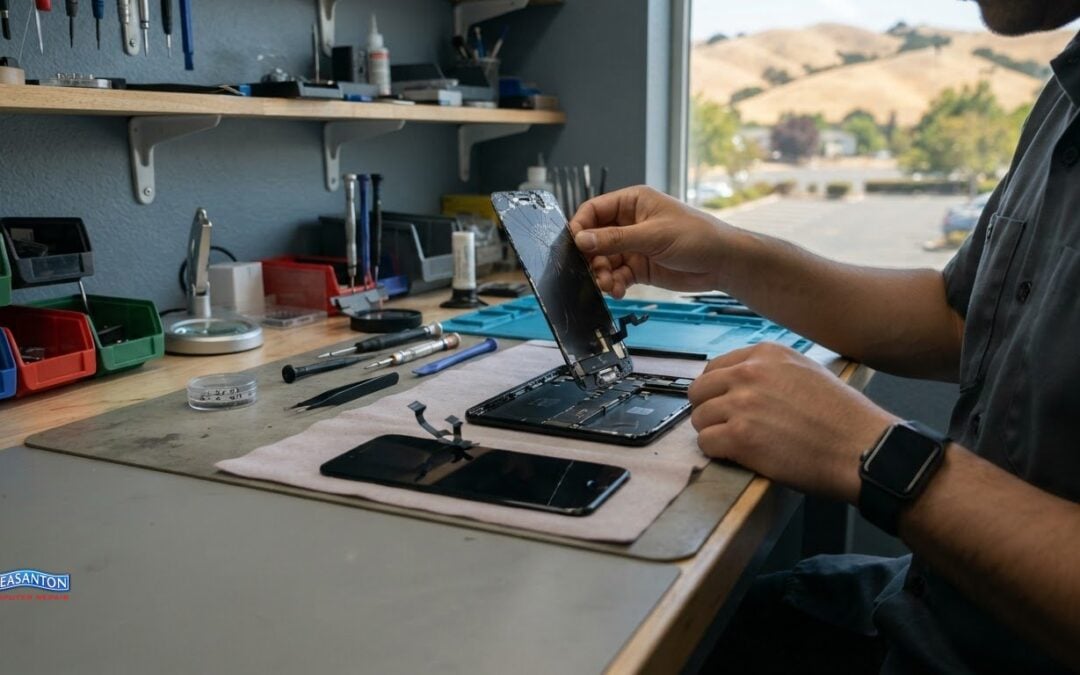
A customer-reported phone repair took 30 minutes. Turnaround for same-day iPhone repair in San Ramon depends on the issue, parts needed, and work involved, while business hours shape when a repair can move forward. The time for one repair is a useful example, not a schedule for every device.
A damaged screen, a phone that won’t charge, or another iPhone problem can disrupt your day. This guide explains the iPhone and iPad repairs available, what can affect turnaround, how business hours fit into drop-off planning, and what to look for in the repair warranty. You’ll get a clearer picture of what to expect before arranging a repair, without mistaking one quick fix for a standard timeline.
Key Takeaways
- Learn which repair details can affect how quickly an iPhone is ready to use again.
- See how the type of phone problem helps determine the repair approach.
- Understand how business hours fit into planning a repair drop-off and pickup.
- Know what warranty details to review so you understand what the repair coverage applies to.
Repair turnaround time
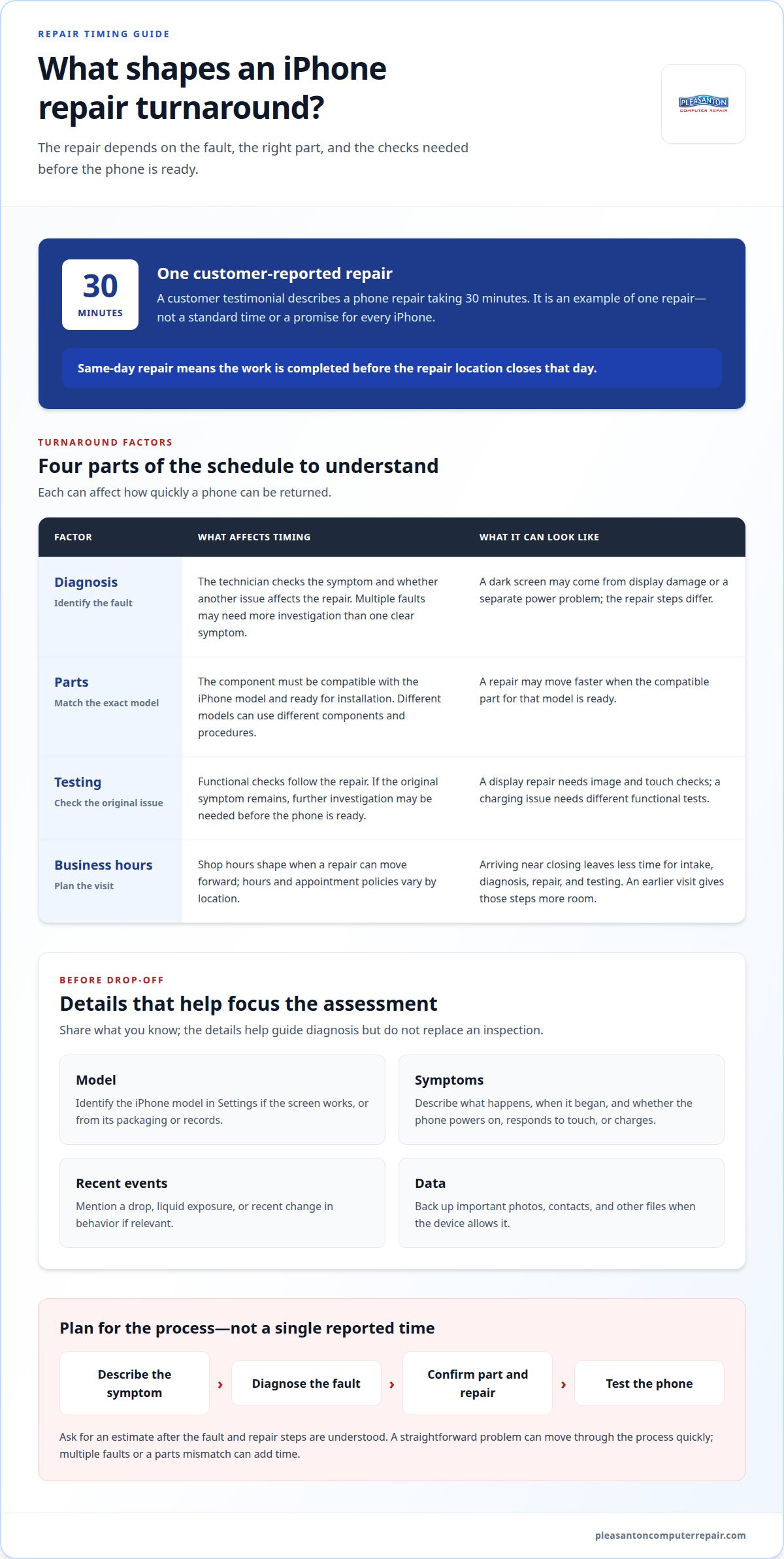
A same-day repair means the work is completed before the repair location closes that day. The actual turnaround depends on the fault, parts, and testing required. A customer testimonial reports a phone repair taking 30 minutes. That single experience shows what a straightforward repair can look like, not a standard time for every iPhone.
Start with the symptom, not an assumed repair. A cracked display, a battery that drains quickly, and a phone that won’t power on require different checks. The technician needs to identify the cause before estimating the work. For example, a dark screen may result from display damage or a separate power problem, and those issues call for different repair steps.
The required part is another practical factor. A repair may move faster when the compatible part for the exact iPhone model is ready. Model details matter because iPhones use different components and repair procedures. The model, visible damage, and symptoms all help guide diagnosis. A device with several faults may need more investigation than one with a single, clear symptom.
What can affect the schedule?
Three parts of the process affect how quickly a phone can be returned:
- Diagnosis: The technician identifies the fault and checks whether another issue affects the repair.
- Parts: The required component must fit the iPhone model and be ready for installation.
- Testing: After repair, the phone needs functional checks related to the original problem.
Testing matters as much as installation. A replaced display, for example, needs checks for image quality and touch response. A charging issue requires different functional tests. If testing shows that the original symptom remains, the technician may need to investigate further before the phone is ready.
For a smoother drop-off, explain what happened and when the problem began. Share whether the phone powers on, responds to touch, or charges. Mention any recent drop or liquid exposure if relevant. These details help the technician connect symptoms with possible causes. They don’t replace an inspection, but they make the initial assessment more focused.
Plan around the repair process rather than a single reported time. Ask for an estimate after the fault and repair steps are understood, then leave room for diagnosis and post-repair testing. A simple problem can move through those steps quickly; multiple faults or a parts mismatch can add time. That distinction helps set realistic expectations for same-day iPhone repair in San Ramon without treating one customer’s 30-minute experience as a promise.
IPhone and other cell phone repairs
The iPhone model alone doesn’t determine whether a repair can be completed the same day. Timing depends on the exact model, the fault, part compatibility, and the diagnosis and testing required.
Before bringing in an iPhone, back up important data if it still works. Note the model and describe the problem clearly, including when it began and what happens now. For example, say whether the display responds to touch, the phone charges, or it restarts unexpectedly.
That description helps distinguish problems with similar symptoms. A phone that won’t turn on may have a power issue, while a phone with a dark display may still respond to incoming calls. Specific observations give the technician useful details to investigate, rather than a broad description such as “it’s broken.”
Prepare these details for the repair intake:
- Model: Identify the iPhone model in Settings if the screen works, or share the model name shown on its packaging or records.
- Symptoms: Describe the issue and the actions that trigger it, such as charging, opening an app, or touching the screen.
- Recent events: Mention a drop, liquid exposure, or recent change in behavior that may help explain the fault.
- Data: Back up photos, contacts, and other important files when the device allows it.
For other cell phones, provide the manufacturer and model along with the symptoms. Dedicated mobile specialists such as Gadgets Repair work with various device types, where different components and repair procedures apply. The model helps identify the diagnostic path, while the symptoms narrow down what needs attention. Don’t assume that two phones with cracked screens need identical work.
Keep the phone and any relevant accessories together at drop-off. A case or charging cable may help explain a fit or charging concern, but say why you’ve brought each item. Don’t leave account passwords in a note. If a technician needs access to test a function, discuss the appropriate way to provide it during intake.
After diagnosis, the repair plan should reflect the fault, required parts, and checks needed afterward. A display issue, charging problem, and damaged camera each call for different functional tests. For same-day iPhone repair in San Ramon, clear model and symptom information helps the assessment start with useful details, while the repair itself must suit the device.
Use your model and symptom notes to make a repair visit more focused. Clear details help keep the conversation practical, whether the concern involves an iPhone screen, charging, or another cell phone fault.
No specific iPhone model is guaranteed same-day repair. Timing depends on the exact model, fault, part compatibility, and the diagnosis and testing required.
Business hours
San Ramon repair shops set their own business hours and locations; there’s no shared citywide schedule. Appointment policies also vary: some shops accept walk-ins, while others ask customers to book before arriving.
Use the shop’s opening and closing times to plan when you can hand over your phone, not as a promise that repairs will finish within those hours. For example, arriving near closing leaves less time for intake, diagnosis, repair, and testing. A visit earlier in the business day gives those steps more room to fit.
Before setting out, identify the shop location and its stated hours for that day. A business may have separate hours for different locations, and a location outside San Ramon may involve extra travel. Match the address to the branch you intend to visit, rather than relying on a general business name or an old note.
Use this planning sequence for a repair visit:
- Choose the location: Match the shop’s address to the part of San Ramon you can reach.
- Review the hours: Note the opening and closing times for that location and day.
- Check the appointment policy: Determine whether the shop takes walk-ins or schedules intake.
- Allow time for intake: Bring the iPhone early enough for staff to record the model and symptoms.
- Plan pickup separately: Ask how the shop handles completed repairs before arranging your return trip.
An appointment can make arrival more predictable, but it doesn’t determine how long diagnosis or repair takes. The work still depends on the fault, required part, and testing involved. Scheduling a drop-off for a cracked display, for instance, doesn’t mean the phone will be ready at the appointment time.
Walk-in service has a different timing consideration. Staff may be helping customers who arrived earlier, so the time before intake can vary. If your schedule is tight, build flexibility into the visit instead of planning another commitment immediately afterward. The same approach helps if a technician needs to explain the diagnosis or discuss the repair steps.
For same-day service in San Ramon, line up the visit with both the shop’s hours and the work process. Check the address and appointment instructions before leaving, then give staff enough time to assess the phone. That simple plan helps prevent a closed door, a missed intake window, or a pickup plan based on an assumed completion time.
Hours and locations vary by shop and branch, and appointment policies differ. Check the hours and address for the specific location you plan to visit, and confirm whether it accepts walk-ins or requires an appointment.
Repair warranty
A repair warranty describes what protection applies after a repair, such as a replaced screen or charging component. Read the written terms for coverage, duration, exclusions, and the steps for reporting a problem. Warranty details vary, so don’t assume one repair’s terms apply to another.
A third-party repair may affect AppleCare coverage, depending on AppleCare’s terms and the service performed. Opening or repairing an iPhone can also affect its water resistance, so don’t assume the device retains its previous resistance after service.
Match the warranty wording to the work performed. If the repair replaces a display, look for terms that identify the covered component and the kinds of display problems addressed. If the repair involves charging, check whether the document names that work. A clear description helps distinguish a repaired-part issue from a new fault elsewhere.
Review the exclusions closely. For example, terms may distinguish a component fault from later impact damage or liquid exposure. That distinction matters if a repaired screen develops a problem after another drop. Keep the intake record and repair paperwork together, so the original symptoms and completed work are easy to identify.
Before leaving the repair location, make sure you understand these points in the written terms:
- Covered work: Identify the specific component or repair listed.
- Coverage period: Note the stated start and end dates or duration.
- Exclusions: Look for examples involving accidental damage, liquid, or unrelated faults.
- Claim process: Find the required contact method and documents.
- Device handling: Review any instructions that apply after the repair.
Keep the repair receipt with the warranty terms. If a display issue returns, note what the iPhone does, when it happens, and whether the symptom matches the original complaint. For instance, a touch problem on the repaired area differs from a phone that can’t connect to Wi-Fi. Specific observations help clarify whether the concern relates to the repair or another function.
Water resistance deserves separate attention. Don’t treat a device’s previous resistance as a promise after a repair involving its enclosure or seals. Avoid deliberately exposing a repaired iPhone to water as a test. Follow the written care instructions, and describe any later liquid exposure accurately if a problem develops.
Warranty coverage and completion time are separate questions for a same-day repair. Read the terms before accepting the work and keep the paperwork afterward. That gives you a record of the repair, the covered component, and how to raise a concern.
San Ramon iPhone repair
Same-day iPhone repair is offered shop by shop, not through a citywide schedule. San Ramon shops may use genuine Apple parts or third-party parts; the part used depends on the shop and repair.
For a useful comparison, focus on repair details, not just a promise of speed. A cracked display, charging fault, and damaged camera involve different components. The repair description should identify the affected part and explain the work it covers. That makes it easier to understand what a stated turnaround means for your specific repair.
Part type matters because it can affect the repair description, available coverage, and how the component is identified. Ask for the part category in writing and keep that information with the receipt. “Screen replacement” describes a repair, but doesn’t say whether the replacement part is genuine Apple or third-party. A clear record helps if you need to discuss the completed work later.
To assess an iPhone repair option near San Ramon, look for specific answers on these points:
- Part identification: Does the repair paperwork name the part category?
- Work covered: Does it describe the repair performed, such as display replacement?
- Testing: Does the process include checks related to the original issue?
- Warranty terms: Are the coverage period, exclusions, and claim steps written down?
- Timing: Does the estimate account for diagnosis, parts, and post-repair checks?
These details matter more than a broad claim that a repair is fast. Installing a display may be only one step; the complete visit also includes intake and functional testing. A useful estimate separates the repair work from those steps and reflects the iPhone model, since components and procedures differ.
Which San Ramon shops offer same-day iPhone repair? There isn’t one citywide provider or schedule; same-day service depends on each shop’s process and the specific repair. The practical takeaway is to judge the stated timing alongside the part, repair scope, and tests, rather than treating “same day” as a complete description.
Before choosing a repair plan, make sure you understand what part is being installed and what the written terms cover. Keep the paperwork with your iPhone records, especially if the repair involves a display or charging component. Those concrete details make a San Ramon repair easier to evaluate and give you a clear record of what was done.
Pleasanton Computer Repair: iPhone and iPad Repairs
Pleasanton Computer Repair provides iPhone and iPad repairs for device problems that need a professional assessment. If a cracked screen or another fault is disrupting your day, the repair team can examine the device and explain the next steps. The service is a practical option for San Ramon residents who can bring their device to Pleasanton.
Repairs are handled at Pleasanton Computer Repair, 915 Main Street Suite A, Pleasanton, CA 94566. Call (925) 460-5200 to discuss your iPhone or iPad repair and arrange a drop-off. The team also handles PC and Mac screen replacement, virus removal, and data recovery.
Contact Pleasanton Computer Repair to discuss your iPhone or iPad repair.
Take the next step with a clear repair plan
A repair decision is easier when the next step focuses on your device’s needs, not just speed. For same-day iPhone repair in San Ramon, start with the symptom disrupting your day and the outcome you need. A work phone that won’t charge may have a different priority from a personal iPhone with a damaged display. Sharing that context makes the repair discussion more useful.
Pleasanton Computer Repair handles iPhone and iPad repairs, along with PC and Mac screen replacement and virus removal. If your device needs attention, describe the issue and discuss the appropriate repair path. The repair details and your priorities can guide the conversation without assuming a particular completion time or result.
Contact Pleasanton Computer Repair to discuss your iPhone repair and take a practical step toward getting your device working again.
Frequently Asked Questions
How long do common iPhone repairs take in San Ramon?
At Pleasanton Computer Repair, repair turnaround is 24-72 hours depending on the issue and parts availability. A screen problem and a charging fault may involve different parts and diagnostic steps, so the repair type affects timing. If your iPhone supports an essential task, such as work calls or account access, mention that during intake. It helps the repair team understand your needs while assessing the device.
What warranty do local iPhone repair shops provide?
Warranty terms vary by shop; Pleasanton Computer Repair provides 60-days with free remote support. Keep the repair receipt and warranty information together so you can refer to them if the same issue returns. For example, note whether the concern involves the repaired component or a different phone function. That detail helps the support team understand what happened and direct you to the relevant next step.
