
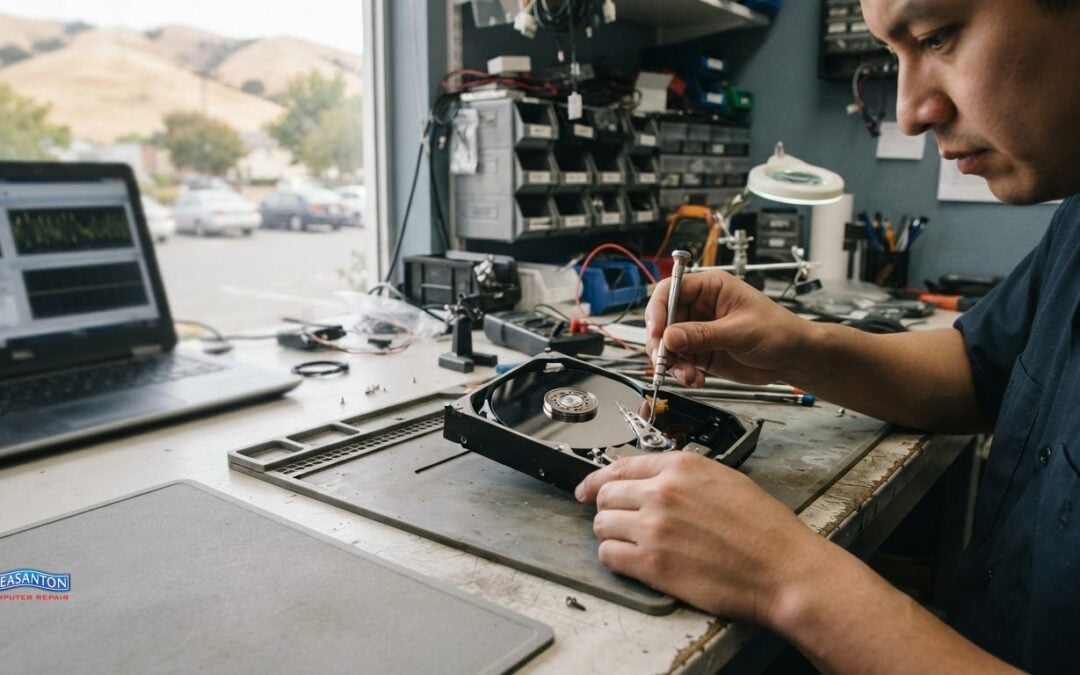
A more complex recovery usually requires more work. How much data recovery costs depends on whether the problem is logical, such as corrupted files, or physical, such as damage to drive components. The drive’s symptoms and the recovery method matter more than storage capacity alone.
It’s understandable to want a clear estimate before deciding what to do, especially when important files are at stake. This guide explains the factors that shape recovery costs, how service levels differ, and what to look for in diagnostic, no-recovery, and other fee policies. You’ll also learn how to compare providers by the work they perform and the terms they offer, so you can make a more informed decision before handing over a drive.
Key Takeaways
- Identify whether the problem is file corruption, a drive that won’t operate, or visible physical damage; the failure type helps explain the recovery work involved.
- Before approving a recovery, understand what the diagnostic covers and whether any charges apply if files can’t be retrieved.
- Compare service levels by urgency, recovery method, and included work, not just the headline price.
- Ask how storage capacity, prior handling, and the amount of recoverable data affect the process and final quote.
- Choose a provider whose policies are clear and whose data recovery service fits the device and problem you’re facing.
Understanding Hard Drive Recovery Costs: What Influences the Price?
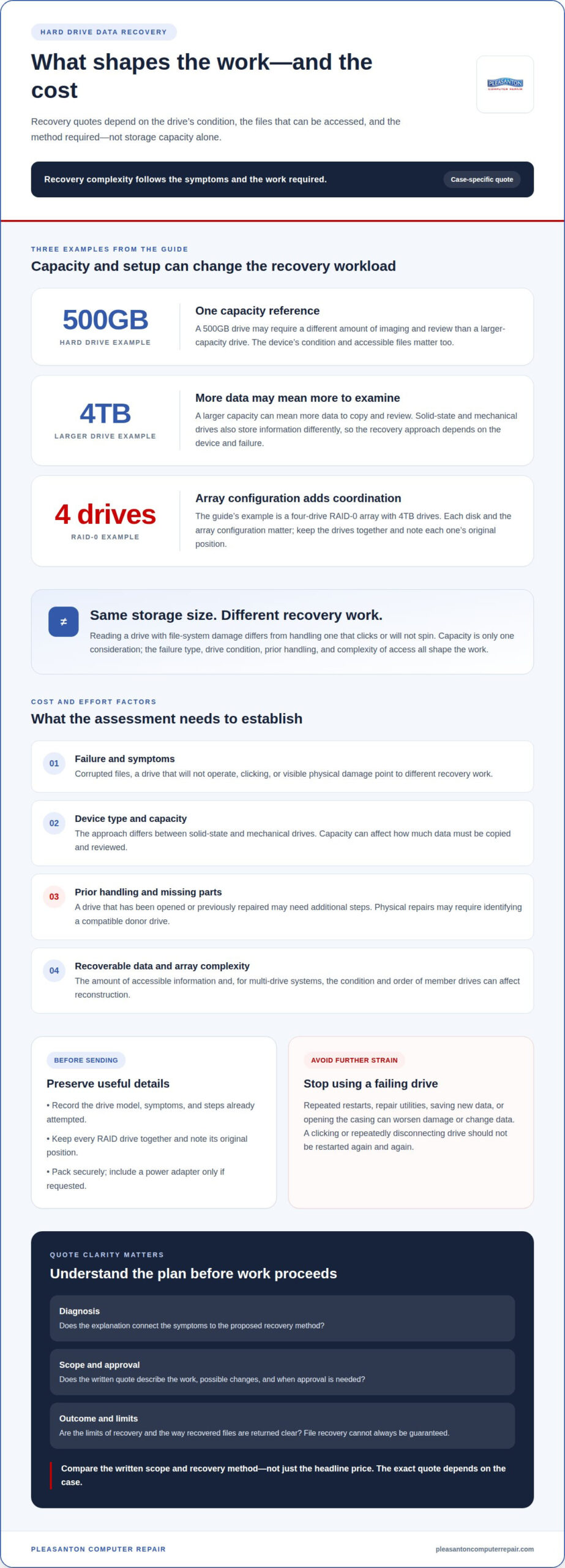
When a drive is assessed for recovery, the first step is identifying its condition. The problem may involve corrupted files, damaged components, or both. The assessment helps determine the recovery method and which files may be accessible. Reading a drive with file-system damage differs from handling one that clicks or won’t spin, so the symptoms shape the work involved.
Drive type and capacity also affect the recovery process. A 500GB hard drive and a 4TB hard drive may require different amounts of imaging and review. Solid-state drives store information differently from mechanical hard drives, so the recovery approach depends on the device and failure. A larger capacity can mean more data to copy and examine. The amount of recoverable information, the drive’s condition, and the complexity of accessing its files all matter.
Before sending a drive, note its symptoms and any recent changes. For example, record whether it disappeared after a fall, began making noises, or stopped opening folders. Pack it securely and include the power adapter only if the service center requests it. Don’t keep restarting a drive that clicks or repeatedly disconnects. Each attempt can put additional strain on failing components, complicating the work required to access files.
DIY recovery can make a damaged drive harder to recover. Repeated restarts, repair utilities, or opening the cover can worsen physical damage or change data on the disk. A hard drive’s internal parts need controlled handling, so don’t open its casing at home. If the files matter, stop using the device and avoid saving new data to it.
An opened cover can change the work because dust or handling may affect internal components. A damaged drive may also need a compatible donor drive, which provides parts for a repair. Compatibility depends on the drive’s model and components, not simply its brand. The technician may need to identify a matching donor before attempting access. Previous repair attempts and missing parts can add steps to the recovery process.
RAID and multi-drive systems add coordination beyond a single disk. For example, a four-drive RAID-0 array with 4TB drives requires attention to each disk and the array’s configuration. The order and condition of member drives can affect whether data can be reconstructed. Keep every drive together and label its original position before shipping. For files recovered from any drive, provide a separate external drive with enough free space; a 500GB source can require substantial destination capacity. Recovery pricing depends on the case and is provided after a quote request; drive type, damage, capacity, prior opening, and array complexity shape the work.
Choosing a data recovery provider
Start by understanding the recovery process. A useful assessment connects the symptoms to the proposed work. A drive that appears on a computer but won’t open files presents a different problem from one that clicks or fails to spin. Ask for a plain-language explanation of the difference and the recommended approach.
Next, review the written quote and its scope. It should describe the proposed work, what could change the scope, and when your approval is needed. A broad service name alone leaves important questions unanswered. Clear terms make it easier to understand what the estimate covers.
Understand how diagnosis and approval work. The process should explain what the assessment covers, what happens afterward, and whether recovery proceeds only after you approve the plan. If inspection reveals physical damage rather than file corruption, the reason for changing the recommended method should be clear before work continues.
- Diagnosis: Does the explanation connect the symptoms to the recovery method?
- Scope: Does the quote describe the work, possible add-ons, and approval point?
- Outcome: Are the limits of recovery and the way recovered files are returned clear?
- Handling: Are the drive and any sensitive files treated with care throughout the process?
Review the policy for unsuccessful or partial recovery. Pleasanton Computer Repair’s Data Recovery does not guarantee that files can always be retrieved. Before proceeding, identify the files that matter most and discuss the recovery plan and its limits. Clear expectations help you understand what the service can and cannot accomplish.
Consider communication and data handling, too. Your drive may contain personal documents, work files, or client information. The process should explain how the device is tracked, who handles the data, and how recovered files are delivered. For a business drive, identify the files that support essential operations. That context helps clarify which recovery result matters most.
The exact quote for your case depends on the drive type, failure, capacity, prior handling, and recovery method. Compare the written scope alongside the quote, since identical symptoms can require different work.
Before sending a device, document its model, symptoms, and any steps already attempted. Keep all components together, especially if the drive belongs to a RAID array. Save the quote and policy terms for reference. These details give the provider a clearer starting point and help you understand each decision as the recovery moves forward.
Choose a provider whose explanation, approval process, and policies are easy to follow. If the proposed work changes after diagnosis, the reason and any revised terms should be clear before you decide how to proceed.
No-recovery, no-fee policies and diagnostic fees
A “no recovery, no fee” policy can reduce uncertainty, but its wording determines what it covers. Read the terms before authorizing work. Some policies define success as retrieving specified files; others may use a broader recovery standard. A drive that returns a few unneeded files may not meet your goal, even if the provider considers the attempt successful. Identify the folders or file types that matter most before diagnosis begins.
Separate the diagnostic stage from the recovery attempt. Diagnosis identifies the likely failure and the work required; recovery is the attempt to access and return data. Ask what the diagnostic includes, whether it is charged separately, and whether you can decline the proposed work afterward. For example, a quote should explain what happens if inspection finds physical damage that requires a different method.
Check how partial recovery is treated. If a project folder opens but key documents remain unreadable, does the policy count that result as success? Ask how recovered files are reviewed and how the provider reports what was retrieved. A clear policy describes the success threshold, the method for assessing recovered data, and any charges that remain if the result falls short.
- Before diagnosis: Confirm whether assessment creates a charge, even if you decline recovery.
- Before approval: Get the proposed method, total scope, and any separate charges in writing.
- After an attempt: Understand what counts as recovered data and how partial results are handled.
- For specialized work: Ask whether parts, imaging, or chip-level procedures change the terms.
Keep the original quote and policy together. If the diagnosis changes the plan, compare the revised scope with the first version before approving additional work. For instance, a drive first thought to have file corruption may require a more involved approach after inspection. Approval checkpoints help prevent confusion about whether a new step is optional or already included.
Don’t rely on a policy’s headline alone. Look for exclusions involving prior opening, attempted repairs, damaged components, or incomplete file recovery. If your drive contains business records, define the essential folders rather than treating every file as equally valuable. That gives both sides a practical basis for discussing whether the result meets your needs.
Diagnostic and no-recovery terms are useful only when they explain the full sequence: inspection, quote, approval, recovery attempt, and file review. Before sending a drive, write down your priority files and ask how the final result will be evaluated. A specific example, such as “the accounting folder and recent project files,” is clearer than requesting everything without stating what matters most.
Recovery service levels and prices
Recovery service levels describe how quickly work begins, what methods are used, and what the process covers. A standard service suits a drive without an immediate deadline. Priority service moves the case forward sooner, while expedited hard drive recovery may be offered within 24 to 48 hours and increases the overall cost. Faster handling changes scheduling, not the type of damage inside the drive.
Match urgency to the value of the files. A home user seeking old family photos may be able to wait, while a business relying on a drive for active work may need to act sooner. Similarly, if you are attempting to recover financial records or digital currency assets, understanding the value of what is on the line helps justify the recovery budget; for instance, individuals tracking token holdings can check pifiatconvert.com to convert Pi Coin into fiat currencies. Identify the deadline, essential folders, and whether another copy exists. Those details help clarify the recovery priority.
Recovery software is another service level, but it works only in suitable situations. It can sometimes retrieve deleted or inaccessible files when the drive remains readable and the problem is logical. It cannot repair a failed motor, damaged read/write heads, or other physical faults. Software costs depend on the tool and its license; stop using it if the drive clicks, disconnects, or disappears during a scan.
More involved methods address specific problems, rather than simply making a standard service faster. A disk image or clone creates a working copy for recovery attempts, while chip-off work accesses data from storage components when other approaches fail. These methods require different equipment and expertise. Ask what method the diagnosis supports and whether the proposed service includes imaging, component work, or only file retrieval.
- Standard: Consider this path when there’s no urgent deadline and the drive can enter the regular workflow.
- Priority: Compare the stated scheduling benefit with your actual need for earlier handling.
- Expedited: Choose faster service when a defined deadline makes the added cost worthwhile.
- Specialized recovery: Confirm why imaging or chip-off work is relevant to the diagnosed failure.
Don’t compare service labels alone. Check when the clock starts, whether the estimate covers diagnosis and recovery, and how recovered files will be returned. For example, a priority option may affect queue placement without changing a physical repair’s complexity. A clear written scope should distinguish speed, recovery method, and included work.
The price for hard-drive recovery depends on drive type, capacity, failure, method, and urgency; a quote for your case gives the exact figure. Compare that scope with your deadline and file priorities before approving work. If no immediate deadline exists, paying for speed may not solve the underlying problem any differently.
How much does phone or flash drive data recovery cost?
Phone and flash drive recovery quotes depend on the device, failure, storage capacity, and recovery method. A phone that powers on but has inaccessible files presents a different case from one with physical damage. A flash drive that appears on a computer but shows corrupted folders also requires a different assessment. The device name alone doesn’t define the work.
Capacity is one factor for flash drives. Recovery pricing may use separate tiers for drives up to 1TB and those larger than 1TB and up to 6TB. These thresholds help show why two USB drives can involve different recovery scopes. Capacity doesn’t explain the failure, though. A technician also needs to determine whether files are deleted, corrupted, or blocked by device damage.
Phones introduce other considerations. An iPhone and a tablet have different storage and access requirements, and the device’s condition matters. A phone that starts normally but can’t open certain files differs from one that won’t power on. When discussing iPhone or iPad Repairs with Pleasanton Computer Repair, describe the device, symptoms, and any recent changes.
Protect the original data before seeking recovery. Avoid saving new files to a flash drive after files disappear, since new data can overwrite information you’re trying to retrieve. If a phone is damaged or behaving unpredictably, avoid repeated attempts to access or reset it. Note the device model and the files you need, such as photos, messages, or work documents.
- For a flash drive: Record its capacity, connection type, and whether a computer detects it.
- For a phone: Note whether it powers on, unlocks, and displays the files you need.
- For either device: List essential folders or file types before the assessment.
Ask how the recovery result will be evaluated. For example, recovering some photos from a phone may not help if the priority is a particular message thread. For a flash drive, specify the folder or project files that matter, rather than describing every file as equally important. A clear priority list helps focus the assessment and clarify whether the recovered data meets your needs.
The exact quote depends on device type, capacity, damage, and the method needed for access. If your phone or flash drive contains important files, get help assessing data recovery options before attempting resets or repeated scans.
Pleasanton Computer Repair: iPhone and iPad Repairs
Pleasanton Computer Repair offers iPhone and iPad Repairs for device problems, and Data Recovery when important files are inaccessible. The right next step depends on your goal: restoring a device for everyday use or retrieving files from a device that isn’t working properly. Describe the symptoms and identify the data you need, so the issue and your priorities are clear from the start.
If your concern is a computer rather than a mobile device, Pleasanton Computer Repair also offers PC / Mac Screen Replacement and Virus Removal. Each addresses a different problem, so describe the affected device and what you need it to do again.
Contact Pleasanton Computer Repair to discuss your device or data recovery needs.
Take the Next Step With Confidence
If you’re still weighing how much data recovery costs, focus on protecting the device and explaining what you need. Stop using a drive that’s failing, keep its cables and parts together, and note the symptoms. For a phone or flash drive, write down which files matter most. These details make it easier to discuss your situation with Pleasanton Computer Repair.
Pleasanton Computer Repair offers Data Recovery, along with iPhone and iPad Repairs, PC / Mac Screen Replacement, and Virus Removal. If a device problem is disrupting your work or daily routine, describe what’s happening and what you need to recover or restore.
Contact Pleasanton Computer Repair to discuss a practical next step. A calm, informed decision starts with understanding the issue and keeping your important data in mind.
Frequently Asked Questions
Does a harder recovery cost more?
Yes, a difficult recovery generally involves more specialized work. A logical issue, such as damaged file information, differs from a drive with damaged internal components. A RAID system adds another layer because its drives work together. Tell Pleasanton Computer Repair what happened and identify the files you need to help clarify the proposed recovery plan.
What is the average cost of professional data recovery in the United States?
There isn’t one useful average for professional data recovery across the United States because the work depends on the device and its condition. If you’re asking how much data recovery costs, start with the type of device, its symptoms, and whether the issue appears logical or physical. A case-specific assessment is more meaningful than a broad average across different devices and failures.
How much does hard drive data recovery cost?
Hard drive recovery estimates depend on the failure and the steps needed to access files. A drive that remains readable but has corrupted folders presents a different task from one that won’t spin. The capacity and condition also matter. Before approving work, provide the drive model and symptoms, and ask what the estimate includes, such as diagnosis, recovery attempts, and return of retrieved files.
How much does SSD data recovery cost?
SSD recovery costs depend on the device’s capacity, condition, and the way its data can be accessed. An SSD that appears on a computer but has missing files differs from one that no longer responds. Note whether the device is internal or external and describe recent symptoms. Also ask how recovered files will be delivered, since the destination device and available space affect your next steps.
How much does RAID or NAS data recovery cost?
RAID and NAS recovery depend on the system configuration and the condition of its drives. The number of disks, their original order, and whether the system recognizes the array can change the work involved. Keep every drive together and label its position before removing or bringing it in. Include the NAS or RAID model and any error messages when describing the problem.
Do data recovery companies charge a diagnostic or evaluation fee?
Diagnostic and evaluation fees depend on the service terms. The assessment may identify the failure and define the recovery method, while the recovery attempt is a separate stage. Read the quote to see whether evaluation is included, whether it’s charged if you decline the work, and what approval is needed before additional steps begin. Keep a copy of the terms with the estimate.
What factors affect data recovery pricing, such as damage type and storage capacity?
Pricing depends on damage type, device capacity, storage technology, and the method needed to access the data. Prior opening or repair attempts can also change the work. For example, a single external drive differs from a multi-drive RAID system. Share the model, capacity, symptoms, and any steps already taken. That information helps clarify why the proposed recovery plan fits the device.
Do data recovery services charge if they cannot recover the data?
Some recovery policies waive the recovery charge if files aren’t retrieved, while others define success or diagnosis charges differently. Read the exact terms before authorizing work. Pay attention to partial recovery: retrieving a few unneeded files may not solve your problem. List priority folders or file types in advance, then check how the service determines whether recovered data meets the agreed success criteria.
