
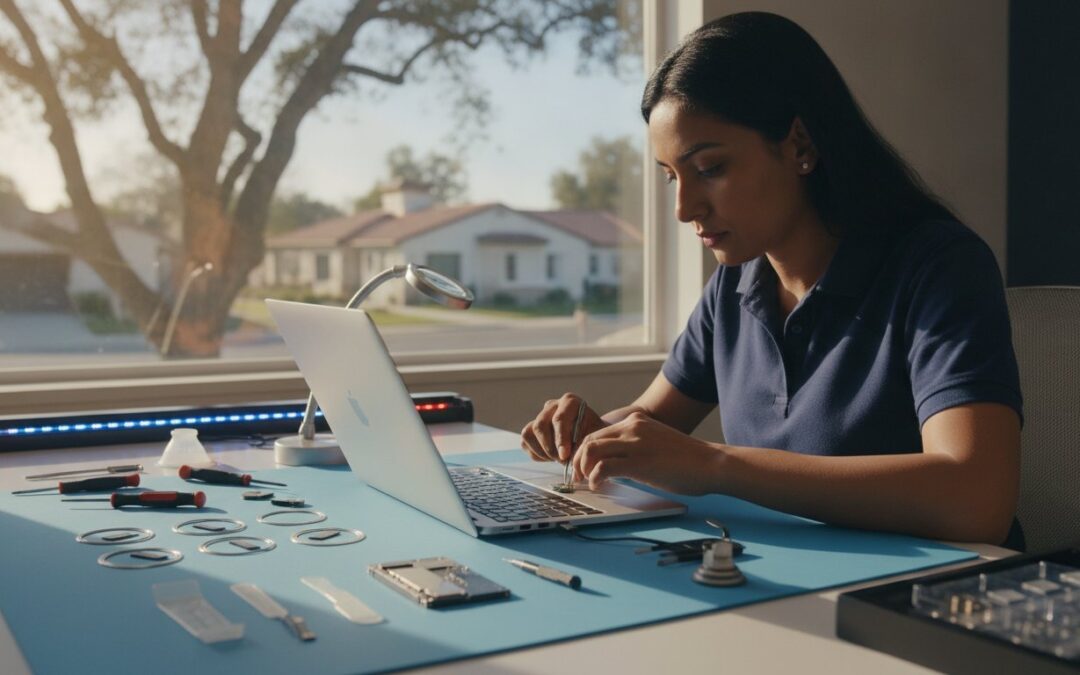
Why does it feel like your entire digital life has been put on hold the moment your MacBook screen goes dark or your iMac refuses to boot? When your essential tools fail, the last thing you need is a week-long wait for a repair appointment or the anxiety of wondering if your precious photos and documents will survive the process. Finding reliable Mac repair Walnut Creek shouldn’t be as stressful as the hardware failure itself. You deserve a solution that balances technical precision with the honest, clear communication of a local neighbor.
We understand the frustration of being told a simple fix will take weeks or cost as much as a new machine. This guide promises to show you how to get your MacBook, iMac, or Mac Mini back to peak performance quickly and safely. We will walk through the benefits of professional screen replacements and SSD upgrades, highlighting how a data-first approach ensures your files stay right where they belong while your hardware gets a new lease on life. By the end, you’ll know exactly how to secure fast, expert support without the corporate headache.
Key Takeaways
- Avoid the long lines and generic advice of big-box retailers by choosing a local specialist who offers personalized diagnostics for your specific Apple device.
- Professional Mac repair Walnut Creek experts can resolve hardware issues ranging from cracked MacBook screens to intricate M-series logic board failures.
- Discover how a simple SSD upgrade can breathe new life into a sluggish Mac, providing a massive performance boost without the cost of a new machine.
- Learn about the specialized data recovery techniques used to retrieve your important files from liquid-damaged boards or corrupted partitions.
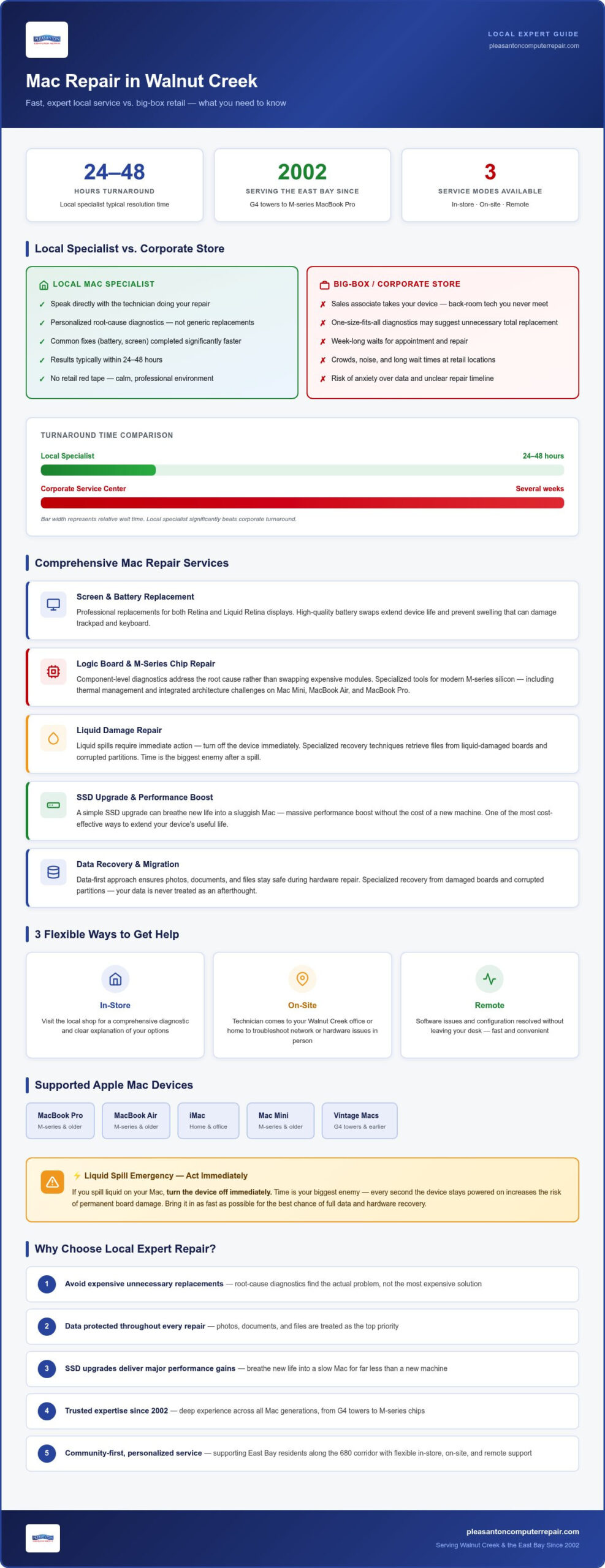
- See why local support often delivers functional results within 24 to 48 hours, significantly beating the turnaround times of larger corporate service centers.
Choosing Mac Repair in Walnut Creek: Why Local Expertise Matters
Walking through Broadway Plaza on a busy Saturday is great for shopping, but it’s often the last place you want to be when your laptop won’t turn on. The crowds, the noise, and the long wait times for a corporate appointment can turn a technical glitch into a full-day ordeal. When you choose a dedicated specialist for Mac repair Walnut Creek, you bypass the retail red tape. Instead of a one-size-fits-all diagnostic that might suggest an expensive total replacement, we look for the specific root cause of your hardware failure.
Since 2002, we’ve provided the East Bay with a reliable alternative to big-box retail. Supporting a local business along the 680 corridor means you get technical attention from someone who actually lives in your community. We’ve seen the entire evolution of Apple Mac computers, from the early G4 towers to the latest M-series MacBook Pro models. This deep history allows us to identify vintage hardware quirks and modern logic board issues with equal precision, ensuring your machine receives the exact care it needs to run smoothly again.
The Benefit of a Local Mac Specialist
The most significant advantage of choosing a local expert is the direct line of communication. You aren’t handing your machine to a sales associate who passes it to a back-room technician you’ll never meet. Instead, you speak directly with the person performing the work. This transparency eliminates misunderstandings about your data or the repair timeline. Local shops often prioritize common fixes like battery or screen swaps, finishing them in a fraction of the time a corporate store would require. Our environment is calm and professional, specifically designed to lower your stress while we restore your productivity.
Serving the Walnut Creek Community
Our services are tailored to the unique pulse of the East Bay. Whether you’re a creative professional working from a home office or a business owner near the Iron Horse Trail, we understand that downtime isn’t an option. We offer flexible support models to fit your specific schedule:
- In-Store Support: Visit our local shop for a comprehensive diagnostic and a clear explanation of your options.
- On-Site Service: We can come to your Walnut Creek office or home to troubleshoot network or hardware issues in person.
- Remote Assistance: For software-related hiccups or configuration needs, we can often provide a solution without you ever leaving your desk.
This neighborly approach ensures that every client receives the specific level of care their situation demands. We prioritize your peace of mind by acting as a dependable partner in your technology journey, moving quickly to get your digital life back on track.
Comprehensive Apple Support: From MacBook Screens to M-Series Logic Boards
Your Apple ecosystem is built on precision. Whether you rely on a MacBook Pro for creative heavy lifting or an iMac for your home office, these machines require specialized care. Our approach to Mac repair Walnut Creek goes beyond surface-level fixes. We utilize component-level diagnostics to identify exactly why a system is failing, rather than simply swapping out expensive modules. This method ensures the root cause is addressed once and for all, saving you from recurring headaches.
Modern M-series silicon brings incredible power, but it also introduces unique challenges in thermal management and integrated architecture. Logic Board Repair is the precise restoration of the Mac’s central nervous system. We possess the specialized tools and expertise to work on these advanced chips, ensuring your Mac Mini or MacBook Air stays cool and efficient under pressure. Finding the right source for Mac repair Walnut Creek shouldn’t be a gamble; it should be a path to total restoration.
MacBook Screen and Battery Replacements
A cracked screen or a failing battery shouldn’t mean the end of your favorite device. We specialize in professional screen replacements for both Retina and Liquid Retina displays, restoring the vibrant clarity you expect from Apple. For older laptops, a high-quality battery swap is often the best way to extend the device’s life. It also prevents more serious issues, such as battery swelling, which can put pressure on the internal casing and cause trackpad or keyboard malfunctions.
Advanced Logic Board and Liquid Damage Repair
If you’ve spilled coffee on your keyboard, time is your biggest enemy. Turn the device off immediately. We use ultrasonic cleaning and microscopic inspections to remove corrosion and restore connectivity. Many corporate retailers label liquid-damaged machines as “unrepairable” because they don’t perform chip-level work. We take pride in reviving these systems, proving that a specialist’s touch can often fix what others won’t touch. If you’re facing a complex hardware failure, our expert technicians are ready to help.
Local Mac Specialist vs. The Apple Store: Cost, Speed, and Service
Choosing where to service an out-of-warranty device is a major decision. Corporate retail centers are primarily designed to sell new hardware, which often reflects in their high service quotes for older machines. A local expert for Mac repair Walnut Creek provides a more practical alternative. We focus on restoring your current machine rather than pushing for a replacement. Because we aren’t bound by rigid corporate quotas, we can offer component-level fixes that significantly reduce your total expense without compromising on the quality of the repair.
Speed matters. While big-box stores might ship your laptop to a central depot, causing a week or more of downtime, a local shop usually completes common repairs within 24 to 48 hours. We also solve the “obsolete” dilemma. Apple typically stops supporting hardware after it reaches a certain age, often refusing to service machines they’ve labeled as vintage or obsolete. We believe a well-maintained Mac has plenty of life left. We stock parts for older models and provide the technical support needed to keep your trusted hardware running perfectly for years to come.
Data privacy is where the local touch truly shines. Corporate protocols often require a factory reset or a drive wipe as a standard part of the service, which puts your files at risk. We understand that your photos, work projects, and personal documents are the most valuable part of your computer. Our migration and backup services are flexible, ensuring your data remains intact and secure throughout the entire process.
Transparency in Pricing and Diagnostics
Trust is built on honesty. We provide clear, upfront explanations of what needs immediate attention and what can wait. There are no hidden fees or surprise corporate markups on simple fixes. You’ll receive a detailed breakdown of the hardware assessment, allowing you to make an informed decision about your machine without feeling pressured by a sales-driven environment.
Warranty and Support Continuity
Every repair we perform comes with a solid local warranty on both parts and labor. You don’t need to jump through hoops or book a new appointment weeks in advance if you have a follow-up question. Our service follows the same high Expert Mac Repair Pleasanton standards our clients have relied on for over two decades. This consistency ensures that whether you are in Walnut Creek or a neighboring city, your technology is always in safe, capable hands.
Performance Optimization: Is Your Mac Ready for an SSD Upgrade?
Is your once-snappy iMac starting to feel like it’s stuck in slow motion? Many users assume a sluggish computer means it’s time to buy a new one, but often the bottleneck is simply an aging mechanical hard drive. When you seek out Mac repair Walnut Creek, one of the most transformative services we offer is a transition to modern storage technology. Replacing a traditional spinning hard drive (HDD) with a Solid State Drive (SSD) provides a massive performance leap that you’ll notice the moment you press the power button.
This single hardware change can effectively add 3 to 5 years of usable life to an older machine. Unlike mechanical drives that rely on physical platters and moving heads, SSDs use flash memory to access data almost instantly. This means your Mac will boot in seconds rather than minutes. We specialize in making this transition stress-free by handling the entire data migration process. We move your entire digital life to the faster drive without losing a single file, ensuring your desktop, settings, and photos are exactly where you left them. An SSD upgrade Pleasanton CA is the most cost-effective way to breathe new life into your trusted hardware.
Signs Your Mac Needs a Hardware Boost
You don’t need to be a technician to know when your system is struggling. The most common red flag is the frequent appearance of the “Spinning Beachball” during simple tasks. If application launch times have become noticeably longer or if you’re constantly fighting “Disk Full” warnings that won’t go away despite deleting files, your drive is likely congested or failing. We use advanced diagnostics to determine if your issues stem from software conflicts or if the hardware itself is nearing the end of its lifespan. This clarity helps you avoid unnecessary repairs and focus on the most impactful solutions for your Mac repair Walnut Creek needs.
The SSD Upgrade Process
Getting the right hardware for your specific workflow is essential. We help you select the ideal drive capacity, whether you’re a casual user with a large photo library or a professional handling massive video files. Our process involves cloning your existing system for a seamless transition; when you get your Mac back, it feels exactly like your old machine, just significantly faster. We also pay close attention to thermal management and fan optimization. Since high-speed drives can change the internal environment of an iMac or MacBook, we ensure your system stays cool and quiet after the installation. If you’re tired of waiting for your computer to catch up with you, schedule your performance diagnostic today to see how an upgrade can help.
Reliable Data Recovery and Migration for Walnut Creek Users
Few things trigger more immediate stress than a Mac that suddenly refuses to boot. Whether you see a flashing folder icon or just a persistent black screen, the primary concern is almost always the data. Hardware components can be replaced, but your family photos, client projects, and financial records are unique and irreplaceable. Our approach to Mac repair Walnut Creek begins with a data-first philosophy. We prioritize the safety of your files before we even pick up a screwdriver, ensuring that the recovery process is as non-invasive as possible for your storage media.
We handle a wide range of data crises, from failing mechanical drives in older iMacs to the integrated flash storage on modern M-series logic boards. If your machine has suffered liquid damage or a corrupted partition, we use specialized software and hardware tools to extract your information. If you’re dealing with a catastrophic failure, our Mac repair Walnut Creek specialists are here to guide you through the recovery process with a calm, expert hand. For a truly complete Apple backup solution, we also offer iPhone data recovery Pleasanton services to ensure your mobile memories are just as secure as your desktop files. This holistic approach protects your entire digital ecosystem.
Emergency Recovery for Dead Macs
When a system won’t start, we often employ Target Disk Mode or direct external extraction techniques to bypass a failing operating system. We are well-versed in handling FileVault encryption, ensuring that your data remains secure and private while we move it to a safe location. This requires a precise understanding of Apple’s security protocols to prevent permanent lockouts during the extraction. In rare cases of severe physical drive failure, such as a head crash or motor failure, we partner with specialized clean-room facilities. These partners provide the controlled environment necessary for physical hardware repair, giving your hardware the best possible chance of recovery even in extreme circumstances.
Setting Up Your New System
If you’ve decided to upgrade to a new MacBook or iMac, we make the transition seamless and stress-free. We don’t just copy files; we ensure your settings, passwords, and photo libraries transfer correctly so you can pick up exactly where you left off. This is also the perfect time to clean up old system junk and redundant cache files that might have accumulated over the years. Moving to a new machine should be a fresh start, not a migration of old problems. Once your new system is ready, we provide training on best practices for Time Machine and cloud backups. We want to empower you with the knowledge to maintain your own safety net. This proactive approach helps you avoid future data scares, keeping your digital life organized and protected for the long term.
Restore Your Mac’s Performance with Confidence
Your technology should be a tool that empowers you, not a source of daily stress. By choosing a specialist for Mac repair Walnut Creek, you ensure that your device receives the technical precision of a seasoned expert without the corporate wait times. We’ve spent over 20 years serving the East Bay, developing a deep understanding of everything from vintage hardware quirks to the latest M-series logic board architectures. Our data-first philosophy means your files are always the priority, giving you peace of mind throughout the entire restoration process.
Don’t let a cracked screen or a sluggish drive hold you back any longer. Whether you need an emergency recovery or a simple battery swap, we are here to provide the clear communication and fast results you deserve. Schedule Your Mac Repair or Diagnostic Appointment Today and get back to peak productivity. We look forward to helping you get the most out of your Apple devices and keeping your digital life running smoothly.
Frequently Asked Questions
How long does a typical Mac repair in Walnut Creek take?
Most common repairs, such as screen replacements or battery swaps, are completed within 24 to 48 hours. This is significantly faster than the week-long wait times often found at corporate retail centers. Our team prioritizes getting your device back to you quickly so your routine isn’t disrupted. More complex logic board repairs or extensive data recovery might take longer, but we always provide a clear timeline after the initial diagnostic is complete.
Will I lose my data if I get my MacBook screen replaced?
No, a standard screen replacement does not affect the data stored on your hard drive or SSD. Unlike some corporate service providers that may require a factory reset as part of their protocol, we take a data-first approach. We ensure your files, photos, and settings remain exactly as you left them. However, it’s always a good practice to maintain a current Time Machine backup before any hardware service for total peace of mind.
Does Pleasanton Computer Repair fix vintage Macs that Apple won’t touch?
Yes, we specialize in supporting both current M-series hardware and vintage Apple devices that the manufacturer may consider obsolete. Since our founding in 2002, we have maintained the expertise and parts inventory needed to keep older machines running. Whether you have a classic iMac or an early MacBook Pro, we can often provide the specific repairs or upgrades necessary to extend its life by several more years without the need for a total replacement.
Is it worth repairing a 5-year-old MacBook Pro?
In many cases, yes. A five-year-old MacBook Pro still features high-quality build materials and a capable processor. Often, a slow system just needs an SSD upgrade or a fresh battery to feel like a brand-new machine. We provide honest assessments to help you decide if a repair is a sound investment. If the cost of the fix exceeds the value of the device, we’ll tell you upfront rather than suggesting unnecessary work for your hardware.
Do you offer on-site Mac repair for Walnut Creek businesses?
We do provide on-site support for business and residential clients throughout the area. If you can’t make it to our shop, our technicians can visit your location to troubleshoot network issues, printer connectivity, or hardware failures. This service is designed to minimize downtime for professionals who need Mac repair Walnut Creek support without leaving their office. We also offer remote assistance for software-related troubleshooting to provide the fastest possible resolution for your team.
What should I do if I spill water on my MacBook keyboard?
Turn the power off immediately and disconnect any charging cables. Do not attempt to turn it back on to check if it works, as this can cause a short circuit on the logic board. Avoid the rice trick, as it doesn’t stop internal corrosion. Bring your device to a specialist as soon as possible for an ultrasonic cleaning and professional inspection. Fast action is the key to preventing permanent hardware damage after a liquid spill occurs.
Can you speed up my slow iMac with an SSD upgrade?
Absolutely. An SSD upgrade is the single most effective way to breathe new life into a sluggish iMac. By replacing the old mechanical hard drive with modern flash storage, you’ll experience significantly faster boot times and near-instant application launches. This is a primary service for Mac repair Walnut Creek clients looking to avoid the high cost of a new computer. We handle the entire data migration so your files stay perfectly intact during the process.
Do you use genuine Apple parts for your repairs?
We use high-quality components that meet or exceed the original manufacturer’s specifications for all our services. While we source the best available parts to ensure long-term reliability and performance, we also offer options that can be more cost-effective than corporate retail prices. Every part we install is backed by our own local warranty on labor and materials. This ensures your MacBook or iMac continues to function with the precision you expect from your Apple hardware.