
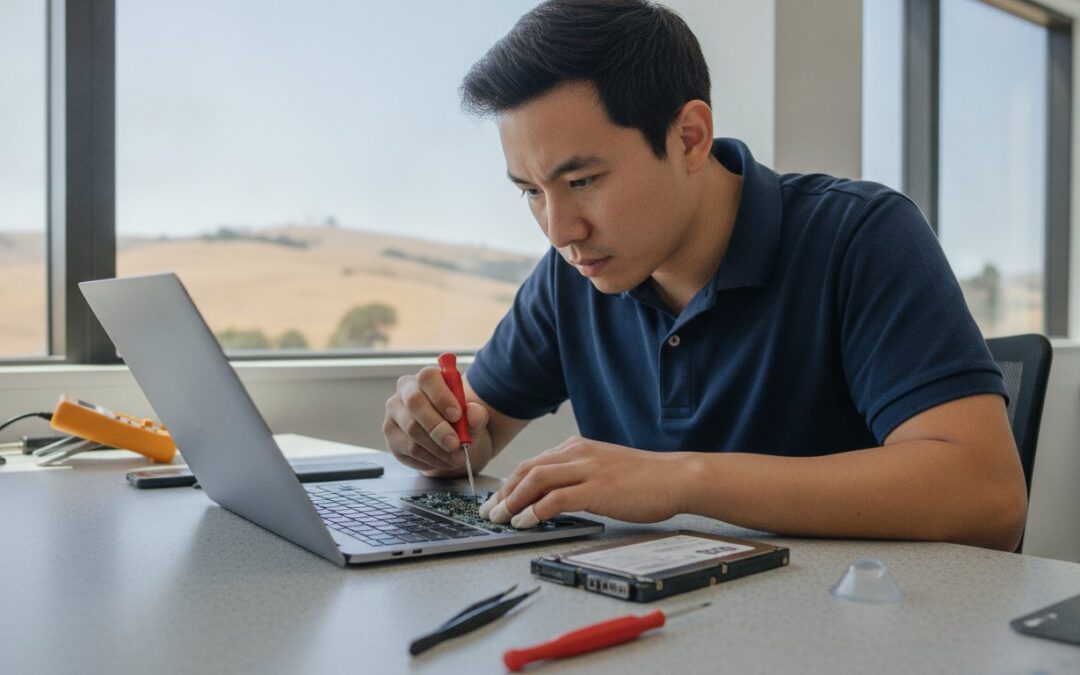
Why should a cracked MacBook screen or a flashing folder icon mean losing your device for two weeks? When your computer fails, it feels like your entire digital life has come to a halt. We understand the frustration of staring at a repair calendar that is booked out for days, only to worry about the high cost of a total replacement. If you are looking for Mac repair Livermore, you need a solution that is faster than the big-box stores and more personal than a mailing label.
You deserve a repair process that prioritizes your peace of mind and keeps your files exactly where they belong. This guide explores the most reliable local options for MacBook and iMac service in the East Bay, from expert data recovery to high-quality screen replacements. We will help you understand the benefits of repair versus replacement while highlighting how current regulations like the California Right to Repair Act give you more control over your hardware. Discover how a quick visit to a seasoned local specialist can restore your Mac performance and save you from the stress of permanent data loss.
Key Takeaways
- Learn why professional Mac repair involves deep diagnostics rather than just swapping parts to ensure a long-lasting fix for your device.
- Discover how a specialized Mac repair Livermore expert can use SSD upgrades to make older iMacs and MacBooks perform like brand-new machines.
- Compare the benefits of local specialists against the Apple Store, focusing on significantly faster turnaround times and more personalized care.
- Follow a critical pre-repair checklist to secure your data with Time Machine and protect your privacy before handing over your computer.
- Understand why Livermore residents trust nearby experts with over 20 years of experience to handle complex screen replacements and hardware restoration.
Finding Reliable Mac Repair in Livermore: What to Look For
Professional Mac repair is far more than just swapping out a broken component for a new one. It involves deep diagnostics to identify the root cause of a failure, ensuring the same issue doesn’t return a month later. For those seeking Mac repair Livermore, finding a shop that understands the intricate architecture of Apple hardware is essential. Since 2002, our team has provided this level of specialized care, building over two decades of trust within the East Bay community. A Mac Diagnostic Service is a comprehensive hardware and software health check designed to pinpoint hidden vulnerabilities before they lead to total system failure.
Choosing a local specialist is also a way to participate in the growing Right to Repair movement, which advocates for your ability to fix the devices you own. By opting for an independent technician, you gain transparency and options that aren’t always available through official channels. This approach prioritizes the restoration of your current machine over the pressure to buy a brand-new model.
The Local Advantage: Why Proximity Matters for Tech Support
Livermore residents often find that specialized Apple support is just a short drive away in Pleasanton. This proximity saves you from the grueling commute to San Jose or San Francisco just to drop off a laptop. There is a distinct value in being able to speak directly to the technician who is actually opening your device. You aren’t just a ticket number in a massive system; you’re a neighbor receiving personalized advice. Supporting independent East Bay businesses ensures that local needs are understood and met with a level of accountability you won’t find at a distant corporate hub.
Signs You Need a Professional Mac Technician
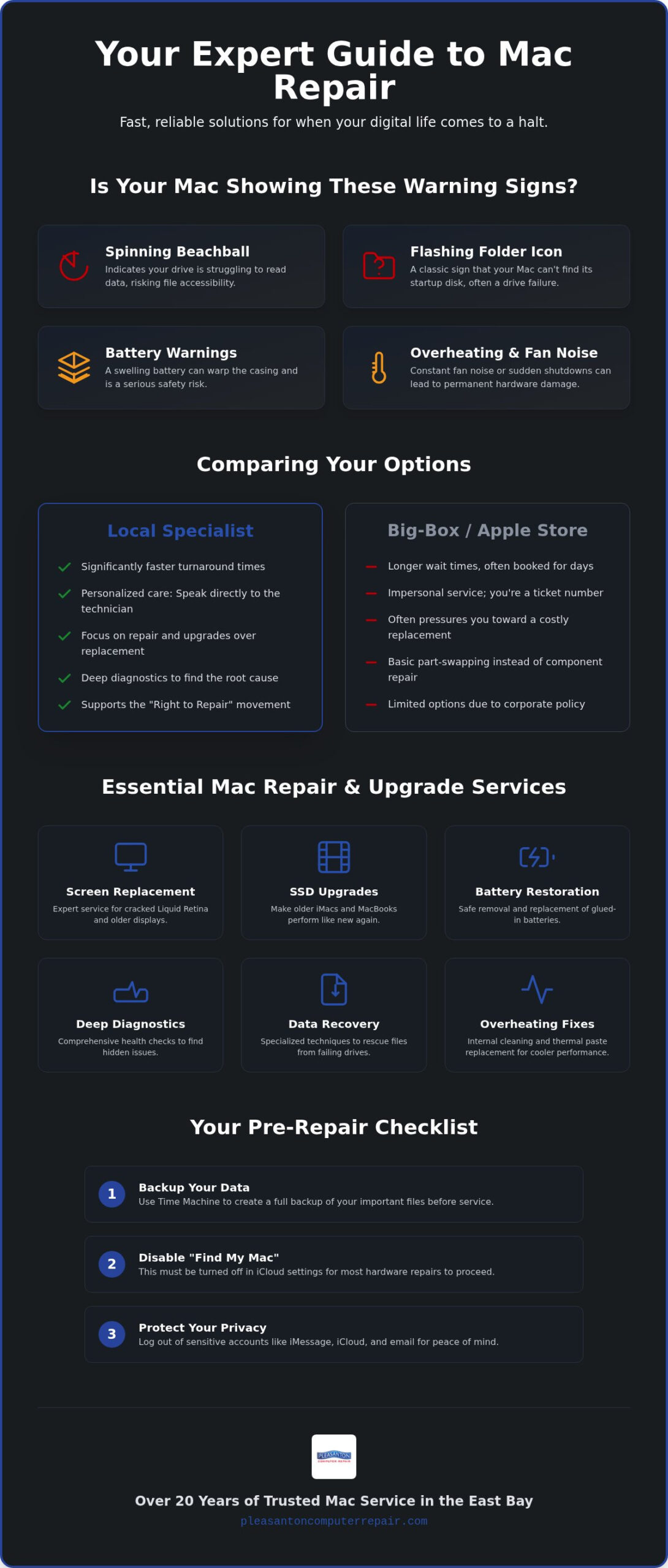
Technology usually gives us warnings before it quits entirely. One of the most common signs is the “Spinning Beachball of Death,” which often indicates that your drive is struggling to read data. This is a critical moment to seek professional help before your files become inaccessible. If you’re noticing these red flags, it’s time to consider professional Mac repair Livermore services to protect your investment. You should also keep a close eye on battery service warnings. Swelling lithium-ion cells can physically warp your Mac’s casing and pose a safety risk if left unaddressed.
Living in the Tri-Valley means dealing with standard Livermore summers, where heat can become a major enemy for electronics. If your Mac experiences sudden shutdowns or the fans are constantly screaming during basic tasks, it’s likely an overheating issue. These problems rarely fix themselves and typically require internal cleaning or thermal paste replacement to prevent permanent hardware damage. Catching these issues early is the best way to avoid the high cost of a logic board failure.
Essential Mac Hardware Services: From Screen Replacements to Speed Boosts
Hardware failure doesn’t have to mean the end of your device. Many users assume a dead logic board is the only explanation for a Mac that won’t start, but it’s often a simpler component failure like a faulty power rail or a loose display cable. Professional Mac repair Livermore experts focus on precision diagnostics to avoid unnecessary parts replacement. For instance, replacing a Liquid Retina display requires delicate handling of ambient light sensors and True Tone technology to maintain original factory settings. Older displays are less complex but still require a steady hand to avoid bezel damage during the installation process.
Choosing a reputable Mac repair Livermore service ensures you get an honest assessment of your hardware health. Beyond obvious physical damage, internal maintenance plays a massive role in longevity. Replacing dried-out thermal paste on your processor can significantly lower internal temperatures. This simple step prevents the heat-related throttling that slows down your system during intensive tasks. It’s a cost-effective way to protect your logic board from the long-term stress of overheating.
MacBook Screen and Battery Restoration
Modern MacBook designs use “glued-in” batteries that are notoriously difficult for the average user to replace safely. We use specialized tools to remove these cells without damaging the trackpad or the sensitive internal casing. For students and professionals in the Livermore area, restoring portability is often the difference between a productive week and a complete standstill. A fresh battery combined with a crisp, crack-free screen can make your current laptop feel like a brand-new purchase for a fraction of the price.
Performance Upgrades: SSDs and Memory
If your Mac feels sluggish, the culprit is likely an aging mechanical hard drive. An SSD upgrade Pleasanton CA can make a 2015 iMac feel like a 2026 model by significantly increasing data read and write speeds. While newer M-series Macs have soldered RAM that cannot be expanded, many older Intel-based models can still benefit from a memory boost to handle modern software demands.
Before you spend thousands on an M3 or M4 model, consider the value of your current hardware. Most daily tasks like web browsing, email, and document editing don’t require the latest silicon if your current machine is properly optimized. If you aren’t sure if your device is worth the investment, speaking with a local specialist can provide the clarity you need to make an informed decision.
Comparing Your Options: Local Specialist vs. The Apple Store
Is the Apple Store always the best choice? Many people assume the manufacturer is the only safe option for tech support. While they offer a familiar environment, they often operate on a rigid, corporate schedule that doesn’t prioritize your specific timeline or data. For those seeking Mac repair Livermore, the choice between a local specialist and a massive retail chain often comes down to speed and safety. Choosing a local provider for Mac repair Livermore means you aren’t just a ticket number in a massive system. Local shops provide a level of transparency that big-box stores cannot match, offering granular labor breakdowns so you know exactly what you’re paying for.
One major difference lies in how your data is handled. Apple’s standard procedure often involves an “erase and restore” approach to streamline their workflow. If you haven’t backed up your files, this can lead to permanent loss. A local expert treats your data as the priority, implementing personalized safety protocols to preserve your documents and photos whenever possible. This neighborly approach ensures that your digital life remains intact while your hardware is being restored.
Turnaround Time and Convenience
Time is your most valuable asset. While a trip to the mall might result in your Mac being shipped away to a repair depot for two weeks, local service keeps your device in the East Bay. The short drive from Livermore to Pleasanton is a small trade-off for a turnaround time measured in days rather than weeks. You can easily schedule your visit online to ensure you aren’t stuck waiting in a crowded store. For Livermore businesses that can’t afford any downtime, local support offers the flexibility to keep your operations running smoothly without the logistics of a long commute or the uncertainty of a mail-in repair.
Out-of-Warranty and Vintage Mac Support
Apple typically classifies devices as “vintage” once they reach five to seven years of age, often refusing to provide parts or labor for these models. This doesn’t mean your computer is obsolete. Local specialists excel at sourcing high-quality parts for these older machines, extending their lifespan by years. Our Expert Mac Repair Pleasanton approach focuses on keeping your current technology functional and fast, proving that a well-maintained Mac from 2018 can still be a workhorse in 2026. This specialized care ensures that your favorite hardware stays out of the landfill and on your desk for as long as possible.
Pre-Repair Checklist: How to Protect Your Data and Privacy
Taking a few minutes to prepare your device before heading out for Mac repair Livermore can save you hours of stress later. The single most important step you can take is performing a full Time Machine backup. This creates a complete snapshot of your digital life, ensuring that even if a hardware component needs to be replaced, your files remain safe. If your Mac won’t turn on, don’t panic. Professional technicians have specialized tools to attempt data migration even from unresponsive systems, prioritizing your memories and work documents above all else.
You should also take a moment to disable “Find My Mac” before your appointment. This security feature is excellent for theft prevention, but it can block technicians from running essential hardware tests or booting from external diagnostic drives. Additionally, give your device a quick physical wipe-down. Removing dust from the vents and grime from the keyboard helps the diagnostic process by allowing the tech to see the true condition of the hardware without distractions.
Data Security Protocols
Privacy is a top concern for every user. If you use FileVault encryption, you’ll need to share your password or be present to unlock the drive so the technician can verify the repair. We apply the same meticulous iPhone Data Recovery Pleasanton philosophy to our Mac services, treating every byte of data with the highest level of confidentiality. To keep your personal files completely private while still allowing for thorough testing, consider creating a “Guest” user account. This allows the technician to test the Wi-Fi, sound, and graphics performance without ever needing to access your personal profile.
Physical Preparation for Your Appointment
When you arrive for your service, what you bring depends on your device. For MacBook repairs, always bring your power adapter; charging issues are often rooted in the cable rather than the laptop itself. iMac users generally don’t need to bring their power cords or peripherals unless those specific items are part of the problem. It is also helpful to document any specific “glitches” or error messages you’ve seen. Taking a quick photo of a kernel panic screen with your phone provides invaluable context for the repair team. Before you leave home, schedule your pre-repair diagnostic to ensure a technician is ready to walk through these steps with you in person.
Expert Mac Solutions Near Livermore: The Pleasanton Computer Repair Advantage
Pleasanton Computer Repair was founded in 2002 with a simple mission: providing the East Bay with technical expertise that prioritizes the user over the bottom line. Over the last two decades, we’ve become a staple for those seeking reliable Mac repair Livermore. Our shop is conveniently located at 400 Main Street, Suite 205, in Pleasanton, making us a quick trip for Livermore residents who want to avoid the impersonal nature of big-box retail. We believe in total transparency. If a repair costs more than the value of the device, we’ll tell you. This commitment to honest diagnostics is why we are known as the Computer Repair Pleasanton CA experts that locals trust.
Trust is built through years of consistent results and neighborly service. We’ve seen every iteration of Apple hardware, from the earliest iMacs to the latest silicon-based MacBooks. This deep historical knowledge allows us to troubleshoot complex issues that newer shops might overlook. By staying rooted in the local community, we maintain a level of accountability and care that ensures your computer is treated with the respect it deserves. We don’t just fix machines; we restore the tools you rely on for your livelihood and personal life.
A Full Suite of East Bay Tech Services
While we specialize in Apple hardware, our expertise extends across the entire technological landscape. We offer professional iPhone and iPad repairs, along with custom PC building for gamers and professionals. If your current device has reached the end of its life, we also carry a selection of refurbished Mac and PC laptops. These machines are fully tested and offer a high-performance alternative to the high prices of new retail models. For Livermore’s growing commercial sector, we provide tailored IT support to ensure local businesses stay connected and secure without the need for an in-house tech department.
How to Get Started Today
Getting your technology back on track is a straightforward process. You can use our simple online scheduling tool to book an in-store appointment or an on-site visit for your business. During your initial diagnostic consultation, we’ll perform a thorough health check of your hardware and software, providing you with a clear path forward and an honest quote. We don’t believe in high-pressure sales; we believe in functional continuity. Our primary goal is to restore your productivity and give you back the peace of mind that comes with a perfectly running Mac. Your digital life is important, and we’re here to protect it.
Restore Your Mac Performance and Peace of Mind
Your Mac is more than just a computer; it’s the hub of your digital life. Whether you need a precision screen replacement or a performance-boosting SSD upgrade, choosing a local specialist ensures you get back to work without the long wait times of a mall-based store. We prioritize your data and provide honest, transparent feedback on every repair, helping you decide what’s best for your machine and your budget.
Since 2002, we’ve served the East Bay with a focus on quality and community trust. Our convenient shop at 400 Main Street in Pleasanton is just a short drive for anyone seeking Mac repair Livermore. With A+ rated diagnostics for all Mac models, we identify the root cause of your technical headaches and provide a clear, reliable path forward. Don’t let a hardware failure slow you down. Schedule Your Mac Repair Appointment Today and experience the difference that over 20 years of local expertise makes. We’re ready to help you restore your device to its full potential.
Frequently Asked Questions
How long does a typical Mac repair take for Livermore customers?
For those needing Mac repair Livermore, most services are completed within a few business days; specific timelines depend on part availability. While the Apple Store might take two weeks if they ship your device out, our local proximity allows for much faster turnaround. We prioritize getting your machine back to you quickly so your productivity isn’t interrupted. You can check our current schedule online to find the next available diagnostic slot for your computer.
Will repairing my Mac at a local shop void my Apple warranty?
Choosing an independent specialist for Mac repair Livermore does not automatically void your hardware warranty. Under the Magnuson-Moss Warranty Act and the California Right to Repair Act, you have the right to seek third-party service. While Apple may not cover damage caused by unauthorized repairs, standard hardware maintenance like screen or battery replacements is protected. We use high-quality parts to ensure your device remains in peak condition and functions perfectly for years to come.
Can you recover data from a MacBook that won’t turn on?
Yes, we specialize in advanced data recovery for MacBooks that are unresponsive or won’t boot. Our technicians use specialized hardware tools to bypass common startup failures and migrate your files to a safe location. Whether it is a logic board issue or a failing drive, we focus on preserving your photos and documents. We recommend bringing your device in for a diagnostic check to determine the best and safest path for file recovery.
Is it worth upgrading an older Mac with an SSD in 2026?
Upgrading to a Solid State Drive is one of the most cost-effective ways to extend the life of an Intel-based Mac. Even in 2026, an SSD can make a 10-year-old machine feel significantly faster by improving data access speeds. It is a great alternative to buying a new M3 or M4 model if your current hardware still meets your basic needs. We can help you assess if your specific model is a good candidate for this boost.
Do you provide on-site Mac repair for businesses in Livermore?
Yes, we offer on-site technology support specifically tailored for local businesses and residential clients who cannot visit our shop. Our technicians can travel to your Livermore location to troubleshoot network issues, set up new hardware, or perform system optimizations. This service is designed to minimize downtime for your team and keep your operations running smoothly. You can schedule an on-site consultation through our website to ensure your office technology remains reliable and secure.
What is the cost difference between a local repair and the Apple Store?
Local specialists often provide more competitive pricing because they offer granular labor options and component-level repairs that the Apple Store ignores. While Apple might suggest a full logic board replacement, we may be able to fix a single failing part for a fraction of that cost. We believe in transparency and will always provide a clear quote before any work begins. This ensures you only pay for the specific services your Mac actually requires.
Do you offer a warranty on Mac screen and battery replacements?
Yes, we stand behind our work by providing a limited warranty on all hardware repairs, including screen and battery replacements. This gives you peace of mind knowing that the parts used meet our high standards for performance and durability. If you experience any issues related to the repair within the warranty period, we will address them promptly at our Pleasanton location. Restoring your confidence in your technology and its longevity is our primary goal.
Can you help with virus and malware removal on macOS?
Yes, we provide comprehensive virus and malware removal services for all Mac models. While macOS is known for its security, it is not immune to adware and browser hijackers that can slow down your system. Our technicians use professional tools to deep-clean your operating system and restore your Mac to its original speed. We also provide advice on how to keep your data protected from future threats in the constantly evolving digital landscape.