
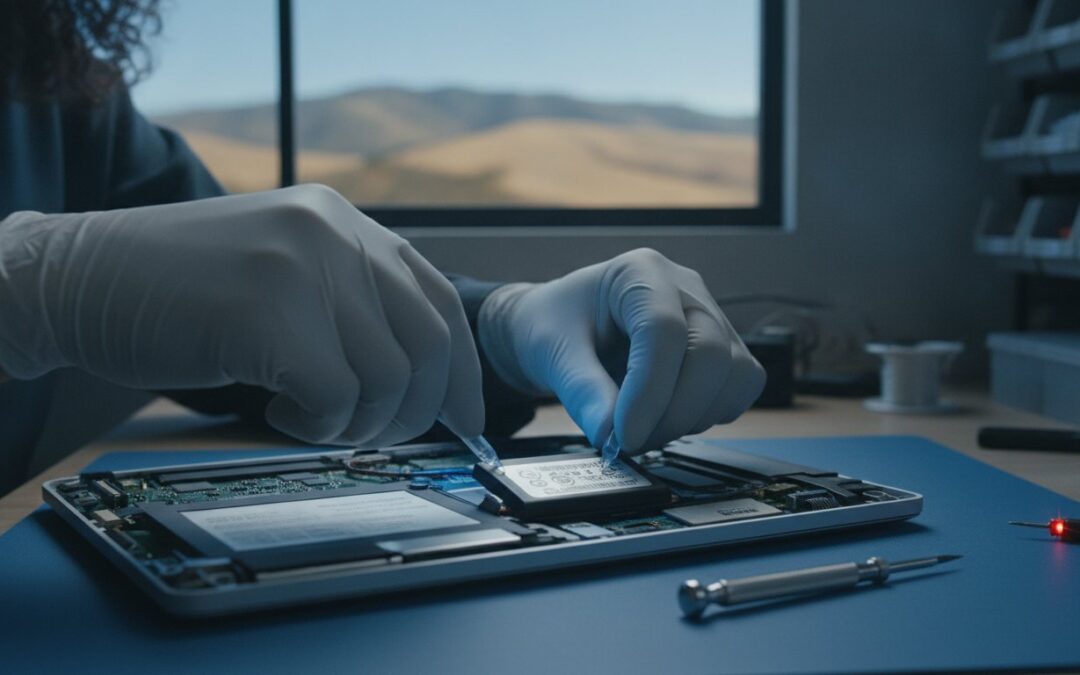
You are halfway through a critical project at a local cafe when your MacBook suddenly goes dark, despite the battery icon showing plenty of charge just minutes before. It is a moment of pure frustration that many professionals face when their hardware begins to age. You shouldn’t have to plan your entire workday around the nearest power outlet or struggle with a trackpad that won’t click because an internal battery has started to swell. We understand that your laptop is your lifeline, and losing that portability feels like a major setback to your daily rhythm.
The good news is that you don’t have to endure weeks of waiting at a crowded corporate repair hub just to get a functioning device again. This guide will help you identify the clear warning signs of power failure and explain why a professional MacBook battery replacement in Pleasanton is the fastest path back to all-day performance. We will explore how local expertise at our Main Street office ensures a quick turnaround and a reliable warranty, so you can stop worrying about your charger and get back to work with total confidence in your technology.
Key Takeaways
- Identify the critical red flags of battery failure, from “Service Recommended” status alerts to physical trackpad issues caused by internal swelling.
- Compare the benefits of a local MacBook battery replacement Pleasanton vs. corporate retail stores to find the most efficient path back to peak device performance.
- Streamline your repair experience by following a quick preparation checklist that includes data backups and security settings adjustments.
- Learn how specialized diagnostic tools and high-grade replacement parts ensure your MacBook Pro or Air regains its original portability and reliability.
Understanding MacBook Battery Life: Why Portability Fades
Every MacBook depends on Lithium-ion technology to stay thin, light, and powerful. These batteries are marvels of engineering, but they aren’t immortal. They rely on a chemical process where ions travel between electrodes to store and release energy. Over time, this movement causes microscopic wear within the battery cells. Eventually, the battery loses its ability to hold a charge as effectively as it did on day one. This process is known as chemical aging, and it’s the primary reason your laptop might suddenly die at 20% or struggle to last through a short morning meeting. If you’re noticing these issues, a professional MacBook battery replacement Pleasanton can instantly reverse years of this inevitable chemical wear.
In 2026, we see even more stress on these components than in previous years. High-performance processors generate significant heat, which is the natural enemy of battery health. If you frequently use your device in warm environments or keep it plugged into a charger at 100% for weeks at a time, you’re likely accelerating this wear. Modern macOS features, while incredibly helpful, also keep the processor busy with background indexing, AI-driven tasks, and constant cloud syncing. These processes put a steady “trickle” drain on the hardware, forcing the battery to work harder even when you aren’t actively typing.
The Role of Battery Cycle Counts
To truly understand your device’s health, you need to check its cycle count. One cycle happens whenever you use an amount of power equal to 100% of your battery capacity. You can find this data by holding the Option key, clicking the Apple menu, and selecting System Information. Under the Power tab, you’ll see the Health Information section. Most modern MacBook Pros and Airs are rated for approximately 1000 cycles. Once you cross this threshold, you’ll likely notice a sharp decline in reliability. This is often the point where a MacBook battery replacement Pleasanton becomes a necessity to restore your device’s true portability.
Software vs. Hardware: Is it Always the Battery?
Not every power issue requires a hardware fix immediately. Sometimes, a rogue background process or an unoptimized browser tab can chew through your percentage faster than expected. However, if your Mac displays a “Service Recommended” or “Replace Soon” alert in the battery menu, the hardware itself is reaching its limit. For broader performance issues that aren’t strictly power-related, our Mac repair pillar provides a deeper look at system optimization and hardware health. Remember, a battery is a consumable part. Replacing it isn’t a sign of a “broken” Mac; it’s a smart investment that provides another few years of mobile productivity.
5 Warning Signs You Need a MacBook Battery Replacement Now
Recognizing the early warning signs of a failing battery can save you from a major hardware headache later. While chemical aging is inevitable, the symptoms often manifest in ways that disrupt your productivity and threaten your device’s safety. If you’re experiencing any of the following, it’s time to consider a professional diagnostic check:
- Rapid percentage drops: Your battery drains significantly even during light tasks like web browsing or checking emails.
- System status alerts: The “Service Recommended” or “Replace Soon” message appears when you click the battery icon in your menu bar.
- Unexpected shutdowns: Your Mac turns off without warning while the meter still shows 10%, 15%, or even 20% charge remaining.
- Tethered operation: The laptop only functions when it’s connected to a MagSafe or USB-C charger, essentially turning your portable device into a desktop.
- Physical distortion: You notice the bottom casing is bulging or your trackpad has become stiff and unresponsive to clicks.
Ignoring these red flags can lead to more than just a dead laptop; it can result in permanent damage to your internal components. If you’ve noticed your device struggling to stay powered on, scheduling a MacBook battery replacement Pleasanton at our Main Street office is the most reliable way to restore your freedom of movement and protect your investment.
The Danger of Swollen Batteries
A failing battery doesn’t just lose capacity; it can also undergo a chemical reaction that causes it to physically expand. This swelling creates intense pressure against the underside of your trackpad and the logic board. If your trackpad feels “stiff” or if you notice a slight gap in the bottom casing, stop using the device immediately. A swollen battery is a fire safety risk and can cause permanent damage to other expensive parts if not handled by a professional. Our team provides safe, expert MacBook battery replacement Pleasanton services to prevent these physical issues from destroying your device.
Thermal Throttling and Battery Failure
You might notice your fans spinning loudly even during simple tasks. When a battery is failing, it often generates excess heat as it struggles to regulate power delivery. To protect the system from this heat, macOS may intentionally slow down your CPU, a process known as thermal throttling. This leads to lag, spinning beachballs, and general sluggishness that makes working impossible. Seeing the “Service Battery” warning alongside these performance drops is a critical trigger to seek professional help. Replacing the battery often resolves these thermal issues, allowing your Mac to run cool and fast again.
Local Pleasanton Repair vs. The Apple Store: A Comparison
Choosing where to take your laptop often comes down to a choice between a massive corporate queue and a dedicated local expert. If you live in Pleasanton or Dublin, trekking to a crowded mall in Walnut Creek or San Jose just to stand at a busy service counter isn’t the most efficient use of your time. These large repair hubs often require appointments days in advance. Once you finally arrive, you’re frequently treated as just another ticket number in a seemingly endless line of customers.
At our Main Street location, we prioritize a neighborly approach that balances professional authority with genuine warmth. You won’t be handed off between multiple staff members who don’t know your case. Instead, you’ll speak directly with a seasoned technician who understands the specific nuances of MacBook hardware. This level of transparency builds real trust. You will know exactly what’s happening with your device without having to decode corporate jargon. When you choose a MacBook battery replacement Pleasanton service through us, you’re opting for a tailored experience that respects both your schedule and your hardware.
Turnaround Times in the East Bay
Time is the most significant factor for most of our clients. A corporate repair center typically ships devices to a central depot, which can leave you without a computer for 3 to 5 business days or even longer. For a busy professional or a student, this delay is unacceptable. We often provide much faster diagnostics and repairs because we maintain a local inventory of high-quality parts. For businesses located in the Hacienda Business Park or downtown, our proximity means your team stays productive without long-term interruptions. We focus on getting you back to peak performance as quickly as possible.
Data Privacy and Security
Many users worry that a hardware repair might lead to accidental data loss. Large repair depots sometimes wipe devices as a standard operating procedure during their testing phase. We take a different approach. We understand that your files, photos, and projects are irreplaceable. Local shops prioritize data preservation, ensuring your operating system and personal files remain intact while we work on the physical battery. If your device has already suffered a power failure that prevents it from booting correctly, you should check our data recovery guide to see how we can help save your digital memories. We act as a protective barrier between you and your technological headaches.

Pre-Repair Checklist: Preparing Your Mac for Service
Taking a few minutes to prepare your device ensures that your MacBook battery replacement Pleasanton service is as smooth as possible. We want to get your laptop back in your hands quickly, and following a short checklist helps us bypass common technical hurdles. By handling these steps before you arrive at our Main Street office, you’re protecting your digital life and setting the stage for a successful repair. These simple actions allow our technicians to focus entirely on restoring your hardware without being slowed down by software locks or security settings.
First, disable “Find My Mac” in your iCloud settings. This is a critical security feature, but it can actually block our diagnostic tools from running full hardware tests on your system. Next, make sure your macOS is updated to the latest version. Occasionally, power management issues are tied to software bugs that a simple update can fix before we even open the chassis. Finally, have your administrator password ready. We’ll need it to log in and verify that the new battery is communicating correctly with your Mac’s logic board and charging system.
Why Backups are Essential
Even though a battery swap is a physical hardware fix, data safety should always be your top priority. While we take every precaution to preserve your files, any hardware service carries a small risk. Creating a Time Machine backup is the most reliable way to secure your projects and photos. Just connect an external drive, open System Settings, and select Time Machine to start the process. If you’ve noticed your Mac is also feeling sluggish or running out of space, you might want to read our SSD upgrade section to see how a storage boost can complement your new battery.
What to Bring to the Shop
When you’re ready to head over to 400 Main Street, don’t forget to pack your charging cable and any specific USB-C adapters you use daily. Testing your device with your own charger helps us rule out cable failure as a source of your power issues. Be prepared to describe the specific symptoms you’ve noticed, such as the laptop dying at a certain percentage or the fans running unusually loud. Our location has easy access for drop-offs, making it a convenient stop during your workday. Ready to restore your portability? Reach out to our team to schedule your MacBook battery replacement Pleasanton and get back to peak performance.
Professional MacBook Battery Services at Pleasanton Computer Repair
We don’t simply swap parts; we perform a comprehensive health check on your entire power system. Using specialized diagnostic tools designed specifically for Apple’s unique architecture, our technicians verify that every cell in your new battery meets strict performance standards. Whether you’re clinging to a beloved older MacBook Air or need a battery refresh for a newer Pro model, we have the expertise to handle the delicate internal connectors and adhesive layers. Our team only uses high-grade, tested replacement batteries. This ensures that your device regains the all-day stamina it had when it was brand new, allowing you to work from anywhere without the constant anxiety of a low-power warning.
When you schedule a MacBook battery replacement Pleasanton at our facility, you are choosing a team that understands the delicate balance of Apple hardware. We treat every device with the precision it deserves, ensuring that the internal sensors and battery management controller are perfectly calibrated after the installation. This technical thoroughness is what sets a professional restoration apart from a quick, temporary fix.
The PCR Difference: Expertise and Honesty
Since 2002, we’ve been a staple of the East Bay tech community. This longevity isn’t just a number; it represents over two decades of successful repairs and a deep understanding of how Apple hardware has evolved. We bring a sense of calm competence to every interaction, moving from the stress of a dying device to a clear, functional resolution. Our pricing model is completely transparent, ensuring you understand the value of the service without any hidden fees or corporate upselling. While we are located in the heart of Pleasanton, we are proud to support our neighbors in Livermore, Dublin, and San Ramon who need reliable, expert care for their primary work machines. We act as a protective barrier between you and your technological headaches, providing a professional result every time.
Ready to Restore Your MacBook?
You shouldn’t have to settle for a laptop that’s permanently tethered to a wall outlet. Restoring your portability is a straightforward process when you work with a partner who prioritizes your peace of mind and functional continuity. You can visit our comfortable suite at 400 Main Street for a quick drop-off or schedule an on-site visit if your business requires a more direct solution. We prioritize your schedule and aim to get your device back into your hands as quickly as possible. Schedule your MacBook battery diagnostic today! and experience the difference that 20 years of local expertise can make for your device.
Regain Your Freedom and Performance Today
Your MacBook was designed for freedom, but a failing battery shouldn’t keep you tethered to a desk. By recognizing warning signs like unexpected shutdowns or a stiff trackpad, you can take action before minor issues become major hardware failures. Choosing a local expert means skipping the long corporate lines and receiving personalized, transparent care that prioritizes your data and your time. A reliable device is the backbone of your productivity, and keeping it in top shape is a smart investment in your daily workflow.
Since 2002, our team has been a trusted partner for the East Bay community, offering specialized care for every MacBook model from the Air to the Pro. We are conveniently located at 400 Main Street, ready to help you move past the stress of technology failure and back to peak productivity. Don’t let a dying battery slow you down. It’s time to Book Your MacBook Battery Replacement in Pleasanton and restore the portability you deserve. We look forward to seeing you in the shop soon and getting your device back to its best.
Frequently Asked Questions
How much does it cost to replace a MacBook battery in Pleasanton?
Cost varies based on the specific MacBook model and battery type required. We provide transparent diagnostic assessments at our Main Street office to determine the exact needs of your hardware. While we don’t list fixed prices here, we focus on providing high-grade parts that offer better long-term value than cheap, generic alternatives. Contact us for a personalized quote that reflects the current market for your specific device.
How long does a MacBook battery replacement take?
Most battery replacements are completed within a few hours or a single business day, depending on our current parts inventory. We aim for a much faster turnaround than corporate depots that often ship your device away for a week. Residents in Pleasanton and Dublin can often drop off their device in the morning and have it back by the afternoon. We prioritize getting your primary work machine back into your hands quickly.
Will I lose my data if I replace my MacBook battery?
You shouldn’t lose any data during a standard hardware service, but we always recommend a full backup as a safety precaution. Our technicians at Pleasanton Computer Repair prioritize data preservation and don’t wipe your drive as part of the battery installation process. This is a major advantage over larger repair centers that might restore your system to factory settings. Your files and settings remain exactly where you left them.
Can I replace my own MacBook battery?
DIY replacement is possible but highly discouraged for modern models due to strong adhesives and delicate internal cables. Modern MacBooks use specialized screws and internal layouts that are easy to damage without professional tools. If you accidentally puncture a Lithium-ion cell, it can create a serious fire hazard. Professional MacBook battery replacement Pleasanton ensures the job is done safely while protecting your logic board and other expensive internal components.
How do I know if my MacBook battery is actually failing?
Look for the “Service Recommended” status in your menu bar or check for physical symptoms like a bulging casing. If your laptop dies suddenly at 20% or only works when plugged in, the hardware has likely reached its limit. You can also use the System Information tool to check your health metrics. If these signs appear, a MacBook battery replacement Pleasanton at our suite at 400 Main Street is the best way to confirm the issue.
Does a new battery make my MacBook faster?
Yes, a fresh battery can improve performance by preventing the system from “throttling” the CPU to save power. When a battery can’t provide a steady voltage, macOS slows down the processor to prevent unexpected shutdowns. This leads to lag and slow app launches. Replacing the failing part allows your Mac to run at its full intended speed again, restoring the snappy experience you remember from day one.
What is a battery cycle count and why does it matter?
A cycle count represents the total number of times your battery has been fully discharged and recharged. Most modern MacBooks are rated for about 1000 cycles before the chemical health drops significantly. Once you approach or exceed this number, you’ll notice a major decrease in how long your device lasts on a single charge. Tracking this number helps you plan for maintenance before the hardware fails completely.
Is it worth replacing the battery on an older MacBook?
It’s almost always worth it if the rest of the hardware still meets your daily needs. A new battery is a fraction of the cost of a new laptop and can add several years of useful life to a machine that’s otherwise in good condition. For residents in the East Bay, this is a sustainable way to keep a reliable device running perfectly without the high expense of an immediate upgrade.