
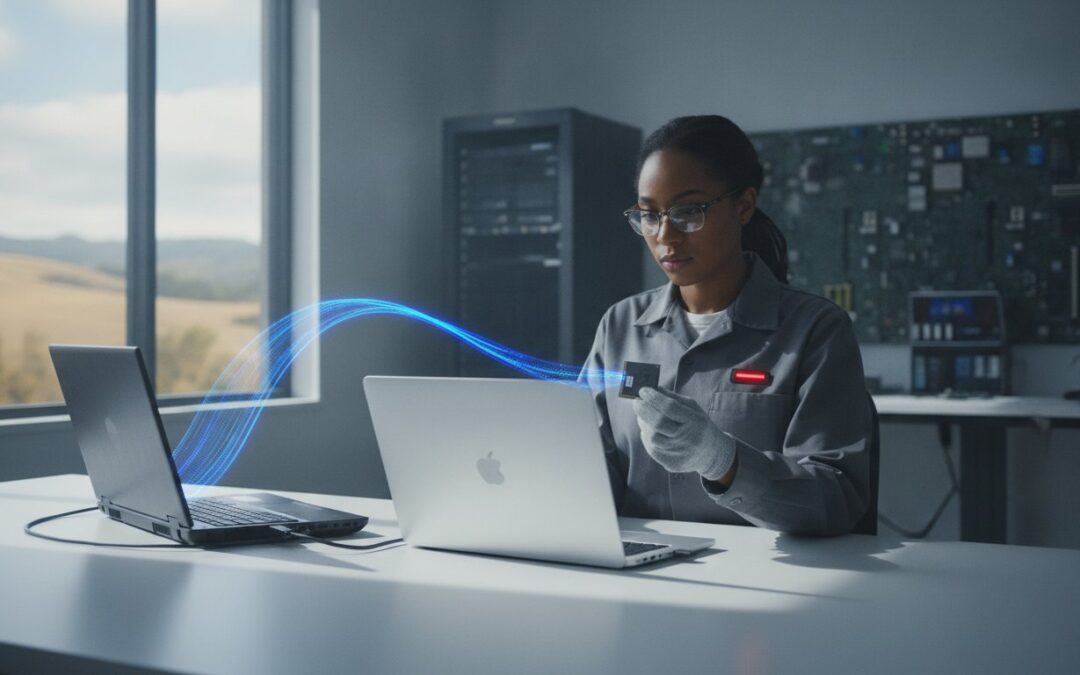
You just unboxed a beautiful new laptop, but the excitement fades the moment you realize your entire digital life is still trapped on your old, sluggish hard drive. Between those irreplaceable family photos and the confusing maze of software licenses, the “simple” task of moving files often feels like a high-stakes gamble. Most people find themselves staring at a “time remaining: 14 hours” progress bar on a DIY external drive, wondering if their data will actually survive the trip.
We understand that your data is more than just bits and bytes; it’s your business history and your family’s memories. Our new computer setup service pleasanton is designed to take that weight off your shoulders, ensuring every document, photo, and setting is moved with professional precision. You deserve a new device that feels exactly like your old one, only much faster and more reliable. We’ve helped the East Bay community since 2002, so we know how to make this transition stress-free.
In this guide, we’ll show you how Pleasanton Computer Repair handles the heavy lifting of seamless file transfers. We’ll cover how we verify every transfer, protect your privacy under the latest 2026 California data regulations, and even use SSD upgrades to give your migration a massive performance boost. You can skip the frustration and move into your new digital home with total confidence.
Key Takeaways
- Understand why professional migration is a precision service that preserves your system settings and user profiles rather than just copying folders.
- Learn how to handle technical hurdles like 4K video libraries and software compatibility between different operating systems.
- Save yourself ten hours of DIY frustration by choosing a professional new computer setup service pleasanton for a fast, turnkey transition.
- Follow our local checklist to organize your software licenses and clean up your data to ensure a smooth, error-free transfer.
- Find out how local experts can safely move your digital life even if your old hard drive is starting to fail or has become unresponsive.
What is a Data Migration Service and Why Do You Need One?
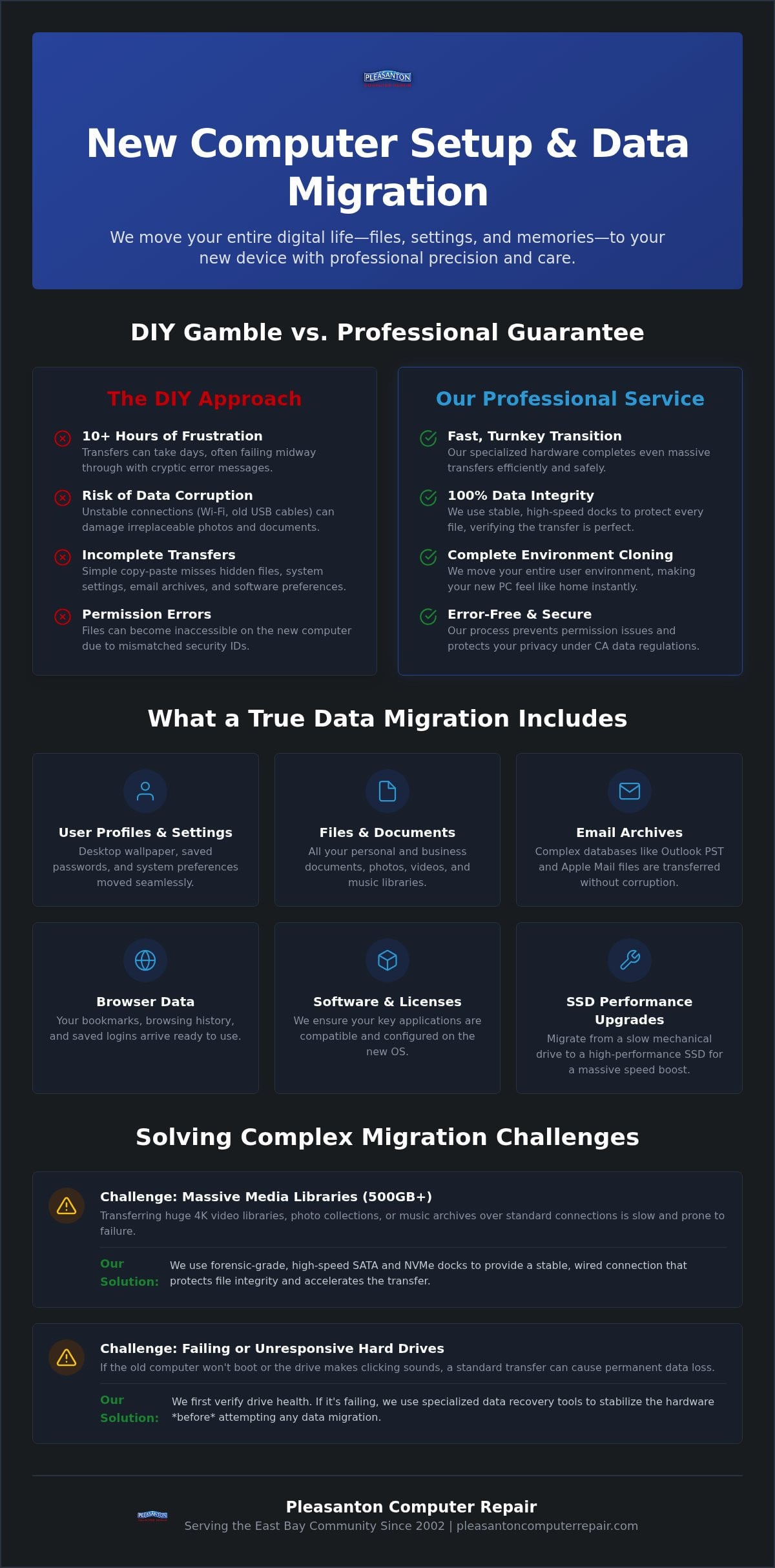
At its core, What is Data Migration involves the strategic movement of files, user profiles, and system configurations from one device to another. It’s the difference between starting from scratch and having a computer that feels like home the moment you turn it on. While it sounds simple, a true migration ensures your desktop wallpaper, saved passwords, and browser history all arrive safely at their new destination. This process is essential for a new computer setup service pleasanton, as it bridges the gap between raw hardware and a fully functional workstation.
Many users try to handle this by copy-pasting folders onto a thumb drive. This isn’t a real migration strategy. Modern operating systems store your most vital information, such as local email archives and software preferences, in hidden library folders. Simply dragging your “Documents” folder won’t capture these. Professional migration uses system cloning or specialized software to move the entire user environment. This is especially helpful when you are switching from a PC to a Mac or upgrading an old mechanical drive to a high performance SSD.
The Hidden Risks of DIY Data Transfers
Attempting a manual transfer often leads to permission errors where the new system locks you out of your own files. This happens because the security IDs from your old computer don’t match the new one. You might also face data corruption if you’re transferring large 4K video libraries over an unstable Wi-Fi connection or a worn out USB cable. We use high speed SATA and NVMe docks to provide a stable, wired connection that protects the integrity of every single file during the move.
Migration vs. Data Recovery: Knowing the Difference
It’s vital to understand if you need a standard migration or a more intensive recovery effort. A migration assumes your old hard drive is healthy and spinning correctly. If your old computer won’t boot, or if you hear a faint clicking sound coming from the chassis, you’ve moved into the territory of failed hard drive recovery. We specialize in both scenarios at our 915 Main Street Suite A location. If your drive is failing, we use specialized tools to stabilize the hardware before we even attempt to move the data.
This distinction matters because pushing a failing drive to perform a standard file transfer can cause it to crash permanently. We provide a safety net that big box retailers often lack by verifying the health of your drive before we start. For those looking to save mobile memories, we also offer specialized iPhone data recovery Pleasanton services to ensure your photos and messages are never lost to a broken screen or water damage. Whether your device is healthy or hanging by a thread, our new computer setup service pleasanton ensures your digital life remains intact.
The Technical Challenges of a Seamless Transfer
Achieving a seamless transfer isn’t just about moving files. It’s about ensuring your software environment survives the journey. When you transition from Windows 10 to Windows 11, for instance, application compatibility becomes a major hurdle. Certain legacy programs may require specific configuration tweaks to run on newer hardware. This is where a professional new computer setup service pleasanton makes a difference. We don’t just move the raw data; we ensure your specialized tools and settings are ready to work the moment you press the power button.
Managing massive media libraries presents another layer of difficulty. If you have 500GB or more of 4K video, high-resolution photos, or lossless music, a standard cloud sync or USB 2.0 transfer will take days and likely fail mid-way. At our 915 Main Street Suite A location, we use specialized forensic-grade hardware to accelerate these transfers, maintaining original file metadata and quality. When planning a data migration, it’s also crucial to consider complex email databases. Moving Outlook PST files or Apple Mail archives requires precise handling to prevent database corruption or lost attachments. We ensure these databases are properly re-indexed on the new system so you don’t lose a single message.
PC to Mac and Mac to PC Transitions
Switching between operating systems is one of the most technical tasks we handle. The primary challenge lies in the different file systems, such as Windows’ NTFS and Apple’s APFS. Without the right tools, your new computer might not even be able to read your old backup drives. We bridge this gap by mapping your Windows files into the correct macOS folders, ensuring your documents and photos appear exactly where you expect them for a native, intuitive feel. We also verify that your existing external drives remain compatible with your new platform so your backup routine continues without a hitch.
Migrating to an SSD for Maximum Performance
If your old computer is slow, a professional SSD upgrade in Pleasanton is the perfect time to migrate. We can clone your existing operating system onto a much faster drive, significantly boosting your boot speeds and app responsiveness. This process involves resizing partitions to fit new drive dimensions while ensuring the system remains bootable. Before we start, we verify the health of your source drive to ensure we aren’t cloning corrupt data onto your brand-new hardware. If you’re ready to make your machine feel familiar yet lightning-fast, Pleasanton Computer Repair is here to guide you through every technical step.
DIY Migration vs. Professional Local Services
Deciding between doing it yourself and hiring a professional often comes down to how much you value your time and your data’s safety. A typical DIY migration can easily eat up over 10 hours of your weekend. You’re often stuck troubleshooting slow transfer speeds or wondering why your photo library stopped at 42 percent. A professional new computer setup service pleasanton turns this ordeal into a turnkey experience. We use industrial-grade SATA and NVMe docks that move data at speeds consumer cables simply can’t match. For business owners who want to ensure their new systems are backed by a long-term strategy, you can explore Managed IT Services to see how proactive support can secure your digital future.
Standard tools like Windows Migration Assistant or OneDrive often hit a wall with larger datasets. You might encounter “Incomplete Migration” errors that leave your brand-new PC stuck in an infinite boot loop. If your old computer is too slow to even start the transfer, these software-based tools are often useless. There is also the significant risk of accidental deletion. Setting up a cloud sync incorrectly can cause the empty new computer to sync with the old one, effectively wiping your files from both devices. We eliminate these risks by handling the transfer at the hardware level, bypassing the operating system’s limitations.
The Value of Local Expertise in Pleasanton
Working with a local expert means you get a face-to-face consultation to discuss which folders and settings are most important to you. We don’t just treat your data as a bulk transfer; we tailor the setup to your specific workflow. For professionals and local firms, we provide specialized small business computer repair in Pleasanton, including on-site support for home offices. Choosing a local partner at 915 Main Street Suite A ensures a quick turnaround. You won’t have to ship your device to a national center and wait weeks for its return. Our new computer setup service pleasanton keeps your technology local and your downtime to a minimum.
How to Prepare for Your Data Migration: A Local Checklist
Preparation is the secret to a fast and successful transfer. Before you head to our office at 915 Main Street Suite A, taking a few minutes to organize your digital life will ensure our new computer setup service pleasanton goes as smoothly as possible. Start by inventorying your essential software. While we move your documents and photos, applications like Microsoft Office or Adobe Creative Cloud usually require a fresh installation. Make sure you have your login credentials and product keys ready so we can get your tools back up and running immediately.
Next, perform some digital housekeeping. Your “Downloads” folder is often filled with old installers and temporary files that you no longer need. Deleting this clutter reduces the total amount of data we have to move, which significantly speeds up the transfer process. You should also identify any “hidden” data that might not be in your standard user folders. This includes specialized app data, such as TurboTax files or local database exports from accounting software. Finally, verify your administrator passwords. We will need these to authorize the transfer on both your old and new devices.
Physical Preparation for Your Appointment
When you bring your devices to Pleasanton Computer Repair, remember to include the power cables. This is especially important for laptops and iMacs. A sudden power loss during a high speed data transfer can cause file corruption or even hardware damage. If you are moving data from multiple sources, such as an old PC and a separate external drive, please label them clearly. We also recommend checking the storage capacity of your new machine. If you are moving 1TB of data to a 512GB SSD, we can help you prioritize which files are most critical or suggest an external storage solution to bridge the gap.
Small Business Migration Considerations
For our professional clients in the East Bay, migration involves more than just file transfers. We focus on workstation continuity by mapping your existing network drives and reconfiguring printer settings so your team doesn’t miss a beat. Privacy is a major concern under the 2026 California Consumer Privacy Act (CCPA) updates. We handle your sensitive client data with strict local protocols, ensuring your business remains compliant with the latest state regulations. Our goal is to minimize downtime at your Pleasanton office, often completing the transition outside of your peak operating hours. If you want to ensure your business data is moved safely and professionally, schedule your migration with Pleasanton Computer Repair today.
Secure Data Migration at Pleasanton Computer Repair
Choosing Pleasanton Computer Repair means opting for a white-glove experience that starts at our 915 Main Street Suite A location. We take a holistic approach to your technology, ensuring your transition is more than just a file transfer. Whether you have a perfectly healthy machine or require specialized failed hard drive recovery, we have the forensic tools and expertise to handle your data with care. Since 2002, we’ve focused on keeping your digital life secure. We never upload your personal files to the cloud; every bit of data stays on our encrypted local network until it’s safely on your new device.
Our new computer setup service pleasanton doesn’t end when the progress bar reaches 100 percent. We stay with you to ensure your essential accounts are logged in and your printers are correctly mapped. We know the frustration of getting home only to realize you can’t print a shipping label or access your email. Our technicians verify these connections before you leave the shop, providing the peace of mind that your new computer is truly ready for work or play.
In-Store and On-Site Options for the East Bay
Our Suite A office in downtown Pleasanton is a convenient drop-off point, but we know your schedule might be tight. That’s why we offer on-site support for residents and businesses in Dublin, San Ramon, and Livermore. If you’re dealing with a software-based sync issue or need help with account configurations, our remote support team can often resolve these headaches without you ever leaving your desk. This flexibility ensures you get the expert help you need, exactly where you need it.
Comprehensive Tech Support Beyond Migration
A migration is the perfect opportunity for a fresh start. We can combine your new computer setup service pleasanton with professional virus removal or system optimization to ensure no old “junk” follows you to your new machine. Once your data is settled, we help you look forward by setting up robust, automated backup solutions like Time Machine for Mac or Backblaze for PC. For readers who are also considering a complete overhaul of their home or office tech, UTD Technology Corp provides professional technology systems that integrate seamlessly with your new devices. We conclude every project with a Final Success Check. We sit down with you to confirm that every irreplaceable photo and critical document is exactly where it should be, ensuring you’re 100 percent satisfied before we consider the job done.
Moving your digital life shouldn’t feel like a high-stakes gamble. By choosing a professional new computer setup service pleasanton, you ensure that every irreplaceable photo and critical work document arrives safely on your new machine. We take the technical burden off your shoulders, handling everything from complex email database transfers to hardware-level cloning. Our process prioritizes your privacy by keeping your data on a secure local network, avoiding the risks of unencrypted cloud syncs.
Since 2002, Pleasanton Computer Repair has served the East Bay with expert PC and Mac support. Whether you’re upgrading to a faster SSD or need help with a failing drive, our team is here to help. You can find us conveniently located at 915 Main Street Suite A, in the heart of downtown. Don’t waste your weekend troubleshooting slow transfer speeds or software errors. Schedule Your Data Migration Appointment in Pleasanton Today and let us handle the heavy lifting. We’ll make sure your new device is ready for use from the very first click.
Frequently Asked Questions
How long does a professional data migration typically take?
A professional migration generally takes between 24 and 48 hours to complete. The exact timing depends on the total volume of data and the health of your source drive. While a DIY transfer might stall for days over Wi-Fi, our high speed hardware docks at Pleasanton Computer Repair ensure the process moves at maximum velocity. We prioritize getting your new machine back into your hands as quickly as possible.
Can you move my programs and apps, or just my files?
We move your documents, photos, and settings, but most applications require a fresh installation. This ensures that software licenses and registry entries are correctly registered on your new operating system. Our new computer setup service pleasanton includes assisting you with these reinstalls. We make sure your critical tools like Microsoft Office or Adobe Creative Cloud are activated and ready for your first day of work.
Will my new computer look exactly like my old one after the migration?
Your new computer can be configured to mirror the familiar layout of your old one. We specialize in migrating your desktop wallpaper, folder structures, and icon placements so you don’t have to go hunting for your files. This transition is about more than just data; it’s about preserving your workflow. You get the speed of a modern device with the comfort of a setup you already know.
Can you recover data from a computer that won’t turn on?
We can absolutely retrieve your data even if your old computer refuses to power on. Our technicians remove the internal storage drive and connect it to our specialized forensic equipment to bypass the broken hardware. If the drive itself has suffered a physical failure, we transition to our advanced data recovery protocols. We’ve seen every type of hardware failure and remain unfazed by these technical challenges.
Is it possible to move data from a PC to a new Mac?
Moving data from a PC to a new Mac is a routine service for our team. We bridge the gap between different file systems like NTFS and APFS to ensure your Windows documents and media libraries are readable on macOS. We map your old PC folders to their corresponding locations on the Mac. This ensures a native feel that makes your new Apple device feel intuitive right away.
Do I need to bring my power cables and monitor for the migration?
You only need to bring your laptop and its specific power adapter to your appointment. For iMac users, the power cable is also essential to ensure a stable connection during the transfer. If you are dropping off a standard desktop tower, you can leave your monitor, keyboard, and mouse at home. We have all the necessary peripherals at our Suite A location to handle the entire setup.
Will my saved passwords and browser history move to the new computer?
Your saved passwords, browser bookmarks, and search history can certainly be moved to your new device. By migrating your entire user profile rather than just individual folders, we capture the hidden library files that store this information. This means you won’t have to spend hours remembering logins or rebuilding your favorite links. We ensure your digital workspace remains exactly as you left it on your previous machine.
How do you ensure my data remains private during the transfer?
We protect your privacy by performing every transfer on a strictly local, encrypted network. Your personal files never touch the cloud or any external servers during our new computer setup service pleasanton. Our physical location at 915 Main Street Suite A is a secure facility where your hardware is tracked throughout the process. We treat your data with the same level of confidentiality we would expect for our own information.