
You’re ten minutes into an important remote meeting when that familiar, frustrating spinning wheel appears, freezing your screen and your productivity in an instant. It is a stressful moment that many professionals face, leading to a frantic search for a reliable slow computer fix in Pleasanton before the next deadline hits. We understand the deep anxiety that comes with a lagging machine. It’s not just about the lost minutes; it’s the nagging worry that your data might be at risk or that you’re facing a massive bill for a replacement you didn’t actually need.
This guide will show you how local experts can revive your tech, making it run faster and smoother than the day you first unboxed it. You’ll discover why modern software like Windows 11 version 24H2 demands more from your hardware and how targeted upgrades, such as moving to a high-speed SSD, provide a cost-effective alternative to buying new. We’ll walk through the clear differences between repair and replacement costs, the benefits of professional virus removal, and how a quick 24 to 72 hour turnaround can restore your peace of mind without the high price tag of a brand-new device.
Key Takeaways
- Identify the hidden resource hogs and software mismatches that are draining your productivity in 2026.
- Learn how to safely use built-in diagnostic tools to clear system clutter without risking your personal data.
- Discover why an SSD upgrade is the most effective slow computer fix in Pleasanton for any machine over three years old.
- Compare the risks of DIY repairs against professional local service to ensure your laptop’s hardware remains intact and functional.
- Explore our efficient 21-point diagnostic process that delivers a faster, more reliable computer in just 24 to 72 hours.
Why Your Computer is Slow: Understanding the 2026 Performance Gap
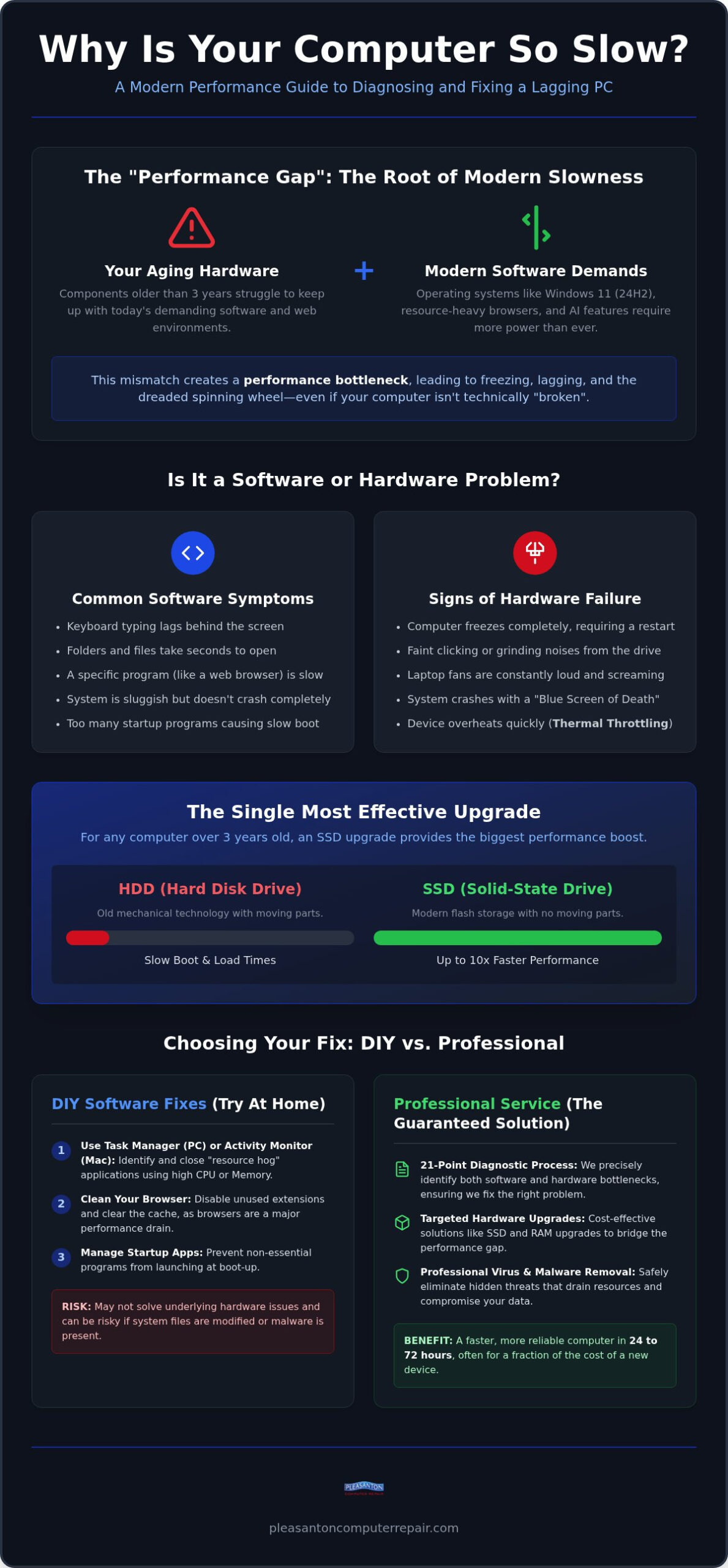
Many residents seeking a slow computer fix in Pleasanton assume their hardware is simply broken. The reality is often a mismatch between current software demands and aging components. We call this the performance gap. In 2026, software has evolved faster than most home and office hardware. Modern web browsers and background applications are no longer lightweight; they are resource-heavy environments that manage complex security scripts and synchronization tasks. When your hardware can’t keep up with these requests, you experience the dreaded spinning wheel.
It’s vital to distinguish between “internet slow” and “computer slow” before starting any repair. If your videos buffer but your mouse moves smoothly, your router or service provider is likely the culprit; in these instances, reaching out to a home wifi consultant san francisco can help identify if the problem lies with your network setup rather than your device. However, if your folders take seconds to open or your keyboard typing lags behind the screen, the issue is internal. Many people turn to standard “cleaning” apps to solve this, but these programs often fail. They might delete a few temporary files, but they can’t bridge the gap between old hardware and the high-speed requirements of modern digital life.
The Impact of Modern Operating Systems
Current updates for Windows and macOS are built for the latest chip architectures. Systems like Windows 11 version 24H2 prioritize efficiency on newer processors, leaving older CPUs to struggle with basic tasks. Understanding Computer Performance helps us see why throughput drops when the system is overwhelmed. While 8GB of RAM was the standard for years, it’s now the bare minimum. AI-integrated features in today’s operating systems constantly scan for patterns and provide suggestions, which adds a heavy load to older processors that weren’t designed for these specific tasks.
Software Bloat vs. Hardware Failure
Identifying whether your issues are software-based or hardware-based is the first step in our diagnostic process. A drive that is simply full will feel sluggish because it lacks “scratch space” to move files around. A physically failing drive, however, might cause your computer to freeze entirely or make faint clicking sounds. While many guides suggest that “too many startup items” are the main cause of lag, that’s only half the battle. If the underlying hardware is failing, no amount of software trimming will restore your speed.
One often overlooked factor is thermal throttling. Thermal throttling is a protective mechanism where your processor intentionally slows its speed to reduce heat and prevent permanent hardware damage. If your laptop fans are constantly screaming, your computer is likely slowing itself down just to stay cool. This is why a professional cleaning and a hardware check-up are often more effective than any “optimization” software you can download.
Software Fixes You Can Try at Home Today
Before you commit to a hardware upgrade, there are several steps you can take to see if your issues are purely software-related. Finding a slow computer fix in Pleasanton often starts with a simple look under the digital hood. Both Windows and macOS provide built-in tools to show exactly where your system resources are going. If you can identify the specific program causing the lag, you might save yourself a trip to the shop.
On a PC, press Ctrl + Shift + Esc to open the Task Manager. Click on the “Processes” tab and sort by CPU or Memory. If a single application is using more than 20% of your resources while you aren’t actively using it, you’ve found a resource hog. On a Mac, use Command + Space and type “Activity Monitor.” Look for apps with high “% CPU” numbers. Simply closing these or uninstalling unnecessary programs can provide an immediate speed boost. Don’t worry about deleting your files; we’re only looking for background tasks that have stayed open too long.
Don’t forget your web browser. In 2026, browsers like Chrome and Edge are often the biggest drain on performance. Clear your cache and, more importantly, disable extensions you don’t use. Each extension runs its own process, which can quickly overwhelm an older machine. If your system still feels bogged down after these steps, it might be time for a “Fresh Start” or a clean OS reinstall to wipe away years of accumulated digital debris.
Managing Background Applications
Many programs set themselves to launch the moment you turn on your machine. This creates a bottleneck during boot-up and drains power throughout the day. In Task Manager, check the “Startup” tab and disable anything that isn’t essential. Be cautious, though; some processes might look like system files but are actually hidden malware. If you suspect your system is compromised, our team offers Professional Virus Removal Pleasanton CA to ensure your data is safe and your system is clean.
Optimizing Your Storage Space
Your operating system needs room to breathe. We recommend keeping at least 20% of your drive empty. This space acts as a “scratch pad” for the computer to move files around while it works. If your drive is nearly full, use a disk visualization tool to find large, forgotten video files or downloads that are taking up space. Avoid “registry cleaners” at all costs. These tools often do more harm than good by deleting critical system links. If these home remedies don’t restore your speed, you might need a professional slow computer fix in Pleasanton to look for deeper hardware issues.
The Hardware Solution: Why an SSD Upgrade is the Ultimate Fix
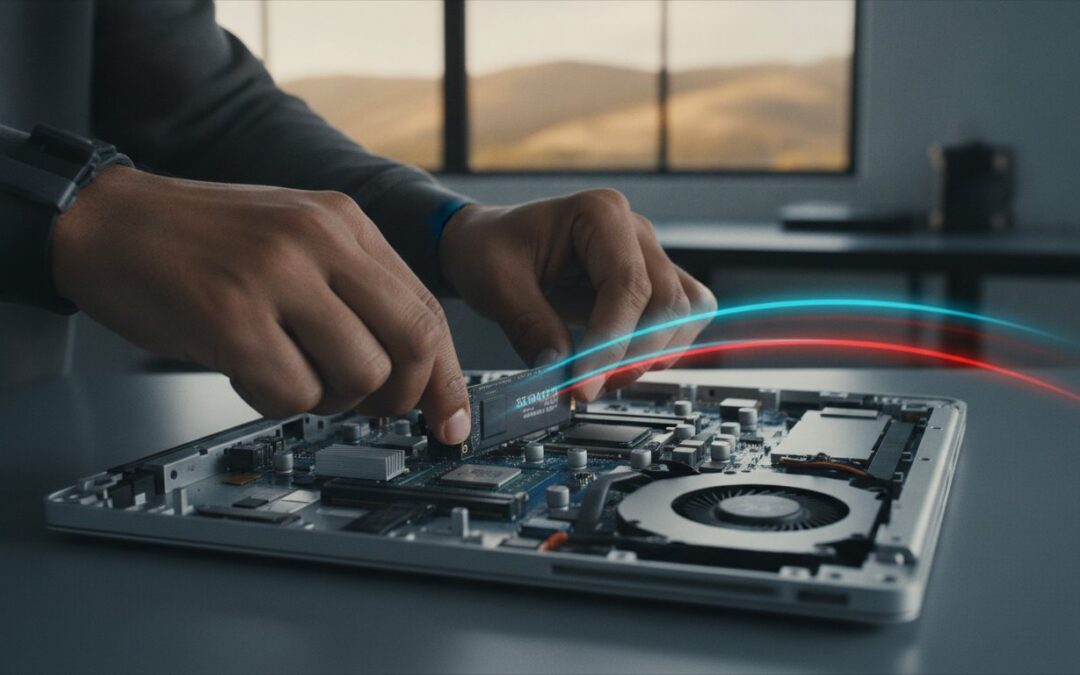
While software cleaning helps, it often feels like putting a fresh coat of paint on a house with a crumbling foundation. If your machine is more than three years old, the most effective slow computer fix in Pleasanton is a physical upgrade to a Solid State Drive (SSD). Traditional Hard Disk Drives (HDDs) rely on mechanical arms that physically move across spinning platters to read data. This process is inherently slow and prone to failure over time. In contrast, an SSD uses flash memory with no moving parts, allowing it to access files almost instantly.
For laptop users, the benefits go beyond just speed. Because SSDs lack mechanical components, they’re much more durable. A small bump or drop that might shatter a traditional hard drive’s alignment won’t affect an SSD. When we perform these upgrades, we use a specialized “Zero Data Loss” migration process. This means we clone your existing drive exactly as it is. When you get your computer back, your desktop icons, passwords, and photos are exactly where you left them, but the system responds with a speed that feels brand new.
SSD vs. HDD: A 2026 Performance Comparison
The difference in daily use is night and day. A standard computer with an old mechanical drive might take two minutes or more to reach the login screen. After an SSD Upgrade Pleasanton CA, that same machine typically boots in about 15 seconds. Application launch speeds see similar improvements. Instead of watching an icon bounce for thirty seconds, programs like Word or Photoshop open in a heartbeat. This responsiveness transforms your user experience, turning a source of daily frustration into a reliable tool that keeps up with your workflow.
Is Your Mac or PC Eligible for an Upgrade?
Most computers built in the last decade can benefit from this change. For Apple users, pre-2020 MacBooks and iMacs are often prime candidates before the transition to soldered storage. Most PC laptops and desktops are even easier to work with. We’ll identify whether your system uses the standard SATA interface or the newer, even faster NVMe standard. To get the absolute best results, we often suggest a RAM upgrade at the same time. Doubling your memory alongside a new SSD ensures that your processor has plenty of room to handle the increased data speeds, providing a comprehensive slow computer fix in Pleasanton that can extend your device’s life by several years.
DIY vs. Professional Repair: Making the Right Choice in Pleasanton
Deciding whether to tackle a repair yourself or hire a professional often comes down to a simple calculation of risk and reward. For many local residents, a comprehensive slow computer fix in Pleasanton is a smart financial move. If you’re looking at a $200 professional upgrade versus a $1,200 bill for a new laptop, the return on investment is clear. Beyond the immediate savings, you’re also gaining the security of a 60-day warranty on both parts and labor. This provides a safety net that a DIY project simply can’t offer if something goes wrong a week later.
Modern laptops are masterpieces of engineering, but they’re notoriously difficult to service. Many 2026 models use industrial adhesives and proprietary screws that require specialized tools to navigate safely. Without the right equipment, you risk more than just a failed repair. We’ve seen many well-intentioned DIY attempts end in stripped screws or, more dangerously, punctured lithium-ion batteries that pose a fire risk. Static shock is another invisible enemy; a single spark from your fingertip can fry a motherboard that was otherwise perfectly healthy.
When DIY Becomes Dangerous
Sourcing high-quality parts is another hurdle for the average user. The 2026 market is flooded with counterfeit SSDs that look genuine but fail within months. We use vetted suppliers to ensure every component we install meets our strict performance standards. Perhaps the most daunting task for the home user is data migration. Moving your entire digital life to a new drive without losing a single photo or password requires specialized cloning software and a steady hand. Our team ensures a “Zero Data Loss” transition every time, protecting your memories and your work.
The Local Advantage in the East Bay
Choosing a local shop at 915 Main Street Suite A, provides a level of care you won’t find at a big-box store. Instead of waiting in a week-long queue for an automated “Genius Bar” appointment, you get direct access to experts who understand the Pleasanton community. We prioritize a 24 to 72 hour turnaround because we know your home office can’t stay down for long. For a reliable Computer Repair Pleasanton CA, local expertise beats the corporate experience every time. If you’re ready to restore your productivity, bring your machine in for a professional diagnostic today.
Pleasanton Computer Repair: Our Proven Speed Optimization Process
When you bring your machine to us at 915 Main Street Suite A, we know you’re looking for more than just a quick patch. You need a permanent slow computer fix in Pleasanton that respects your schedule and your budget. Since 2002, we’ve refined a process that takes the guesswork out of technical support. We don’t just guess at what’s wrong; we use data to prove it. This starts with our comprehensive 21-point diagnostic check. This deep dive examines everything from your processor’s thermal health to your drive’s read/write speeds, ensuring we identify the exact bottleneck holding you back.
Data security is our top priority during every repair. We understand that your computer holds your entire life, from family photos to sensitive tax documents. Our approach means your files are handled with the highest level of privacy and care. Once we’ve identified the issue, we provide a transparent quote. There are no surprises on your bill. Most repairs are completed within a 24 to 72 hour turnaround time, getting you back to work or play without a long wait. We want to alleviate the stress of technology failure by providing a confident, stress-free resolution.
From Diagnosis to Delivery
Our workflow is designed for efficiency and accuracy. After the initial diagnostic, we present you with a clear path forward, whether it’s an SSD upgrade or a deep virus removal. We don’t move forward until you approve the plan. Once the work is done, we perform final testing to ensure your machine meets our strict speed benchmarks. We want your computer to feel as fast as it did on day one, if not faster. This methodical approach is why we’re a trusted partner for a slow computer fix in Pleasanton. We focus on the restoration of function and the improvement of your daily experience.
Beyond the Fix: Long-term Maintenance
We believe our job isn’t finished when you walk out the door. Every customer receives personalized advice from our techs on how to keep their system running at peak performance. This might include tips on managing browser extensions or scheduling regular backups. To give you total peace of mind, every repair comes with a 60-day warranty. If you run into a minor software hiccup later, we offer free remote support to resolve it quickly. It’s our way of ensuring your tech remains a tool, not a headache. Ready to get started? Schedule your diagnostic appointment at our Pleasanton shop today!
Ready to Restore Your Computer’s Peak Performance?
A lagging computer isn’t just a minor annoyance; it’s a barrier to your productivity and peace of mind. We’ve shown that many speed issues stem from the 2026 performance gap, but they don’t require a $1,200 replacement. Between targeted software optimization and the undeniable power of an SSD upgrade, your existing machine has plenty of life left. Choosing a professional slow computer fix in Pleasanton ensures the job is done safely, with a “Zero Data Loss” guarantee and expert care that protects your digital life.
Since 2002, we’ve helped the East Bay community stay connected from our shop at 915 Main Street Suite A. We stand behind our work with a 60-day warranty and free remote support follow-ups to keep your tech running smoothly. You deserve a device that works as hard as you do. Restore your computer’s speed at Pleasanton Computer Repair and enjoy a machine that feels brand new again. We’re here to help you get back to what matters most without the technical headaches.
Frequently Asked Questions
How much does a slow computer fix cost in Pleasanton?
The total cost depends on the specific issues identified during our initial 21-point diagnostic check. We provide a transparent, flat-rate quote before any work begins, whether you need a software optimization or a hardware upgrade. This ensures you know exactly what to expect with no surprises on your final bill. Investing in a professional slow computer fix in Pleasanton is a cost-effective way to avoid the high expense of a new machine.
Is it better to upgrade my old computer or buy a new one in 2026?
If your current machine was built within the last six or seven years, an upgrade is often the smarter financial move. Most performance issues are caused by aging storage or insufficient memory rather than a failing processor. For a fraction of the price of a new $1,200 laptop, we can install high-speed components that make your computer feel brand new. We help you calculate the return on investment for every repair.
How long does a typical SSD upgrade take at your shop?
Our standard turnaround time for most performance enhancements is between 24 and 72 hours. This window allows our technicians to perform a full system check, securely clone your data, and conduct final speed benchmarks to ensure everything is perfect. We understand how essential your technology is for remote work and daily life, so we prioritize an efficient process that gets you back to work without cutting corners on quality.
Will I lose my files if you fix my slow computer?
No, protecting your personal data is our highest priority. During any hardware upgrade or system optimization, we utilize a specialized “Zero Data Loss” migration process. This means your photos, documents, and even your saved browser passwords remain exactly where you left them. We handle your device with the utmost privacy and care, acting as a protective barrier between you and the stress of potential data loss during the repair process.
Can you fix a slow MacBook that is more than 5 years old?
Yes, we specialize in reviving older MacBooks and iMacs that have begun to lag. Many models from five or more years ago are prime candidates for a slow computer fix in Pleasanton because they still feature upgradeable storage components. Swapping an aging mechanical drive for a modern Solid State Drive can extend the usable life of your Mac by several years. We’ll assess your specific model to ensure it meets current software requirements.
Do you offer on-site computer speed-up services for Pleasanton businesses?
We perform all hardware upgrades and deep system optimizations at our fully equipped shop located at 915 Main Street Suite A. This controlled environment allows us to use specialized diagnostic tools and maintain a static-free workspace for complex internal repairs. For local businesses with multiple machines, we can coordinate a staggered drop-off schedule to minimize your team’s downtime. We also provide free remote support for minor software hiccups following your initial service.
What is the most common reason for a computer running slow?
In 2026, several factors typically contribute to a sluggish machine. A professional diagnostic usually identifies one of these primary culprits:
- Aging mechanical hard drives that cannot keep up with modern software demands.
- Insufficient RAM for multitasking in resource-heavy web browsers.
- Thermal throttling caused by internal dust buildup or failing cooling fans.
- Excessive background applications and startup items draining system resources.
Addressing these specific bottlenecks is the most effective way to restore your system’s original speed.
Does a virus removal service always make a computer faster?
Virus removal significantly improves speed if malware was consuming your system resources in the background. Many malicious programs run invisible tasks that peg your processor, causing massive lag. While cleaning these infections restores lost performance, it won’t fix slowness caused by failing hardware. If your machine remains sluggish after a deep cleaning, we often suggest an SSD upgrade as the next logical step to achieve modern speed benchmarks and long-term reliability.