
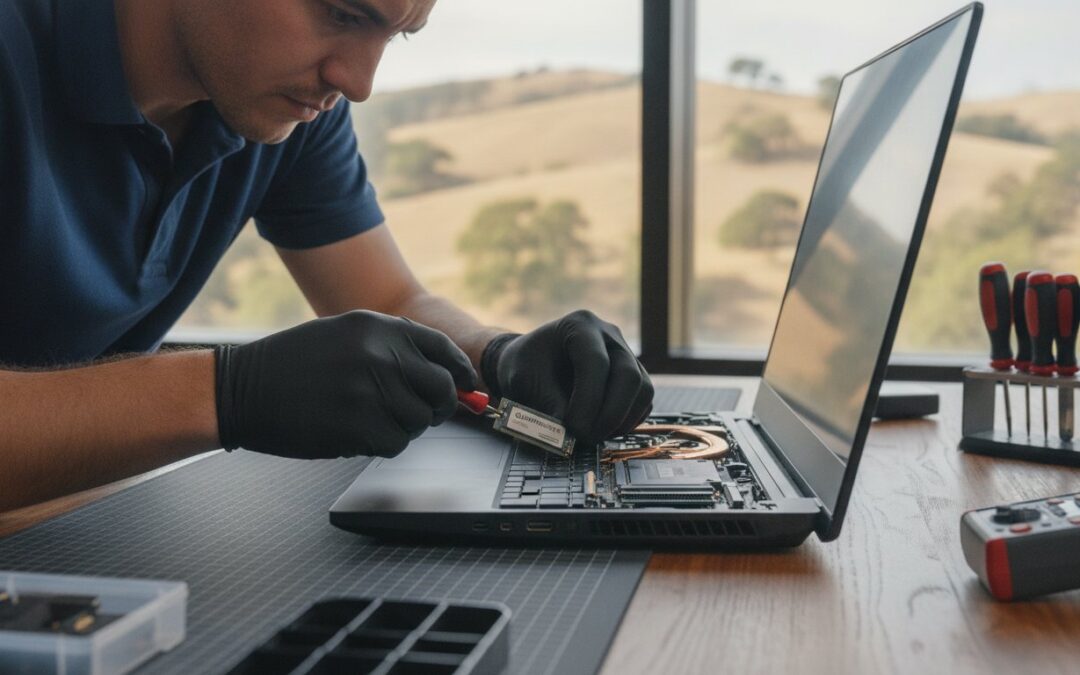
Spending $1,500 on a brand-new MacBook or PC this year might actually be the most expensive mistake you make with your technology. It’s exhausting to wait through agonizingly slow boot times or watch your screen freeze during an important work project. Many of our neighbors here in the East Bay feel the same frustration as the cost of new hardware reaches record highs in 2026. You don’t need a total replacement to get that “out of the box” speed again.
A professional SSD upgrade Pleasanton is the most cost-effective way to make your existing computer faster than many brand-new models. We’re here to help you skip the stress of technology failure and provide a confident, local solution that respects your budget. In this guide, we will explore how modern NVMe technology can transform your daily experience, the precise steps we take to migrate your files safely, and why our team is the trusted alternative to the crowded Apple Store. Your computer still has plenty of life left in it; it just needs the right performance injection to keep up with your day.
Key Takeaways
- Learn how an SSD upgrade Pleasanton transforms a sluggish machine into a high-performance tool that rivals the speed of 2026’s newest models.
- Identify the “Hard Drive Bottleneck” and see why replacing mechanical parts with silent, shock-resistant microchips is the ultimate fix for freezing apps.
- Compare the significant savings of a professional upgrade against the $1,200+ price tag of a mid-range replacement laptop.
- Discover our step-by-step installation process that prioritizes your data safety while ensuring your computer stays reliable for years to come.
Why Your Computer is Slow (and How a Pleasanton SSD Upgrade Fixes It)
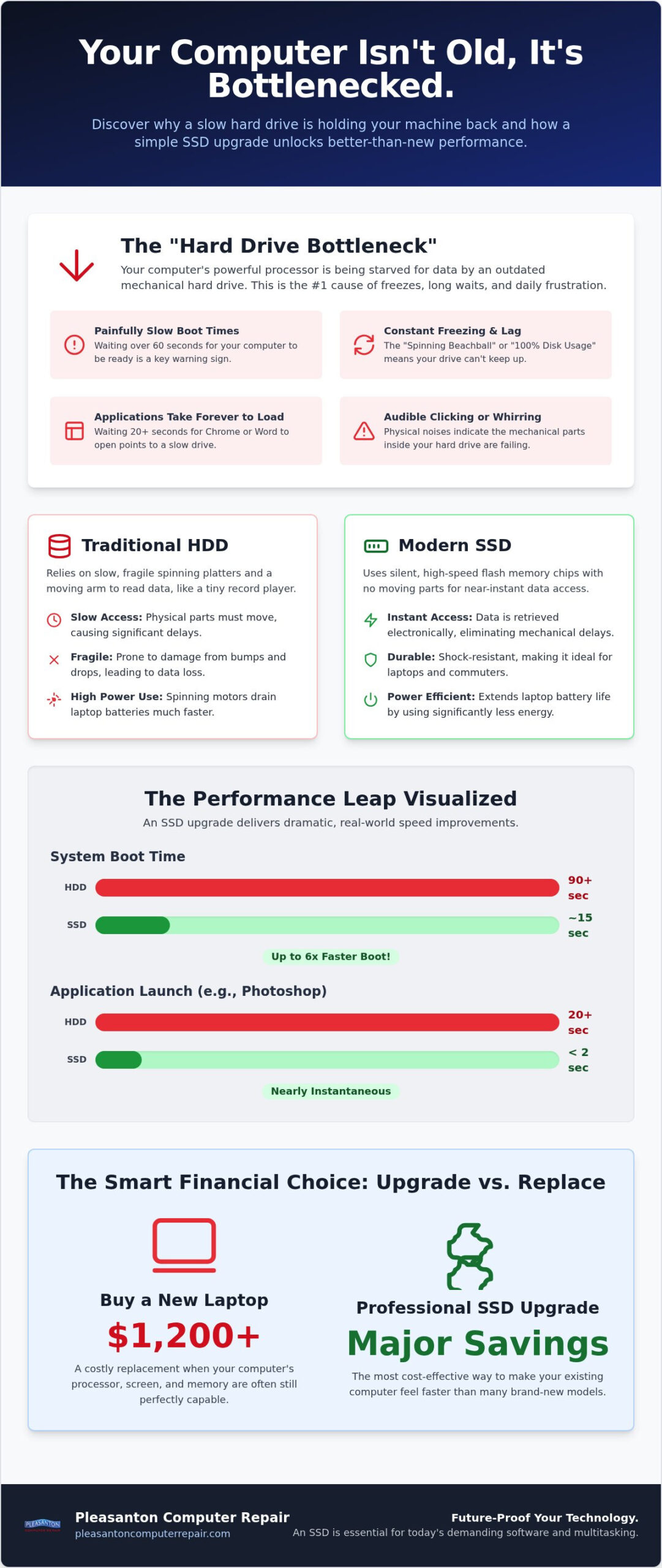
If you feel like your computer is stuck in slow motion, you aren’t alone. Many people in the East Bay think they need a new machine when the real culprit is a simple mechanical bottleneck. Think of your processor as a high-performance engine, but your old hard drive as a narrow straw. No matter how powerful that engine is, it can only work as fast as the straw lets data flow through. This is the “Hard Drive Bottleneck,” and it’s the primary reason for those daily digital headaches.
Traditional hard disk drives (HDDs) rely on physical spinning platters and a tiny moving arm to read data. Because these parts are mechanical, they eventually wear out or simply can’t keep up with modern demands. Solid-state drive technology changed the game by removing those moving parts entirely. Instead of waiting for a disk to spin up, an SSD uses flash memory to access your files instantly. Choosing an SSD upgrade Pleasanton is often the single most effective way to breathe new life into a machine that feels like it’s on its last legs.
The Symptoms of a Failing or Slow Drive
How do you know if your drive is the problem? Your computer usually provides several red flags before it stops working entirely. Look for these common warning signs:
- Boot times exceeding 60 seconds: Your computer should be ready to work in seconds, not minutes.
- The “Spinning Beachball” or “100% Disk Usage”: If you see the rainbow wheel on a Mac or your PC’s task manager shows constant 100% disk activity, your drive is struggling to keep up.
- Applications taking “forever” to open: If Chrome, Word, or Photoshop feel like they take an eternity to load, the drive is likely the culprit.
- Audible clicking or whirring: If you hear physical noises coming from your laptop or desktop, the mechanical parts inside your HDD are likely failing.
Why 2026 Software Requires Solid State Speed
By 2026, modern operating systems like macOS and Windows are designed specifically to run on solid-state storage. They perform thousands of tiny background tasks every minute, from cloud syncing to security scans. On an old-fashioned hard drive, these tasks cause the system to stutter and freeze. An SSD is a storage device with no moving parts that uses flash memory for near-instant data access. This speed allows your computer to handle heavy web browsers and dozens of open tabs without breaking a sweat. When you opt for an SSD upgrade Pleasanton, you’re giving your computer the foundation it needs to handle today’s demanding software with ease.
SSD vs. HDD: The Technology Behind the Instant Speed
Imagine your computer’s storage as a physical library. A traditional hard drive (HDD) works like a librarian on roller skates who must physically travel to a spinning shelf to grab a book. A solid-state drive (SSD), however, is like having every book instantly appear on your desk the moment you think of it. This fundamental difference in how data is retrieved is why an SSD vs. HDD comparison always favors modern flash storage. While HDDs rely on a spinning magnetic platter and a delicate read/write head, SSDs use non-volatile microchips. Because SSDs have no moving parts, they generate less heat and noise, making your workspace much quieter.
For anyone using a MacBook or laptop in the East Bay, this technology translates to significantly better power efficiency. Since there’s no motor to spin a heavy disk, your battery doesn’t drain nearly as quickly. By 2026, the industry has moved toward NVMe technology as the gold standard for speed. These drives connect directly to your computer’s motherboard, bypassing the older, slower pathways used by previous generations. If you’re considering an SSD upgrade Pleasanton, moving to an NVMe drive is the best way to future-proof your machine for the next several years.
Speed Comparison: Real-World Results
The difference isn’t just theoretical; it’s visible the moment you press the power button. A computer with an older HDD often takes 90 seconds or more to reach the login screen. With a professional SSD installation, that same machine can boot in as little as 15 seconds. Launching apps like Outlook or Photoshop becomes nearly instantaneous rather than a 20-second ordeal. This speed is vital for a busy East Bay work environment where multitasking is the norm. You can jump between a video call, dozens of browser tabs, and a large spreadsheet without the system stuttering or lagging.
Durability and Reliability in 2026
Reliability is where the SSD truly shines for the modern professional. If you commute on the ACE train or BART, your laptop is subject to constant movement and the occasional bump. A traditional hard drive is incredibly fragile. A single drop while the disk is spinning can cause a catastrophic mechanical failure and permanent data loss. SSDs are inherently resistant to physical shocks and drops because they lack those delicate mechanical components. Modern drives in 2026 also feature advanced wear-leveling technology, meaning they often outlast the computers they’re installed in. If you’re worried about your current drive’s health, our team at Pleasanton Computer Repair can perform a quick diagnostic to see if it’s time for a refresh.
SSD Upgrade vs. Buying a New Laptop: Calculating Your Savings
Facing a $1,200 bill for a mid-range 2026 MacBook or PC is enough to make anyone hesitate. Before you reach for your wallet, consider that the hardware inside your current machine might still be excellent. Most computers manufactured between 2015 and 2022 were built with high-quality processors and screens that are more than capable of handling modern tasks. The only thing holding them back is the storage technology we discussed earlier. Choosing an SSD upgrade Pleasanton allows you to bypass the massive expense of a new purchase while achieving nearly identical performance for a small fraction of the price.
There is also the environmental impact to consider. Upgrading your current device is the much greener choice for our local community. Every year, thousands of perfectly functional computers end up as e-waste simply because they feel slow. By refreshing your drive, you extend the life of your machine and keep heavy metals out of the landfill. It’s a win for your bank account and a win for Pleasanton’s sustainability goals.
When to Upgrade and When to Replace
We often suggest a “5-Year Rule” for hardware in the East Bay. If your computer is less than five years old, an SSD is almost always the right move. However, if your machine is over eight years old or has less than 8GB of RAM, we should check if other components can still keep up with 2026 software. If the repair costs start to approach the value of the machine, it might be time to look at our guide for refurbished laptops Pleasanton CA. This ensures you get a “new to you” machine that already includes a high-speed drive without the $1,500 price tag.
The ROI of Performance
The return on investment for an SSD upgrade Pleasanton isn’t just about the dollars saved. Think about the time you lose every day waiting for files to save or apps to respond. Saving just five minutes of frustration per day adds up to over 30 hours of productivity per year. There’s also a significant psychological benefit to a calm tech experience. A computer that responds instantly removes the low-level stress that comes with a freezing screen. Interestingly, a high-end 2020 Pro model with a fresh SSD often outperforms a brand-new 2026 budget laptop because the older Pro model has better cooling and build quality.
Our Professional SSD Installation Process in Pleasanton
We believe a professional SSD upgrade Pleasanton should be a stress-free experience from start to finish. It starts with a conversation. Our technicians perform a thorough initial diagnostic at our Main Street shop to ensure your processor and motherboard are healthy enough to support the new hardware. We don’t just swap parts; we make sure the upgrade is a sound investment for your specific machine. Once we’ve cleared the system for takeoff, we help you select the right drive capacity. Whether you need 500GB for basic office work, 1TB for a growing photo library, or 2TB for professional video editing, we’ll match the drive to your lifestyle.
The magic happens during the cloning process. We create an exact, bit-for-bit replica of your current hard drive on the new SSD. This means when you turn your computer back on, every file, desktop icon, and saved password is exactly where you left it. After the data is staged, we perform the physical installation. This includes a complimentary internal cleaning to remove dust and debris that cause overheating. Finally, we run a series of stress tests and optimizations to ensure your operating system is communicating perfectly with the new flash memory.
Data Safety: Your Files are Our Priority
Your memories and work documents are irreplaceable. We use advanced hardware imaging tools to move your data safely, avoiding the risks associated with basic software-only transfers. If we discover that your original drive is already failing during the diagnostic, we can pivot to our specialized data recovery Pleasanton CA process. This allows us to salvage your files in a controlled environment before completing the upgrade. You get the peace of mind that comes with professional migration, knowing that your data is never at risk during the transition.
In-Store vs. On-Site Service
Most of our neighbors prefer to drop off their devices at 915 Main Street Suite A. Our shop is equipped with specialized anti-static workstations and high-speed cloning bays that allow us to complete most upgrades within 24 to 48 hours. For local companies with multiple workstations, we offer on-site computer repair Pleasanton to minimize your team’s downtime. We bring the expertise to your office, ensuring your business stays productive while we modernize your fleet. If you’re ready to stop waiting on your computer, contact Pleasanton Computer Repair to get your upgrade started.
Why Pleasanton Computer Repair is Your Local Upgrade Expert
Since 2002, we’ve helped thousands of our neighbors across the East Bay navigate the often confusing world of technology. Technology should work for you, not against you. That’s why we focus on providing a calm, professional environment where you can get clear answers without the confusing jargon. When you visit us at 915 Main Street Suite A, you’re not just another ticket number. You’re a member of our community who deserves honest advice and reliable results.
Whether you need a high-performance PC build or a specialized Mac repair Pleasanton, we have the seasoned expertise to handle the job correctly the first time. We’ve seen every possible hardware issue over the last two decades. This experience allows us to perform your SSD upgrade Pleasanton with a level of precision that distant service providers simply can’t match. We explain the entire process in plain English so you feel confident and informed about the work being done on your device.
Trusted by the East Bay Community
Our commitment to honesty and transparency has made us a staple for residents in Pleasanton, Dublin, Livermore, and San Ramon. We don’t believe in high-pressure sales or unnecessary additions. If your computer doesn’t need a specific part, we’ll tell you. We treat every computer as if it were our own, ensuring no screw is left loose and every internal connection is secure. This attention to detail is why local business owners and home users alike have trusted us for over twenty years to keep their digital lives running smoothly.
Book Your SSD Upgrade Today
Ready to give your computer the speed it deserves? Scheduling an appointment is simple. You can book your slot through our website or give us a quick call to find a time that fits your schedule. When you come in for your SSD upgrade Pleasanton, please remember to bring your laptop’s power adapter and any login passwords we might need to verify the installation. We’ll take it from there. Reviving your technology is more than just a repair for us; it’s about restoring your productivity and peace of mind. We look forward to seeing you at our shop and helping your machine feel brand new again.
Experience the Speed Your Computer Was Meant to Have
Choosing an SSD upgrade Pleasanton is about more than just hardware; it’s about reclaiming your time and peace of mind. As we have explored, modern flash storage eliminates the mechanical bottlenecks that make older machines feel obsolete. You don’t have to spend $1,500 on a new laptop when your current device still has years of potential left. By choosing a professional installation, you ensure that every file and memory is migrated safely with expert care. This simple change can make your daily tasks feel effortless again.
Since 2002, we have served the East Bay community with honest advice and reliable technical solutions. You can find us conveniently located at 915 Main Street Suite A, where we treat every device with the same attention we would give our own. Expert data migration is included with every upgrade, so you can pick up exactly where you left off. Don’t let a slow drive disrupt your productivity any longer. Schedule Your SSD Upgrade at Our Pleasanton Shop today and discover how fast your PC or Mac can truly be. We are ready to help you get back to work with a machine that feels brand new.
Frequently Asked Questions
How much does an SSD upgrade cost in Pleasanton?
The total cost depends on the drive capacity you choose and the specific model of your computer. Factors such as data migration complexity and the current market rates for high-quality flash storage in 2026 also play a role. We recommend a quick diagnostic at our shop so we can provide a personalized quote that includes professional installation and a full internal cleaning of your device.
Will I lose my photos and files if I upgrade my hard drive?
No, you won’t lose your data when you choose a professional service. We use a bit-for-bit cloning method that creates an exact replica of your existing drive on the new SSD. This ensures your photos, documents, and even your desktop icons remain exactly where you left them. We prioritize data safety throughout the entire migration process to give you total peace of mind.
Can any old laptop be upgraded with an SSD?
Most laptops manufactured within the last decade are excellent candidates for a performance boost. While some very recent ultrabooks have storage soldered to the motherboard, many classic PC and Mac models are easily serviceable. An SSD upgrade Pleasanton is especially effective for machines from 2015 to 2022 that originally shipped with mechanical drives, making them feel faster than many budget-tier 2026 models.
How long does the SSD upgrade process take at your shop?
Most upgrades are completed within 24 to 48 hours. This timeframe allows our technicians to perform a full system diagnostic, complete the data cloning process, and run final stress tests. We work efficiently to minimize your downtime because we know how much you rely on your technology. If you have a specific deadline, we can discuss scheduling to ensure your machine is ready when you need it.
Is an SSD upgrade better than just adding more RAM?
Yes, an SSD upgrade is usually the single most impactful change you can make for speed. While extra RAM helps with multitasking, a slow hard drive is the primary bottleneck for boot times and app launching. Replacing a mechanical drive with flash storage provides a much more noticeable speed boost for everyday tasks. If your machine already has at least 8GB of RAM, the drive upgrade should be your top priority.
Do you offer SSD upgrades for iMacs and MacBooks?
We certainly do, as we have extensive experience with the entire Apple lineup. Upgrading an iMac or a MacBook requires specialized tools and a steady hand to safely navigate the internal components. Our team provides a local, personalized alternative to the Apple Store, ensuring your Mac is handled with care. We can help you determine the best drive capacity to keep your Apple device running smoothly for years.
What is the difference between a SATA SSD and an NVMe SSD?
The difference lies in the connection speed and the physical interface. SATA SSDs use an older connection type that is limited to about 600MB/s, while modern NVMe drives can reach speeds over 5,000MB/s in 2026. NVMe is the current gold standard for performance. During your consultation, we’ll check your computer’s motherboard to see which technology it supports and recommend the fastest option available for your specific hardware.
Can I upgrade the SSD in my computer myself?
While some tech-savvy users attempt DIY upgrades, professional installation prevents many common pitfalls. Opening modern laptops often requires specialized drivers and carries the risk of damaging delicate internal cables or static-sensitive components. Additionally, professional cloning ensures your data is migrated without errors. We handle the technical heavy lifting and internal cleaning so you can enjoy a fast, reliable SSD upgrade Pleasanton without the stress of a mistake.