
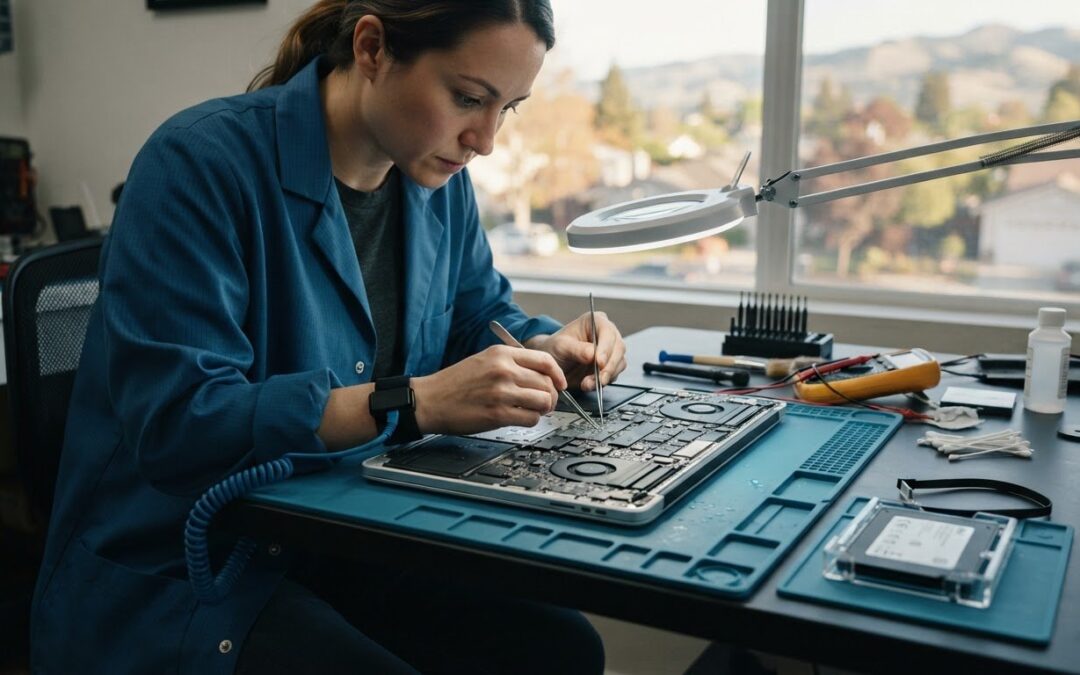
A MacBook can look fine after a spill and still have liquid inside. If you’re searching for water damaged MacBook repair Pleasanton, resist the urge to turn it on or plug it in to check. If it’s powered on, shut it down and disconnect the charger if you can do so safely. Electricity passing through wet components can worsen the damage. It’s understandable to worry about the device, your files, and whether repair is worth pursuing.
The next step is an assessment, not a guess. This guide explains what to do before bringing in your MacBook, what a professional evaluation may consider, and how to compare repair, replacement, and data recovery without assuming a particular outcome.
You’ll also learn why data recovery can be a separate process from getting the computer working again, and what to ask before choosing a repair path. Pleasanton Computer Repair has a local Pleasanton location and lists Mac repair and data recovery among its services. Contact the shop to confirm whether it can assess your liquid-damaged model and how to arrange an in-store visit or appointment.
Key Takeaways
- After a spill, keep the MacBook off, note what happened, and record symptoms without testing it again.
- Visible signs may not show how far liquid has spread, so repair suitability depends on a closer assessment.
- Compare repair, data recovery, and replacement based on inspection findings and what matters most to you.
- When considering water damaged MacBook repair Pleasanton, ask what the assessment covers and how your data priorities will be discussed.
- Pleasanton Computer Repair lists Mac repair and data recovery services. Confirm whether it can assess your model and how to arrange a visit.
Water-Damaged MacBook in Pleasanton? Take These Steps Before Repair
A spill is stressful, but a few careful choices can reduce the chance of adding further risk. They can’t undo damage that has already occurred or guarantee that the MacBook can be repaired. Focus on keeping the device off and sharing what happened with a repair provider rather than experimenting at home.
What should you do immediately after a MacBook spill?
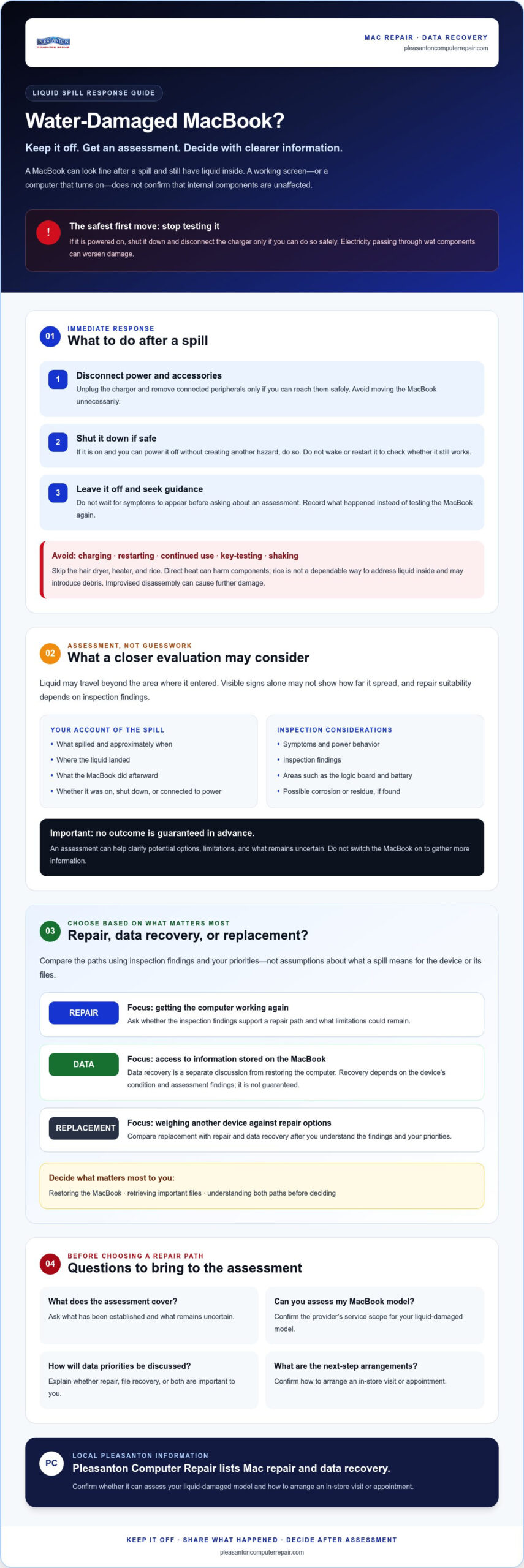
Act carefully, not hurriedly. If you can do so without handling a dangerously wet device or putting yourself at risk, follow these steps:
- Disconnect power and accessories. Unplug the charger and remove connected peripherals only if you can reach them safely. Avoid moving the MacBook around unnecessarily.
- Shut it down if safe. If it’s on and you can power it off without testing keys or creating another hazard, do so. Don’t wake it or restart it to check whether it still works.
- Stop using it. Leave it off and contact a repair provider for guidance. Don’t wait for symptoms to appear before asking about an assessment.
These precautions can limit added risk, but only an inspection can help identify affected areas and inform repair options. For water damaged MacBook repair Pleasanton, contact a local provider to confirm whether it can assess your model and how to arrange an in-store visit or appointment.
What should you avoid doing to a wet MacBook?
Don’t charge, restart, or keep using the computer. Power passing through wet or contaminated components can create additional electrical risk, while an apparently working screen doesn’t confirm that the inside is dry or unaffected. Avoid pressing keys to test them, and don’t shake the MacBook in an attempt to move liquid out.
Skip the hair dryer, heater, and rice. Direct heat can harm components, and rice isn’t a dependable way to address liquid inside a computer. It may also introduce debris. Improvised disassembly can cause further damage, especially without the right tools or experience. Keep the MacBook off and ask for guidance instead.
If you’re weighing an independent provider against manufacturer service, the right to choose a local repair shop is part of a broader discussion about consumer repair options. Wherever you seek help, ask what the assessment covers and confirm the provider’s service scope before bringing in the device. Pleasanton Computer Repair lists Mac repair and data recovery. Contact the shop to verify whether it currently accepts liquid-damaged MacBooks for assessment.
How Liquid Damage Assessment and MacBook Repair Work
An assessment helps replace guesswork with a clearer picture of what may have been affected. It may consider the spill details, the MacBook’s symptoms and power behavior, and inspection findings. It can’t guarantee that repair is possible. Liquid may travel beyond the area where it entered, so a keyboard or display that looks normal doesn’t rule out internal exposure.
What can a technician check after liquid reaches a MacBook?
Share what spilled, approximately when it happened, where the liquid landed, and what the MacBook did afterward. Mention whether it was on, shut down, or connected to power. Don’t switch it on to gather more information. A technician may use your description alongside an inspection to evaluate areas such as the logic board and battery. Corrosion or residue may be present, but neither should be assumed without inspection.
A MacBook that turns on after a spill may still need assessment. Working today doesn’t confirm that liquid hasn’t affected internal components. The findings can help clarify which repair options may be considered, what limitations could remain, and whether to discuss your files separately. That’s the practical starting point for water damaged MacBook repair Pleasanton, not a promise of a particular outcome.
Why are repair and data recovery separate questions?
Getting a MacBook working and retrieving files are related, but they’re different goals. A repair discussion focuses on whether the computer can function again. A data-recovery discussion focuses on access to the information stored on it. A device that isn’t a practical repair candidate may still warrant a conversation about data, but recovery depends on the MacBook’s condition and assessment findings. Neither outcome can be guaranteed in advance.
Before authorizing work, explain which matters most to you: restoring the MacBook, retrieving important files, or understanding both paths before deciding. Ask what the assessment has established and what remains uncertain. Pleasanton Computer Repair lists Mac repair and data recovery services. You can review its Mac repair services and confirm whether the team can assess your liquid-exposed model and how to arrange an appointment.
If inspection suggests the MacBook can’t be repaired and you’re considering replacement, ask how to handle personal data before disposal. The U.S. Environmental Protection Agency offers guidance on responsibly recycling your old MacBook. If the computer won’t power on, don’t assume you can erase its contents yourself. Discuss data concerns before deciding what to do next.
Repair, Data Recovery, or Replacement: How to Weigh Your Options
There’s no single answer that fits every spill. A MacBook that looks badly damaged isn’t automatically beyond repair, and one that still powers on isn’t proof that it’s safe to keep using. Inspection findings, your priorities, and how you rely on the computer should guide the conversation. For general background, iFixit offers an expert guide on water damage, but it can’t determine the condition of your specific MacBook.
Use the assessment to compare possible next steps, not to assume a particular result:
| Reader priority | What assessment findings may clarify | Possible next discussion |
|---|---|---|
| Use the MacBook again | Which areas appear affected and whether repair may be suitable | Ask what repair options exist, what limitations may remain, and what is still uncertain |
| Retrieve important files | Whether the device’s condition allows a data-recovery approach to be considered | Discuss data recovery before authorizing work focused on restoring computer function |
| Choose between repair and replacement | The reported symptoms and inspection results, including what may not be repairable | Weigh the findings against your needs, budget, and plans for the computer |
When should you ask about repair versus replacement?
Start with what the technician found, then consider the MacBook’s age, current symptoms, intended use, and available budget. A computer you rely on for demanding work may call for a different decision than one used occasionally. Ask the provider to explain the reasoning behind each option, including what the inspection can’t establish. Take time to understand the uncertainties before authorizing work.
Even severe-looking damage doesn’t establish whether the MacBook can be repaired or whether its files can be recovered. Those are separate questions, and both depend on the device and inspection results. The phrase water damaged MacBook repair Pleasanton may describe what you’re seeking, but only an assessment can help determine whether a repair path is suitable.
What if the files matter more than the MacBook?
Say so before repair decisions begin. Identify which files or information matter most, and ask how that priority affects the options being discussed. Pleasanton Computer Repair lists data recovery as a service, but recovery can’t be promised. The MacBook’s condition and assessment findings matter. Don’t repeatedly power it on to try to copy files. That may add electrical risk rather than provide safe access.
Preparing for Water-Damaged MacBook Repair in Pleasanton
A little preparation can make the first conversation clearer. Keep the MacBook off and gather the details you remember, but don’t turn it on to fill in gaps. For water damaged MacBook repair Pleasanton, contact the repair team before visiting to confirm whether it accepts liquid-damaged MacBooks for assessment and to check its intake process.
What information should you share with the repair team?
Share what you know, even if some details are approximate. A clear account helps the team understand the circumstances without putting the MacBook through more tests. Before you call or arrange an appointment, note:
- Spill details: When it happened, what liquid was involved, and where it landed.
- Power status: Whether the MacBook was on, asleep, off, or charging at the time.
- Symptoms: Anything you observed, such as an unexpected shutdown, display change, or unusual behavior. Record what happened without recreating it.
- Actions taken: Mention if you tried to turn it on, connected a charger, or took any other steps afterward.
- Your priority: If particular files matter most, say so before repair options are discussed.
Bring the charger only if the repair team requests it. If the MacBook belongs to a workplace or someone else, explain that and ask what ownership or authorization information may be needed. Don’t include passwords in an unsecured note. If access information becomes relevant, ask how the team prefers to handle it.
How can Pleasanton-area customers plan a visit?
Pleasanton Computer Repair’s local service location is 400 Main Street, Suite 205, Pleasanton. The business serves residential and business customers across the East Bay, but don’t assume every service is available on-site. Confirm the intake details and appointment availability before setting out with the device.
Use the online scheduling option to request an appointment, and explain that the MacBook has had liquid exposure so the team can confirm whether it can assess it. You can also review the computer repair information for Pleasanton while planning your visit. A quick confirmation can help avoid an unnecessary trip and clarify what to bring.
Pleasanton Computer Repair serves customers in Pleasanton, Livermore, Dublin, San Ramon, Danville, Brentwood, Walnut Creek, and San Jose. Once you’ve recorded the spill details and data priorities, schedule an appointment online to discuss the next step. An assessment can help clarify your options, but the outcome depends on the MacBook’s condition.
Choose a Local MacBook Repair Next Step You Can Trust
A good repair conversation should leave you better informed, even if the assessment can’t promise a repair or data recovery. Look for a provider willing to explain what it found, what remains uncertain, and which next steps are within its service scope. For water damaged MacBook repair Pleasanton, verify that the shop can assess your liquid-exposed model before arranging a visit.
What questions should you ask before authorizing MacBook repair?
Ask direct questions and make sure you understand the answers before approving work. For example:
- What did the assessment find? Ask which findings are confirmed and which are possibilities that need further evaluation.
- What options are being considered? Ask what each option aims to achieve and what limitations may remain.
- Is data recovery a separate goal? Explain if your files matter more than restoring the computer, and ask what uncertainties affect recovery.
- What is included in the proposed service? Confirm the scope, any diagnostic or labor charges, and when your approval is required before additional work.
Don’t feel pressured to decide before you understand the recommendation. A useful explanation should make clear what the team knows, what it can’t yet determine, and what would happen next. If an answer is unclear, ask for it in plain language.
What should a clear repair conversation include?
The discussion should distinguish inspection findings from possible causes or outcomes. Ask about risks and limitations, including whether a proposed repair is intended to restore computer function, address a particular issue, or support a separate data-recovery effort. These goals can overlap, but they aren’t interchangeable. An assessment can’t guarantee a result before the relevant work is considered.
Confirm practical details directly with the business: whether it currently accepts liquid-damaged MacBooks for assessment, how appointments are handled, what the service covers, and what charges or approval steps apply. Don’t assume a fixed turnaround or successful recovery unless the provider confirms the details for your case.
Pleasanton Computer Repair is a local option listing Mac repair and data recovery. Founded in 2002, the business serves customers from its Pleasanton location at 400 Main Street, Suite 205. Its history and location provide useful context, not a guarantee that a particular liquid-damage repair is available or will succeed. Confirm the current service scope and intake process before bringing in your MacBook.
If you’re ready to ask about an assessment and appointment, Schedule an appointment with Pleasanton Computer Repair.
Take the Next Step With a Clear Plan
After a spill, keep your MacBook off and avoid testing it. Careful first steps can help limit added risk, but only an assessment can clarify what may be affected and which options are worth discussing. Repairing the computer and recovering files are separate goals, so share your priorities before deciding what to authorize.
If you’re considering water damaged MacBook repair Pleasanton, Pleasanton Computer Repair offers a local place to ask about next steps. Founded in 2002, the business lists Mac repair and data recovery services at its Pleasanton location at 400 Main Street, Suite 205. Confirm whether the team can assess your liquid-damaged model and ask about its current appointment process. No outcome can be assumed before inspection.
Schedule an appointment with Pleasanton Computer Repair to discuss your MacBook and assessment options. With clear information and a sensible next step, you can make a more informed decision about your device and files.
Frequently Asked Questions
What should I do if I spill water on my MacBook?
Disconnect the charger and accessories if you can do so safely, shut the MacBook down if it’s on, and stop using it. Don’t restart it, charge it, or press keys to test whether it works. Avoid applying heat or using rice as a fix. Note when the spill happened and what symptoms you saw, then contact a repair provider to ask about assessment options.
Can a water-damaged MacBook be repaired?
Sometimes, but repairability depends on the specific MacBook and inspection findings. Liquid may affect internal components even when the outside looks fine, and visible damage alone can’t confirm the extent of exposure. A technician may assess the reported spill, symptoms, and affected areas, then explain possible repair options and limitations. For water damaged MacBook repair Pleasanton, confirm with the provider that it can assess your model before arranging a visit.
How long should I leave a MacBook to dry after a spill?
There isn’t a reliable drying time that confirms a spilled MacBook is safe to power on. Liquid can remain inside or leave residue even after the exterior feels dry. Keep the device off rather than waiting a set number of hours and testing it. Don’t use a hair dryer, heater, or rice to speed things up. Ask a repair provider about assessment before attempting to use the MacBook again.
Can I charge my MacBook after water gets on it?
No. Don’t connect the charger or try to power on the MacBook after a spill. Electricity passing through moisture-affected components may increase the risk of further damage. If it’s already connected and you can unplug it safely, disconnect it without handling the wet device unnecessarily. Keep it off and tell the repair provider whether it was charging when the spill occurred or whether you tried charging it afterward.
Can files be recovered from a water-damaged MacBook?
Possibly, but recovery depends on the MacBook’s condition and assessment findings, so it can’t be guaranteed. Retrieving files is a separate goal from restoring the computer to working order. Tell the repair team early if particular documents or photos matter most, before deciding what work to authorize. Don’t repeatedly turn on the MacBook to try to copy files. Pleasanton Computer Repair lists data recovery as a service.
Where can I get water-damaged MacBook repair in Pleasanton?
Pleasanton Computer Repair has a location at 400 Main Street, Suite 205, Pleasanton, and lists Mac repair and data recovery services. Contact the business first to confirm whether it currently accepts liquid-damaged MacBooks for assessment and how to arrange an appointment. It serves East Bay customers, including those in Livermore, Dublin, San Ramon, Danville, Brentwood, Walnut Creek, and San Jose. Service scope can vary, so confirm details directly.
Is a MacBook worth repairing after water damage?
It depends on the inspection results and your needs. Consider the MacBook’s age, symptoms, intended use, available budget, and whether recovering files matters more than restoring the device. Ask the repair provider to explain the findings, possible options, limitations, and any charges before authorizing work. A badly affected MacBook isn’t automatically beyond repair, but neither repair nor data recovery should be assumed possible before assessment.