
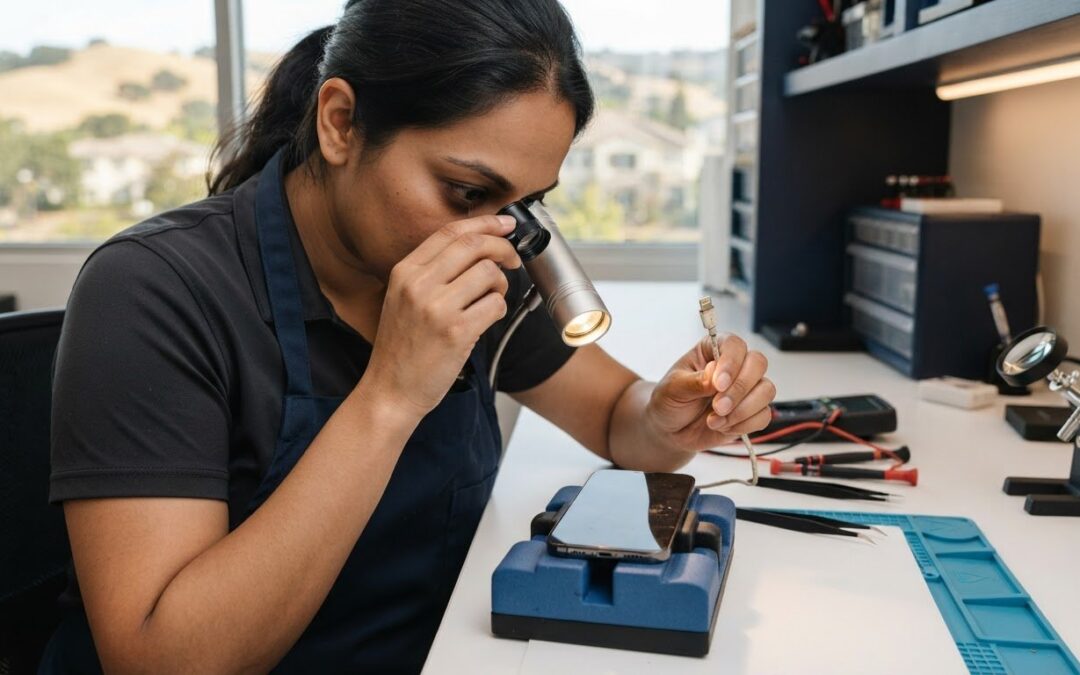
What if a loose charging cable doesn’t mean your iPhone needs a new port? Lint and debris can build up inside the connector, while a worn cable or an actual port fault can cause similar symptoms. An iPhone charging port cleaning service may help when debris is the problem, but the safest first step is an accurate diagnosis, not digging inside the port with a pin or other tool.
Intermittent charging is frustrating, especially when you can’t tell whether the issue is your cable, debris, or phone. You don’t have to guess. This guide explains what to check, why DIY cleaning can make matters worse, and what to ask before choosing a local repair option in Pleasanton or elsewhere in the East Bay.
You’ll also learn how to check whether cleaning is available and when a technician may need to investigate a deeper fault. Pleasanton Computer Repair offers iPhone repairs and mobile-device diagnostics at 400 Main Street, Suite 205. Confirm current service availability and appointment details before visiting.
Key Takeaways
- Use charging symptoms to help distinguish debris from a cable issue or possible port damage before deciding what to do next.
- Identify your iPhone model and connector type before following cleaning advice or discussing the issue with a technician.
- A professional iPhone charging port cleaning service may be appropriate, but ask whether the provider diagnoses the issue before attempting to clean the port.
- When contacting a Pleasanton repair provider, confirm whether cleaning is available, what the assessment involves, and current appointment details.
IPhone charging problems in Pleasanton: when might port debris be the cause?
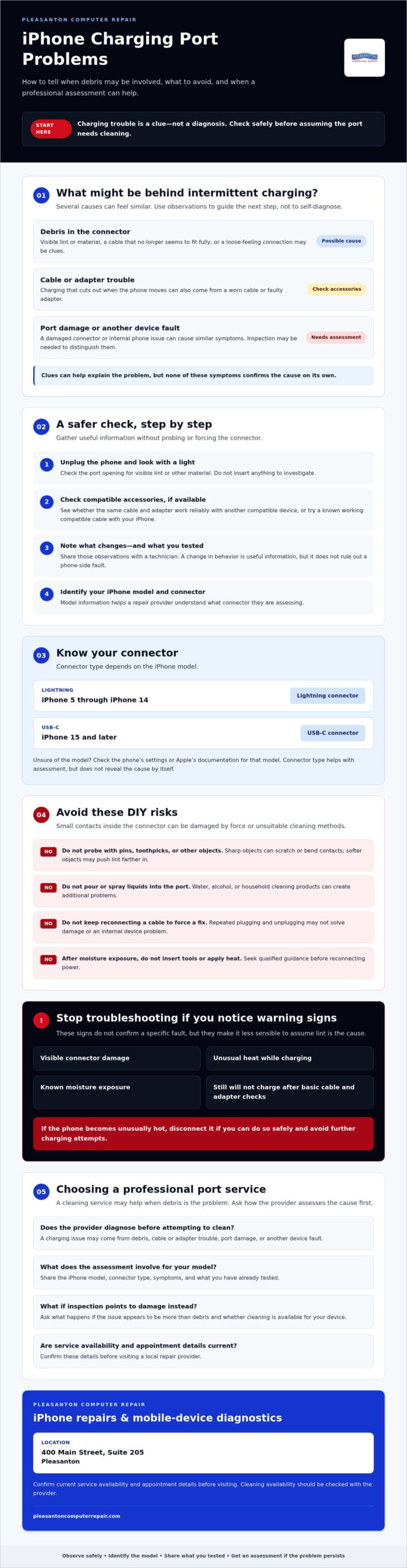
Intermittent charging can make a simple task feel unpredictable. Before assuming your iPhone needs repair, note what happens when you connect it. A loose-feeling cable, charging that starts and stops, or a plug that won’t seat fully can point to debris in the port. These are clues, not a diagnosis. Cable or adapter trouble, connector damage, and other device faults can cause similar behavior.
What symptoms can point to a dirty iPhone charging port?
With the phone unplugged, use a light to look at the port opening. Pocket lint or other visible material may suggest buildup, especially if the cable doesn’t seem to fit as it used to. Don’t insert a pin, toothpick, or other object to investigate. Probing can damage the connector or push debris farther inside.
Charging that cuts out when the phone moves may also come from a worn cable or faulty adapter. If you can, check whether the same cable and adapter work reliably with another compatible device. You can also try a known working compatible cable with your iPhone. If the symptom changes, share that information with a technician. It’s useful, but it doesn’t rule out a phone-side fault.
Connector design varies across iPhone generations. If you’re unsure which type your phone uses, this overview of the Lightning connector can help you recognize one common Apple connector. Identifying your model is still the clearest starting point when asking for an iPhone charging port cleaning service.
When is charging trouble more than a cleaning issue?
Some symptoms are a reason to stop troubleshooting rather than try another connection. Look for visible damage, unusual heat while charging, known moisture exposure, or a phone that still won’t charge after basic cable and adapter checks. These signs don’t confirm a specific fault, but they make it less sensible to assume lint is the cause.
Repeatedly plugging and unplugging the cable may not solve a damaged connector or internal device problem. If the phone becomes unusually hot, disconnect it if you can do so safely and avoid further charging attempts. After moisture exposure, don’t insert tools or apply heat. Seek qualified guidance before reconnecting power.
Still unsure? Note what you’ve already tested and arrange a professional inspection if the problem persists. A technician can assess whether debris, the cable, port damage, or another device issue is more likely, helping you choose a next step based on evidence rather than guesswork.
How an iPhone charging port works and why debris needs careful handling
The charging port is the physical connector where a compatible wired cable plugs into your iPhone. Inside, small contacts carry power and support communication between the phone and connected accessories. Because the parts are compact, forceful cleaning can turn a suspected debris issue into damage that needs repair.
Safe cleaning starts with identifying the cause and avoiding contact damage. A port that looks dirty may not be the source of a charging problem, and a cable that feels loose doesn’t confirm that lint is packed inside. Careful assessment matters more than trying to clear the opening quickly.
Lightning or USB-C: identify the connector before seeking advice
Connector type depends on the iPhone model. iPhone 5 through iPhone 14 models use Lightning, while iPhone 15 and later models use USB-C. If you’re unsure, check your model information in the phone’s settings or consult Apple’s documentation for that model. Share the model when asking for advice. Connector type helps a technician understand what they’re assessing, but doesn’t reveal the cause of a fault by itself.
Why improvised tools and liquids can create new problems
Sharp objects, such as pins, can scratch or bend the delicate contacts inside a port. Even a softer object may compact lint farther into the opening, making it harder to inspect. Don’t pour or spray water, alcohol, or household cleaning products into the connector. Liquid and residue can create additional problems, and a method that seems gentle may still be unsuitable for your phone.
Be cautious with online cleaning tips that recommend inserting tools or applying products. A visible speck near the opening doesn’t mean it’s safe to reach in and remove it. If you can’t tell whether material is inside the port, leave it alone and ask a qualified repair provider what inspection or cleaning options are available for your model.
Before arranging an iPhone charging port cleaning service, ask how the provider determines whether debris is actually responsible and what happens if inspection points to damage instead. This helps set expectations and avoids treating cleaning as the answer before the cause is understood.
If you’d like a local opinion on an iPhone charging issue, contact iPhone repair and diagnostics at Pleasanton Computer Repair. Confirm whether port cleaning is currently available and whether an assessment is needed before visiting.
DIY cleaning or professional iPhone port service in the East Bay?
A few careful checks can help narrow down a charging problem, but they can’t confirm what’s happening inside the phone. Start with the parts you can inspect from the outside. If the issue keeps returning, the port looks damaged, or you’re unsure what you’re seeing, stop and ask a repair provider whether an inspection can distinguish debris from an accessory or device fault.
What can you safely check before contacting a repair shop?
Look over the cable and power adapter for fraying, bent areas, or other visible wear. If possible, check whether they work reliably with another compatible device, or try a known working compatible cable with your iPhone. With the phone unplugged, look into the port under good lighting, but don’t insert tools or apply liquid. Stop if you see damage, notice unusual heat, or charging remains unreliable.
When should you choose professional inspection near Pleasanton?
Consider professional help when basic external checks don’t resolve recurring trouble, or when damage or uncertainty makes further testing risky. Ask whether the provider can assess the cable, connector, and phone before recommending cleaning or another repair. Cleaning may not help if the cable is faulty, the port is damaged, or the issue lies elsewhere in the device’s electronics.
Use this quick guide to decide what to do next:
| Situation | Reasonable next step | What to avoid |
|---|---|---|
| Cable or adapter shows wear, or works inconsistently | Check with a compatible, known working accessory if available | Assuming the port is the cause |
| Debris is visible near the port opening | Leave it undisturbed and ask a repair provider about safe assessment | Probing, scraping, or adding liquid |
| Charging keeps failing, the port looks damaged, or the phone heats unusually | Stop troubleshooting and seek professional guidance | Repeatedly reconnecting the cable or continuing to charge |
A professional iPhone charging port cleaning service may be relevant if debris is identified, but cleaning isn’t a fix for every charging fault. Before arranging service, ask what the inspection covers, whether diagnosis comes first, and what happens if the cause appears to be a damaged accessory, connector, or internal component. This conversation can help you choose an appropriate next step without risking further damage. For an example of how dedicated smartphone repair specialists approach technical diagnostics, you can visit Doctor Moviles.
How to choose an iPhone charging port cleaning service in Pleasanton
A clear conversation before booking can help you avoid paying for the wrong fix or risking damage through unnecessary cleaning. Use the first call to explain the symptoms and understand how the provider approaches diagnosis. Ask directly whether an iPhone charging port cleaning service is available, whether it’s offered on its own, and whether a technician checks the phone before recommending it.
Questions to ask before booking a charging-port appointment
Use this short checklist when contacting a repair provider:
- 1. Ask what gets inspected. Will a technician assess the port and consider cable or adapter issues before recommending cleaning or another repair?
- 2. Confirm service availability. Is port cleaning currently offered, and can it be booked as a standalone service or only after diagnosis?
- 3. Share useful details. Give the iPhone model, describe when charging fails, and mention whether changing the cable or adapter affects the symptom.
- 4. Check logistics and terms. Confirm the appointment process, location, and any conditions that apply to the assessment or service before you visit.
A provider should be able to explain what they can assess and what remains uncertain. Be cautious of anyone who promises that cleaning will solve the problem before understanding the symptoms. A cable fault, damaged connector, or other device issue may need a different response.
How to prepare your iPhone for a local repair visit
Bring the iPhone, plus the cable or adapter involved if you think it will help demonstrate the issue. Make a quick note of when charging drops out, whether the connector feels loose, and whether movement or a different accessory changes what happens. These details give the technician a more useful starting point.
Before the visit, ask the shop whether you need to prepare the phone or provide access for any part of the assessment. Don’t assume the process will require no data access. Clarify expectations directly and ask what to do if you have privacy or backup concerns.
Pleasanton Computer Repair provides iPhone repairs and mobile-device diagnostics at 400 Main Street, Suite 205, Pleasanton. Port cleaning as a standalone service isn’t confirmed, so check current availability, appointment details, and service terms before going. To discuss your symptoms and possible next steps, ask about iPhone diagnostic and repair options.
Get help with an iPhone charging issue at Pleasanton Computer Repair
If charging trouble continues after basic checks, Pleasanton Computer Repair is a local option to ask about iPhone repairs and mobile-device diagnostics. The business does not have a confirmed standalone iPhone charging port cleaning service, so contact the shop first to explain the issue and ask what help is currently available. A conversation about the symptoms can help clarify whether cleaning may be appropriate or whether the phone needs another kind of assessment or repair.
What to expect when you ask about iPhone charging diagnostics
Be ready to share your iPhone model, what happens when you connect it, and when the problem began. Mention whether charging stops intermittently, the cable feels loose, or a different cable or adapter changes the behavior. If the phone has been exposed to moisture or experienced a drop, include that history too. These details give the technician context, but they don’t determine the cause on their own.
Ask whether a technician can inspect the port and consider accessory-related causes before recommending a next step. The assessment should help establish whether cleaning is suitable or another repair may be needed. Confirm whether port cleaning is currently offered, whether it’s available on its own or only as part of diagnosis, and whether an appointment is required. Don’t assume a cleaning-only visit or a particular outcome is available until the shop confirms it.
Find local iPhone repair help in Pleasanton
Pleasanton Computer Repair’s listed location is 400 Main Street, Suite 205, Pleasanton. Verify the current address, appointment process, and any service-specific terms directly with the shop before visiting. You can also ask what to bring, such as the cable or adapter associated with the charging problem.
You don’t need to know the exact fault before reaching out. A clear description of what you’ve noticed is a useful start, and the shop can tell you whether its diagnostic and repair options fit your situation. For local guidance on the next step, contact Pleasanton Computer Repair about your iPhone charging issue.
Take the next step toward reliable iPhone charging
A loose connection or intermittent charging can point to port debris, but it doesn’t prove cleaning is the answer. Cable or adapter problems, connector damage, and other device faults can look similar. Check accessories and the port opening without probing inside, then seek professional assessment if the issue persists or you’re unsure. Before booking an iPhone charging port cleaning service, ask whether the provider diagnoses the cause first and confirms cleaning is available.
Pleasanton Computer Repair offers iPhone and iPad repairs and mobile-device diagnostics for residential and business customers. The business has served the community since 2002 and is located at 400 Main Street, Suite 205, Pleasanton. Contact the shop to describe your symptoms and confirm current service and appointment details before visiting. Port cleaning availability isn’t confirmed, so ask what diagnostic or repair options may fit your situation.
Contact Pleasanton Computer Repair about your iPhone charging issue and take a careful step toward finding the cause. With an appropriate assessment, you can move forward without risking damage through guesswork.
Frequently Asked Questions
Can lint in an iPhone charging port stop it from charging?
Yes, lint or debris can interfere with the cable’s connection and lead to interrupted charging or a plug that won’t seat fully. But those symptoms don’t prove debris is the cause. A worn cable or adapter, port damage, or another device fault can feel similar. Check accessories externally, and don’t probe the port. If the issue continues, ask a repair professional to assess the likely cause.
Is it safe to clean an iPhone charging port at home?
It’s safest to limit home checks to looking at the unplugged port under good lighting and checking your cable and adapter for visible wear. Avoid inserting objects or putting liquid or household cleaners inside the connector, since these can damage contacts or create additional problems. If debris appears lodged inside, or you’re uncertain, stop and ask a repair provider what inspection or cleaning options are appropriate for your iPhone model.
How much does an iPhone charging port cleaning service cost?
The cost depends on the provider and whether the issue requires cleaning alone or a broader diagnosis or repair. Pleasanton Computer Repair’s available information doesn’t confirm a standalone cleaning service or its price, so ask the shop directly about current availability, assessment steps, and any applicable charges before booking. Describe your iPhone model and symptoms when requesting details, and confirm the terms before agreeing to service.
What happens if cleaning does not fix my iPhone charging port?
If cleaning doesn’t resolve the issue, the cause may be a faulty cable or adapter, a damaged connector, or another problem with the device. Ask the technician what they found and what next steps they recommend before authorizing additional work. A useful assessment should distinguish, where possible, between an accessory issue and a phone-side fault. Persistent charging trouble deserves diagnosis rather than repeated cleaning attempts.
Can I use a toothpick or paperclip to clean my iPhone port?
No. A paperclip is metal and can damage delicate contacts, while a toothpick can break, push debris farther inside, or harm the connector if used forcefully. Don’t insert either one, and don’t add liquid or cleaning products. If you can see material in the opening but can’t remove it without reaching inside, leave it alone and ask a repair provider about safe next steps.
How do I know if my iPhone charging port is damaged?
A cable that won’t stay connected, visible damage, or charging that remains unreliable after checking compatible accessories can be reasons to seek an inspection. These signs don’t confirm port damage, since cable, adapter, or internal device faults may cause similar symptoms. Stop troubleshooting if the phone heats unusually or has been exposed to moisture. A technician can assess whether the connector or another component may be involved.
Does Pleasanton Computer Repair offer iPhone charging port cleaning?
Pleasanton Computer Repair offers iPhone and iPad repairs and mobile-device diagnostics, but its available information doesn’t confirm port cleaning as a standalone service. Contact the shop to ask whether cleaning is currently available and whether diagnosis comes first. Its Pleasanton location is at 400 Main Street, Suite 205. The business serves customers in Pleasanton, Livermore, Dublin, San Ramon, Danville, Brentwood, Walnut Creek, and San Jose. Confirm current appointment details before visiting.