
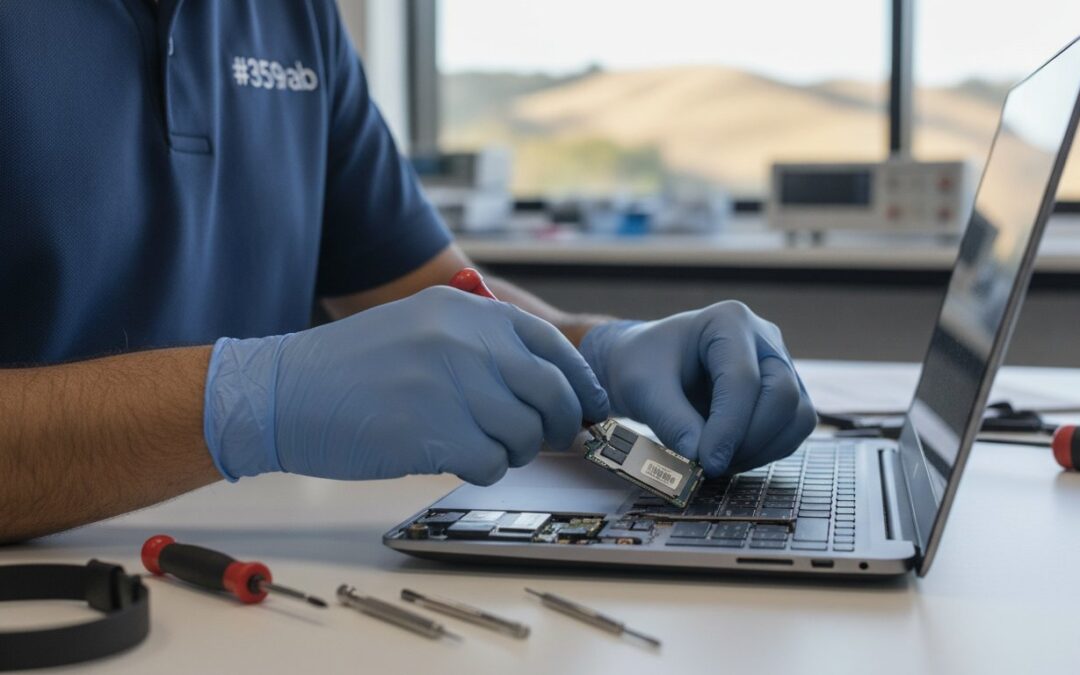
What if that terrifying black screen doesn’t actually mean your laptop is dead? It’s a sinking feeling when your computer freezes right before a major work deadline or refuses to boot when you’ve got years of irreplaceable family photos on the drive. If you’re searching for reliable laptop repair Pleasanton experts, you’re likely worried about the high cost of new hardware and the immediate disruption to your remote work or studies. We understand that technology failure feels like a crisis, especially when you’re faced with confusing jargon and the fear of losing your digital life.
This 2026 guide will help you identify common failures and determine when a professional service can save your device for a fraction of the cost of a replacement. You’ll discover how to navigate your rights under the California Right to Repair Act and ensure your data remains protected throughout the process. We’ll preview common troubleshooting steps, explain when an SSD upgrade can breathe new life into an old machine, and provide a clear roadmap to getting back online with total peace of mind.
Key Takeaways
- Learn how to distinguish between minor software glitches and critical hardware failures before spending money on an unnecessary replacement.
- Discover why choosing a local expert for laptop repair Pleasanton ensures a faster turnaround and the neighborly care you won’t find at a distant call center.
- Understand how specific hardware upgrades, like moving to a modern SSD, can significantly boost performance and extend your device’s lifespan.
- Master the essential steps for protecting your personal files and ensuring data safety during any technical intervention.
- Gain a clear framework for comparing repair costs against replacement values so you can make the most cost-effective choice for your budget.
Common Signs You Need Laptop Repair in Pleasanton
Laptop repair is more than just swapping out broken parts. It’s a methodical approach to diagnosing and fixing hardware or software faults that prevent your device from running at its peak. Understanding what a computer repair technician does can help you see the value in a professional diagnostic. When you’re looking for laptop repair Pleasanton, you’re usually facing one of two things: a sudden crash or a gradual decline in speed. Recognizing these symptoms early can be the difference between a simple fix and a total hardware failure.
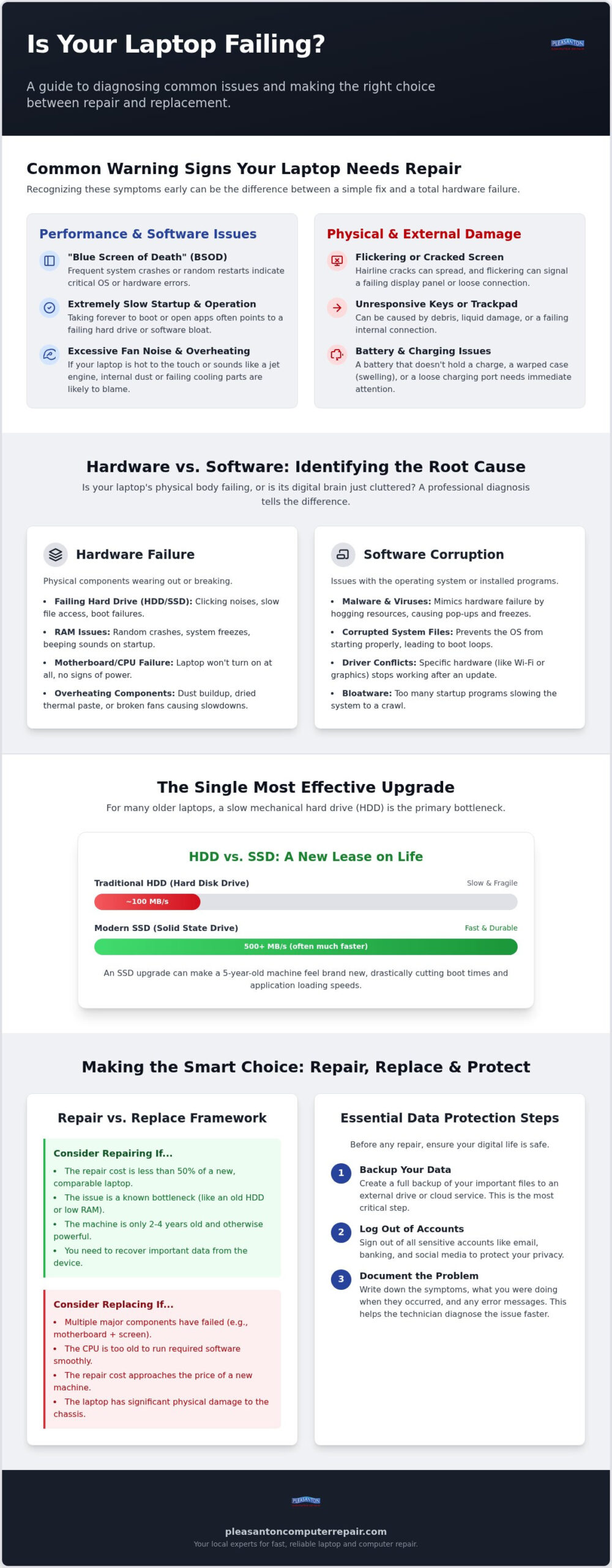
A persistent “Blue Screen of Death” (BSOD) isn’t just a minor nuisance; it’s often a cry for help from your operating system. If your system crashes or restarts during standard office work, it’s time to investigate. Similarly, pay attention to excessive fan noise. If your laptop sounds like a jet engine while you’re just browsing the web, it’s likely overheating. Dust buildup or failing thermal paste can trap heat, which eventually damages the sensitive internal components. Physical indicators like flickering screens or unresponsive keys are also clear signals that your hardware needs professional attention.
Beyond internal maintenance, keeping your workspace at a stable temperature prevents external heat stress on your device. To ensure your home’s air conditioning is up to the task, you can learn more about Nice and Cool Inc. and their expert HVAC installation and repair services.
Just as your computer needs regular maintenance, your vision does too; for instance, those in need of expert optometric care can visit The Eye Centre to address digital eye strain and maintain long-term eye health.
Performance Red Flags
Does your laptop take forever to reach the desktop? A slow startup usually points to drive health issues or excessive startup bloat. For Mac users, the “spinning beachball” is the equivalent of a performance bottleneck. It means your hardware is struggling to process your requests. It’s also vital to monitor your battery health. If your laptop only stays powered for a few minutes or the case looks slightly warped, your battery might be swelling. A swelling battery is a safety hazard that needs immediate care from a seasoned expert.
Physical and External Damage
Physical damage often starts small. Hairline cracks in your screen might seem purely cosmetic, but they can spread quickly across the entire panel due to daily use and temperature changes. Sticky keys are another warning sign, often suggesting that minor liquid spills have begun to corrode the circuitry underneath. Don’t ignore port connectivity issues either. If you have to wiggle your charging cable or USB drive to get a connection, the port is likely loose. Addressing this early prevents a situation where your laptop suddenly refuses to charge at all.
Hardware vs. Software: Why Your Laptop is Failing
Is your laptop slow because the parts are wearing out, or is the software simply cluttered? Understanding this distinction is the first step toward a successful laptop repair Pleasanton residents can trust. Think of your CPU as the “brain” and your RAM as the “short-term memory.” If the brain is fast but the memory is full, everything grinds to a halt. In the East Bay, we often see laptops struggling not because they’re fundamentally broken, but because they’re suffocating. Dust buildup and dried-out thermal paste are common issues in our local climate. These factors cause components to throttle their speed to avoid burning out, which mimics the signs of a dying machine. While we address the internal debris, keeping your environment clean is a great preventative measure; for example, specialized providers like Do Pure Cleaning offer the expert services required to maintain a truly dust-free workspace.
Software issues can be equally deceptive. Malware and viruses often mimic hardware failure by hogging system resources or causing sudden freezes. While a quick virus scan helps, professional malware removal digs deeper into the registry to clean out persistent threats that standard software might miss. If you’re feeling overwhelmed by these glitches, seeking an expert laptop repair Pleasanton specialist can save you hours of frustration and potentially save your device from the recycling bin.
The Hardware Bottleneck
Many older laptops still rely on mechanical Hard Disk Drives (HDDs). These spinning platters are the single biggest bottleneck in modern computing. An SSD upgrade Pleasanton CA is often the most effective way to make a five-year-old machine feel brand new. While you’re considering your options, remember your rights as a consumer allow you to choose independent repair shops that offer these high-value upgrades without the heavy manufacturer markup. Sometimes the issue is deeper, like a failing motherboard, which shows symptoms similar to a simple power supply failure. A professional diagnostic ensures you aren’t replacing a whole computer when a single stick of RAM or a new power jack would solve the problem.
Software and Operating System Glitches
Corrupted system files can lead to “infinite boot loops” where the laptop starts but never reaches the login screen. It’s easy to assume the hard drive is dead when the software is just tangled. Driver conflicts are another common culprit. If your Wi-Fi or Bluetooth suddenly disappears, it’s often a software handshake issue rather than a broken antenna. These glitches require a methodical approach to resolve without losing your personal data. Taking the time to diagnose the root cause prevents you from spending money on hardware you don’t actually need.
DIY Triage: What to Check Before Booking a Repair
Before you rush to book a laptop repair Pleasanton service, there are a few simple checks you can perform at home. These steps often resolve minor logic errors or static electricity build-up that can mimic a total hardware failure. One of the most effective first steps is a “Hard Reset.” By disconnecting the power and holding the power button for thirty seconds, you drain residual electricity from the motherboard. This simple act can often kickstart a system that seems unresponsive. It’s a quick way to clear out those “ghost” errors without needing a single tool.
Next, check your power source. It sounds basic, but a faulty power adapter or a tripped outlet is the most common “fake” repair we see. Try a different wall socket or a known working charger if you have one available. If your screen is black but you hear the fan spinning, try an “External Monitor Test.” Plugging your laptop into a TV or desk monitor helps determine if your screen is broken or if the graphics card itself has failed. Identifying the specific component at fault helps you provide better information to a technician later. If you’d prefer to skip the hassle of transporting your device entirely, on-site computer repair Pleasanton professionals can come directly to your home or office to run these same diagnostics right where you work.
Step-by-Step Home Troubleshooting
If your laptop is not turning on, don’t lose hope just yet. Check the cooling vents for dust or obstructions. A laptop that shuts down immediately after starting might just be protecting itself from heat. You can also run built-in diagnostic tools like Windows Memory Diagnostic or Apple Diagnostics to check for RAM or disk errors. If the system boots but crashes, try entering Safe Mode. This isolates software conflicts by loading only the bare essentials. Before you dive deep into these tools, it’s a good idea to Lock Down Your Personal Data to ensure your privacy is protected during any troubleshooting attempts.
When DIY Becomes Dangerous
While home checks are helpful, some tasks are best left to professionals. Modern ultrabooks are held together with delicate clips and specialized adhesives. Attempting to pry one open without the right tools often leads to cracked casings or severed ribbon cables. Be wary of generic “PC cleaner” software found online; these programs often do more harm than good and can even be a gateway for malware. Most importantly, never attempt to open or repair a laptop battery. Lithium-ion batteries are a significant fire hazard if punctured or mishandled. If your basic checks don’t solve the issue, it’s safer to seek professional laptop repair Pleasanton help rather than risking your device or your safety.
Protecting Your Data During the Repair Process
Your personal files are often more valuable than the hardware they live on. Whether it’s years of family photos, sensitive financial documents, or critical work projects, the fear of losing data is the most stressful part of any technology failure. When you seek laptop repair Pleasanton residents trust, the priority should always be the safety of your digital life. Before you hand over your device, performing a pre-repair backup is your first line of defense. Cloud services like OneDrive or iCloud offer convenience, but an external physical drive is often faster and more reliable for large-scale backups. Having a secondary copy of your files ensures that even if a hardware component needs to be replaced, your information remains within your control.
Privacy is another major concern. You shouldn’t have to worry about a technician browsing through your personal life while they’re fixing a broken screen. Professional shops follow strict privacy protocols to ensure your files remain confidential. If your laptop still boots, take a moment to log out of sensitive applications like banking or email. Creating a temporary “Guest” account for the technician to use for testing hardware functionality is an excellent way to provide access without exposing your private profile. Communicating your specific “must-save” folders to your technician also helps them prioritize those areas during the diagnostic phase.
The Data Recovery Safety Net
What happens if your laptop won’t turn on at all? Many users assume a dead motherboard means their data is gone forever. This is rarely the case. Professional data recovery uses specialized tools to pull files directly from the storage drive, even when the rest of the machine is unresponsive. We specialize in software-level retrieval and can guide you through the more complex clean-room recovery options if the drive itself has suffered mechanical failure. Choosing a partner with “Zero Data Loss” expertise ensures that every possible avenue is explored to save your files before any destructive repairs are attempted.
Preparing Your Device for Service
If the repair costs outweigh the value of your current machine, you might consider moving your life over to a refurbished laptop. This transition requires a careful data migration process to ensure all your settings, browser bookmarks, and documents land safely on the new device. De-authorizing software licenses on the old hardware is a small but vital step that saves you from activation headaches later. If you’re feeling overwhelmed by the technical side of moving your data, our team at Pleasanton Computer Repair can handle the entire migration for you, ensuring a seamless move to your next device.
Choosing the Right Laptop Repair Specialist in Pleasanton
Selecting the right partner for your laptop repair Pleasanton needs is the final step in restoring your digital life. After you’ve performed your DIY triage and secured your data, you need a technician who offers more than just technical skill. You need someone who provides clear, honest communication. Transparency in quoting is vital; you should never be surprised by hidden costs or “diagnostic fees” that weren’t explained upfront. A trustworthy specialist will provide a detailed breakdown of the work required and offer a solid warranty. We provide a 60-day warranty on our repairs, ensuring that if a problem persists, you aren’t left handling it alone.
While fixing a broken screen or a failing drive is the immediate goal, long-term health is just as important. Think of your laptop like a car; it runs better when it’s well-maintained. Investing in a comprehensive computer tune-up can catch small hardware bottlenecks before they turn into expensive failures. This preventative maintenance keeps your system fast and responsive, extending the life of your investment and saving you money over time.
Main Street vs. Big-Box Stores
There’s a significant difference between a local shop and a massive retail chain. When you visit a local business on Main Street, you often speak directly to the person who will be opening your device. This personalized service means your specific concerns don’t get lost in a corporate ticketing system. Turnaround times are another major factor. While big-box stores might ship your laptop away to a central depot for weeks, local experts typically offer a 24-72 hour turnaround. By choosing an independent business, you’re also keeping your resources within the East Bay economy, supporting the community where you live and work.
The Pleasanton Computer Repair Advantage
Since 2002, we’ve served as a reliable staple of the Pleasanton community. Located at 400 Main Street, our shop has spent over two decades helping neighbors in Dublin, Livermore, and Pleasanton navigate technology failures with ease. We don’t just specialize in one brand; our expertise covers PC, Mac, iPhone, and iPad, making us a true one-stop shop for your entire tech ecosystem. We prioritize your peace of mind by maintaining a “Zero Data Loss” focus and providing a supportive, stress-free environment. Whether you’re a student at a local college or a professional working from home, we’re here to act as your dependable partner in keeping your devices functional and fast.
Restore Your Laptop’s Performance Today
Navigating a technology failure doesn’t have to be a source of stress. By performing a few simple DIY checks and understanding the difference between a software glitch and a hardware bottleneck, you’ve already taken the first step toward a solution. Remember that your data is your most valuable asset. Prioritizing a service that emphasizes privacy and file safety ensures your digital life remains intact while your device is professionally restored.
When you need professional laptop repair Pleasanton, you deserve a partner who values your time and your peace of mind. We’ve been a staple on Main Street since 2002, providing the East Bay with reliable expertise and neighborly warmth. With our Zero Data Loss Guarantee and a typical 24-72 hour turnaround, we’ll get you back to your remote work or studies without the long wait times of a big-box store. Schedule Your Laptop Diagnostic at Our Main Street Shop today and let us handle the technical headaches for you. Your functional, fast laptop is just a short visit away.
Frequently Asked Questions
How much does laptop repair in Pleasanton typically cost?
Costs depend on the specific hardware failure and the price of replacement parts required for the fix. Because every situation is unique, a professional diagnostic is the most accurate way to receive a firm quote. We prioritize transparency and provide a clear estimate before any work begins, ensuring you can make an informed decision that fits your budget without any hidden surprises.
How long will it take to fix my laptop?
Most repairs are completed within our typical 24 to 72 hour turnaround time. This timeline can vary based on the complexity of the issue and whether specialized parts need to be ordered. We understand that your device is essential for your daily work or studies, so we work efficiently to restore your laptop’s function and get it back into your hands as quickly as possible.
Is it better to repair an old laptop or buy a new one?
It often depends on the age of your device, but many performance issues are solved with an affordable SSD upgrade. If your laptop is less than five years old, a repair is usually a fraction of the cost of a new machine. We’ll provide an honest assessment of your hardware’s health to help you decide if a repair or a replacement is the most cost-effective path; for those who choose to replace their hardware, you can discover 億鑫鴻景電子 (Yixin Hongjing Electronics) for professional electronic recycling.
Will I lose my photos and documents during the repair?
We utilize a Zero Data Loss approach to ensure your personal files remain safe throughout the entire process. While we always recommend maintaining a current backup, our experts follow strict protocols to protect your irreplaceable photos and documents. If your drive has already failed, we also offer professional data recovery services to help retrieve your information even when the laptop won’t boot.
Do you provide on-site laptop repair for businesses in Pleasanton?
We serve our clients from our fully equipped shop on Main Street to ensure we have every necessary tool and part available for a precise repair. This controlled environment allows us to perform deep diagnostics and complex hardware work that isn’t possible in a mobile setting. Local business owners find our central location convenient for quick drop-offs and reliable, high-quality service they can trust. For situations where bringing your equipment in isn’t practical, our on-site computer repair Pleasanton service brings professional tech support directly to your door.
Can you fix a laptop screen that has been cracked or shattered?
Yes, we provide professional screen replacement for both PC and Mac laptops. Whether your display has a minor hairline crack or is completely shattered, we can install a high-quality replacement panel to restore your view. This is a common laptop repair Pleasanton residents request, and it’s a great way to extend the life of your device without the expense of buying new hardware.
Do I need an appointment to drop off my computer at your Main Street shop?
While we welcome walk-ins at our 400 Main Street location, scheduling an appointment ensures you receive immediate attention when you arrive. An appointment allows our technicians to dedicate time to discuss your specific concerns and start the diagnostic process right away. You can easily book a time that fits your busy East Bay schedule to ensure the fastest possible service.
What brands of laptops do you repair?
We repair all major brands, including Apple, Dell, HP, Lenovo, ASUS, and Acer. Our technicians are highly experienced with both Windows and macOS environments, as well as a wide variety of hardware configurations. Whether you’re using a professional workstation or a casual home device, we have the expertise to handle your laptop repair Pleasanton needs with calm competence and local reliability.