
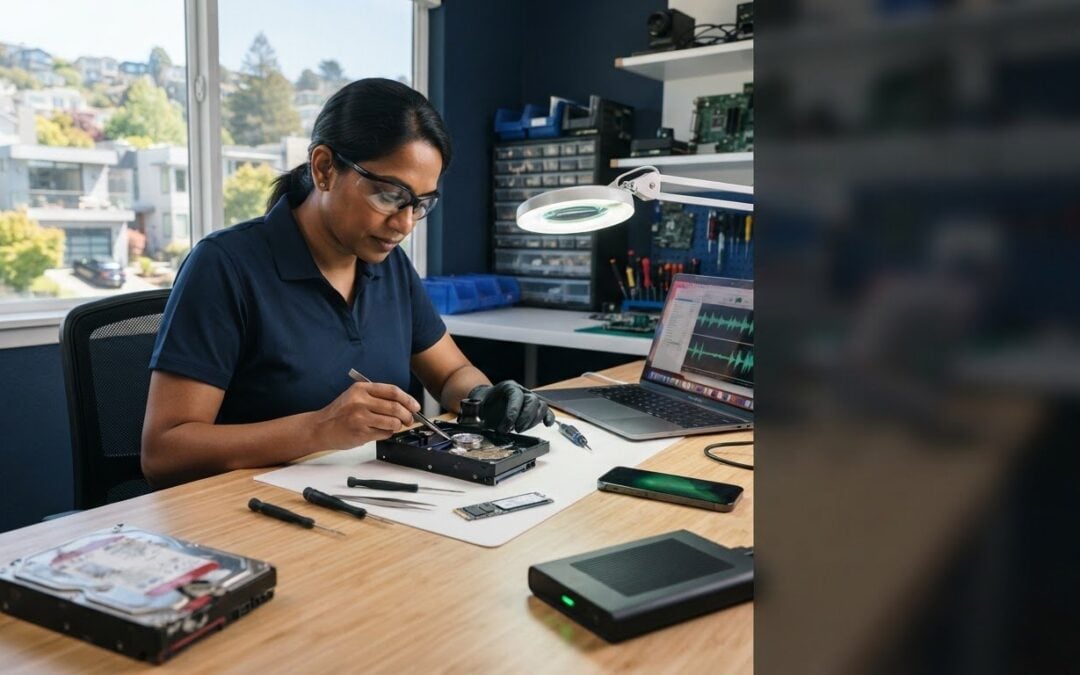
Could one more restart make missing files harder to recover? If a drive is failing, repeated attempts may add stress without fixing the problem. When photos, work files, or business records disappear, it’s natural to keep trying. But pausing and choosing a practical next step can help preserve your options. If you’re searching for a data recovery service Walnut Creek residents can turn to, start by limiting use of a device that clicks, overheats, or repeatedly disconnects.
The uncertainty can be as stressful as the lost files. Accidental deletion, a software issue, and physical drive damage can call for different approaches. This guide covers practical first steps, what in-store and clean-room recovery mean, and how to arrange an assessment without getting lost in technical details.
Pleasanton Computer Repair has served the East Bay since 2002 and provides Data Recovery for customers in Walnut Creek and nearby communities. Whether your files are personal or business-critical, you can arrange an assessment through the Pleasanton location and learn what may come next.
Key Takeaways
- Recognize common signs of data loss, from missing files to a drive or device that won’t open.
- See how an assessment helps identify a suitable recovery approach without promising a particular result.
- Learn what details about your computer, drive, or phone can help explain the problem and guide the next step.
- Find out how a data recovery service Walnut Creek customers can access through Pleasanton Computer Repair offers in-store and clean-room recovery.
- Get a simple plan for recording relevant device details and arranging an assessment from the Pleasanton location.
Data Recovery Service in Walnut Creek: What Data Loss Can Look Like
Data recovery is an attempt to retrieve inaccessible, missing, or lost files from storage media. That might mean trying to restore a folder deleted from a computer drive, recover files that no longer open, or access data on a phone that won’t load normally. The term covers different situations and methods; Understanding Data Recovery offers a broader overview. For someone seeking a data recovery service Walnut Creek customers can access in the East Bay, the practical starting point is identifying what changed, not guessing at the cause.
Three situations can look similar at first but raise different questions. Accidental deletion means files were removed, perhaps from a folder or recycle bin. Corruption can leave a file or file system present but unreadable. Suspected hardware failure may involve a storage drive that stops responding or a computer that can’t access it. A technician assesses the device and symptoms before determining an appropriate recovery method.
The right recovery approach depends on the device and the type of failure. A symptom is useful information, but it isn’t a remote diagnosis or a guarantee that files can be retrieved.
Common signs that files or a drive need attention
Look for a change from the device’s usual behavior. You may notice files have disappeared, a document won’t open, or a computer no longer shows its storage drive. A phone may also fail to open or display content as expected. Note what you observe and when it began, without assuming that one visible symptom identifies the cause.
- Missing files: One or more folders or documents are no longer where you expect them.
- Files that won’t open: The names may still appear, but the contents can’t be accessed.
- A drive that doesn’t appear: The computer can’t see the storage device, but that alone doesn’t explain why.
- A device that won’t open normally: A computer or phone may fail to load the information you need.
These clues help describe the problem. They don’t establish whether deletion, corruption, or a hardware issue is responsible.
Why repeated recovery attempts can complicate the situation
Continued use can change data on a device, so repeated attempts to save files, install unfamiliar recovery tools, or run several scans may make the situation harder to assess. That doesn’t mean every interaction causes damage. The concern is that certain activity can write new information to storage or alter the state of the device, particularly when the cause is still unknown.
There’s a useful difference between observing and experimenting. Notice whether the drive appears, record any messages, and remember what happened before the problem started. Trying fixes from different sources may introduce changes without clarifying the cause. If the files matter, pause before taking another uncertain step. The next section explains how to describe the symptoms and arrange an assessment so the recovery approach can be considered in light of the device’s condition.
How Professional Data Recovery Works: Assessment, Method, and Results
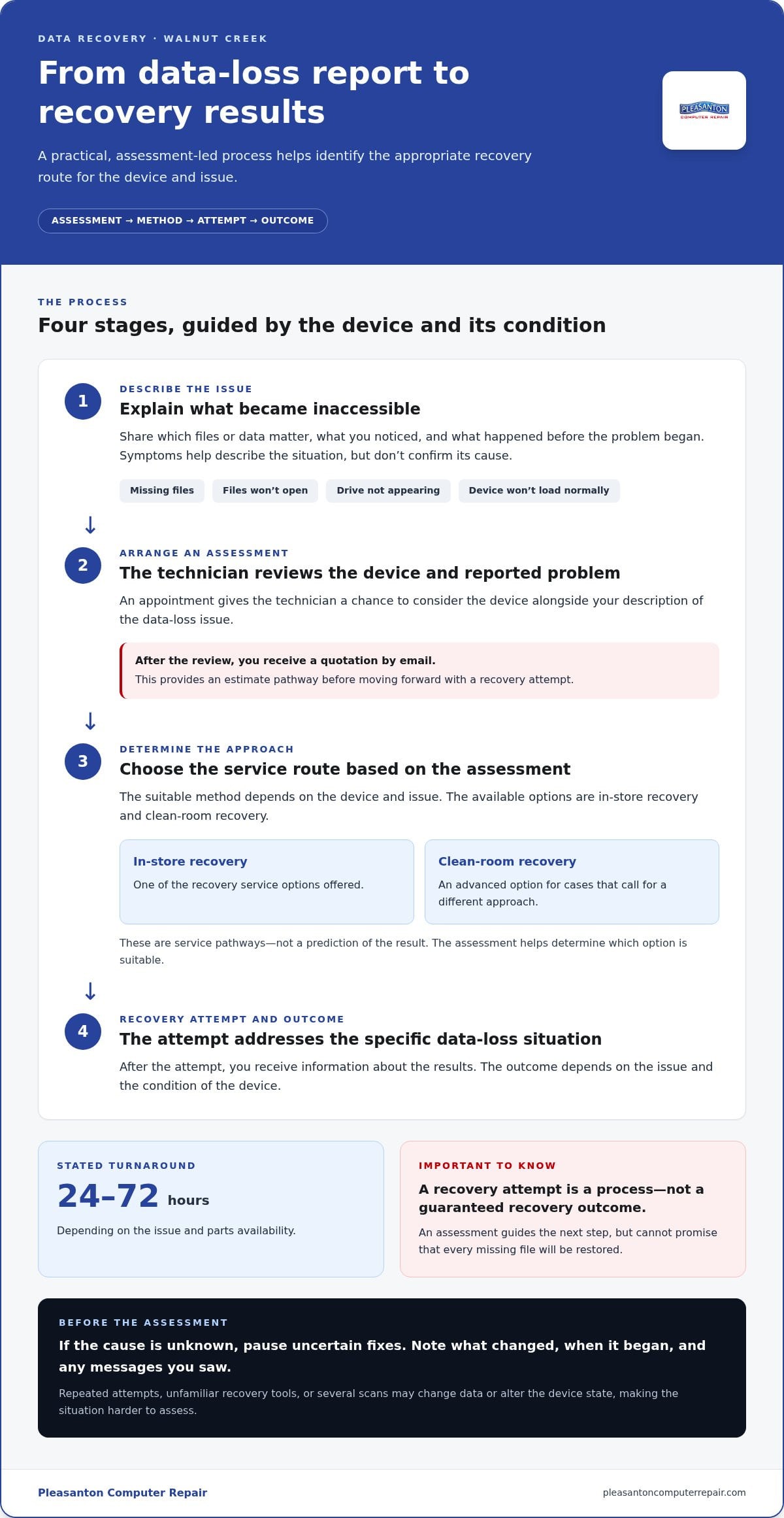
A professional recovery process starts by understanding the device and what changed, then matching the next step to the issue. Pleasanton Computer Repair provides a data recovery service Walnut Creek customers can access through its East Bay business. The process is designed to clarify the path forward without promising that files can always be retrieved. A technician reviews the device and reported problem, determines which recovery option is appropriate, attempts recovery, and communicates the results.
- Describe the issue. Explain what files or data you need and what happened before they became inaccessible.
- Arrange an assessment. Schedule an appointment so the technician can review the device and reported data-loss issue.
- Determine the approach. The suitable method depends on the device and assessment. In-store and clean-room recovery are the available service options.
- Review the outcome. After the recovery attempt, you receive information about the results. The outcome depends on the issue and the condition of the device.
A recovery attempt is a process, not a guaranteed recovery outcome. An assessment can guide the next step, but it can’t promise that every missing file will be restored.
What happens during an initial assessment?
The technician reviews the device alongside your description of the problem. Share what you noticed, when the issue began, and which files matter most. Schedule an appointment to begin. After the device and issue have been reviewed, you receive a quotation by email. This gives you a clear estimate pathway before moving forward with a recovery attempt.
In-store and clean-room recovery, in plain language
In-store recovery is one option offered for Data Recovery. Clean-room recovery is an advanced option for cases that call for a different approach. These terms describe service pathways, not guaranteed results. The assessment helps determine which option is suitable for the device and issue, rather than relying on a guess based on one symptom.
Once the appropriate route is identified, the recovery attempt proceeds with the specific data-loss situation in mind. Pleasanton Computer Repair states a data recovery turnaround of 24-72 hours depending on the issue and parts availability. The timeframe depends on the issue and parts availability, and it does not guarantee that recovery will succeed.
If you’re ready to move from uncertainty to an informed next step, you can schedule a data recovery assessment. Bring the device and a concise account of what happened. That information helps the technician assess the situation and explain the appropriate recovery path.
Choosing a Data Recovery Approach for Drives, Computers, and Phones
The most useful starting point is not choosing a recovery method yourself. It’s describing the device and the change you noticed. For a data recovery service Walnut Creek customers can access through Pleasanton Computer Repair, those details help frame the situation for assessment. A symptom can suggest what information to gather, but it can’t establish whether files are recoverable or which approach will be required.
| Device category | What you notice | Useful details to share |
|---|---|---|
| Computer storage drive | The drive doesn’t appear on the computer. | Whether it’s inside the computer or an external drive, and when it stopped appearing. |
| Hard drive or SSD | The drive opens, but files are missing or inaccessible. | Which folders or files are affected, and whether anything changed before they disappeared. |
| Computer | The computer won’t open normally or can’t access files. | The computer type, what happens when you try to open it, and when access changed. |
| Phone | Files or other data can’t be accessed as expected. | Whether it’s an iPhone or another phone, what data you need, and when the issue began. |
Hard drive or SSD: what details help describe the issue?
First, distinguish between a drive the computer can’t detect and one that opens but doesn’t show the files you expect. Note whether the drive is inside the computer or connected externally, and describe any message you see. This context helps explain the symptom without assuming an internal failure or a particular recovery method.
Computer or phone: what should readers explain?
Identify the device category and when you first lost access. For a computer, describe whether it starts and whether its files appear. For a phone, say whether it’s an iPhone and which data you’re trying to access. iPhone data recovery is a related topic, but the device and issue still shape what can be assessed.
Keep the description factual. “My external drive doesn’t appear” is more useful than guessing that it has failed. “The phone opens, but I can’t access particular files” helps distinguish that experience from a device that won’t open at all. If you’re unsure how to classify the symptom, simply describe what you observe and when it started.
These details help direct the assessment, not predict its outcome. Similar symptoms can have different causes, and the same device category can call for different approaches. Share what you know; leave the diagnosis to the assessment.
What to Do First After Losing Files in Walnut Creek
Missing files can create pressure to act quickly, but a careful first response gives you a clearer starting point. You don’t need to diagnose the device or decide which recovery method it needs. Focus on what you can observe, preserve the device and relevant details, and arrange an assessment. This gives a technician useful context without adding more uncertainty.
Pause repeated attempts, note what the device is doing, and arrange an assessment. These steps help guide the next move, but they can’t promise files will be recovered.
A short first-response checklist
- Pause repeated recovery attempts. If the cause isn’t clear, avoid repeatedly running unfamiliar recovery tools or trying several fixes. Continued use can change data, although not every interaction causes damage.
- Record what you observe. Note what happened before access changed and what the device displays now. For example, write down whether the computer shows a message or whether an external drive simply doesn’t appear.
- Describe the affected data. Make a note of the files or folders you need, whether some are still accessible, and when you first noticed a change.
- Keep the device and your notes together. Have the relevant computer, storage drive, or phone available for an assessment, along with your description of the issue.
Stick to observations rather than guesses. “The drive doesn’t appear” describes what you see. A conclusion about why it’s missing requires an assessment.
How to prepare for an assessment
Before arranging an appointment, jot down the device category and, if you know it, the storage type, such as a hard drive or SSD. Then put the symptoms in order: what was happening before the files became inaccessible, what changed, and what you see when you try to access them now. You don’t need technical terms. A straightforward timeline is enough to explain the situation.
Appointment scheduling allows a technician to review the device and reported data-loss issue. After that review, a quotation is sent by email. This provides a defined next step without requiring you to select a recovery method on your own. If you’re unsure whether the issue involves missing data or a broader computer problem, the computer repair service guide provides context on wider repair support.
For a data recovery service Walnut Creek customers can access through Pleasanton Computer Repair, bringing the device and a concise symptom history helps make the assessment more focused. Include what files matter most, but don’t assume the visible symptom reveals the cause or guarantees a particular result.
Ready to take the next step? Arrange a data recovery assessment and share what you’ve observed so the device and issue can be reviewed.
Walnut Creek Data Recovery with Pleasanton Computer Repair
Walnut Creek residents and businesses can access Data Recovery through Pleasanton Computer Repair, which serves the wider East Bay from its Pleasanton location. The address is 915 Main Street Suite A, Pleasanton, CA 94566. Pleasanton Computer Repair has served the East Bay since 2002, helping local customers find a clear next step when important files become inaccessible.
Data Recovery is available in-store and through clean-room recovery. These are distinct service options, and the appropriate route depends on the device and the issue identified during assessment. An inaccessible drive, missing files, or a phone that won’t open data can each present a different situation. Describing what happened helps the technician review the device and explain a suitable path without assuming the cause or promising a recovery result.
What Walnut Creek customers can expect from the local service
The service connects Walnut Creek customers with East Bay support from Pleasanton. After an appointment is scheduled, a technician reviews the device and reported issue, then emails a quotation. This gives you a chance to understand the proposed next step before proceeding with a recovery attempt.
Pleasanton Computer Repair serves customers across Pleasanton, Livermore, Dublin, San Ramon, Danville, Brentwood, Walnut Creek, and San Jose. The stated turnaround is 24-72 hours depending on the issue and parts availability. The issue and parts availability affect the turnaround, and the timeframe does not guarantee that files can be recovered. Pleasanton Computer Repair’s “Zero Data Loss” statement is a marketing promise, not an assurance of absolute recovery. Clear expectations matter, especially when files are important to your work or personal life.
For someone looking for a data recovery service Walnut Creek customers can access locally, this offers an East Bay path to an assessment. Prepare by bringing the device and describing what changed, which files matter, and what you currently observe. Technical terms aren’t necessary; a straightforward account of the symptoms gives the technician useful context.
How to request a data recovery assessment
Schedule an appointment to have the device reviewed. After assessing it, the technician emails a quotation, so you can consider the proposed recovery work with a clearer understanding of the next step. No recovery outcome is guaranteed, but an assessment helps determine which approach fits the device and issue.
If files have gone missing, you don’t have to figure out the technical cause alone. Schedule a data recovery assessment with Pleasanton Computer Repair and take the next step with a local East Bay team.
Take the Next Step Toward Clarity
Lost files can leave you weighing what matters most: family photos, important work, or records you rely on every day. You don’t have to know what caused the problem before asking for help. Consider which information you most need access to, so you can make that priority clear during an assessment.
Choosing a data recovery service Walnut Creek customers can reach is about more than trying to restore files. It’s also a way to understand the situation and decide what to do next. Recovery results can’t be promised, but an informed assessment can replace guesswork with a practical path forward.
When you’re ready, schedule an appointment for a data recovery assessment. A calm, informed next step can make a difficult moment feel more manageable.
Frequently Asked Questions
Can a data recovery service retrieve files from a failed hard drive?
Recovery may be possible, but it depends on the drive and the specific issue. A drive that isn’t detected and one that opens without showing expected files present different symptoms, and neither proves what can be recovered. Pleasanton Computer Repair offers in-store and clean-room Data Recovery. When arranging an assessment, describe whether the drive is internal or external, what the computer displays, and which files you’re trying to access.
What should I do first when my computer files disappear?
Pause repeated attempts to open or recover the files, then note what changed before you lost access. For example, record whether a folder vanished after a computer issue or whether a particular document now gives an error. Keep the device available and avoid assuming a missing folder means the drive has failed. An assessment can help identify a suitable next step, but no symptom alone guarantees that files can be restored.
Does Pleasanton Computer Repair offer clean-room data recovery?
Yes. Pleasanton Computer Repair offers Data Recovery in-store and through clean-room recovery. Clean-room recovery is an advanced option, not a promise that every device or file can be recovered. The appropriate route depends on the device and the issue identified during assessment. To get a quotation, schedule an appointment for a technician to review the device. After the review, the quotation is emailed to you.
How long does data recovery take?
The stated turnaround is 24-72 hours depending on the issue and parts availability. This is not a guaranteed completion window for every recovery case. The issue and any required parts can affect timing, so don’t assume a fixed finish date before the device is reviewed. When arranging an assessment, explain what happened and how the device is behaving. That gives the technician useful context for discussing the case.
How much does data recovery cost in Walnut Creek?
The cost depends on the service needed. Schedule an appointment for a technician to review the device, then the technician emails a quotation. This gives you information about the proposed service before you decide how to proceed.
Does Pleasanton Computer Repair serve data recovery customers in Walnut Creek?
Yes. Pleasanton Computer Repair serves Walnut Creek customers from its Pleasanton location. The address is 915 Main Street Suite A, Pleasanton, CA 94566. The East Bay service area also includes Pleasanton, Livermore, Dublin, San Ramon, Danville, Brentwood, and San Jose. Schedule an appointment for a technician to review the device and email a quotation.
Does the Zero Data Loss promise guarantee that every file will be recovered?
No. “Zero Data Loss” is a marketing promise, not a guarantee of complete recovery. Whether files can be retrieved depends on the device and the particular issue, so an assessment is needed to discuss an appropriate approach. Identify which files matter most and describe what you’ve observed, without assuming a certain result. To take the next step, schedule a data recovery assessment with Pleasanton Computer Repair.