
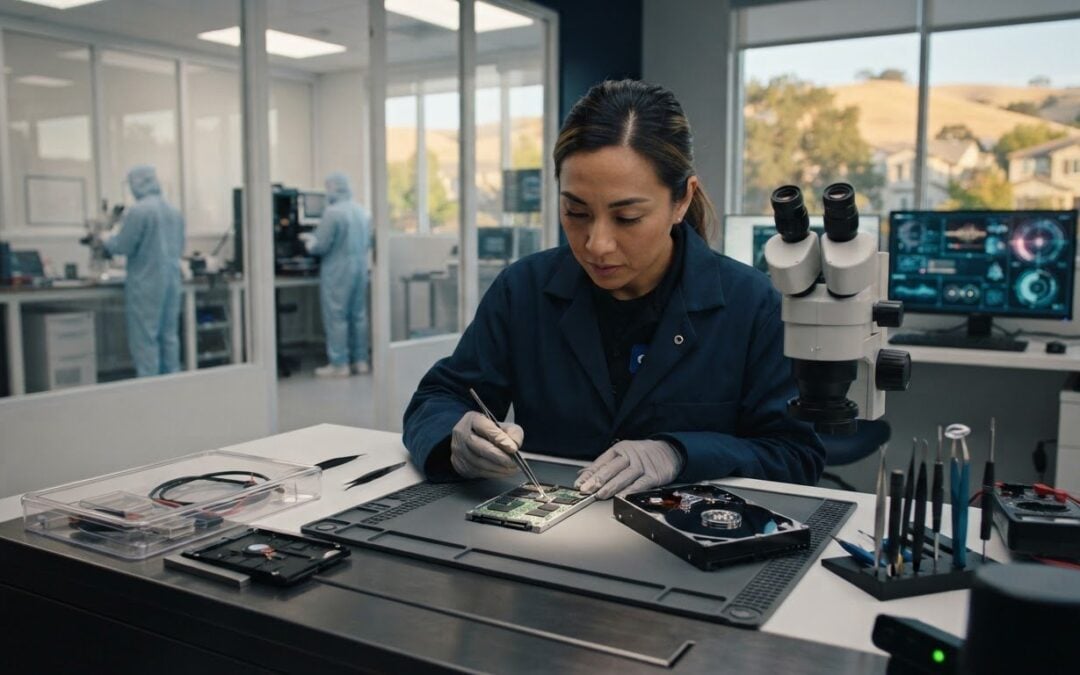
Can one more restart make lost files harder to recover? If a drive or device has failed, pause before trying repeated fixes. A data recovery service San Ramon residents can access can assess what happened and help determine a suitable next step, based on the symptoms and condition of the storage device.
It’s stressful when important photos, work files, or business records suddenly become inaccessible. Before trying repairs, limit further use and note what changed. That gives a technician useful context and avoids adding unnecessary activity while the issue is being assessed.
Pleasanton Computer Repair provides in-store and clean-room data recovery for customers in San Ramon and nearby East Bay communities, including Pleasanton, Livermore, Dublin, Danville, Brentwood, Walnut Creek, and San Jose. This guide covers practical first steps, how the two recovery options differ, and what to prepare for an assessment at 915 Main Street Suite A, Pleasanton, CA 94566.
Key Takeaways
- Limit use of a device with missing or inaccessible files, and note what happened and when the symptoms began.
- In-store and clean-room recovery are different options. The device and observed issue help determine which path is appropriate.
- Share what you’ve already tried, which files matter most, and what the device is doing. This helps focus the assessment.
- Pleasanton Computer Repair provides data recovery for San Ramon customers through in-store and clean-room options.
- For an in-store assessment, prepare the device and arrange a visit to 915 Main Street Suite A, Pleasanton, CA 94566.
San Ramon Data Recovery: What to Do When Files Disappear
A folder that suddenly looks empty, a drive that won’t open, or a computer that can’t access saved documents can bring your day to a halt. Data recovery is the process of attempting to retrieve inaccessible files from affected storage or devices. It differs from routine computer repair: computer repair restores a device’s function, while data recovery focuses on trying to retrieve its files.
The symptoms alone don’t reveal whether files can be recovered. The cause, the device’s condition, and previous troubleshooting attempts all matter. For a general overview of the data recovery process, including common scenarios and techniques, see Wikipedia’s background article. Pleasanton Computer Repair serves customers in San Ramon and across the East Bay with in-store and clean-room data recovery.
Common data-loss situations that call for professional assessment
Some problems appear while a device still operates. A computer may start normally, for example, but a folder of work files is missing or an external drive won’t open. Files may also become inaccessible after accidental deletion or a storage issue. A device that still runs doesn’t establish whether the missing data can be retrieved. An assessment helps identify an appropriate recovery path.
Other symptoms can point to a possible hardware failure. A drive that repeatedly disconnects, won’t open, or behaves unusually deserves more caution than a single missing folder on an otherwise functioning computer. Don’t assume the cause from one symptom alone. Data recovery may involve computer or phone data, and the device and issue help determine what to do next.
Why continued use can complicate a recovery attempt
When important files disappear, it’s tempting to keep clicking, restarting, or trying different fixes. Pause unnecessary use instead. Continued activity or repeated troubleshooting may change the situation and complicate a recovery attempt, particularly if the device may have a hardware problem. Stopping use can’t guarantee recovery, but it avoids adding activity before the issue is assessed.
- Stop opening, saving, or moving files on the affected device when the missing data matters.
- Avoid repeating restarts or troubleshooting steps if the device shows signs of failure.
- Note what happened and when you first noticed the problem, including any changes just before files became inaccessible.
Keep the details simple: which device is affected, what you can still access, and what symptoms you’ve observed. That gives a technician a useful starting point without requiring you to diagnose the cause. Pleasanton Computer Repair’s data recovery service for San Ramon customers matches the recovery options to the device and issue rather than relying on a one-size-fits-all fix.
How In-Store and Clean-Room Data Recovery Differ
Pleasanton Computer Repair offers two data recovery paths: in-store recovery and clean-room recovery. The difference isn’t simply a choice between a basic and a better service. It’s about matching the approach to the device and symptoms. A drive that still opens but has missing files presents a different situation from a device that won’t operate as expected. Those signs alone don’t determine which option is suitable.
In-store recovery begins with a local assessment, while clean-room recovery is an alternative for cases that call for clean-room handling. Technicians review what you’ve observed and explain the approach being considered. Neither option promises that every file can be restored.
When an in-store recovery assessment is a practical starting point
For San Ramon customers, in-store recovery is available at Pleasanton Computer Repair, 915 Main Street Suite A, Pleasanton, CA 94566. Bring the affected device and describe what changed, such as when files became inaccessible or what happens when you try to open the drive. These details give technicians useful context to consider alongside the device.
After reviewing the reported symptoms, technicians can outline the next steps and explain the recovery path being considered. An assessment helps clarify the situation, but it can’t establish in advance that specific files can be recovered or how long recovery will take. Keep that distinction in mind as you discuss the issue.
What clean-room recovery means for a more complex case
Clean-room recovery is an option for cases where clean-room handling is considered appropriate. It’s a different recovery path from in-store service, and the device and observed issue help determine which approach fits. A symptom or device type alone doesn’t establish that clean-room work is required.
The term also isn’t a guarantee of success. An assessment helps identify the path being considered, but it can’t promise that every file will be restored. Pleasanton Computer Repair provides both in-store and clean-room recovery options, with the approach based on the case rather than assumptions about what a particular device needs.
To make the discussion clearer, share what the device is doing, which files you’re trying to retrieve, and what steps you’ve already taken. Ask for a plain-language explanation of the proposed path and what is known about the case at that stage. Understanding whether in-store or clean-room recovery is being considered helps set expectations without confusing a method with an outcome.
- In-store: Bring the device to the Pleasanton location so technicians can review its condition and the symptoms you describe.
- Clean-room: This is another recovery option, considered when the case calls for that path.
- Either option: The device and issue guide the assessment. Successful recovery isn’t assured.
If you’re weighing the options for a data recovery service San Ramon residents can access locally, arrange an assessment with Pleasanton Computer Repair.
Choosing a Data Recovery Service Near San Ramon: What Matters
Choosing help for lost files is easier when you focus on how the recovery decision will be made, rather than broad promises. Consider the service options, what the assessment involves, and how the proposed next step will be explained. These points help you understand what’s being considered without assuming a particular method will restore every file.
Pleasanton Computer Repair provides data recovery through in-store and clean-room options. The device and symptoms help inform which path is appropriate. A clear explanation should connect what you’ve observed with the recovery approach being considered, while leaving the outcome open until the case is assessed.
Questions that clarify the recovery path
Before arranging an assessment, gather a short description of the affected device and what it’s doing. Note which files or folders matter most, when they became inaccessible, and what you’ve already tried. These details give technicians context and keep the conversation focused on your situation.
During the assessment, ask which recovery path is being considered and what observed issue informs that direction. An assessment helps identify a suitable approach, but it isn’t a promise that files can be restored. Costs and timelines depend on the case. Pleasanton Computer Repair reviews the device and emails a quotation, so base your decision on the information for your specific case rather than a general estimate.
For a phone-related case, the iPhone data recovery guide offers information focused on that kind of device. A phone, computer, or storage drive can present different symptoms, so describe the device and issue when arranging an assessment.
How local service access differs from a San Ramon storefront
Pleasanton Computer Repair serves San Ramon and nearby East Bay communities. Its in-store location is at 915 Main Street Suite A, Pleasanton, CA 94566. Knowing where the service is based helps you plan how to bring in an affected device.
Customers in Pleasanton, Livermore, Dublin, San Ramon, Danville, Brentwood, Walnut Creek, and San Jose can access the company’s data recovery services. The practical fit depends on the device, reported symptoms, and assessment. Focus on those details and the explanation of the proposed path to make an informed decision without relying on guarantees or assumptions.
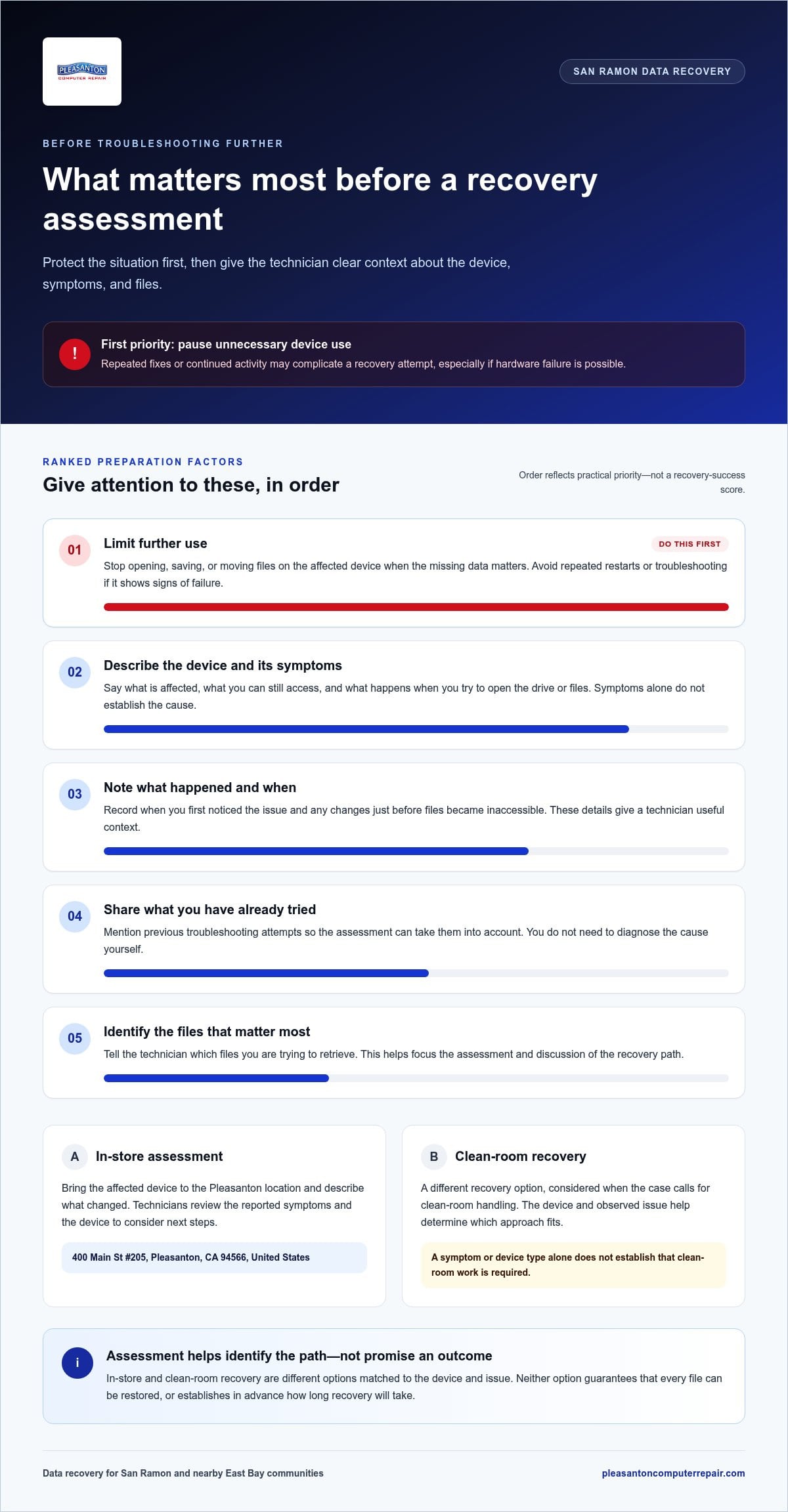
Before You Bring in a Device: Protect the Data and Prepare
A little preparation can make an assessment more focused. You don’t need to diagnose the fault or gather technical records. The goal is to preserve the current situation, describe what you’ve noticed, and explain which files matter most. These steps can’t guarantee recovery, but they give the assessment a clearer starting point.
Steps to take when files first become inaccessible
Start with the data, not another round of experiments. Pause unnecessary use, then record the details you can observe without repeatedly trying to open or repair the device.
- Pause routine use. Avoid saving new files, moving data, or repeating troubleshooting attempts on the affected device, especially if its behavior suggests a possible hardware problem.
- Record what happened. Note when you first noticed the issue and what was happening beforehand, such as a restart, a device disconnecting, or files suddenly becoming unavailable.
- Save the visible details. Write down any error message and describe changes in behavior in plain language. For example, note whether a drive doesn’t open or a folder appears empty.
- Prioritize the files. List the folders or types of information you most want to retrieve, such as family photos, current work documents, or business records. This helps explain your priorities during the assessment.
Information to prepare for an in-store assessment
Before bringing in the device, put together a short, practical summary. A clear description is more useful than guessing at the technical cause.
- Identify the device. Note whether it’s a computer, phone, or separate storage device, and include any basic details you already know.
- Describe the symptom. Explain what you can and can’t access, what the device does when you try, and when the issue began.
- List previous attempts. Mention any troubleshooting you’ve already tried and whether the behavior changed afterward. Don’t repeat a step just to see if it works again.
- Bring useful accessories when appropriate. If the device needs a particular power adapter or cable to operate, bring it along. If there’s an access prompt or other detail needed to understand the problem, note what appears rather than trying extra workarounds.
This preparation gives the technician a concise account of the case and keeps the conversation centered on your priorities. It doesn’t predetermine whether files can be recovered, which option is suitable, or how long the work may take. Those depend on the assessment.
If you’re preparing for a data recovery service San Ramon customers can access through Pleasanton Computer Repair, use your notes and the affected device to start the in-store assessment. Arrange a data recovery assessment and bring the details that will help explain what happened.
Arrange Data Recovery for San Ramon With Pleasanton Computer Repair
San Ramon residents can access data recovery through Pleasanton Computer Repair, which serves nearby communities across the East Bay. The company offers in-store and clean-room recovery options, with the appropriate path depending on the device and issue identified during assessment. For in-store service, bring the affected device to the Pleasanton location.
The address is 915 Main Street Suite A, Pleasanton, CA 94566. Schedule an appointment so a technician can review the device and understand what’s happening before outlining the next step.
What to expect when requesting a data recovery assessment
Schedule an appointment for a technician to review the affected device. Share which files you’re trying to retrieve, what symptoms you’ve noticed, when they began, and any troubleshooting you’ve already attempted. A clear description helps the technician assess the situation in context, but you don’t need to identify the technical cause yourself.
After reviewing the device, the technician emails a quotation. This gives you information about the proposed work before proceeding. Data recovery depends on the specific case, so general computer repair turnaround estimates shouldn’t be treated as a data recovery timeline. The assessment and quotation are tied to the device and its observed issue, and recovery cannot be promised for every file.
For broader support beyond data recovery, Pleasanton Computer Repair also provides local computer services. The Computer Repair Pleasanton CA service guide offers an overview of that wider support.
Take the next step from San Ramon
Before your appointment, gather the device and a short note about the symptoms and the files that matter most. If the device needs a particular power adapter or cable to operate, bring it when appropriate. This preparation helps make the initial review more focused.
Store hours: Monday – Friday: 9:30 am - 5:00 pm; Saturday – Sunday: Closed. Appointment hours: Appointments: Monday – Friday 9:30 am - 5:00 pm; Saturday 9:00 am - 1:00 pm.
If you need a data recovery service San Ramon customers can access through a nearby East Bay business, request help with your data recovery.
Take a Clear Next Step Toward Your Files
Lost files can make it hard to know what to do next. You don’t need to solve the technical problem on your own. Share what you’ve noticed, explain which files matter most, and let an assessment clarify the path forward. That gives you a more informed basis for deciding how to proceed without assuming a particular recovery result.
If you’re considering a data recovery service San Ramon residents can access locally, Pleasanton Computer Repair can review your device and outline the proposed next step. The company’s stated “Zero Data Loss” promise is a marketing claim, not a guarantee that every file can be recovered. Outcomes depend on the specific case.
Request help with your data recovery and take the next step toward understanding your options.
Frequently Asked Questions
Can a data recovery service recover every lost file?
No service can promise that every lost file will be recovered. The result depends on the condition of the storage device and what happened to the data. Files that became inaccessible after a device problem may present a different recovery case from files that were deleted and then affected by further activity. An assessment can clarify what may be possible, but recovery should never be treated as certain.
What should I do first when my hard drive stops working?
Stop using the drive and avoid formatting it, opening its casing, or running repeated repair attempts. If it’s connected to a computer, don’t keep restarting the computer just to test the drive. Make a note of any error message and what happened before the problem began. Then arrange an assessment and share those details. Avoid saving new files to the affected drive while deciding what to do next.
Can data be recovered from an SSD?
Data recovery may be possible from an SSD, but the outcome depends on the specific drive and issue. A computer that still starts but can’t access certain files presents different symptoms from one that can’t detect its storage at all. Don’t assume an SSD is either unrecoverable or guaranteed to be recoverable. Describe what you see and have the device assessed before attempting further fixes.
Does Pleasanton Computer Repair offer data recovery for phones?
Pleasanton Computer Repair offers data recovery, iPhone Repair, and iPad Repair. If important information on a phone is inaccessible, describe the device, what you can still access, and how the problem began when arranging an assessment. Phone condition and symptoms matter, so a repair and a data recovery attempt shouldn’t be assumed to be the same job. A technician’s review can help clarify the next step.
How much does data recovery cost?
The cost depends on the device and the recovery work required, so there isn’t one price that applies to every case. A technician reviews the device and emails a quotation. The in-store repair price range for other services shouldn’t be treated as data recovery pricing. Review the quotation for your specific case before deciding whether to proceed.
Is there a data recovery service in San Ramon?
Pleasanton Computer Repair serves San Ramon customers through its East Bay service area and provides in-store data recovery at 915 Main Street Suite A, Pleasanton, CA 94566. The business also serves nearby communities including Pleasanton, Livermore, Dublin, Danville, Brentwood, Walnut Creek, and San Jose. Residents can arrange an assessment through the company’s local service.
What is clean-room data recovery?
Clean-room data recovery is an option that uses clean-room handling for cases where that path is considered appropriate. It differs from in-store recovery, but the device and observed problem determine which option is suitable. The term describes a recovery approach, not a promised result. An assessment can help explain whether clean-room recovery is being considered, but it can’t guarantee that every file will be restored.