
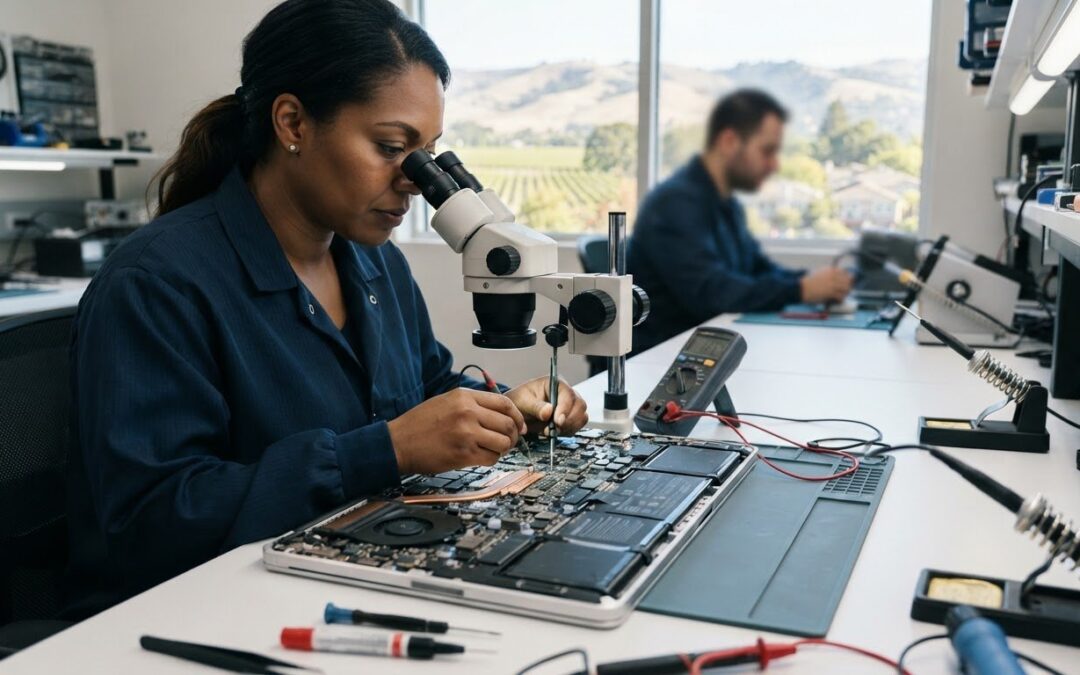
Could a MacBook that won’t start really need a new logic board? Not necessarily. Startup failures and unpredictable behavior can have several causes, so a confirmed diagnosis should come before an expensive repair decision. If you’re searching for MacBook logic board repair Pleasanton, start by finding out what’s actually wrong and which options fit your MacBook and your data.
It’s understandable to worry that a costly repair might not fix the problem, or that troubleshooting could put important files at risk. This guide explains which symptoms may point to a logic board issue, what a thorough assessment should cover, and what to ask about data handling, repair methods, fees, and timing before authorizing work.
Pleasanton Computer Repair offers Mac repair, but its specific MacBook board-level repair capability isn’t confirmed. Before arranging service, ask whether the shop can assess your model and fault, and whether it performs board-level work or refers it elsewhere. The sections ahead will help you compare local repair paths and choose a clear next step without rushing into a repair.
Key Takeaways
- A MacBook that won’t start may have a power, battery, display, or connection fault rather than a confirmed logic board problem.
- Ask what tests support the diagnosis and which other causes have been ruled out before approving repair work.
- Compare repair, board replacement, and replacing the MacBook based on the confirmed fault, your model, and the technician’s assessment.
- Before authorizing MacBook logic board repair Pleasanton, confirm whether the shop handles board-level work or refers it elsewhere, and ask about data handling and warranty terms.
- Record the symptoms and protect your data where possible, then check directly with Pleasanton Computer Repair about assessment options for your model.
MacBook Logic Board Repair in Pleasanton: What the Service Involves
In brief: A MacBook logic board problem involves a fault in the main circuit board or its connected components, but symptoms alone can’t confirm that the board is responsible.
The logic board is the MacBook’s central electronic circuit board. It connects key parts, including the processor, memory, ports, and power functions, so they can work together. Apple uses “logic board” for what’s commonly called a motherboard. The layout and repair approach can differ between MacBook models, so a technician needs to identify your specific model before recommending work.
What does a MacBook logic board control?
Think of the board as the system’s central hub. It helps components communicate and supports the connections involved in powering and operating the computer. A technician needs to identify your model because board design and component placement aren’t identical across MacBooks.
Board-level repair means working on the logic board itself rather than automatically replacing the entire board. A whole-board replacement is a different repair path. Which option, if either, is appropriate depends on the confirmed fault, model, parts, and technician’s assessment. Ask whether the shop performs board-level work for your model or sends that work to another provider.
Which symptoms can point to a logic board issue?
A MacBook that won’t power on, shuts down unexpectedly, or develops problems across multiple functions may have a logic board issue. These are clues, not proof. A faulty charger, battery, display, or connection can cause similar symptoms, and one failing component can look like a broader system problem.
A careful assessment should narrow down the cause before anyone recommends board repair or replacement. Write down what happens, when it happens, and whether the issue is consistent. Ask the technician to explain which components were checked and how the findings support the recommendation. Avoid authorizing major work based only on a symptom list or a quick guess.
If you’re considering MacBook logic board repair Pleasanton, confirm whether the shop can assess your MacBook model and fault, and whether it handles board-level repair in-house or refers it elsewhere. Pleasanton Computer Repair offers Mac repair, but its specific logic board repair capability isn’t confirmed. Ask directly what diagnostic process is available before deciding on next steps.
How Technicians Diagnose a MacBook Logic Board Problem
Symptoms alone can’t confirm a logic board fault. A MacBook that won’t start might have a problem with its power supply, battery, display, or a connection instead. A careful assessment works through the evidence before recommending a repair, helping you understand what’s known and what still needs to be checked.
What should an initial MacBook assessment include?
Diagnosis usually begins with your account of the problem, followed by a physical inspection and testing suited to the MacBook’s model, condition, and reported symptoms. A technician may need to rule out simpler causes before concluding that the logic board is involved. The specific checks can vary, so ask what the assessment can establish and what it can’t.
Share useful details upfront, even if they seem unrelated: when the issue started, whether it happens consistently, and whether the MacBook was recently dropped, exposed to liquid, repaired, or behaving differently before the failure. These clues help shape the investigation. A general resource on troubleshooting hardware also illustrates why checking possible causes methodically matters.
A clear diagnostic conversation should cover:
- What you observed and when it began
- Which components or connections were inspected or tested
- What alternative causes were considered
- What the findings support, and what remains uncertain
Before authorizing repair, ask the technician to explain the conclusion in plain language. If the cause hasn’t been isolated, ask what additional assessment is needed and whether it involves a separate fee. You should understand what the proposed work is intended to address before approving it.
How can you protect files before repair?
If the MacBook still works, ask whether you can back it up before handing it over or approving work. Don’t assume the files are safe simply because the issue appears to involve power or the logic board. On some newer models, storage is integrated with the board, so the repair approach may affect access to data.
If the computer won’t start or contains essential files, tell the technician before work begins. Data access or recovery depends on the fault and the device’s condition, so don’t assume a particular outcome. Ask what steps may be taken, whether your approval is needed before those steps, and how your files will be handled.
For a local starting point, Pleasanton Mac repair information can help you contact Pleasanton Computer Repair. The business offers Mac repair, but its board-level service is unconfirmed. Ask whether it can assess your model, performs board-level work, or refers that work elsewhere before scheduling.
Repair, Board Replacement, or MacBook Replacement: How to Compare
Once a technician has explained the confirmed fault, compare the available paths rather than assuming one is automatically best. A component-level repair addresses a fault on the board; a full board replacement swaps out the logic board; replacing the MacBook means moving to another computer. What’s feasible depends on the fault, your model, available parts, and the technician’s assessment.
Ask for a written estimate that identifies the proposed work, what it includes, any diagnostic charges, and the terms that apply if you decline. Request a plain-language explanation of why that option is recommended and what uncertainties remain. The Right to Repair movement offers broader context on repair choices, but your decision should rest on the assessment of your specific device.
| Option | When to consider it | Questions to ask | Key uncertainties |
|---|---|---|---|
| Board-level repair | When the technician identifies a fault that may be addressed on the existing board. | Can you perform this work on my model? What does the estimate cover? | Whether the fault is repairable and what outcome or warranty terms apply. |
| Full logic board replacement | When the assessment supports replacing the board rather than repairing a component. | Why is replacement recommended? What happens to my data and existing parts? | Parts availability, model-specific feasibility, and possible effects on data access. |
| MacBook replacement | When the diagnosis indicates extensive damage or other significant issues make repair less suitable for your needs. | What should I compare against the repair estimate? What features do I need? | Whether another computer better fits your budget, workload, and priorities. |
When might repair be worth exploring?
Consider the MacBook’s age, overall condition, and how well it still fits your day-to-day tasks. Ask whether the diagnosed fault is isolated or whether the technician found other problems that may need attention. Repair may be worth exploring, but don’t assume it will restore performance or extend the computer’s life by a set amount. Get the scope and limitations in writing, then compare the estimate with your priorities for the device.
When should you compare replacement options?
If the assessment points to extensive damage or multiple issues, compare the repair path with replacing the computer. Think about the software and features you rely on, the condition of your current MacBook, and the value of keeping it. This refurbished laptops guide can help you consider another option, but confirm current availability directly rather than assuming a particular model is in stock.
For MacBook logic board repair Pleasanton, ask local shops whether they handle your model and the recommended type of work, or refer it elsewhere. Compare written estimates, data considerations, and applicable terms before authorizing a repair.
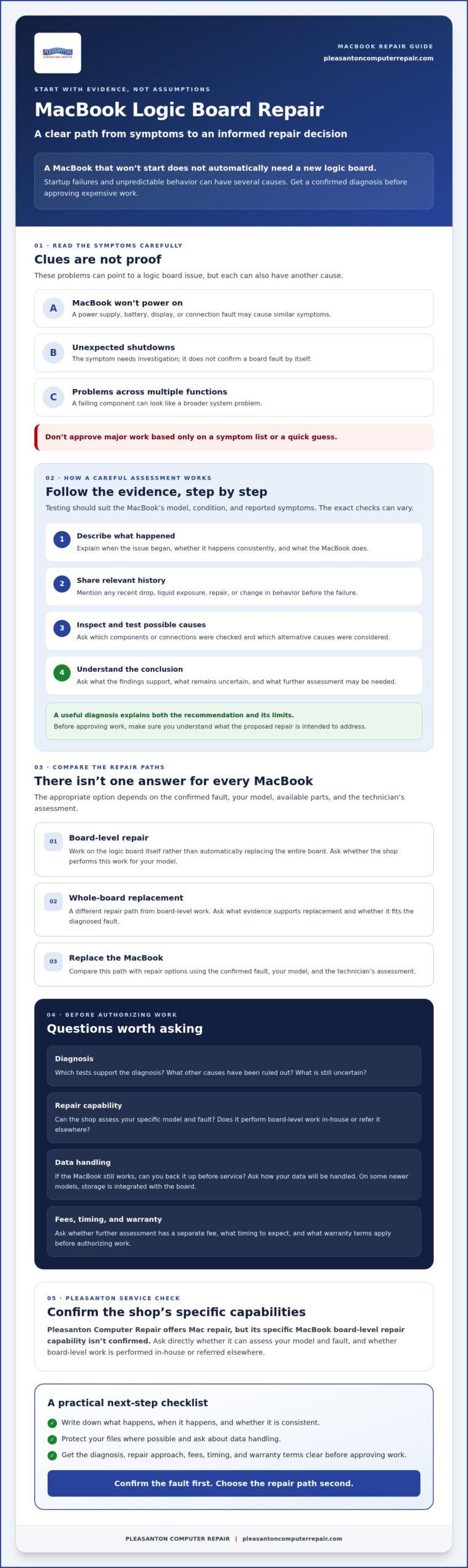
Questions to Ask Before Authorizing MacBook Logic Board Work
Before approving a repair, get clear answers about who will assess your MacBook, what the diagnosis supports, and what happens if the findings change the plan. A few direct questions can help you understand the risks and avoid authorizing work based on an assumption.
How do you verify the shop can handle your MacBook?
Start with your exact MacBook model and the symptoms you’ve noticed. Ask whether both are within the shop’s assessment scope, whether it performs board-level work itself, and whether diagnosis or repair would be referred to another provider. If the work is referred, clarify who will contact you, explain the findings, and request approval before additional work begins. For broader local service context, see this Mac repair guide for Pleasanton.
What should you confirm about estimate, data, and warranty?
Ask for the diagnosis and proposed work to be explained before you approve anything. Find out what the estimate includes, whether an assessment fee applies, and what happens if testing points to a different fault than expected. Discuss important files before work starts. Ask whether data could be affected and whether you can back up the MacBook first. If a warranty is offered, confirm its terms for this specific repair rather than assuming coverage.
- Capability: Can you assess my model and reported fault? Do you perform board-level work or refer it?
- Diagnosis: What findings support the recommendation, and what other causes were considered?
- Estimate: What work is included, and will you contact me if the diagnosis changes?
- Data: Could my files be affected, and should I try to back up the MacBook first?
- Warranty: What terms, if any, apply to the proposed work?
- Local arrangements: Do I need an appointment, and where should I bring the MacBook?
Pleasanton Computer Repair offers Mac repair, but its specific MacBook logic board repair capability isn’t confirmed. Ask directly whether it can assess your model and fault. The business accepts online appointment scheduling and lists its location at 400 Main Street, Suite 205, Pleasanton. Confirm current drop-off arrangements before visiting.
If you’re comparing options for MacBook logic board repair Pleasanton, use these questions to guide the conversation before authorizing work. You can contact Pleasanton Computer Repair to ask about Mac assessment options.
Get MacBook Repair Help in Pleasanton: Your Next Steps
A suspected logic board problem can feel daunting, but you don’t need to arrive with a diagnosis. Start with what you know: write down the symptoms, protect your files if the MacBook still allows a backup, and ask a local repair provider what assessment is appropriate. Clear details help set up a useful conversation and prevent assumptions about the cause or repair.
What information should you bring to an appointment?
Share the MacBook model if you know it, what it’s doing, and when the problem began. For example, note whether it stopped turning on suddenly or began shutting down after a period of use. Mention any liquid exposure, impact, previous repair, or troubleshooting you’ve already tried. These details help a technician understand the sequence of events.
If the computer still works, consider backing up important files before bringing it in. If it won’t start, tell the shop which files matter and ask about data handling before authorizing work. Bring a charger or other accessories only if the shop requests them. That keeps the handoff focused and avoids carrying items that aren’t needed for the initial conversation.
How can Pleasanton Computer Repair help?
Pleasanton Computer Repair offers Mac repair for residential and business customers in the East Bay. Its specific MacBook logic board repair capability isn’t confirmed, so contact the shop to ask whether it can assess your model and reported issue, performs board-level work, or refers that work elsewhere. You can also ask what information to provide and what the next step would involve. For broader context, see the Pleasanton computer repair service guide.
The shop’s location is 400 Main Street, Suite 205, Pleasanton, and online appointment scheduling is available. Confirm appointment arrangements and drop-off details before visiting. Don’t assume a particular repair, model coverage, or turnaround until the shop confirms it.
If you’re looking into MacBook logic board repair Pleasanton, take the next step calmly: gather your symptom notes, mention any data concerns, and use the online appointment scheduling process to ask whether the shop can assess your MacBook. A direct conversation can help you understand the available path before you authorize work.
Take the Next Step with a Clear Diagnosis
A MacBook that won’t start or behaves unpredictably doesn’t automatically have a logic board fault. Symptoms can point to several causes, so ask for an assessment that explains what was checked, what the findings show, and which repair options fit your model. Before authorizing work, clarify the estimate, data-handling approach, and any warranty terms that apply.
If you’re considering MacBook logic board repair Pleasanton, confirm directly whether the shop can assess your specific MacBook and performs board-level work or refers it elsewhere. Pleasanton Computer Repair offers Mac repair and serves residential and business customers in the East Bay. Its Pleasanton location is at 400 Main Street, Suite 205, and online appointment scheduling is available.
Contact Pleasanton Computer Repair to discuss your MacBook and ask about service availability. Bring your symptom notes and any data concerns to the conversation. With a clear diagnosis and your questions answered, you can choose the next step with greater confidence.
Frequently Asked Questions
Is a MacBook logic board repair always necessary if my MacBook will not turn on?
No, a MacBook that won’t turn on doesn’t automatically need logic board repair. A charger, battery, display, connection, or internal hardware fault could cause similar symptoms. Ask a technician to assess the device and explain which simpler causes were checked before recommending board work. Also confirm whether the shop can assess your specific MacBook model and perform the required repair or refers that work elsewhere.
Can a MacBook logic board be repaired instead of replaced?
Sometimes a technician can repair a fault on the existing board, but other cases may call for full board replacement or a different solution. The right path depends on the MacBook model, confirmed damage, parts, and the shop’s capabilities. Ask what work is proposed, who will perform it, and what warranty terms apply. Don’t assume every fault is repairable or that replacement is always necessary.
How much does MacBook logic board repair cost in Pleasanton?
The cost depends on your MacBook model, the confirmed fault, parts, and whether repair or replacement is recommended. Request a diagnosis and written estimate before authorizing work. Ask whether the assessment has a fee and what happens if you decline the proposed repair. Pleasanton Computer Repair’s pricing and specific board-level service availability aren’t confirmed here, so contact the business directly for current details about your device.
What happens if my MacBook has liquid damage to the logic board?
Liquid exposure can affect multiple internal components, and symptoms may change over time. Stop using or charging the MacBook and seek professional guidance, since continued power may worsen the damage. Tell the technician when the exposure happened and whether you tried to turn on or charge the device afterward. An assessment is needed to identify affected parts, discuss repair options, and determine whether stored data may remain accessible.
How long does MacBook logic board repair take?
Repair timing varies with the model, diagnostic findings, parts availability, and the work required. Ask the shop for an estimate after it assesses your MacBook rather than relying on a standard turnaround. Confirm whether diagnosis and repair happen at the shop or involve another provider, and ask when you can expect an update. Pleasanton Computer Repair hasn’t confirmed a turnaround for this specific service, so check directly before arranging drop-off.
Will logic board repair erase my MacBook data?
It depends on the fault and the work performed, so don’t assume your files will remain accessible. If the MacBook still works, ask whether you can back it up before authorizing service. If it won’t start, tell the technician which files matter and ask how the proposed work could affect them. Pleasanton Computer Repair offers data recovery, but discuss your device and situation directly rather than assuming recovery is possible.
Does Pleasanton Computer Repair perform MacBook logic board repairs?
Pleasanton Computer Repair offers Mac repair, but its specific MacBook logic board repair capability isn’t confirmed. Contact the shop with your model and symptoms to ask whether it can assess the device, performs board-level work, or refers it elsewhere. Confirm diagnostic fees, the estimate, data considerations, and any applicable warranty before approving service. The business serves Pleasanton and nearby East Bay communities, including Livermore, Dublin, San Ramon, Danville, Brentwood, Walnut Creek, and San Jose.