
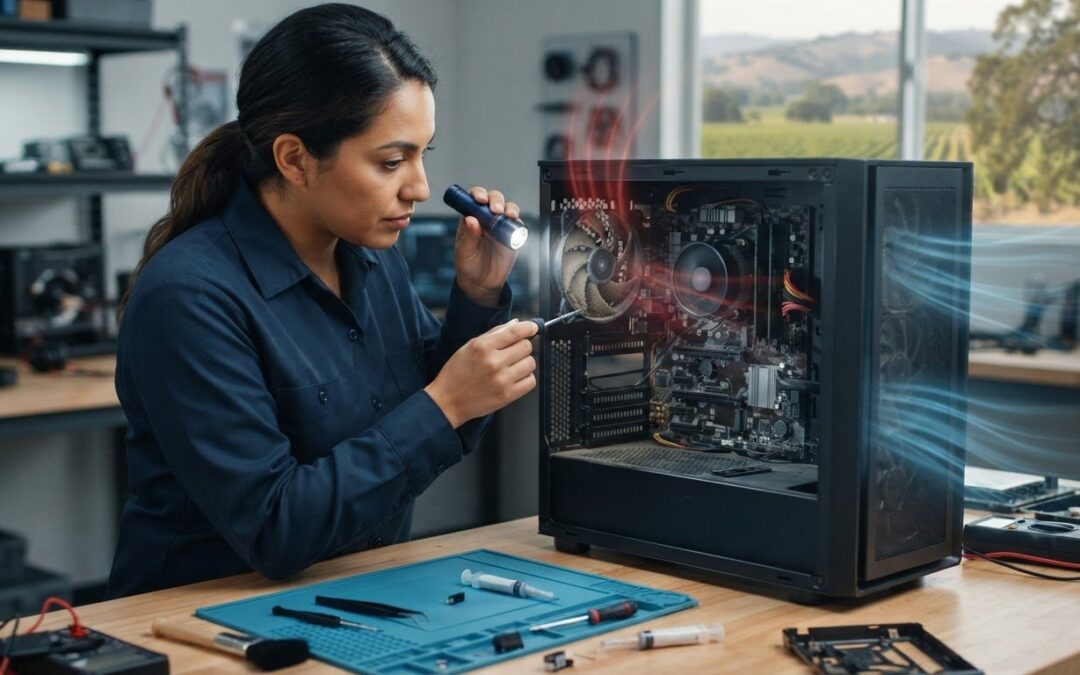
A loud PC fan doesn’t always need replacing. Grinding, rattling, or clicking can point to worn bearings, but dust buildup or restricted airflow may also cause noise and overheating. If you’re looking for a PC fan replacement service Livermore residents can contact, start with a diagnosis rather than guessing at the fix.
Pleasanton Computer Repair serves the East Bay and provides PC hardware component replacement. Contact the shop to ask whether fan replacement is available for your computer model, what the diagnostic process involves, and which service options are suitable for your Livermore address.
This guide covers signs that a fan may be failing, how to check for simple airflow problems, and what to ask before approving a repair. You’ll also learn how to confirm that a replacement part fits your system and compare local service options with more confidence.
Key Takeaways
- Learn which fan symptoms may point to mechanical failure and which could have another cause.
- Compare cleaning, fan replacement, and broader cooling system diagnosis before choosing a repair.
- Ask about diagnosis and part compatibility so the proposed fix suits your PC model.
- When considering a PC fan replacement service in Livermore, confirm that the provider serves your address and offers a suitable service option.
- Pleasanton Computer Repair serves Livermore and provides PC hardware component replacement. Check whether fan repair is available for your system.
PC Fan Replacement in Livermore: When Noise or Heat Needs Attention
A loud fan can interrupt a work call, and a PC that feels unusually hot can raise concerns about continued use. Note what’s happening, check for obvious external airflow obstructions, and arrange an assessment if symptoms persist or worsen. A PC fan replacement service Livermore customers consider should begin by identifying the cooling problem, not by assuming every noisy fan needs a new part.
Which PC fan symptoms suggest a repair assessment?
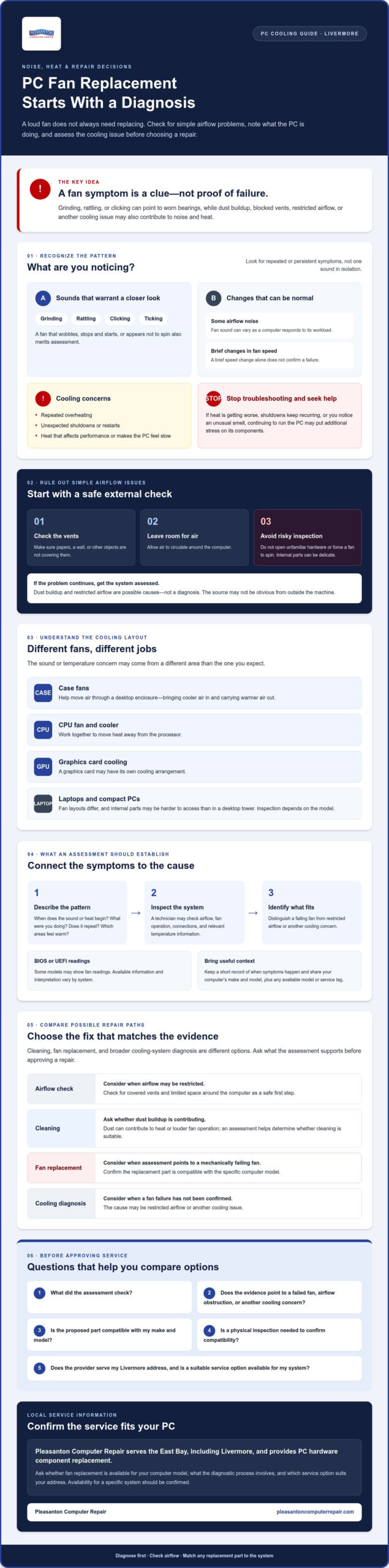
Some airflow noise and brief changes in fan speed are normal as a computer responds to its workload. Persistent grinding, rattling, clicking, or ticking is more concerning. A fan that wobbles, stops and starts, or appears not to spin also warrants a closer look. These signs can indicate a mechanical problem, but noise alone can’t confirm that a fan has failed.
Repeated overheating, unexpected shutdowns, or restarts may point to a cooling issue that needs assessment. Heat can also affect performance and make a computer feel slow. Keep a short record of when the sound or heat begins, what you were doing, whether the issue repeats, and which areas of the computer feel warm. This context can help a technician narrow down what to inspect.
Stop troubleshooting and seek help if the heat is getting worse, shutdowns keep recurring, or you notice an unusual smell. Continuing to run a computer with these warning signs may put additional stress on its components.
Could dust or airflow explain the problem instead?
Possibly. Dust buildup, blocked vents, or a computer placed where air can’t circulate freely may contribute to heat or louder fan operation. These are possibilities, not a diagnosis. A computer fan can serve different purposes depending on its location, such as moving air through the case or cooling a specific component. The source of a symptom may not be obvious from outside the machine.
Start with a safe external check. Make sure vents aren’t covered by papers, a wall, or other objects, and leave room around the computer for ventilation. If the problem continues, avoid opening unfamiliar hardware or forcing a fan to spin during inspection. Internal components can be delicate, so leave hands on checks to someone equipped to assess the system.
How PC Fans Cool Your Computer, and What a Technician Should Check
A PC fan moves air to help manage heat inside a computer. That airflow matters because processors and graphics cards produce heat during use, and their cooling needs depend on the computer’s design and component layout. Intel explains the importance of keeping your PC cool for system performance and component care.
What do CPU and case fans do?
In a desktop, case fans help move air through the enclosure, bringing cooler air in and carrying warmer air out. A CPU fan works with a cooler to move heat away from the processor. A graphics card may have its own cooling arrangement, so a noise or temperature concern may come from a different area than the CPU.
Laptops and compact PCs can have different fan layouts, and their internal parts may be harder to access than those in a desktop tower. The right inspection method depends on the model. A fan symptom is a clue, not proof that the fan has failed.
How does a repair assessment identify the failing part?
A useful assessment connects your report to what the computer is doing. A technician may ask when the noise or heat occurs, inspect airflow and fan operation, check connections, and review relevant temperature information. BIOS or UEFI menus may show fan readings on some models, but the information available and how to interpret it vary by system.
The goal is to distinguish a mechanically failing fan from restricted airflow or another cooling issue. A fan that runs inconsistently may need closer inspection, while blocked airflow could contribute to heat even if the fan still operates. Model details help identify the right components and parts. Share your computer’s make and model, along with any available model or service tag, before arranging a PC fan replacement service Livermore customers are considering. A physical inspection may still be needed to confirm compatibility.
Before deciding on a repair, ask what was checked and whether the evidence points to a failed fan, an airflow obstruction, or another cooling concern. Pleasanton Computer Repair provides PC hardware component replacement and serves Livermore. Confirm whether fan replacement is available for your specific model and which service option fits. You can review PC hardware repair information as part of that conversation.
PC Fan Cleaning vs. Replacement: Which Repair Makes Sense?
Cleaning, replacing a fan, and investigating another cooling issue are different fixes. The right choice depends on what an inspection finds, not just on whether the computer sounds loud or runs hot. Ask the technician to explain the diagnosis and whether replacement is needed before work proceeds.
| Option | When it may make sense | What it won’t address |
|---|---|---|
| Cleaning or airflow adjustment | Dust or blocked vents may be restricting airflow. | It can’t repair worn bearings, physical damage, or a fan that has failed mechanically. |
| Fan replacement | An assessment confirms the fan is damaged, unreliable, or not operating correctly. | It may not resolve heat caused by another component or cooling system problem. |
| Further cooling system diagnosis | Heat continues despite an operating fan, or the cause isn’t clear. | It doesn’t assume that a fan swap alone will fix the issue. |
When might cleaning or airflow changes be enough?
Visible dust around vents or a computer tucked into a tight space are useful clues to share, but neither proves the root cause. Start with safe external checks: clear objects from vents and make sure the PC has room for air to circulate. Avoid aggressive compressed air use around internal components, especially if you’re unfamiliar with the hardware. If noise or heat persists after basic checks, arrange a professional assessment. Corsair also discusses the dangers of an overheating CPU, reinforcing why ongoing heat shouldn’t be ignored.
When should a PC fan be replaced?
Persistent grinding, a fan that won’t spin, or confirmed mechanical damage calls for closer assessment. If replacement is appropriate, the part must match the computer’s design. A technician should verify details such as fan size, connector, and model compatibility before fitting anything. Desktop, laptop, and compact PC designs differ, so don’t assume a generic fan will fit.
Replacement may address a failed fan, but it isn’t a fix for every temperature spike or shutdown. Another cooling issue could remain, so ask what the assessment found and what the proposed repair is expected to address. Before arranging a PC fan replacement service Livermore residents are considering, confirm that the provider can assess your specific PC and check for compatible parts. Approve work once the recommended fix and its purpose are clear.
Choosing a PC Fan Repair Service in Livermore: Questions to Ask
Before booking a repair, find out how the provider will identify the problem and what happens if the fan isn’t the cause. For a PC fan replacement service Livermore residents are considering, clear answers about diagnosis, compatible parts, service location, and approval can help you choose a suitable next step rather than commit to a guessed at fix.
What should you ask before authorizing fan replacement?
Use this checklist to compare providers and understand the proposed work before giving approval:
- 1. What supports the diagnosis? Ask what testing or inspection points to fan failure, and whether cleaning, airflow changes, or another repair might address the symptoms.
- 2. Will the part fit my PC? Confirm how the technician will check compatibility and whether the proposed fan needs to be sourced for your specific make and model.
- 3. What service options are available? Ask whether in store or on site service is offered for your address and which option suits your computer and repair.
- 4. How is additional work approved? Ask whether the findings, proposed repair, and any additional work will be explained before you authorize it.
A provider should be able to explain what the assessment indicates and what a replacement is intended to address. If the diagnosis is uncertain, ask what needs further checking before a part is ordered or work begins.
How can Livermore customers prepare for service?
A little preparation can make the first conversation more useful. Write down your PC’s make and model, operating system, and a short description of the noise, heat, or fan behavior. Include when it happens and any history of overheating or shutdowns. Back up important files when practical, especially if the computer has been shutting down unexpectedly.
Confirm directly whether the provider serves your address, how appointments are arranged, and whether in store or on site service is available and appropriate. For broader context on local repair considerations, see this computer repair guide for Pleasanton.
Pleasanton Computer Repair serves Livermore and provides PC hardware component replacement. Before arranging service, confirm whether fan replacement is available for your PC model, what diagnostic steps are involved, and which service option can be arranged. Ask about PC fan repair options and what information to have ready about your computer.
Arrange PC Fan Repair Serving Livermore with Pleasanton Computer Repair
Pleasanton Computer Repair serves Livermore and provides PC hardware component replacement. Whether fan replacement is available depends on your computer model and current service availability. Confirm those details before arranging a PC fan replacement service Livermore customers can contact for an assessed repair.
In store and on site service are available generally, but the right option may depend on the repair and your location. Ask which service modes can be arranged for your specific PC and Livermore address. Sharing the make and model early can help the provider determine what other information is needed.
What to expect when contacting a local PC repair provider
Describe the symptoms clearly. Is the fan grinding, rattling, or changing speed? Does the computer feel hot, shut down, or restart? Note when each issue occurs, such as during startup or while running demanding programs. These details can help the provider understand the concern, but an assessment may be needed to identify the cause.
Before committing, ask what diagnostic steps are appropriate, whether fan replacement is available for your exact computer, and how compatible parts will be confirmed. The provider should explain what the findings indicate and discuss any additional repair needs before you authorize that work. Confirm appointment options directly. Don’t assume a particular part is available or that a specific repair time or result can be promised.
What if the fan is only one part of a wider PC issue?
An assessment may point to blocked airflow, another cooling concern, or a different hardware issue rather than a failed fan alone. Ask what the findings mean and whether any additional work would be separate from the repair you initially requested. This helps you understand the recommended next step before approving more work.
If the computer supports workplace operations, the small business computer repair guide offers related repair context. For Livermore service, share your PC model and symptoms with Pleasanton Computer Repair and ask about diagnosis, fan repair availability, service options, and appointments. Contact Pleasanton Computer Repair about Livermore service to discuss the next step for your computer.
Take the Next Step Toward a Quieter, Cooler PC
A noisy fan or hot computer deserves attention, but sound alone can’t confirm that replacement is the right fix. Check for simple airflow obstructions, keep track of when symptoms occur, and seek an assessment if overheating or shutdowns continue. A clear diagnosis can distinguish a dusty or blocked system from a failed fan or another cooling issue.
If you’re considering a PC fan replacement service Livermore, Pleasanton Computer Repair serves Livermore and provides PC hardware component replacement. Fan repair availability depends on your computer model, so ask about diagnosis, compatible parts, and service options before authorizing work.
Share your PC’s make and model, describe its symptoms, and ask what appointment options may be available. Contact Pleasanton Computer Repair to ask about PC fan service for Livermore. With the right information and a confirmed next step, you can make a more informed repair decision.
Frequently Asked Questions
Can a PC fan be replaced without replacing the whole computer?
Usually, a fan can be replaced without replacing the entire computer, provided the design allows access and a compatible part is available. The repair depends on whether the fan is a separate component or integrated into a cooling assembly. A technician can inspect the make and model, identify the relevant fan, and check compatibility. Ask for a diagnosis first so you know whether replacement is appropriate.
How do I know if my PC fan needs to be replaced?
Persistent grinding, rattling, or clicking, a fan that stops or spins inconsistently, and recurring overheating can all warrant an assessment. None confirms fan failure on its own. Dust, blocked airflow, or another cooling issue may cause similar symptoms. Note when the noise or heat occurs and whether the computer shuts down or slows down. A technician can use those details to investigate the cause before recommending replacement.
Is a loud computer fan always a sign that it is failing?
No. A fan may become louder or speed up temporarily as the computer responds to its workload, and ordinary airflow can also be audible. Persistent grinding, rattling, or clicking is more concerning, particularly if it occurs alongside heat or irregular fan movement. Noise alone isn’t a diagnosis. Check that external vents are clear, then seek an assessment if the sound continues or the PC repeatedly overheats or shuts down.
Can I replace a PC fan myself?
Possibly, but it depends on your experience and the computer’s design. Desktop fans may be more accessible than those in a laptop or compact PC, where parts can be tightly arranged. The replacement must match the fan’s size, connector, and model requirements. If you’re unfamiliar with internal hardware, don’t force access or guess at a part. A repair assessment can help establish whether replacement is needed and which component is compatible.
Does Pleasanton Computer Repair serve Livermore for PC fan repair?
Pleasanton Computer Repair serves Livermore and the wider East Bay, including Pleasanton, Dublin, San Ramon, Danville, Brentwood, Walnut Creek, and San Jose. The business provides PC hardware component replacement, but availability of a specific PC fan repair depends on the computer model and should be confirmed directly. Ask about the diagnostic process, compatible parts, appointment options, and whether in store or on site service is suitable for your repair.
What should I tell a repair shop about a noisy or overheating PC?
Share the PC’s make and model, operating system, and a short description of the symptoms. Explain whether you hear grinding, rattling, or other noise, when it starts, and whether the computer feels hot, slows down, restarts, or shuts off. Mention any recent changes and how often the issue occurs. For a PC fan replacement service Livermore, these details help the provider discuss an assessment and confirm whether the repair is available for your system.